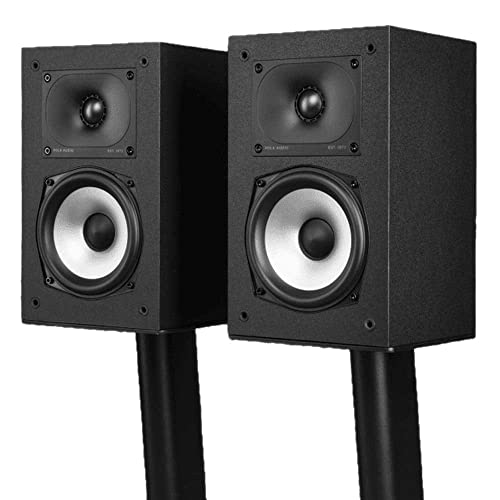
Best Compact Studio Monitors 2026: A Buyer Checklist
Disclosure: We may earn a commission when you buy through links on this page, at no extra cost to you. As an Amazon Associate I earn from qualifying purchases. Learn more
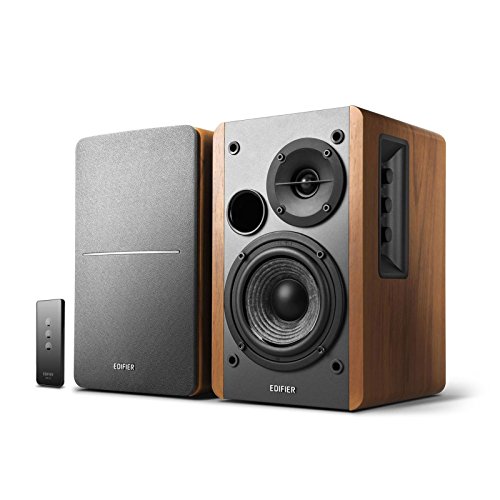
Compare compact studio monitors by size, driver design, inputs, and room fit. This guide explains the specs that matter and the red flags to avoid.
Shopping for best compact studio monitors can feel confusing because small speakers vary widely in sound, size, and price. Some suit a crowded desk and quiet editing sessions, while others are built to fill a small treated room with clear, honest sound. This guide walks through the comparison table below and the checklist that follows so you can judge each option on the factors that matter for your space and your work.
The key idea is simple: a compact monitor should sound balanced at the distance you actually sit from it, fit your desk without crowding your workspace, and connect easily to the gear you already own. Keep those three tests in mind as you read, and the rest of the details fall into place.


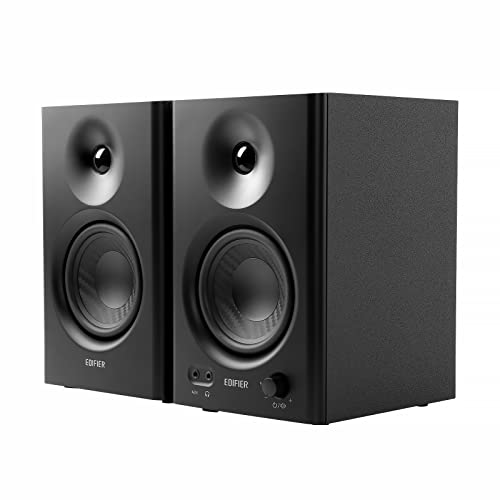


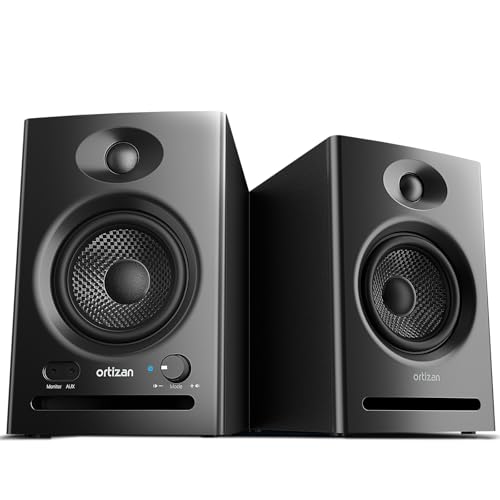
How to Judge Compact Studio Monitors
Use this section as a buyer checklist rather than a ranking. Each heading covers one decision, with a clear sense of what counts as good and what should make you pause. Work through the headings in order and you will have a short list that fits your room, your budget, and your ears.
Measuring for Size and Placement
Start by measuring your desk depth, the width you can spare, and the distance from your ears to each speaker position. Compact monitors still need breathing room, so leave space behind and beside each cabinet when you plan the layout. A speaker that fits only by touching the wall may sound boomy, while one squeezed against a monitor stand may lose stereo clarity. Check the listed width, height, and depth before you buy, and remember that stands or isolation pads add a little height. If your desk is shallow, a front port design may be more forgiving than a rear port design, since the rear port needs clearance from the wall to breathe.
Driver Size and Sound Balance
Driver size shapes how much bass a small speaker can produce and how loud it can play before distorting. Smaller drivers, around three or four inches, suit near field listening at a desk and keep the cabinet truly compact. Larger drivers, around five inches, reach lower and fill a small room more easily, but they need a bigger cabinet and a little more distance from the listener. Listen for balance rather than bass alone: a good compact monitor keeps vocals clear, keeps low notes defined rather than muddy, and avoids a harsh top end that tires your ears. If a speaker sounds impressive for a minute but fatiguing after an hour, its balance is probably off.
Active and Passive Designs
Most compact studio monitors are active, which means each cabinet has its own built in amplifier matched to its drivers. Active designs simplify setup because you only need a line level source, and the maker has already tuned the amplifier to the speaker. Passive designs need a separate amplifier, which adds cost and complexity but lets you choose your own amplification later. For a first setup or a small desk, active monitors are usually the simpler and safer choice. If you already own a suitable amplifier and enjoy building a system piece by piece, a passive pair can make sense, but check power ratings and impedance so the amplifier and speakers suit each other.
Inputs and Connections
Check the inputs on the back panel before you fall for a speaker. Balanced inputs, usually XLR or TRS, reject hum and noise over longer cable runs and suit audio interfaces. Unbalanced RCA inputs suit simple setups with a computer or phone output, but they can pick up noise if cables run near power supplies. Some compact monitors add Bluetooth or an auxiliary input for casual listening, which is handy but should not replace a proper wired connection for critical work. Also note whether volume is controlled on the front or the back of each cabinet, since rear controls are harder to reach once the speakers are placed.
Room Fit and Listening Distance
A compact monitor is designed for near field listening, which usually means sitting about two to four feet from each speaker. At that distance, the sound reaches your ears before room reflections dominate, so you hear more of the speaker and less of the room. In a very small or untreated room, a smaller driver often sounds cleaner than a larger one, because it excites fewer room problems. If your room is larger or you sit farther back, you may need a bigger monitor or a subwoofer later, but do not force a large speaker into a tiny space and expect it to behave. Placement matters as much as the speaker itself, so aim for a symmetrical setup with both speakers at ear height and equal distance from your listening position.
Volume Control and Everyday Use
Think about how you will use the speakers day to day. A front volume knob is convenient for quick adjustments, while separate rear controls suit a fixed setup where you set levels once and leave them. Some monitors include a headphone output or an auto standby mode that saves power when no signal is present. Keep volume at a moderate level during long sessions and take regular listening breaks, since even accurate speakers can tire your ears at high volume over time. If you notice ringing in your ears or dull hearing after a session, turn the level down and rest before listening again.
Spending Levels to Consider
Instead of naming picks, it helps to think in spending levels. Each level below describes what you can reasonably expect and where the trade offs sit, so you can match your budget to your needs without overspending on features you will not use.
Lower Spending
At a lower spending level, expect a compact cabinet, a smaller driver, and basic inputs such as RCA and a single balanced option. Sound is usually clear enough for learning, casual editing, and everyday listening, though bass extension is limited and maximum volume is modest. This level suits a first setup, a secondary desk, or a listener who works at low to moderate volume. Spend the savings on placement and isolation pads, which improve sound more than a small step up in speaker price.
Middle Spending
The middle spending level is where most buyers find the best balance. Cabinets are still compact, but driver quality, amplifier tuning, and cabinet construction tend to improve. You can expect clearer midrange detail, tighter bass, and more flexible inputs, including balanced connections on both speakers. This level suits regular editing, mixing practice, and long listening sessions where accuracy matters. It is also the level where room treatment and careful placement start to pay off, since the speaker itself is no longer the main limit.
Higher Spending
At a higher spending level, compact monitors offer refined tuning, better low volume detail, and more consistent sound across a wider listening area. You may also find room adjustment controls that let you trim bass or treble to suit wall proximity or desk placement. This level suits buyers who already have a treated space and a good audio interface and who want a monitor they can trust for finished work. Even here, size still limits deep bass, so judge the speaker on balance and detail rather than expecting room shaking low end from a small cabinet.
Quick Buyer Checklist
Run through these questions before you buy:
- Do the cabinets fit your desk with clearance behind and beside each speaker?
- Is your listening distance within the near field range the speaker is designed for?
- Does the driver size suit your room, or will it excite more bass problems than it solves?
- Do the inputs match your audio interface or source without adapters you do not own?
- Can you reach the volume control easily once the speakers are placed?
- Does the speaker sound balanced at moderate volume, not just loud?
- Have you budgeted for stands or isolation pads if your desk needs them?
Red Flags to Watch For
Be cautious when a listing gives vague specifications with no frequency response range, no driver size, and no amplifier power figure. Missing certifications, an unusually short warranty, and a flood of near identical reviews can also signal a product that is hard to trust. Another warning sign is a speaker marketed mainly on loudness or bass boost, since studio monitors are meant to sound honest rather than flattering. If the maker hides the input types or the cabinet dimensions, assume the details are unfavorable and keep looking. A clear, complete specification sheet is itself a good sign.
How to Make Your Compact Studio Monitors Last Longer
Keep volume at sensible levels and avoid driving small speakers hard for long periods, since clipping and heat shorten driver life. Dust the cabinets with a dry cloth and keep drinks away from the drivers and rear panel. Power the speakers from a stable outlet and switch them off when they will sit unused for a long stretch. If a speaker develops a rattle or distortion, check cables and placement first, then contact the maker rather than opening the cabinet yourself. Simple care like this keeps a good pair sounding consistent for years.
Frequently Asked Questions
What size should I get for my desk?
Choose a size that leaves clearance behind and beside each cabinet while keeping your listening distance in the near field range. For a typical desk, a driver around four or five inches usually works well, with smaller drivers suiting very tight spaces. Measure your desk depth and width before ordering, and remember that stands or pads add height. If the cabinet would touch the wall or crowd your computer monitor, step down a size rather than forcing a larger speaker into a space that cannot support it.
Do I need a subwoofer with compact monitors?
A subwoofer is optional and depends on your work and your room. Compact monitors cover most music and dialogue clearly, but they cannot reproduce the deepest bass notes at high volume. If you mix bass heavy material or work in a larger room, a subwoofer can extend the low end. In a small untreated room, however, a subwoofer often creates more problems than it solves, since low frequencies excite room modes. Start with the monitors alone, learn their sound, and add a subwoofer later only if you consistently miss low end detail.
Are active or passive monitors better for a small desk?
Active monitors are usually better for a small desk because each cabinet includes a matched amplifier, so setup needs only a line level source and no extra box. This saves space and removes the guesswork of matching an amplifier to the speakers. Passive monitors suit buyers who already own a suitable amplifier or who want to choose amplification separately. For most first time buyers, the simplicity and predictable tuning of an active pair outweigh the flexibility of a passive system.
Why does placement change the sound so much?
Placement changes the sound because walls, desks, and corners reflect low frequencies and reinforce some notes while cancelling others. A speaker near a wall gains bass, while one in a corner gains even more, which can make the sound boomy and unclear. Symmetrical placement at ear height, with equal distance to your listening position, gives the most balanced stereo image. Small adjustments, such as moving a speaker a few inches from the wall or adding isolation pads, often improve clarity more than a more expensive speaker would.
How long do compact studio monitors last?
A well made pair can last many years with sensible use, since there are no moving parts beyond the drivers themselves. Lifespan depends on volume habits, heat, dust, and power stability rather than on a fixed number of years. Avoid sustained high volume, keep the cabinets clean and dry, and power them from a stable outlet. If sound quality changes suddenly, check cables and placement before assuming the speaker has failed, since loose connections cause many supposed faults.
Wrapping Up
The best choice among best compact studio monitors is the pair that fits your desk, matches your listening distance, and sounds balanced at the volume you actually use. Prioritize size and placement first, then driver balance and inputs, and let spending level follow your room and your work rather than leading it. Use the checklist above to compare options side by side, and check the product table above once you have a short list in mind.
For related guidance, see best sounding studio monitors if overall sound quality is your top priority, and best studio monitor speakers for a broader look at speaker types. If budget is the main constraint, best inexpensive studio monitors covers lower cost options, while best studio monitors headphones is useful if you also need a headphone option for quiet sessions.