
Best Compact Gaming Mouse: What Actually Matters Before You Buy for 2026
Disclosure: We may earn a commission when you buy through links on this page, at no extra cost to you. As an Amazon Associate I earn from qualifying purchases. Learn more
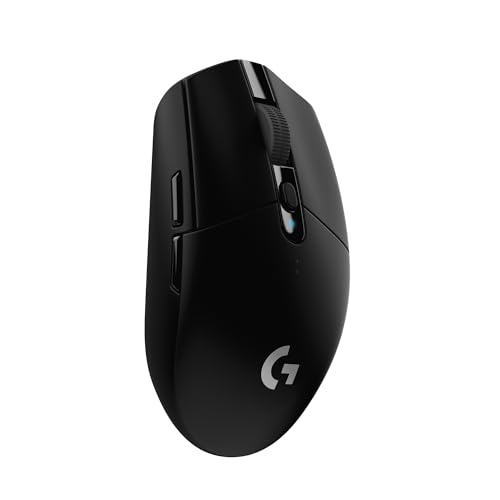
Compare the best compact gaming mouse options by size, sensor accuracy, weight, wireless speed, battery life, and grip fit with this checklist.
A smaller mouse can feel faster and easier to control, but only when the size, shape, and sensor suit your hand and your games. This guide uses a simple checklist to help you judge a best compact gaming mouse candidate on the details that change how it plays, not on headline numbers alone. You will learn what to measure, what to compare, and what to skip.
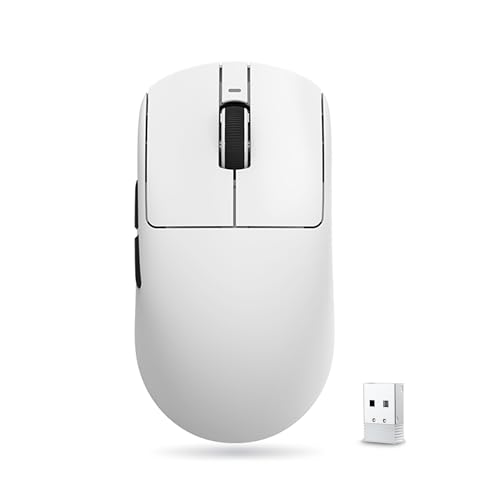
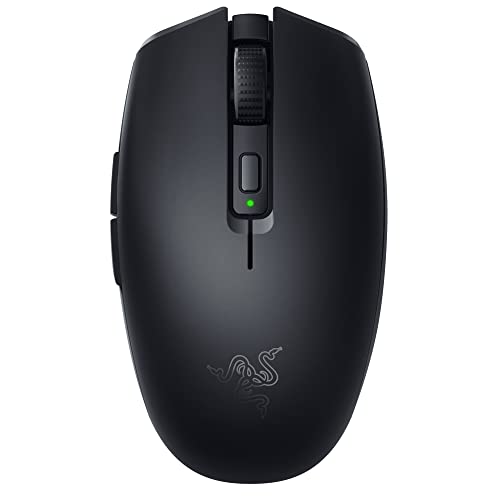
Start with fit, then check connection speed, weight, and battery life before extra features. The product table gathers current models in one place, so you can narrow your list first and then confirm that a compact shape will stay comfortable through long sessions at home or on the road.





Key Features to Compare Before You Buy
Compact models trade shell size for control and portability, so small differences matter more than they do on a large mouse. Fit and sensor tracking decide whether a mouse feels right, while connection, weight, software, and charging decide whether it stays easy to live with every day. If a model fails on fit, extra buttons and lighting will not fix it.
Measuring for Size and Portability
Length is the first number to check. Compact gaming mice are noticeably shorter than full size shells, so compare the stated length in millimeters. Measure the space in your laptop bag or carry case as well as your desk, because a mouse that travels well still needs room to move at home.
Width and height matter too. A narrow, low shell suits quick lifts and small hands, while a slightly taller back gives your palm more support.
Wired vs Wireless Connection Options
Wired models avoid charging and give a steady connection, but the cable can drag on a small desk and catch on a monitor stand. Wireless models free up that movement, and modern 2.4 GHz links keep wireless latency low enough that most players cannot feel a delay in fast games. Bluetooth is handy for switching to a laptop or tablet, though it usually responds a bit slower, so save it for casual play and work. Look for a receiver you can store inside the shell, because a loose dongle is easy to lose when you travel.
Weight and Build Quality
Many compact models are light, and that feel helps with quick flicks and repeated lifts. Going lighter is not always better, though. If a mouse feels too light, small hand movements can overshoot your target until you adjust.
Durable mechanical switches for the main buttons should give a crisp, consistent click on both sides. Feet made from smooth PTFE help the mouse glide evenly, and a flexible cable on wired models reduces drag.
Customization and Software
Useful software lets you set DPI levels, assign macros to side buttons, and save profiles so your settings travel with the mouse. Onboard memory matters most here, because it stores your choices on the device itself and keeps them when you plug into another computer without the app. Treat RGB lighting as a personal extra. It looks nice on a desk, but it drains battery and adds nothing to aim, so turn it off when you need longer wireless use.
Ergonomics, Size, and Grip Style
Grip style decides which shape will feel natural. Palm grip spreads your whole hand over the shell and favors a taller, more filled out back. Claw grip arches your fingers and works well on shorter shells that let you pull the mouse into your fingertips.
Fingertip grip uses the least contact and suits the smallest, lightest shapes. An ergonomic shell with a gentle side curve can reduce strain for right handed play, while a symmetrical shell suits either hand and more grip styles. If your fingers hang past the front or your palm feels crowded, the mouse is too small no matter how good the sensor is.
Battery Life and Charging
Battery claims only help when you know the conditions behind them. A model with a long rated battery life and lighting off may last far less with bright effects on and a high polling rate set. USB C charging is the standard to look for, since one cable can then serve your mouse, keyboard, and headset on a trip. If you often forget to charge, a wired fallback mode that lets you play while plugged in keeps you from being stuck with a dead mouse.
Sizing and Setup Guidance for a Better Fit
Specs alone cannot tell you how a small shell will feel after an hour of play, and no single best compact gaming mouse suits every hand. Once you have a short list from the product table above, these three steps help you confirm that a compact shell, your settings, and your desk surface all work together before you order.
How to Measure Your Hand and Desk Space
Measure your hand from the tip of your middle finger to the base of your palm, and write down the width across your knuckles. As a rough guide, smaller hands usually suit compact shells well, while longer hands may need a medium shell unless you use a fingertip grip. Then measure your clear desk area, since you still need room for your pad and for wide swipes in shooters. If space is tight elsewhere in your setup, see our guide to the best mouse for gaming for broader sizing context across shell sizes.
Matching Sensor Settings to Your Games
DPI describes how far the cursor moves for each inch the mouse moves, and higher is not automatically better. Many players settle between 800 and 1600 DPI for shooters, where small, controlled moves matter, and raise it for fast paced strategy or work across large screens. Try a new setting in a practice range for a few rounds before a ranked match, and change it in small steps so your muscle memory can adjust.
Also check lift off distance if the software offers it. A low setting stops tracking sooner when you lift and recenter, which keeps your aim steadier during frequent lifts.
Pairing Your Mouse With the Right Surface
A compact mouse moves quickly, so the surface under it shapes how controlled it feels. Cloth pads add friction and help you stop precisely, while harder pads glide faster and can feel twitchy until you adapt. Size matters as well, because running off the edge mid game breaks your aim.
Readers comparing bundled options can see our guide to the best gaming mouse and pad for pairing advice, and those who want a pad only can see our guide to the best gaming mouse mat for material and sizing notes. Keep the pad flat and clean so tracking stays even.
Quick Buyer Checklist
Run through these questions before you buy. A good match should earn a yes on the first four and on most of the rest.
- Does the shell length suit your hand size and your main grip style?
- Does the sensor track cleanly at the DPI range you actually use?
- Is the weight light enough for quick lifts without feeling unsteady?
- Does the connection type fit your desk, with low drag or low latency?
- Will the battery last a full week of your normal play on one charge?
- Can you save your settings on the mouse for use on another computer?
- Does the shape stay comfortable after an hour, with no finger cramping?
- Does the price fit your budget once a suitable pad is included?
Budget deserves a final honest check. If you mainly play casual games, see our guide to the best inexpensive gaming mouse to understand what lower priced models give up in sensor polish, battery size, and switch feel before you decide to spend more.
Red Flags to Watch For
Some listings look strong until you read them closely. Watch for these warning signs, each of which suggests you should look at another model instead.
- The listing leads with a huge maximum DPI number but says nothing about sensor model or tracking consistency, which suggests the headline number is doing the selling.
- Battery life is quoted with no conditions listed, so you cannot tell whether lighting or polling rate was turned down for the claim.
- The shape is described only with vague words and no length, width, or height in millimeters, which makes fit impossible to judge.
- The warranty is very short or unclear for a wireless model, which leaves you exposed if the battery or receiver fails early.
- Software is required for basic settings with no onboard memory, so your profiles vanish when you switch computers.
Two or more of these together usually mean the maker spent on marketing rather than on the parts you feel in game.
Tips to Get the Most From Your Compact Gaming Mouse
Simple care keeps tracking accurate and clicks consistent. Blow dust from the sensor lens with dry air and wipe the lens gently with a dry microfiber cloth, since a dirty lens can cause jitter or skipped movement. Clean the shell and side grips with a slightly damp cloth so oils from your hands do not build up into a slick surface, and wash or replace a worn pad when glide starts to feel uneven.
Update firmware through the companion app when the maker releases a fix. Store the wireless receiver in its slot inside the mouse when you travel, and avoid leaving the battery fully empty for long stretches, because topping it up during the week keeps it healthier. Inspect the feet for worn edges every few months, since replacing tired feet restores smooth glide for little cost. If your display setup changes, pairing a compact mouse with the screens in our guide to the best gaming monitors may mean revisiting your DPI once so movement feels natural at the new resolution.
Frequently Asked Questions
Does a compact gaming mouse work with Mac and console systems?
Yes, a compact gaming mouse works with Mac and most consoles for basic pointing and clicking. Full software features such as macros and custom profiles often need Windows, and some consoles only support a mouse in certain games or menus. A useful extra check is whether the mouse stores settings onboard, because those saved settings still apply on systems where the app cannot run.
Is a wireless compact gaming mouse fast enough for competitive play?
Yes, a wireless compact gaming mouse using a 2.4 GHz receiver is fast enough for competitive play for most players. Modern links respond so quickly that the delay is hard to feel in real matches. Keep the receiver close to the pad with a clear path, since distance, walls, and crowded USB hubs can add interference that a wired cable would avoid entirely.
What DPI setting does a compact gaming mouse need for gaming?
A compact gaming mouse needs a sensor that tracks cleanly across the 400 to 3200 DPI range most players actually use. Chasing the highest advertised number adds little, because very high settings make the cursor hard to control. One point many buyers miss is polling rate. A 1000 Hz rate reports movement often enough for smooth play, and higher rates help only on high refresh screens.
How long does a compact gaming mouse battery usually last?
Battery life varies widely by model, and the longest rated figures assume lighting off. Bright lighting and the highest polling rates can cut that figure sharply, sometimes by half or more. If you travel often, favor a model that can play while charging over USB C, so a low battery never forces you to stop and wait before a session.
Final Thoughts
Fit comes first, sensor consistency comes second, and everything else supports those two. Measure your hand, confirm your grip, and use the checklist to reject models that miss on size or tracking, no matter how appealing the extras look. When you compare your short list in the product table above, the right best compact gaming mouse for you is the one that stays comfortable, tracks cleanly, and fits your desk and travel habits without daily fuss.


