
Best Commercial Security Cameras: A Buyer Checklist for 2026
Disclosure: We may earn a commission when you buy through links on this page, at no extra cost to you. As an Amazon Associate I earn from qualifying purchases. Learn more

The best commercial security cameras cover your entrances, store footage safely and cut false alerts. Use this checklist to match a system to your premises.
Choosing best commercial security cameras starts with a clear picture of what your premises need, not with a single feature. A shop, a warehouse, and a small office face different risks, and the right system for one can leave blind spots in another. This guide walks through coverage, storage, night vision, and detection so you can compare options on equal terms.
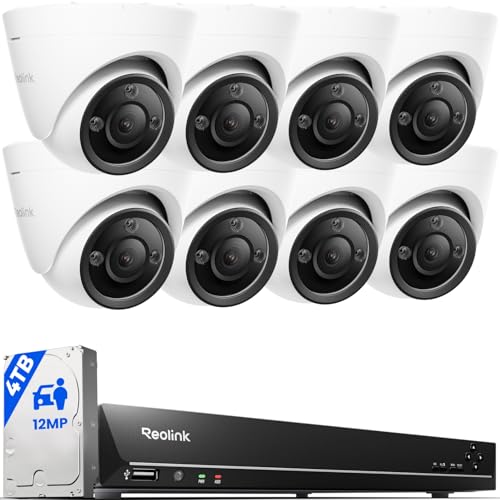
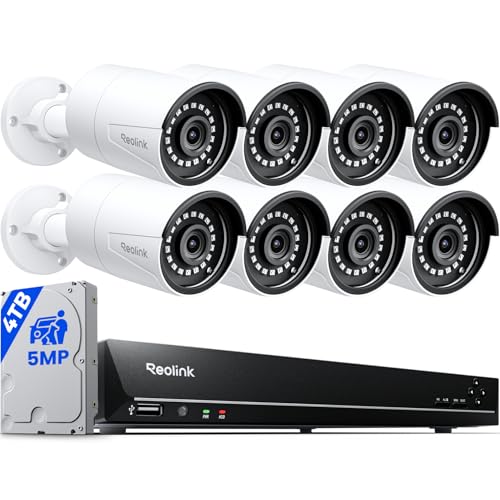
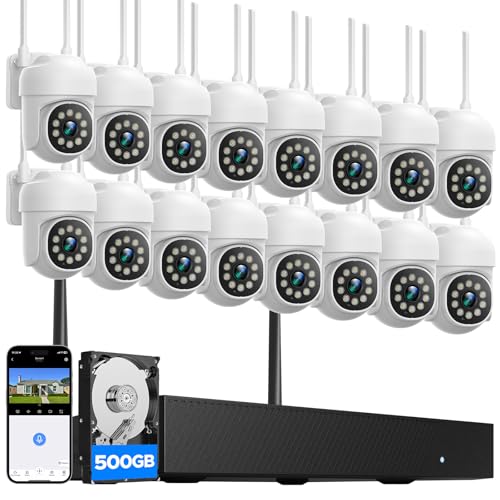
The comparison table below sets out the main types side by side. Use it as a starting point, then work through the checklist in this guide before you settle on a layout. A careful plan at the start saves rewiring, extra subscriptions, and gaps in coverage later.





Key Features to Compare in Commercial Security Cameras
Commercial premises usually need cameras that run for long hours, cope with changing light, and keep footage that can be reviewed days later. The factors below matter more than a single headline specification. Read each one against your own layout, and note where your premises are most exposed.
Video Resolution and Field of View
Resolution decides how much detail a recording holds, while field of view decides how much of a scene one camera covers. A wide view suits an open sales floor, but it can make faces and number plates harder to read at a distance. A narrower view suits an entrance or a till, where detail matters more than breadth.
Check the stated angle and think about mounting distance before you assume one camera will cover a whole room. For a wide outdoor area, see our guide to best outdoor commercial security cameras and plan overlap between views so a person cannot pass unseen between two cameras.
Storage: Local vs Cloud Subscription
Local storage keeps footage on a card or a recorder on your premises, while cloud storage keeps it on a provider server and usually needs a monthly plan. Local storage avoids an ongoing fee, but a recorder on site can be damaged or stolen along with the footage it holds. Cloud storage protects footage off site, but it depends on your internet connection and adds a recurring cost for every camera.
Many businesses mix the two, with local storage for day to day review and cloud backup for important entrances. Work out how many days of footage you need before you compare plans, since retention length changes the price quickly.
Privacy and Security
A commercial system should protect its own footage as carefully as it watches your premises. Look for end to end encryption where it is offered, strong password rules, and two factor authentication for every account that can view live or recorded video. Review who holds admin access, and remove accounts promptly when staff leave.
Placement matters too: follow local placement, recording, and consent rules, keep bedrooms and bathrooms camera free, and post clear notices where recording takes place. No system can guarantee privacy or security, so treat access control as part of the purchase, not an afterthought.
Smart Home and Business Integration
Integration lets cameras work with lights, locks, alarms, and voice assistants, but the value depends on what your premises already use. A shop with an existing alarm panel may benefit from linked alerts, while a small office may only need phone notifications. Check whether integration needs a hub, a subscription, or a specific app, and whether it works when the internet drops.
Avoid buying into a platform for one feature you may never use. A simple system that staff understand will serve you better than a complex one that nobody checks.
Night Vision: Infrared vs Color
Night vision comes in two main forms. Infrared video shows a scene in shades of grey and works in near darkness, while color night vision uses a larger sensor or a built in light to keep color detail at low light levels. Infrared suits a dark yard or car park, where any image is better than none.
Color video helps identify clothing and vehicle color, but it needs some ambient light or a spotlight to work well. Walk your premises after dark before you decide, and note which areas already have lighting and which stay fully dark.
Smart Detection and Alerts
Detection shapes how useful a system is day to day. Person, package, and vehicle detection can cut down on alerts triggered by wind, animals, or passing traffic. Activity zones let you focus on entrances, loading bays, and stock areas while ignoring a busy public footpath.
Too many alerts lead staff to ignore them, so set zones and sensitivity during the first week and review them after a few busy days. Check whether detection runs on the camera, on a recorder, or in the cloud, since that affects speed and whether it needs a subscription.
Spending Level Guidance
Budget systems usually cover basic indoor and outdoor views with modest resolution and local storage. They suit a single shop or a small office with a few key areas to watch. Expect simpler detection, shorter retention, and fewer integration options, but that may be enough when coverage is limited. Midrange systems add sharper video, better night vision, wider coverage, and more flexible storage.
They suit businesses with several entrances, a stockroom, and a yard that all need watching at once. Higher spending systems add larger sensors, longer retention, stronger weather sealing, and more advanced detection. They suit larger premises, multiple sites, or sites where footage may need to be reviewed in detail. In every tier, compare total cost, including storage plans, mounts, cabling, and any installer time.
A useful rule is to spend first on coverage of entrances and high value areas, then on extra features. A sharp camera pointed at the wrong wall helps no one, while a modest camera covering the right doorway can prove far more useful. If funds are tight, start with the areas that matter most and add cameras later, rather than spreading thin coverage everywhere at once.
Quick Buyer Checklist
Run through these questions before you order. They help you match the system to your premises rather than to a feature list.
- Have you mapped every entrance, exit, till, stock area, and loading bay?
- Do you know which areas need detail, such as faces, and which only need a general view?
- Have you checked lighting after dark in each camera position?
- Do you know how many days of footage you need to keep?
- Have you compared local storage, cloud storage, and a mix of the two?
- Have you confirmed power and network access at each mounting point?
- Have you set who can view footage, and how accounts are removed when staff leave?
- Have you checked local placement, recording, and consent rules for your premises?
Red Flags to Watch For
Vague specifications are a warning sign. If resolution, field of view, or weather rating is missing or unclear, treat the claim with caution. Very short warranty terms can also signal weak support, especially for outdoor cameras exposed to rain and heat. Be wary of systems that lock basic features, such as playback or detection, behind a subscription without saying so clearly up front.
Check whether the app and firmware still receive updates, since an abandoned system can become hard to use. Finally, read the storage terms carefully: a low camera price can hide a high monthly cost once every camera is added.
Cameras for Specific Business Needs
Best Commercial Security Cameras with Sound: What to Check
Sound adds context that video alone cannot give, but it also brings stricter rules. Check whether audio recording is allowed in your area and whether consent or notice is required, since rules vary by location. Look for two way audio where staff need to speak to a visitor or delivery driver, and check whether audio can be switched off separately from video.
Test microphone range in a noisy area, since a warehouse or a busy shop floor can drown out speech. Keep audio away from private conversations where possible, and limit playback access to staff who need it.
Best 4K Commercial Security Cameras
Higher resolution helps when you need to read detail at a distance, such as a face at a doorway or a plate in a yard. It also uses more storage and more network bandwidth, so check recorder capacity and connection speed before you commit. A 4K camera still needs good light and a suitable lens to deliver detail, so do not assume resolution alone fixes a poor mounting position.
For many indoor areas, a lower resolution camera placed well will serve just as well. Reserve the highest resolution for the few views where detail truly matters.
Care and Maintenance Tips
Mount cameras 8 to 10 feet high where possible, high enough to avoid tampering but low enough to capture useful detail. Keep lenses clean, since dust, spider webs, and rain spots blur footage quickly. Position cameras away from direct sun glare, and check the view at different times of day. Enable two factor authentication on every account, and update firmware when the maker releases it.
Review a sample recording each month to confirm storage, time stamps, and night vision still work as expected. For areas beyond the building, see our guide to best security cameras outside and check weather sealing after storms.
Inside the building, plan coverage room by room rather than copying an outdoor layout. A guide to best security cameras for house can help you think about hallways, entrances, and shared spaces, even though a business layout will differ in scale. For a simpler setup with fewer cameras, see our guide to best commercial cameras and compare fixed and adjustable models before you choose mounts.
Frequently Asked Questions
Can commercial security cameras work without WiFi?
Yes, many commercial systems work without WiFi by using wired connections, a local recorder, or a cellular link. Wired systems suit premises with existing cabling or a central recorder room, and they keep footage on site even if the internet drops.
A system that stores locally can keep recording during an outage, while a cloud only system may stop uploading until the connection returns. Ask the seller how alerts, playback, and storage behave offline.
Do commercial security cameras need a subscription?
Not always, but many systems use one for cloud storage, longer retention, or advanced detection. Local storage on a card or recorder often works without a monthly fee, which suits businesses that want predictable costs. Cloud plans add off site backup and remote playback, but the fee usually grows with each camera and with longer retention.
Before you commit, add up the total monthly cost for your full camera count, not just one camera. Also check what still works if you cancel, since some features may stop while basic live viewing continues.
Are commercial security cameras easy to hack?
No system is immune to attack, but good setup habits lower the risk a great deal. Use strong, unique passwords, enable two factor authentication, and keep firmware up to date. Limit admin access to a small number of trusted staff, and remove accounts promptly when someone leaves. Keep cameras on a separate network segment where possible, so a breach of a guest network does not reach your video system.
Avoid sharing live links publicly, and review login activity from time to time. These steps do not guarantee security, but they close the most common gaps.
Wired or wireless: which is more reliable for a business?
Wired systems are usually more reliable for fixed commercial premises, since they avoid wireless interference and do not depend on battery charge. They suit buildings where cabling can run to a central recorder and where cameras stay in one place. Wireless systems are easier to install and move, which suits rented premises or temporary coverage.
Their reliability depends on signal strength, wall materials, and battery or power access at each spot. For a business, a common answer is wired cameras for key entrances and wireless cameras for areas that change often.
How much storage do commercial security cameras need?
Storage needs depend on camera count, resolution, frame rate, motion recording, and retention length. A small shop with four cameras recording on motion may manage with modest local storage for a week or two. A larger site with many high resolution cameras recording around the clock will need far more capacity.
Motion only recording cuts storage sharply compared with continuous recording, but it can miss events if detection is set too narrowly. Decide your retention target first, then ask for a storage estimate based on your exact camera count and settings.
Final Thoughts
The right system balances coverage, storage, night vision, and detection against the realities of your premises. Start with a map of entrances and high value areas, check light and power at each spot, and compare total cost including storage. Review the product table above once more, then choose the setup that staff will actually use and maintain. A clear plan now will give you footage you can trust when you need it, and best commercial security cameras are the ones that fit your building, your workflow, and your budget.


