Best Commercial Projectors: A First Time Buyer's Guide for 2026
Disclosure: We may earn a commission when you buy through links on this page, at no extra cost to you. As an Amazon Associate I earn from qualifying purchases. Learn more

Shopping for the best commercial projectors for the first time? Learn the key terms, compare core specs, and avoid common rookie buying mistakes.
Buying a projector for work feels very different from buying one for movie night at home. Rooms are bright, audiences sit at many angles, and the image has to stay readable for text, charts, and video calls. If you are comparing best commercial projectors for the first time, this guide starts with the plain basics and then walks through the specs that actually change what your audience sees.
Use the comparison table below to line up the main options side by side as you read. By the end, you will know how much brightness your room needs, which resolution fits your content, how far the projector should sit from the screen, and what setup steps to plan before the first meeting or class.



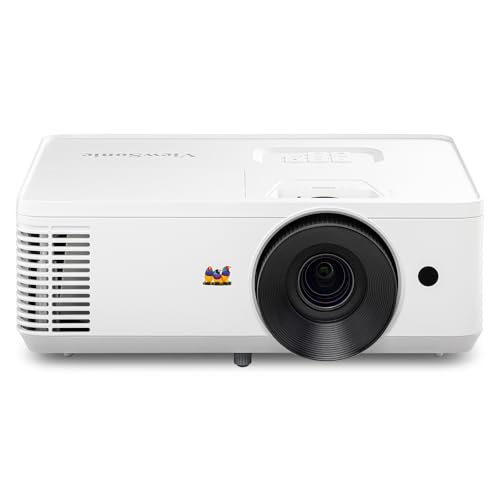

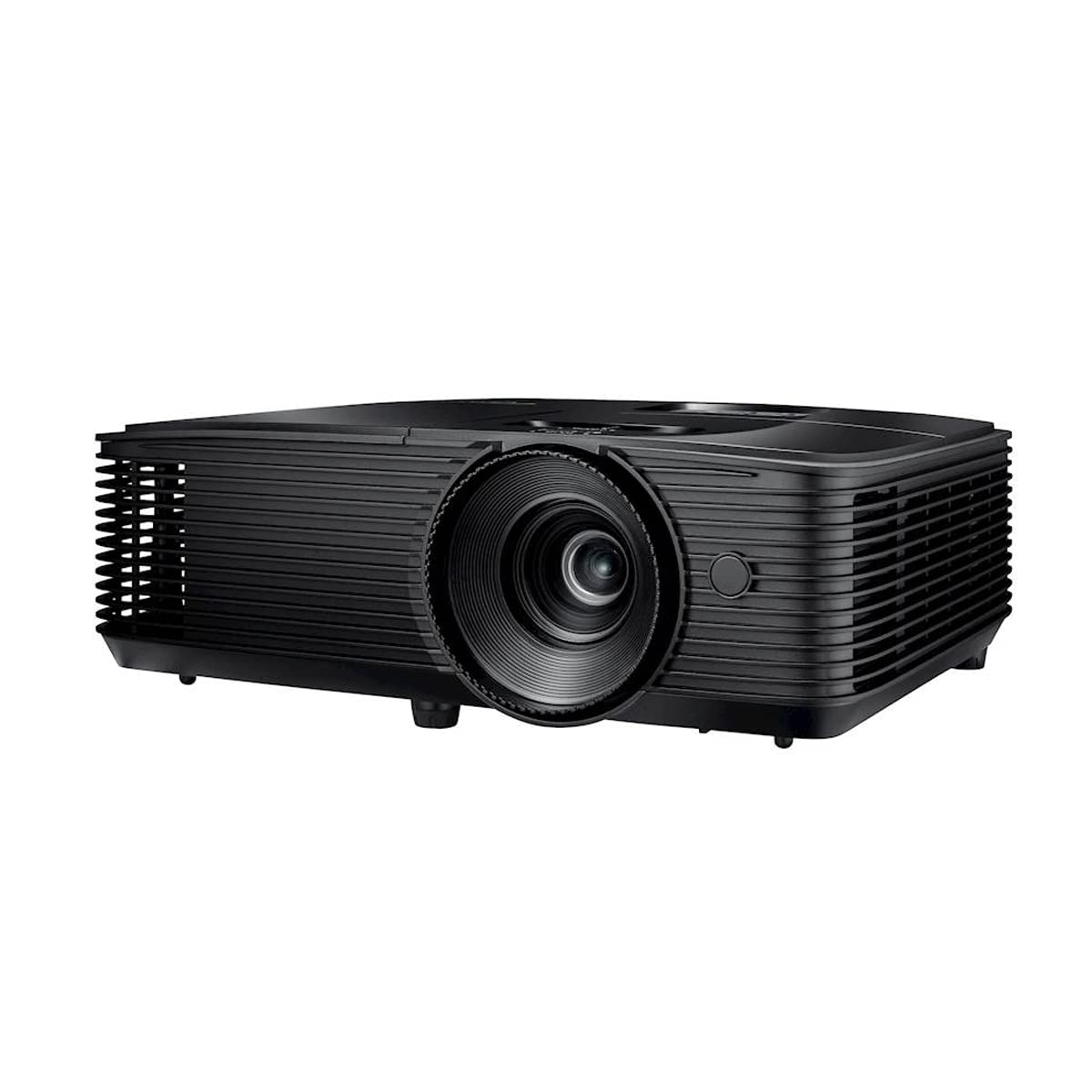
Commercial Projectors 101: The Basics for New Buyers
A commercial projector is a display built for shared spaces such as offices, classrooms, training rooms, restaurants, and houses of worship. It projects an image onto a screen or a suitable wall so a whole group can view the same content at once. Unlike a home theater model, it is designed to work with the lights on, run for many hours each week, and connect to many different laptops and media sources.
The core job is simple to picture. A bright light source creates the image inside the unit, a lens enlarges it, and the lens throws that image across the room at a size set by the distance and the zoom. That is why the best commercial projectors are judged less on cinematic darkness and more on readable text, steady brightness, flexible installation, and controls that staff can manage without help.
Your room drives almost every choice that follows. Note the room size, the distance from the screen to the farthest seat, how much daylight enters, and whether the ceiling allows a fixed mount. Write those four facts down before you shop, because they turn vague spec sheets into clear yes or no decisions later.
Which Commercial Projector Fits Your Space and Audience?
Meeting Rooms and Offices
Most office buyers need a bright, quiet unit for slides, spreadsheets, and video calls in a room that seats about six to twenty people. Fast startup, wireless sharing from laptops, and a lens that fills a screen from a ceiling mount matter more than dramatic movie contrast. If your events sometimes move outside after dark, see our guide to the best projectors for outside, because open air viewing changes the brightness and weather planning completely.
Classrooms and Training Rooms
Teachers and trainers present for long blocks, often with lights up so students can take notes. That use favors strong brightness, a lamp or light source with a long rated life, and simple controls that a substitute presenter can learn in a minute. For a small huddle room or a trainer who carries gear between rooms, see our guide to the best small projectors for lighter options that still cover daily lessons.
Large Venues and Mobile Presenters
Auditoriums, sanctuaries, and event halls need far more brightness and a lens plan for a long throw distance, plus service access because the unit may hang high above the floor. Mobile presenters have the opposite need, since weight and quick setup matter most. Road staff who present to one or two clients at a time can see our guide to the best pocket projectors, while staff who need the smallest possible unit for tiny demo spaces can see our guide to the best pico projectors for that narrower niche.
Key Specs Explained in Plain English
Image Technology and Light Source
Most commercial models use either DLP or 3LCD technology to form the image. DLP units often look sharp and compact, while 3LCD units tend to hold color brightness well, which helps colorful charts stay vivid under lights. The light source matters just as much. Lamp models cost less at purchase but need lamp swaps over time, while laser and LED models usually run far longer with steadier brightness and less routine upkeep.
Brightness in Lumens and Room Light
Brightness is rated in lumens, and for commercial use you should look at ANSI lumens because that rating follows a shared measuring method. A small shaded meeting room may work well at about 3000 to 4000 lumens, while a bright classroom or a large venue often needs about 5000 lumens or more. Contrast still matters for dark text on light slides, and HDR support can help video look richer, but readable brightness in your actual room light comes first.
Resolution and Screen Size
Resolution sets how much fine detail the image can show. WXGA and 1080p suit most slides and video, WUXGA gives extra vertical room that helps with documents and data, and 4K shows very fine detail when viewers sit close or the screen is very large. Match the resolution to your content and screen size together. A huge screen viewed from far away gains less from extra pixels than a moderate screen viewed up close by people reading small type.
Throw Ratio, Lens Shift, and Mounting
Throw ratio tells you how wide the image will be from a given distance, so it decides where the projector can sit. A standard lens suits most ceiling mounts, a short throw lens fills a big image from close to the screen, and lens shift lets you move the image up, down, or sideways without tilting the unit. Zoom adds placement flexibility. For high or heavy ceiling installs, use a mount rated for the weight and consider a professional installer for safety.
Connections, Control, and Sound
Count the inputs your team really uses, usually HDMI for laptops, plus USB, network, and sometimes HDBaseT for long cable runs in larger rooms. Wired LAN and systems such as Crestron or AMX style control let facility staff monitor, schedule, and shut down units across a building, which saves real labor. Built in speakers are fine for speech in small rooms, but larger spaces should plan on room speakers, because projector speakers rarely fill a wide audience area clearly.
Reliability, Noise, and Operating Hours
Commercial units run far more hours than home models, so check the rated duty, the cooling design, and the warranty terms for business use. Fan noise matters in quiet meeting rooms, and makers usually quote it in decibels, with lower numbers sounding softer. Gaming style specs such as adaptive sync, very high refresh rate numbers, and low response time claims matter little here. Steady operation, easy filter access, and local service support matter far more for a room that cannot afford downtime.
Image quality also depends on the screen surface and the room finish, not only the projector itself. A matte screen in a room with light walls will usually serve presentations better than a glossy surface that reflects windows. If image quality is your top priority across uses, see our guide to the best quality projectors to compare how different projector classes handle color and detail.
Rookie Mistakes to Avoid
- Buying by resolution alone and ignoring lumens, so slides look washed out as soon as the blinds open.
- Skipping the throw calculation, so the image ends up too small or too large for the screen you already own.
- Mounting the projector before trying every laptop connection, so the first meeting stalls while staff hunt for adapters.
- Choosing a lamp model without budgeting for lamp swaps, so total ownership cost surprises you in year two or three.
- Placing the unit where vents are blocked by a tight ceiling box, so heat builds up and the projector shuts down mid session.
- Forgetting audio until presentation day, so a large room gets weak sound from a small built in speaker.
Getting Started: Setup and First Use
Start by placing the projector at the distance your throw calculation gave you, then power it on and center the image on the screen before tightening the mount. Level the image with lens shift first and use digital keystone only as a last resort, because keystone correction can soften text. Focus at the screen with a slide of small type open, since that shows soft corners faster than a photo does.
Next, pick a picture mode made for presentations rather than a vivid mode, because vivid settings push color and brightness in ways that distort charts and skin tones. Set the aspect ratio to match your main source, usually 16:9 or 16:10, and save your settings once the room looks right. Connect your most common laptop types and try each one, plus the remote, the network control if you use it, and the room audio.
First Month Care Habits
Care for a commercial projector is mostly about air flow and clean filters. Check the filter and vents on the schedule in your manual, keep the area around the intake clear, and let the fan finish its cool down cycle before you cut power at a strip or breaker. Log the light source hours each month in a shared note, because that simple habit makes lamp ordering and service planning calm instead of rushed.
Frequently Asked Questions
How long do commercial projector lamps and laser light sources last?
Lamp models often rate a lamp at about 3000 to 10000 hours depending on brightness mode, while laser models commonly rate about 20000 hours or more. Your real life span depends on hours per day, heat, and how often the unit runs at full brightness. A practical new step is to keep one spare lamp in storage for any lamp model that supports daily classes, so a failure never cancels a session.
Is DLP or 3LCD better for a commercial projector?
Neither technology wins for every room, so the better choice depends on your content and audience. 3LCD models often hold color brightness close to their white brightness, which helps saturated charts, while DLP models often deliver crisp text and compact designs. When you compare spec sheets, look for a color brightness figure alongside the headline lumens, because a projector can sound bright on paper yet look dull with colorful slides.
Does refresh rate matter for commercial projectors used for presentations?
Refresh rate matters very little for slides, documents, and most video calls, because that content changes slowly compared with fast games. A standard refresh rate handles conference video and training films smoothly for typical rooms. Spend your attention and budget instead on smooth playback from your source device and a network or cable path that does not stutter, because a weak laptop or a poor wireless link causes far more visible problems than the refresh figure does.
What size screen should you pair with a commercial projector for your room?
Choose the screen size from the farthest seat and the smallest content your audience must read, not from the wall space alone. People reading detailed spreadsheets need a larger image relative to their distance than people watching bold headlines. Also check your ceiling height and the top row sight lines before you order, because a screen that fits the wall can still sit too low for viewers behind a tall front row.
Is 4K worth it for a commercial projector?
4K is worth it when viewers sit close to a large screen and your content holds fine detail, such as design reviews, medical training images, or detailed maps. For typical slides in a midsize room, 1080p or WUXGA usually reads just as clearly at a lower cost. Before you pay more, confirm your laptops, cables, and switchers can carry a 4K signal end to end, because one older link in that chain can limit the whole system.
The Bottom Line
For a first purchase, focus on three things in order: enough ANSI lumens for your room light, a throw and lens plan that fits your screen, and a light source and warranty that match your weekly hours. Resolution, connections, and control features then fine tune the choice for your content and your building. Use the product table above to compare models against those priorities, and you will find that best commercial projectors stops being a vague label and becomes a short list that truly fits your room, your audience, and your budget.