Best Commercial Office Printers Made Simple: A Clear Buying Guide for 2026
Disclosure: We may earn a commission when you buy through links on this page, at no extra cost to you. As an Amazon Associate I earn from qualifying purchases. Learn more
Shopping for the best commercial office printers for the first time? Learn the terms, compare options, and avoid rookie mistakes with this easy guide.
Buying a printer for a business is different from buying one for a home desk. The whole team depends on it, page volumes are higher, and a cheap machine with costly ink can quietly drain a budget. If this is your first time choosing the best commercial office printers, this guide starts with the plain basics, explains each key spec in simple language and ends with a calm setup plan. Use the comparison table below to see the main types at a glance, then work through the sections in order.
You do not need to master every term today. You only need to know which specs decide daily speed, running cost and reliability for a team of your size.


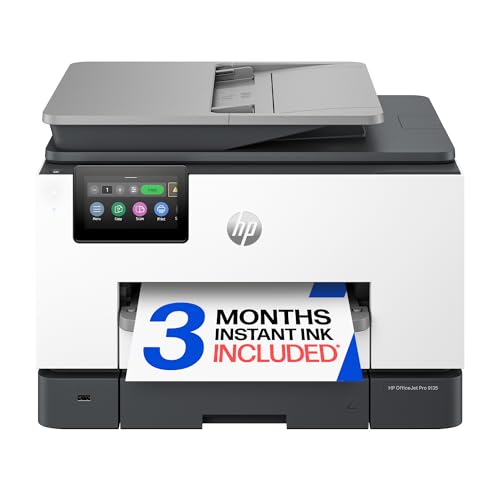


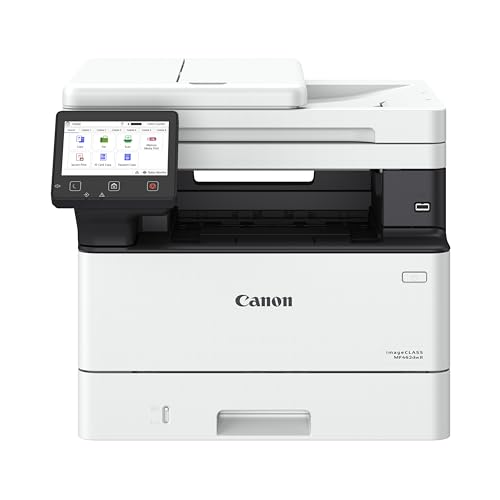

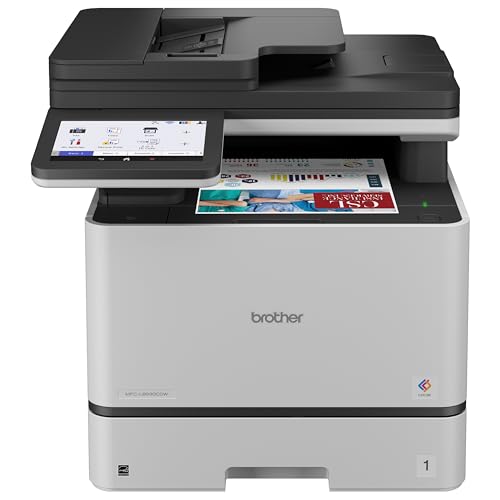
Commercial Office Printers 101: The Basics
A commercial office printer is a machine built for shared, frequent use by a workgroup rather than occasional use by one person. It prints faster, holds more paper, connects to an office network and is designed so parts such as toner, drums and paper trays survive heavy daily cycles. Manufacturers describe that workload with a duty cycle, which is the maximum pages per month the machine can handle, and a lower recommended monthly volume, which is the range it handles comfortably. Always shop by the recommended volume, not the maximum.
Most models are all in one machines that also scan, copy and sometimes fax, with an automatic document feeder that scans a stack of pages without help. Duplex printing means the machine prints on both sides of a sheet automatically, saving paper and time. If your office prints contracts, invoices and reports every day, these basics decide whether the printer feels like a tool or a bottleneck. Smaller teams may also want to compare our guide to the best small office printers, where lower volumes change the math.
Key Specs Explained in Plain English
Spec sheets look intimidating, but five ideas explain almost everything. Learn these and you can read any listing for the best commercial office printers with confidence.
Printer Type (Laser, Inkjet, and Tank)
Laser printers use toner powder and suit offices that print mostly text at speed, with crisp pages and low cost per page. Business inkjet models use liquid ink and handle color graphics and photos better, though very heavy text volume can cost more. Ink tank models fill from bottles instead of cartridges, cutting ink costs for color heavy teams. Most offices need one reliable document printer first and add specialist machines later.
Connectivity and Mobile Printing
A shared printer should connect by Ethernet or WiFi to the office network so everyone can print without passing a cable around. AirPrint and similar systems let phones and tablets print directly, which helps visitors and staff who work from mobile devices. Check that the printer supports your office computers and any security rules your network uses, such as sign in codes for sensitive documents. Also place the printer where the WiFi signal is strong or use a wired connection, because weak signals cause more failed jobs than the printer itself.
Print Quality and Resolution
Resolution is measured in DPI, meaning dots per inch, and higher numbers can produce sharper detail. For office text, standard settings already look crisp, and chasing the highest DPI matters mostly for marketing pieces and detailed graphics. Sharpness also depends on paper, so try your normal office paper rather than judging by glossy samples.
Footprint and Noise
Measure the desk or floor space before you order, including room to open trays, lift the scanner lid and pull out jammed paper. Commercial models are larger than home printers, and a tight corner becomes frustrating within a week. Noise matters in open offices: laser printers make short bursts of fan and roller sound, while inkjets tend to run quieter but slower. If the printer will sit near phones or meeting space, look for a quiet mode and plan a spot away from desks.
Cost per Page and Supply Costs
Cost per page is the price of toner or ink divided by how many pages that supply prints, and it decides your real budget far more than the purchase price. Laser toner cartridges often cost more upfront but print thousands of pages. Ink tank systems lower color costs greatly for teams that print graphics often.
Subscription ink plans can suit steady, predictable volume but penalize spiky use. Always estimate a full year of pages before judging a low sticker price.
Rookie Mistakes to Avoid
- Buying by purchase price alone. A low priced machine with costly, low yield cartridges often costs more within the first year than a better model.
- Ignoring monthly volume ratings. Running a light duty printer at heavy office volume causes jams, wear and early failure that no warranty argument will fix.
- Forgetting paper handling. If your team prints legal size, envelopes or labels weekly, confirm tray sizes and straight paper paths before you buy.
- Skipping network checks. Confirm WiFi standards, Ethernet needs and user sign in features with whoever manages your office systems.
- Buying one printer for every job. A team that prints color marketing pieces and bulk text may save money with a fast mono laser plus a smaller color unit.
Offices loyal to one brand can narrow the field with our guide to the best hp office printers, while teams still deciding on size should compare our guide to the best commercial printers for heavier duty options.
Getting Started: Setup and First Use
Unpack the printer near its final spot, remove every piece of shipping tape and packing material, including pieces inside the toner area that are easy to miss. Install supplies, load plain paper and connect power and network before switching on, then follow the on screen steps to join the office network and set the date, language and paper size. Print a sample page, then install the driver or app on two or three computers and print a real document from each. Name the printer clearly on the network, such as Front Office, so staff send jobs to the right machine.
Two habits protect a new machine. Print at least one page weekly on inkjet models to prevent clogs, and use genuine or reputable ink and toner, because poor supplies cause leaks and fuzzy output that look like machine faults. Keep one spare toner or ink set on the shelf, since a busy office always runs out on its busiest day. Finally, show the team how to clear a jam by following the on screen diagram rather than pulling paper hard, which tears sheets and leaves scraps inside.
Frequently Asked Questions
Inkjet or laser: which is cheaper long term?
Laser is usually cheaper long term for text heavy offices, because toner cartridges print many pages and do not dry out during quiet weeks. Business inkjet and ink tank models can match or beat laser costs when a team prints lots of color, since their ink per page is low. The honest method is to estimate your monthly pages, split them into color and mono, and compare cost per page figures for the models on your shortlist.
What does cost per page mean?
It means the supply cost of printing one page: the price of a cartridge divided by its rated page yield. A cartridge at around $100 that prints 5,000 pages costs about two cents per page for that color. Paper, drums and maintenance kits add a little more. Ratings assume standard coverage, so pages filled with photos or dense graphics use more ink and cost more than the headline figure suggests.
Are ink tank printers worth it?
Yes, for teams that print color regularly, because bottled ink brings color cost per page down sharply and refills take minutes. They also reduce waste and the frustration of cartridges ending mid job. The trade offs are a higher purchase price and print speeds that can trail fast laser models.
If your office prints mostly mono text, a laser still tends to win on speed and simplicity. Our guide to the best printers for office use compares these formats by team size.
How many pages a month should an office printer handle?
Shop by the recommended monthly volume rather than the maximum duty cycle. The maximum is a ceiling the machine survives only occasionally, while the recommended range is where it runs comfortably year after year. Choose a model whose recommended range sits above your real usage, with room for growth, so toner changes and service calls stay rare.
The Bottom Line
For a first purchase, focus on three things: a recommended monthly volume above your real usage, a cost per page your budget can sustain, and network features your team will actually use. Laser suits fast text heavy work, ink tank suits regular color, and every office benefits from duplex printing and a document feeder. Review your shortlist in the product table above, and choose the best commercial office printers option that fits your volume honestly, because a printer matched to real demand rarely needs replacing early.