
Best Classroom Laptops: Every Type Explained Side by Side for 2026
Disclosure: We may earn a commission when you buy through links on this page, at no extra cost to you. As an Amazon Associate I earn from qualifying purchases. Learn more

Compare the best classroom laptops by type, ideal grade level, and price range, so your school matches devices to lessons instead of buying on trend.
Schools face a confusing mix of devices, all promising to be the right tool for learning. Convertibles, tablets, Chromebooks, and full laptops each shine in different lessons and fail in different ways. This guide compares the best classroom laptops by type, with honest strengths, limits, and price ranges, so your school can match devices to grades and subjects instead of buying on trend.
Think first about who holds the device, what software your lessons truly need, and who will manage updates and repairs. A device that suits a high school coder can frustrate a seven year old, and the reverse is just as true. Use the comparison table below to shortlist types once your grade levels are clear.




Types of Classroom Laptops Compared
Four types cover nearly every classroom need. They differ in input method, operating system, durability, and management, and those differences matter more than small gaps in processor speed. If your staff already knows one ecosystem well, that familiarity is a real advantage worth money, because training time and support time are genuine costs for a school.
2 in 1 Convertibles
A 2 in 1 convertible is a laptop whose screen folds back into a tablet shape, giving you a keyboard for writing and touch for drawing, annotating, and reading. This flexibility suits mixed lessons where students type an essay, sketch a diagram, and present from the same device. The downsides are price, weight, and hinge wear, since hinges work hard in student hands. Expect about $350 to $800 per device. Choose convertibles for middle and high school classes that mix writing, design, and touch based apps in a single day.
Detachable Tablets with Keyboards
Detachable models pair a light tablet with a keyboard cover, so the device is simple and quick to wake, which makes them friendly for young learners and reading based work. Touch input suits phonics apps, drawing, and photo projects, and battery life often covers a full school day with ease. The limits appear with long writing, file management, and multitasking, because the keyboard cover flexes on a lap and the hinge is only a magnet. Expect about $200 to $600 once a case and keyboard are included. Choose detachables for early grades, library stations, and field work where weight and simplicity beat raw power.
Chromebooks
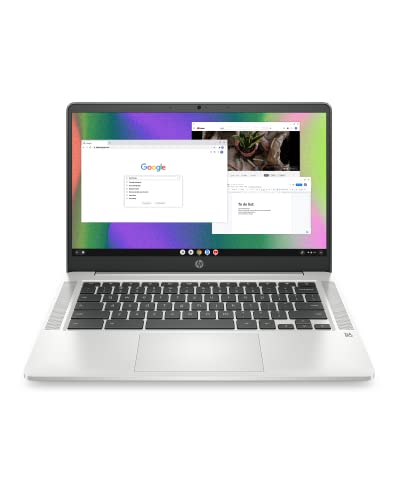
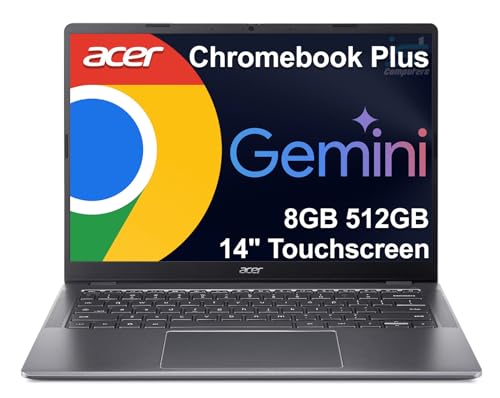
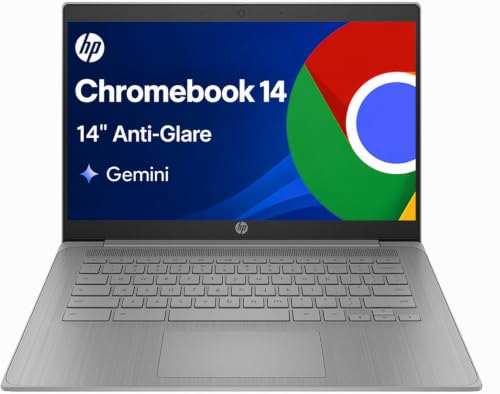
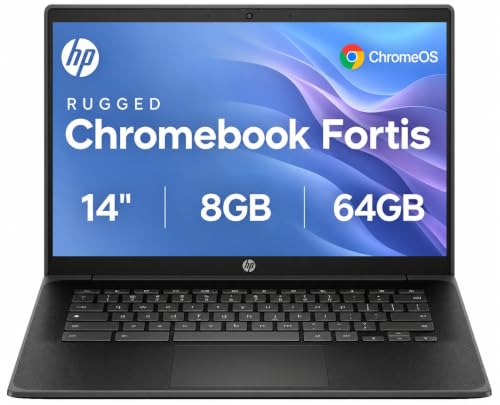
Chromebooks run ChromeOS and center on web apps, cloud storage, and fast central management for school IT teams. They start quickly, resist many common software problems, and cost less than most Windows laptops, often about $200 to $500. They suit writing, research, quizzes, and the learning platforms most schools already use in a browser. The trade off is limited offline power and weak support for heavy specialist software such as advanced video editing or engineering tools. Choose Chromebooks for fleet buying where budget, battery life, and simple management lead the list.
Gaming Laptops
Gaming laptops bring strong processors and dedicated graphics, which makes them useful far beyond games in the right classroom. Media production, coding with large projects, esports clubs, and design courses can all use that power. The costs are real though, with prices from about $700 to $1,800, heavier bodies, louder fans, and shorter battery life than school focused devices. For general lessons they are more machine than you need. Choose them only for specialist rooms and clubs where graphics power is a stated course need.
2 in 1 Convertibles vs Detachables: Which Should You Choose?
These two types overlap, so compare them on the work your students do most. For writing length, the convertible wins, because a fixed keyboard and trackpad support long essays without extra parts. For young learners, the detachable wins on weight, simplicity, and drop friendly cases. For app range, both are strong, though convertibles running a full desktop system handle more file types. For cost, a detachable with its keyboard often approaches a mid range convertible, which narrows the saving. For lifespan, convertibles usually stay useful longer as schoolwork grows harder.
Choose the detachable when the day is built on reading, touch apps, and short tasks, especially in early grades. Choose the convertible when students write often, switch between apps, and need one device to grow with them for several years. Schools that standardize on one type per grade band, rather than one type for all, usually report the fewest complaints from teachers.
How to Choose the Right Classroom Laptop
The best classroom laptops share a few traits whatever the type: enough memory for many open tabs, fast storage, a system your IT team can manage, and a body that survives a school bag.
RAM and Storage
Treat 8 GB of RAM as the floor for smooth classroom use, and prefer 16 GB for older students who keep many tabs, documents, and apps open at once. Storage should be a solid state drive, since it starts fast and survives knocks better than a spinning drive. For cloud based work, 64 GB to 128 GB can suffice, while media and coding classes should look for 256 GB or more. Running out of storage mid year causes slow, messy cleanups, so buy headroom where budgets allow.
Operating System
The operating system decides which apps you can run and how your IT team manages the fleet. Windows suits the widest range of school software and exam tools. macOS fits schools invested in its creative apps and hardware ecosystem. ChromeOS leads on simple fleet management and fast setup for web based learning. Detachables sometimes run tablet systems, which excel at touch apps but limit some desktop programs. Match the system to your learning platform first, a point covered well in our guide to the best laptops for google classroom if your school teaches inside that platform.
Processor and Performance Tier
Processor names are confusing, but tiers are simple to use. Entry chips handle browsing, documents, and quizzes with ease and keep costs down. Mid range chips from the main processor families suit multitasking, light photo work, and coding, and they are the sweet spot for most classrooms. High end chips and dedicated graphics belong in media, design, and engineering classes only. A balanced mid range device with enough RAM will feel faster in daily lessons than a strong chip starved of memory, so fund the whole spec, not one headline part.
Keyboard, Trackpad, and Build
Students type for hours, so keyboard feel is a learning issue, not a luxury. Look for firm keys with clear travel, a trackpad that clicks evenly, and a layout with no cramped keys. Build quality matters even more in schools, where devices ride in bags, stack in carts, and survive drops. Aluminum or reinforced bodies, spill resistant keyboards, and rubber bumpers all extend fleet life. If your school also buys personal devices for staff, our guide to the best notebook laptops covers lighter options for teachers on the move.
Picking the Right Classroom Laptops for Different Uses
Best Elementary Classroom Laptops: Which Type Works Best
For the best elementary classroom laptops, prioritize durability, simple sign in, and light weight over power. Young pupils need devices that wake fast, survive small drops in padded cases, and present big, clear touch targets. Chromebooks and detachables lead here, ideally with rugged cases and screens that wipe clean. Keep the spec modest, spend the saving on cases and spare devices, and choose management tools a teacher can handle without calling IT for every small task.
Care and Maintenance Tips
Keep the OS and firmware updated on a set schedule, ideally through central management so no device drifts months behind. Avoid running at 100 percent charge all the time where your system allows a charge limit, because constant full charge ages batteries faster in cart stored fleets. Use a padded sleeve when commuting or moving between rooms, and teach students to carry devices with two hands and a closed lid. Label every device and charger, log damage the day it happens, and keep a small pool of spare units so one repair never cancels a lesson.
FAQs
How much RAM do I need?
Most classrooms should start at 8 GB, which handles documents, browsing, and learning apps smoothly. Choose 16 GB for older students, media work, or devices you plan to keep for four years or more, since software grows heavier over time. RAM cannot be upgraded on many slim models, so this choice is locked at purchase. When budgets force a trade, favor RAM over a small step up in processor tier.
Should I buy a clamshell laptop or a detachable?
Buy a clamshell laptop when writing, file work, and multitasking fill the school day, which is true for most students from about age nine upward. Buy a detachable when touch apps, reading, and portability lead, as they do in early grades and field work. A convertible bridges both worlds at a higher price. Pilot one class set for a term before a school wide order, and let teacher feedback settle the question with real lessons.
How long should a classroom laptop last?
Plan on three to five years of classroom service, with battery health and software support setting the real limit. ChromeOS devices carry a printed update expiry date, so check it before buying older stock at a discount. Rugged handling, spare units, and mid year battery checks stretch fleet life. Families comparing school devices with later needs can also read our guide to the best laptops for college to see how requirements grow.
Is a dedicated GPU worth it?
A dedicated GPU is worth it only for defined course needs such as video editing, 3D design, game development, or esports. For general lessons it adds cost, weight, heat, and fan noise while draining the battery faster. Integrated graphics in modern mid range chips handle presentations, coding, and light media work well. Spend the saving on RAM, storage, or warranty cover, which every student will feel daily.
Is a Chromebook enough for school?
For most schools, yes, because lessons already run in browsers and cloud documents. Chromebooks cover writing, research, quizzes, video calls, and major learning platforms at a low fleet cost. The exceptions are courses needing specialist desktop software, heavy offline work, or certain exam tools. Check your two or three most demanding apps before ordering, and if they run well in a browser, a Chromebook fleet is a sound, simple choice.
Wrapping Up
Choose the type by grade and lesson style first, then fund RAM, storage, and build quality before headline speed. That order gives students devices that feel fast for years and gives IT a fleet it can actually manage. Timing can save money too, so check our notes on the best time to purchase laptops before a large order. Then return to the product table above and pick the best classroom laptops for your classrooms with confidence.


