
Best Class 10 SD Cards: Buying Guide and Top Picks for 2026
Disclosure: We may earn a commission when you buy through links on this page, at no extra cost to you. As an Amazon Associate I earn from qualifying purchases. Learn more

The best class 10 sd cards for cameras, drones, and video, with clear guidance on capacity, speed ratings, UHS support, and value for daily use.
Almost every camera, dash cam, and game console still relies on a small card for storage, and a slow or unreliable card can ruin a shoot or corrupt footage you cannot replace. The best class 10 sd cards give you a guaranteed minimum write speed that covers full HD video and everyday photography, but the rating alone does not tell the whole story. Capacity, bus speed, card size, and durability all change which card fits your device and your habits.
This guide explains what the Class 10 label promises, how the extra ratings on the package compare, and which features deserve your money. Start with the comparison table below, then match a card to your camera and budget.


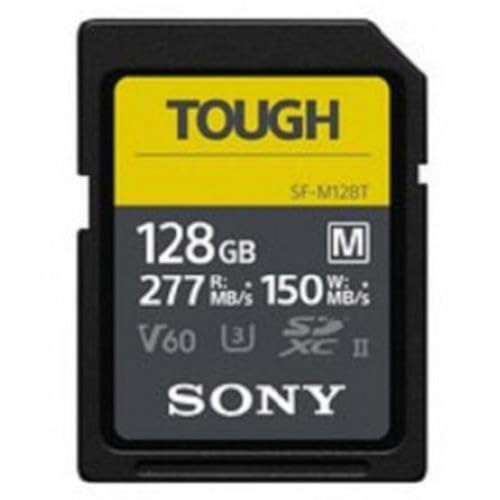


What the Class 10 Rating Really Tells You
The speed class system comes from the SD Association, the industry group that sets the standards every card maker follows. A Class 10 card guarantees a minimum sustained write speed of 10 megabytes per second for sequential data. That floor matters for video, because a camera writing a continuous stream cannot pause while a slow card catches up.
Class 10 is a minimum, not a ceiling, and two cards with the same logo can perform very differently. Many write far faster than 10 megabytes per second, while packages advertise read speeds that look dramatic by comparison. Reading is the fast direction, since copying finished files is easier than recording new data at a steady rate. That is why shoppers comparing the best class 10 sd cards should treat read speed as a convenience figure and the class and bus ratings as the real performance promise.
Newer logos beside the class mark refine that promise. UHS Speed Class U1 repeats the same 10 megabyte floor, while U3 raises the guaranteed write speed to 30 megabytes per second for demanding video. Video Speed Class marks such as V10, V30, and V60 state the same kind of sustained write floor for video shooters. If you are still sorting out how these classes compare, see our guide to the best class for sd cards for a plain breakdown of every rating.
How to Choose: A Practical Buying Guide
Intended Use and Who a Class 10 Card Suits
Match the card to the most demanding job you actually do. Full HD video, family photography, dash cam loops, and laptop storage all sit comfortably within what a Class 10 card guarantees. Action cameras and drones usually take the smaller microSD format, and demanding models ask for faster U3 cards, so check the manual before assuming Class 10 is enough, and review the best sd cards for gopro 10 if that is your device. Shooters who record 4K video all day should plan on a faster rating from the start.
Capacity and Card Families
Capacity and format are tied together. Standard SD cards hold up to 2 gigabytes, SDHC cards run from more than 2 gigabytes up to 32 gigabytes, and SDXC cards cover everything above 32 gigabytes up to 2 terabytes. An older camera may accept SDHC but refuse SDXC, so a bigger card is wasted money if your device cannot read it. An hour of full HD video can fill several gigabytes, so a long trip fills a small card faster than you expect.
Price vs Value
Class 10 cards are inexpensive compared with most camera gear, with common capacities often selling for around $15 and the largest premium options reaching about $80. The value question is rarely about saving a few dollars and almost always about trust, because a failed card costs you irreplaceable files. Cards from established makers with a real warranty cost slightly more, and that small gap buys verified capacity and consistent speed. Paying far above the mid range only makes sense when you gain a faster bus or stronger durability ratings.
Size, Format, and Fit for Your Device
Full size SD cards fit cameras, laptops, and readers with a standard slot, while microSD cards serve phones, drones, and action cameras. A microSD card can work in a full size slot through an adapter, which makes one card flexible across devices, and our roundup of the best class 10 micro sd cards covers that smaller format in depth. Adapters add one more set of contacts that can collect dust or loosen, so a native full size card is the steadier choice for a camera you rely on. Push the card in until it clicks, and never force it against resistance.
Build Quality and Durability
An SD card has no moving parts, yet its thin plastic shell and exposed contacts take real abuse in bags and pockets. Many cards carry durability ratings covering water resistance, drops, bending, temperature extremes, and X ray exposure at airport scanners, and these ratings matter if you shoot outdoors or travel often. The controller inside the card also matters, since it manages how data spreads across the memory and how errors get corrected. A well made card keeps its promised speed as it fills up, while a poor one slows sharply near capacity.
Ease of Use and Setup
A good Class 10 card should be easy to use from the moment it leaves the package. Most cards arrive formatted and ready, and your camera will usually ask to format a new card in the device, a step worth accepting because it sets the file system the camera prefers. SDHC cards use FAT32 and SDXC cards use exFAT, and letting the device handle that choice avoids compatibility surprises. Label each card with its capacity and purchase date, since a drawer of identical looking cards quickly becomes a guessing game.
Safety, Authenticity, and Warranty
Counterfeit cards are the biggest hidden risk in this category, because fakes are reprogrammed to report a large capacity while holding only a fraction of it, and files vanish once the real space runs out. Buy from the maker or an authorized seller, be suspicious of prices far below every other listing, and check that the packaging shows a serial number and warranty terms. Reputable makers back cards with warranties running from several years to lifetime coverage, and keeping the receipt makes a claim simple. A genuine warranty is a useful quality signal too, since a maker expecting failures would not offer one.
Types of Class 10 SD Cards
The product table above groups cards several ways, but the market really splits into tiers based on bus speed, build, and workload. The four types below describe what you gain and give up at each level.
Premium Options
Premium options pair the Class 10 floor with a UHS II bus, U3 or higher video ratings, and the strongest durability ratings, for working photographers. They cost the most per gigabyte and only reach full speed in devices with matching fast slots. If your needs outgrow this tier entirely, the wider field of the best sd cards includes faster classes built for cinema cameras and 8K recording.
Compact Options
Compact options are microSD cards sold with a full size adapter, giving one card two jobs across small and large devices. They suit travelers who carry a phone, a drone, and a camera and want spares that fit everything. Speed holds up well through a good adapter, though the adapter itself is easy to lose, so keep a spare. For how speed classes work in this smaller size, read our explainer on the best class for micro sd cards.
Budget Options
Budget options cover the Class 10 promise at the lowest cost per card, usually with a UHS I bus and basic durability. They make sense for dash cams, security cameras, family camera spares, and simple file storage where a failure is annoying rather than costly. Buy them from reputable sellers too, because the counterfeit risk is highest at the bottom of the market.
Mid Range Options
Mid range options are where most buyers should land, combining a UHS I bus, U1 or U3 ratings, solid durability, and capacities from 64 to 256 gigabytes at fair prices. They handle full HD and light 4K work in compatible devices and carry meaningful warranties. For a primary camera card you will use for years, this tier offers the best balance of features and value.
Choosing Class 10 SD Cards for Your Situation
Best Class 10 Sd Memory Cards for Everyday Storage
When people search for the best class 10 sd memory cards, they usually mean dependable storage rather than top speed, and three criteria matter most. First, buy capacity for the next year of use, not the next month, since photo libraries only grow. Second, favor makers whose warranty support is easy to reach in the United States. Third, keep a spare card in your bag, because a forgotten or full card should never cost you a moment.
Tips to Get the Most From Your Class 10 SD Card
- Format a new card inside the device that will use it, so the file system matches what that device expects.
- Verify a new card with a free capacity check tool before trusting it with important files, since a fake reveals itself within minutes.
- Check your camera manual to confirm the largest capacity and fastest class it supports before ordering spares.
- Keep the receipt or register the card for its warranty, since proof of purchase turns a failed card into a replacement instead of a loss.
- Rotate two or three cards on a long trip instead of filling one completely, which spreads the risk of loss or failure.
How to Make Your Class 10 SD Card Last Longer
Handle the card by its edges and keep fingers off the gold contacts, since skin oils and grit can interfere with the connection. Store cards in the plastic case they ship with, or in a wallet style card holder, rather than loose in a pocket where they bend and collect lint. Keep stored cards dry and away from heat, since a hot car interior is hard on flash memory.
Copy files to a computer or drive soon after each shoot instead of letting weeks of photos live only on the card, and back up irreplaceable files in a second location too. Use the safe eject option before pulling a card from a reader, since removing a card mid write can corrupt the file being transferred. Avoid filling a card to the last megabyte during recording, because cameras need free space to close files cleanly.
Class 10 SD Cards: Your Questions Answered
How much should you spend on a Class 10 SD card?
Most buyers should spend about $25 for a 64 to 256 gigabyte card from an established maker, and smaller capacities cost less. That budget covers a genuine warranty, verified capacity, and speeds above the Class 10 floor. One extra strategy: buying two mid size cards often beats one huge card for travel, because a lost card then holds only part of your trip. Spending less at unknown sellers risks counterfeit capacity, which costs far more in lost files than the savings.
Are expensive Class 10 SD cards worth the money?
Expensive cards are worth it only when your device can use what you are paying for, such as a UHS II slot or a U3 video rating. One benefit rarely mentioned is buffer clearing: a quicker card lets a fast camera shoot the next burst sooner after a long sequence, which matters at sports events. If your camera has a basic slot and you shoot stills and full HD video, a mid range card delivers the same experience for less.
What features matter most when buying a Class 10 SD card?
Capacity that your device supports, a genuine Class 10 or higher write rating, and a trustworthy seller matter most. After those three, look at the bus type and the warranty length. One point the product sheet will not tell you: check the card reader you already own, because an old slow reader makes even a fast card feel sluggish when you copy a full card to your computer.
How long does a Class 10 SD card last?
A quality Class 10 SD card typically lasts for years of regular use, because flash memory wears out gradually as data is written and erased. Lifespan depends more on write volume than age, so a dash cam card recording daily loops wears out faster than a camera card used on weekends. Warning signs of a dying card include corrupted files, a device repeatedly asking to format the card, and photos that vanish after shooting. Replace a card at the first repeated sign.
How do you maintain a Class 10 SD card?
Basic maintenance means clean contacts, storage in its case, and formatting in your device now and then instead of deleting files one by one on a computer. A full format, where the device offers one, rewrites the card structure more thoroughly than a quick format and can clear odd behavior. If a card still produces errors after a full format and a check in a second device, retire it.
The Bottom Line
Choosing well comes down to three checks: confirm your device supports the capacity family, pick a card whose write rating covers your hardest recording task, and buy from a seller you trust so the capacity is real. The product table above lets you compare capacities and ratings side by side. For most cameras and everyday recording, the best class 10 sd cards in the mid range tier deliver dependable speed, honest capacity, and a warranty that makes the small price feel safe.


