
Best Class for SD Cards for 2026: Budget, Midrange, and Premium Levels
Disclosure: We may earn a commission when you buy through links on this page, at no extra cost to you. As an Amazon Associate I earn from qualifying purchases. Learn more

Compare the best class for sd cards at every budget, with clear guidance on speed classes, video ratings, and what extra spending actually buys you.
SD cards span a wide price range, and two cards with the same capacity can differ in cost by five times or more. The difference is class: the guaranteed speed and build quality that decide whether a card suits a casual camera or a pro video rig. This guide shows where money is well spent so you can find the best class for sd cards for your budget.
Each price tier below explains what you typically get, what you give up, and who it suits. Use the comparison table below for a quick view, then read the tier that matches your spend.


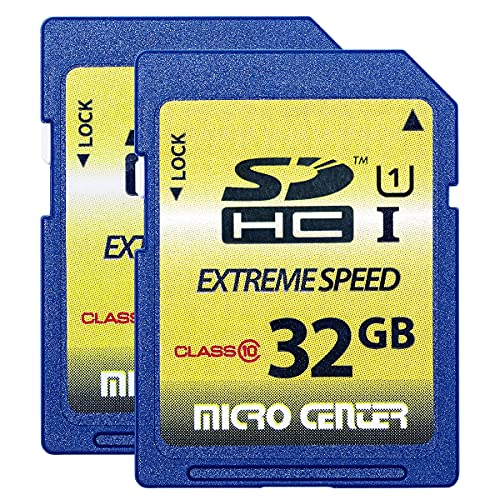

Class Levels by Budget: What Each Tier Delivers
Best Budget Level: Class 10 and U1
At the budget level, around $8 to $15 at common capacities, expect Class 10 and U1 ratings with a guaranteed minimum write speed of 10 MB per second. That is enough for JPEG photos, full HD video, and everyday camera use. Cards at this level often include a basic warranty and honest ratings from established makers, which matters more than a slightly lower price from an unknown name.
The limits show up in burst shooting and 4K modes. A budget card clears its buffer slowly after a burst of raw photos, and some cameras will refuse their highest video settings with one fitted. Buy this tier for a family camera, a spare card for trips, or a trail camera. It is honest value for light work, not a false economy, as long as the ratings match your camera modes.
Best Midrange Level: U3 and V30
The midrange, around $15 to $35, is where most photographers and video shooters should land. U3 and V30 ratings guarantee sustained writes of 30 MB per second, which covers 4K video at common bit rates, fast bursts, and quick file transfers. Many cards at this level add an A2 app rating, better warranties, and some resistance to water and shock.
This tier also tends to offer the lowest cost per gigabyte, since it sells in the highest volumes. Unless your camera records unusually high bit rate video or you shoot long raw bursts for a living, stepping above midrange buys speed you will rarely feel. For most buyers, one or two midrange cards beat a single premium card, because a spare card in the bag is its own form of insurance.
Best Premium Level: V60, V90, and UHS II
Premium cards, often around $50 and up, bring V60 or V90 ratings and usually the faster UHS II interface, with a second row of contacts on the card. They serve high bit rate cinema video, rapid raw bursts on flagship cameras, and fast ingest of large files after a shoot. Build quality and warranty support are typically strongest at this level too.
The catch is hardware support. A UHS II card in a UHS I camera works, but at UHS I speeds, so the premium buys little. Check your camera slot before paying for this tier. Premium also makes sense for working professionals whose time on set and in the studio is worth more than the price gap between tiers.
What Your Money Gets You at Each Price Tier
Budget Tier: What to Expect
Budget cards deliver their rated speed honestly when bought from trusted sellers, and that is their strength. Expect plastic packaging, a standard warranty of a few years, and read speeds that are fine for normal transfers. What you give up is write headroom, endurance for constant recording, and speed after long bursts. For stills at moderate settings and full HD video, those losses rarely matter in practice.
Midrange Tier: The Sweet Spot for Most Buyers
Midrange cards add the ratings modern cameras ask for by name. Many camera manuals list U3 or V30 as the requirement for 4K modes, and this tier meets that line at a fair price. You also get better sustained performance during long clips, so a card that starts fast also finishes fast. If you shoot a mix of stills and video on one body, this is the tier to default to.
Premium Tier: When Spending More Pays Off
Spending more pays off in three clear cases. First, your camera records video modes that require V60 or V90 by name. Second, you shoot long, fast bursts and lose shots while the buffer clears.
Third, you transfer very large files often and your reader and computer support UHS II speeds. Outside those cases, premium money is usually better spent on a second midrange card or a larger capacity.
Features Worth Paying For and Ones to Skip
Features That Matter for Sd Cards
The ratings that matter are the guaranteed minimums: U3 for 30 MB per second, and the V scale from V10 to V90 for video. Peak read speed in large print matters less, since it affects mainly how fast files copy to a computer. If you also use the smaller format, our guide to the best class for micro sd cards explains how the same ratings apply there, and our shortlist of the best class 10 sd cards covers the baseline rating most budget cards carry.
Capacity interacts with class in one practical way. Larger cards in the same line often write a little faster than the smallest size, and they delay the moment a card fills mid shoot. Buy the capacity that holds a full day of your shooting with room to spare, then set the class by your most demanding recording mode.
Maintenance and Long Term Costs
Every tier wears with writing, so cost over time depends on use. Constant recording in a camera that loops footage calls for high endurance cards, which sit in their own category above standard tiers. For normal photo and video use, a midrange card kept for years costs little per shoot. Keep backups, since no tier at any price protects data the way a second copy does.
Intended Use and Who It Is For
Let your camera and its modes decide the best class for sd cards, not the shelf display. A beginner with a stills camera needs Class 10 or U1 and nothing more. A hybrid shooter recording 4K needs U3 and V30. A professional recording high bit rate video needs V60 or V90 plus a camera that supports them.
Our broader guide to the best sd cards covers brand, capacity, and format choices beyond class for readers still deciding the basics.
Size, Weight, and Fit for Your Gear
Full size SD cards fit cameras, laptops, and readers with standard slots, while smaller devices need the micro format, sometimes with an adapter. Adapters add a failure point, so use a native card where you can. If your kit includes very small devices, our guide to the best mini sd cards explains that older, uncommon format and when an adapter based workaround makes more sense.
Storage fit matters too. A slim hard case that holds several cards, labeled by class and capacity, prevents the classic mistake of grabbing a slow card for a 4K shoot. Cards weigh almost nothing, so carrying a fast spare costs you nothing in the bag and can save a session when a card fills or fails.
Long Term Costs to Factor In
Beyond the card price, budget for a good reader if you transfer large files often, since a slow reader hides the speed you paid for. Factor in replacement over time: heavy users may retire cards after a few years of hard service, while light users keep them far longer. Warranty length differs by tier, and longer coverage at midrange and premium levels lowers the real cost of a failure.
The largest long term cost is lost work, not hardware. Two midrange cards rotated across a shoot, plus same day backup to a drive or cloud storage, protect you better than one premium card used alone. When you total the cost of ownership, include that backup habit in the plan rather than treating the card as the whole system.
SD Card Classes: Your Questions Answered
What features matter most in classes for sd cards?
The guaranteed write ratings matter most: the U rating for general speed and the V rating for video. These numbers describe the slowest the card is allowed to write, which is what recording depends on. Peak speeds describe best case reads. Match the V rating to your highest video mode, and treat any extra speed as headroom rather than the goal itself.
What features matter most when buying classes?
Start with your camera manual, which often names the exact class a mode requires. Then check the interface, since UHS II cards need a UHS II slot to shine. Then choose capacity for a full day of shooting. Seller trust is a buying feature too, because counterfeit cards with false markings are common at suspiciously low prices in every tier.
Are expensive SD card classes worth it?
They are worth it only when your gear and modes can use them. A V90 card transforms high bit rate recording on a supported camera and does almost nothing in a basic one. Before upgrading tiers, confirm the requirement in your manual and the interface in your slot. Many owners discover their real bottleneck was a slow reader or a nearly full card, both cheaper to fix.
How much should I spend on an SD card?
Most buyers should spend around $15 to $35 for a midrange U3 and V30 card at a useful capacity. Spend around $8 to $15 for light stills and full HD use, and spend $50 or more only for named high bit rate needs. Buying one capacity step larger within your tier usually adds little cost and extends the useful life of the purchase.
How do I maintain an SD card?
You maintain the card the class describes. Format it in your camera, keep some free space on it, eject it safely from computers, and store it in a case away from heat and moisture. Copy files off promptly and keep a backup. At the first repeated error message, retire the card from important work, because card faults grow with time rather than fixing themselves.
How long does an SD card last?
The rating lasts the life of the card, since it is a design guarantee, but card life itself varies with write volume. Light photo use can keep a card reliable for many years, while constant video recording shortens life sharply. Endurance rated cards publish expected recording hours, which is the clearest lifespan guide for heavy recording roles such as security and dash cameras.
Our Verdict
For most readers, the midrange tier is the answer: U3 and V30 ratings, a trusted seller, and a capacity that covers a full day. Budget cards serve light use honestly, and premium cards earn their price only with matching camera hardware. When you compare options for the best class for sd cards in the product table above, spend on the rating your modes require and keep the change for a spare card.


