Best Chairs for Gaming under 100 in 2026: What Your Money Really Gets You
Disclosure: We may earn a commission when you buy through links on this page, at no extra cost to you. As an Amazon Associate I earn from qualifying purchases. Learn more

Compare the best chairs for gaming under 100 by price tier, support and fit, and learn which features matter, what to skip and how to choose for long sessions.
Prices for gaming chairs stretch far beyond a tight budget, yet many solid seats sit below the ceiling in this guide. The best chairs for gaming under 100 are not the chairs with the longest feature list. They are the chairs that fit your body, your desk and your room while keeping the support features that matter most. Use the comparison table below to match each price tier to what you actually get.
Start with how you play. Session length, desk height and floor type narrow the choice faster than color or racing style trim. The sections below match each need to price, support and fit.

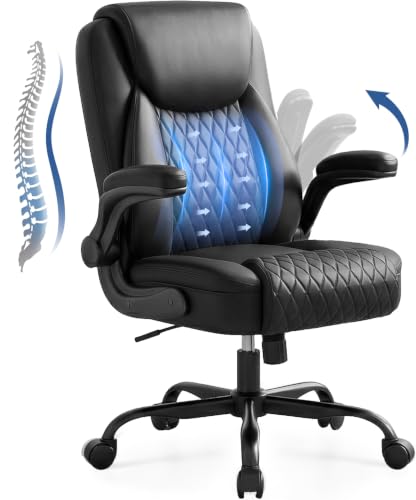
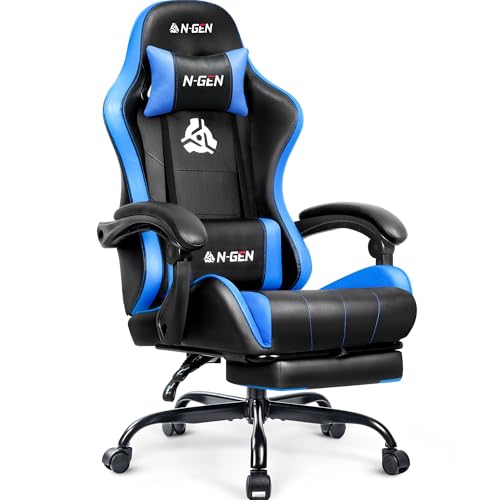


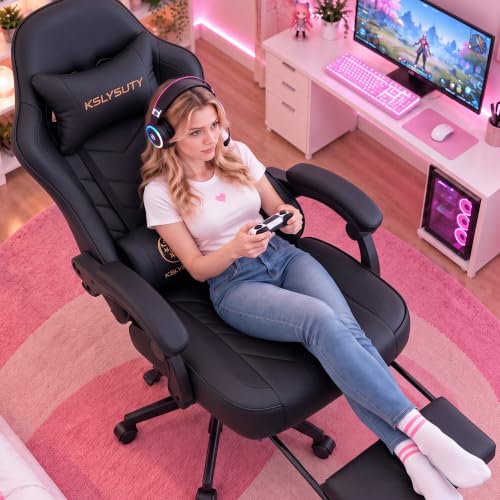
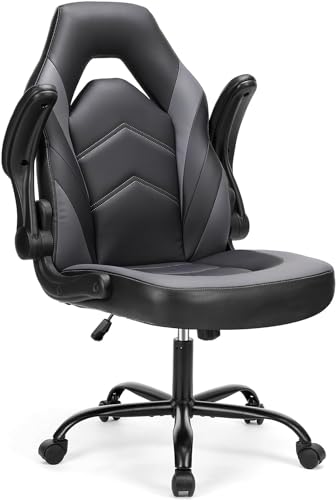
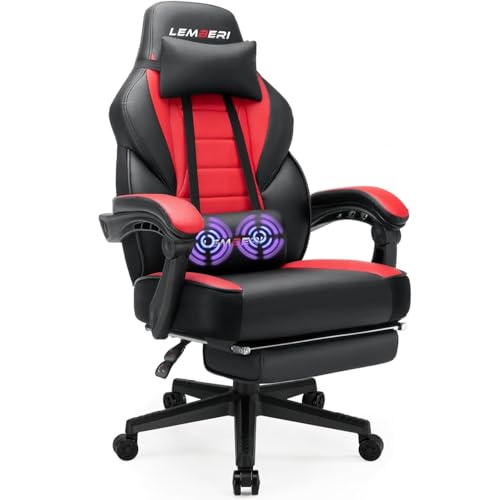
Who Should Buy Which Gaming Chair Under $100?
Your playing pattern decides where the budget should go. Short sessions ask far less of a seat than a full workday followed by play.
Casual Players Who Game a Few Evenings a Week
You play for one or two hours at a time and then leave the desk. A simple padded seat with a modest back and fixed arms can serve you well at the lowest tier. Put your money into seat width that suits your hips and a lift that sets your feet flat. Extra recline adds cost without adding much for short sessions.
Students in Small Rooms and Shared Spaces
You need a chair that tucks close to a desk and does not dominate a bedroom or dorm. Look for a compact footprint, flip up arms and a back no higher than you need. Mesh helps in warm rooms and takes up less visual space than a tall racing shell. Measure the gap under your desk before you order.
Players Who Sit for Long Sessions on PC and Console
You stay seated for three hours or more, so support outranks style for you. Choose stronger lumbar support, denser seat foam and arms you can set at elbow height. A tilt lock helps you hold one steady posture for focused play and shift back for relaxed play. Check that casters suit your floor.
Each Step Up Buys One Real Upgrade
Under $100, each step up buys a specific upgrade rather than a whole new class of chair. See our guide to the best pc gaming chairs under 100 for PC focused setups.
Around $40 to $65: Simple Padding and Fixed Parts
At this level you get a padded seat, a basic lift and mostly fixed parts. Foam tends to be thinner, arms often stay in one place and upholstery is usually plain fabric or basic faux leather. That can be enough for light use, but expect the cushion to soften sooner. This tier suits a spare room or a first setup.
Around $65 to $85: Better Foam and Basic Adjustment
This middle step usually adds denser foam, a taller back and at least one useful adjustment beyond height, such as a tilt lock or arms that lift out of the way. Lumbar support may come from a shaped back or a small cushion. For most buyers this is where comfort per dollar improves most, because the upgrades affect every session.
Around $85 to $100: Support Features Near the Ceiling
Near the top of the budget you can expect a shaped ergonomic back, a thicker seat and wider adjustment, sometimes including padded arms that move up and down. Frames feel sturdier and listed weight capacity often rises. You still will not get premium parts, so judge the chair on fit and support rather than on extra pillows, footrests or bold color panels.
Key Features to Compare
Compare these factors in order, because the first ones decide comfort and the later ones only refine it. The best chairs for gaming under 100 debate is usually won on support and fit, not on trim.
Lumbar Support and Back Shape
Lumbar support keeps the curve of your lower back from flattening as you sit, and that shape reduces the urge to slump during long play. At this price support comes as a curved back, a fixed pad or a loose cushion you place by hand. A curved mesh back spreads pressure and stays cooler, while a cushion lets you move support to your exact sore spot.
Seat Foam, Width and Depth
Seat foam carries most of your weight, so density matters more than thickness alone. High density foam holds its shape longer and resists the flat spot that thin foam develops within months. Most seats run about 19 to 21 inches wide and about 18 to 20 inches deep. Leave about two fingers of space between the seat edge and the back of your knees.
Adjustable Armrests and What to Expect at This Price
Armrests set your shoulder height while your hands stay on a controller or keyboard. Fixed arms cost least but fit only one desk height well. Arms that adjust up and down suit more bodies, and flip up arms clear the desk when you pull close. Full multi direction arms are rare under $100, so do not pay extra for a version that wobbles.
Tilt, Recline and Tilt Lock
Tilt lets the back and seat rock together, while recline changes the angle between them. A tilt lock holds your chosen angle so you are not fighting spring tension through a whole match. Tension control, usually a knob under the seat, should match your weight. Check the seat height range too, about 17 to 21 inches on many models, and confirm your feet rest flat at the lowest setting.
Mesh Back, Fabric and Faux Leather Choices
Upholstery changes heat, grip and cleaning more than it changes support. A mesh back breathes best and suits warm rooms, but it offers less padding if you lean hard into the back. Fabric feels soft and hides wear well, though it holds spills. Faux leather wipes clean and gives the classic gaming look, yet it can feel hot and may peel sooner in strong sun. Pick for your room climate first.
Most budget models list a weight capacity of about 250 to 300 pounds, and a five point base feels steadier than a narrow base. Hard casters suit carpet, while softer wheels mark less on wood or tile.
One Chair for Workdays and Evening Play
Some buyers game at the same desk where they work, and that double duty changes what a good chair looks like. A workday rewards an upright back, while evening play rewards recline. Favor support over racing style cues, and compare the options in the product table above.
Best office chairs for gaming under 100
The best office chairs for gaming under 100 differ from racing style chairs in three practical ways. The back is usually more upright and the lumbar curve sits where desk work needs it. Mesh and fabric finishes are more common than bold faux leather shells. Arms often flip up so the chair slides under a desk. See our guide to the best chairs under 100 for non gaming options.
Common Mistakes to Avoid
These errors cost comfort or money on a budget chair more often than any missing extra feature.
- Buying by color and racing trim leaves you with thin foam that flattens within a season.
- Skipping desk height checks leaves your feet dangling or your knees pressed under the desk.
- Ignoring weight capacity makes the lift sink and the base feel unstable under load.
- Choosing fixed arms at the wrong height raises your shoulders and strains your neck.
- Paying for pillows and a footrest while the seat itself stays too narrow wastes the budget.
- Forgetting floor type means hard casters can scratch wood floors during daily rolling.
Care, Maintenance and Long Term Costs for a Budget Gaming Chair
Wipe faux leather with a damp cloth and mild soap, and vacuum fabric or mesh weekly so dust does not grind into the surface. Keep the chair out of direct sun, because heat dries faux leather and fades fabric. Tighten the bolts under the seat after the first month and then every few months.
Long term costs stay low when you plan for small parts. Casters and a lift cylinder are the parts most likely to need replacement, usually for around $15 to $30. Check the warranty length before you buy and keep the receipt. Compare our guide to the best gaming chairs under 100 dollars and our guide to the best gaming chairs for 100 for near duplicate price wording.
FAQ
Can you get a good gaming chair for under $100 for daily play?
Yes, you can get a good gaming chair for under $100 for daily play if you set expectations around support and fit. Daily players should protect the seat foam choice above all, because you will feel thinning foam every day. Stand between matches and shift position often. Small habits like those extend comfort more than any single extra feature.
What features matter most in a gaming chair for long sessions?
For long sessions, back support that stays in contact as you shift matters most in a gaming chair. Small posture changes add up, so a back that follows you beats a stiff shell that only fits one position. A waterfall seat edge also helps, because a rounded front reduces pressure behind your knees during the third hour.
How long should a gaming chair under $100 last with regular use?
A gaming chair under $100 should last about two to four years with regular use before foam softening or caster wear changes how it feels. Lifespan depends on total seated hours and on whether the chair carries weight near its limit every day. Keep a note of the purchase date and warranty terms in your phone for a simple claim if the lift sinks early.
How do you choose the right size gaming chair for your body and desk?
Choose the right size gaming chair by matching three numbers to your body and desk. Measure your desk height, then confirm the seat range puts your elbows level with the surface. Measure from the floor to the back of your knee to judge seat depth. Finally, check that arm height clears the underside of the desk.
Final Thoughts
Put fit first, then support, then adjustment, and let style come last. Use the product table above to check seat size, weight capacity and price tier side by side.
Chosen with those checks, the best chairs for gaming under 100 give you steady comfort without wasted spending. Pick the tier that matches your hours, confirm the measurements once more and order with confidence.