
Best Cellular Watches: Matching the Right Watch to Your Phone, Plan and Routine 2026
Disclosure: We may earn a commission when you buy through links on this page, at no extra cost to you. As an Amazon Associate I earn from qualifying purchases. Learn more

Cellular watches can call and use data without a nearby phone, so this guide covers plans, battery life, fitness and everyday wear, plus care tips.
A cellular watch carries its own SIM or eSIM, so it can take calls, send texts, stream music and share your location with the phone left at home. The best cellular watches do that without dying by lunchtime, work with the phone you already own and sit comfortably on the wrist all day. That combination matters more than a long spec sheet.
The product table above lines up models to compare. Below you will find how the types differ, what a watch plan really costs and which features deserve your attention.

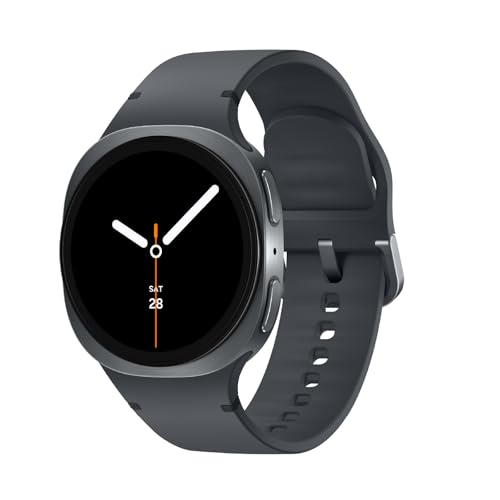

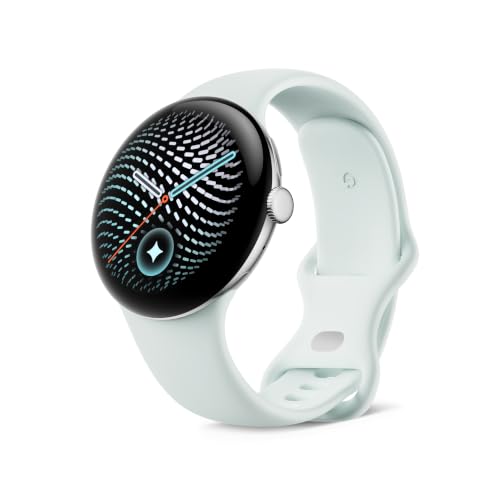
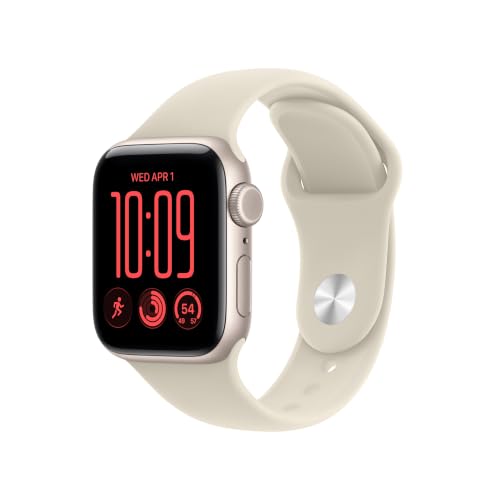

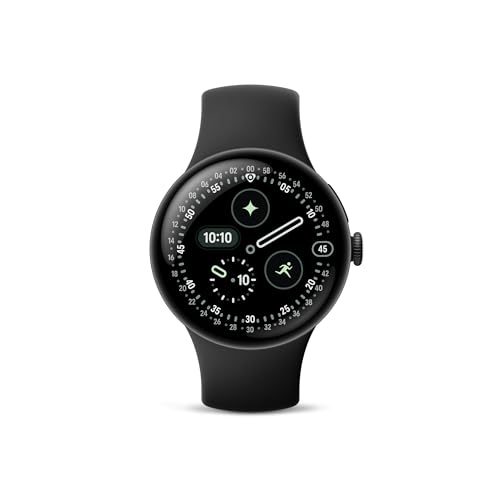


Smart, Sport and Kids Cellular Watches
Most cellular watches fall into three groups. Full smartwatches from Apple, Samsung and Google run apps, payments and voice assistants, and they pair best with the matching phone platform. Sport watches focus on GPS accuracy, training metrics and battery life, and a few add a cellular option for safety messaging on long outings. Kids' watches limit contacts and add location sharing for parents.
An Apple model needs an iPhone, while Galaxy and Pixel models expect an Android phone, so your phone settles half the decision before you look at features. Check which model years your carrier supports, since an older watch may lose cellular service when networks retire old bands.
What the Watch Plan Costs
The watch is only part of the price. Carriers usually charge a monthly line fee, often around $10 to $15, and over two years that adds up to nearly the cost of a second watch. Some carriers require the watch plan to sit on the same account as your phone, and eSIM activation may need your phone nearby. Ask your carrier about this before you buy.
If you only need calls on rare occasions, a Bluetooth and Wi-Fi model saves the monthly fee, and you can still leave your phone at home as long as you stay on known wifi.
Features That Matter Day to Day
Battery life with cellular on: Streaming, calls and GPS use far more power than basic wear, so expect one to two days at most from many models.
GPS quality: Dual-band GPS follows routes more closely between tall buildings and under trees.
Calling quality: A louder speaker and good microphones make short calls practical outdoors.
Case size: A 40 to 42 mm case suits smaller wrists, while 44 to 49 mm cases give bigger screens.
Water resistance: Look for a rating that covers swimming if you plan to wear it in the pool.
Safety tools: Fall detection and emergency calling help active and older wearers, though they never replace professional care.
Setting Up and Using a Cellular Watch
Pair the watch with your phone first, install updates, then add the cellular plan from the companion app. Try a short call with the phone switched off, so you know the plan works before a run or a school drop-off.
Limit which notifications reach the wrist, because a watch that buzzes all day soon gets ignored, and turn on low power mode for long days out.
Price Ranges
Cellular watches range from about $150 for older or entry-level models to $400 for midrange smartwatches and $800 or more for rugged titanium models. Mid priced watches usually offer the best balance of battery, screen and software support. Spend more only for features you will use, such as dual-band GPS, a larger battery or a tougher case.
Care and Common Mistakes
Rinse the watch after swimming or sweaty workouts, dry the strap and wipe the sensor on the back, because trapped moisture irritates skin. Update the watch and phone software together to avoid pairing faults.
Forgetting the monthly plan fee when comparing prices.
Buying a watch that does not work fully with your phone platform.
Judging battery life from Bluetooth-only figures, since cellular use drains faster.
Choosing a case too large for your wrist, which hurts sensor contact and comfort.
Treat health readings as general estimates, not medical measurements, and ask your doctor about any health concern.
Related Guides to Compare
For a wider look at models with a mobile connection, see the guide to best cellular smart watches. If training is your main goal, the guide to best workout watches compares fitness features in more detail.
Using a Cellular Watch Safely and Sensibly
A watch that can call for help is useful on solo runs, hikes and school routes, but treat it as a convenience and not a guarantee. Cellular coverage varies, batteries run down, and emergency features differ between models. Learn how your watch places an emergency call, check that location sharing is set up with the people you want, and charge it before every long outing.
Fall detection and heart-rate alerts are general wellness tools. They are not medical devices, so ask your doctor about any health concern, and follow the maker's instructions for setup and use.
Choosing Between Cellular and Bluetooth Models
A Bluetooth or wifi model costs less, skips the monthly line fee and lasts longer between charges. It works well if your phone is usually nearby. Pick a cellular model only if you regularly leave the phone behind, for example on runs, swims at the pool, errands or when you hand a watch to a child. A quick honest count of how many days a month that applies to you tells you whether the extra fee is worth paying.
Frequently Asked Questions
Can I leave my phone at home with a cellular watch?
Yes, for calls, texts, music streaming, maps and many apps, as long as the watch has an active plan and signal. Some features, such as certain apps and setup tasks, still need the phone.
Do cellular watches need a separate plan?
Yes. The watch needs a line on a supported carrier, usually added to your phone account for a monthly fee. Without it the watch works only over Bluetooth or wifi.
How long does the battery last with cellular use?
Many watches last about a day or two with moderate cellular use. Long calls, streaming and GPS workouts shorten that, so charge daily if you rely on it for safety.
Will a cellular watch work with any phone?
No. Apple watches need an iPhone, and Galaxy and Pixel watches pair with Android phones. Check compatibility with your phone model before you order.
Is a cellular watch safe for kids?
Kids' models use approved contact lists and location sharing that parents control. Check the rules at your child's school and follow the maker's instructions for setup.
Final Thoughts
Pick the watch that matches your phone, add the plan cost to the price and choose battery life you can live with. Use the table above to compare models, and the best cellular watches for you will be the ones that stay connected through your whole day.


