
Best Cat 6 Ethernet Cables for 2026
Disclosure: We may earn a commission when you buy through links on this page, at no extra cost to you. As an Amazon Associate I earn from qualifying purchases. Learn more
Compare Cat 6 ethernet cable types, shielding, length, and price tiers, and learn how to choose a cable that fits your home network, gaming setup, and budget.
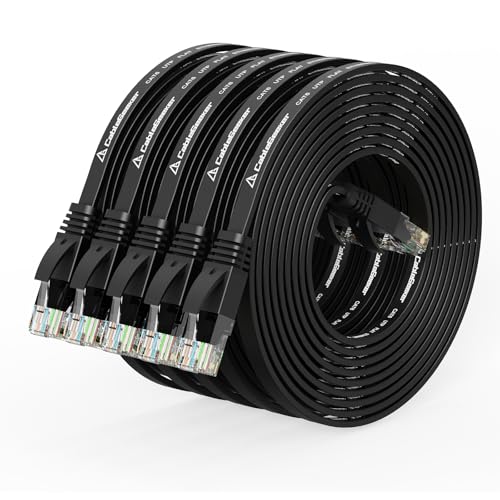
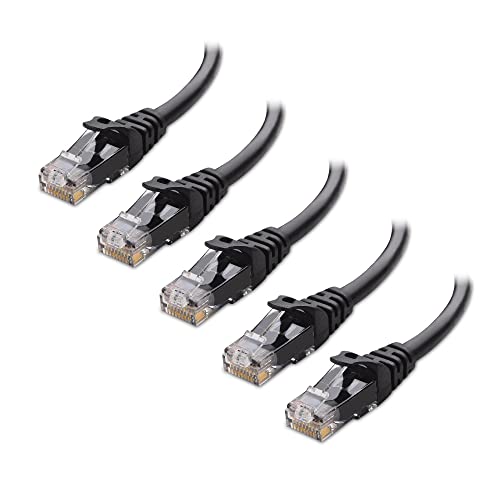
A wired connection can feel more stable than wireless for gaming, video calls, and large downloads, and Cat 6 cable is a common choice for home networks that need solid speed without a complex setup. This guide to best cat 6 ethernet cables explains how cable type, shielding, length, and connectors affect performance, so you can compare options in the comparison table below and choose a cable that fits your router, your devices, and your rooms.
Cat 6 cable is rated for gigabit speeds over typical home runs and for higher speeds over shorter runs, but the real result depends on your router, your device ports, and the quality of the full connection, not on the cable alone. A good cable will not turn a slow internet plan into a fast one, and a poor cable can still limit a fast plan, so it helps to match the cable to the job rather than buying the most expensive option by default.



Who Should Buy Which Cable
Home Workers and Students
If you work or study from home, join video calls, and upload large files, a reliable wired link to your desk can reduce dropouts and lag compared with a weak wireless signal through walls. You usually need a straightforward cable in the right length, with sturdy connectors that survive plugging and unplugging, and you do not need special shielding unless your cable runs near strong interference. Measure the route first, add a little slack for furniture and routing, and avoid a cable that is far longer than needed, because excess length is harder to manage and easier to trip over.
Gamers and Streamers
Gamers and streamers often care most about stable latency, because a steady connection matters more than a brief burst of speed, and a wired link can help keep ping consistent during long sessions. You should look for a cable that matches your console or computer port, fits your room layout without strain, and leaves enough slack to move the device for cleaning. Keep the cable away from sharp bends and heavy furniture legs, and route it where it will not be pulled when someone moves a chair or a desk.
Households Wiring Several Rooms
Households wiring several rooms, including a living room, an office, and a media area, need to think about total length, routing through walls or along baseboards, and how each run will be labelled and stored. A cable that works well for a short desk run may not be the best choice for a long run to another room, and a run that passes near power lines or fluorescent fixtures may benefit from shielding. Plan each run separately, note the length and the endpoint, and leave service slack at both ends so a damaged connector can be replaced without rerouting the whole cable.
How to Choose the Right Cable
Intended Use and Who It Is For
Start with the job the cable will do, because a short patch cable for a desk, a long run to a media center, and a camera run to an outdoor wall each place different demands on length, durability, and shielding. A desk cable can be flexible and light, while a longer run needs careful routing and strain relief, and a camera run needs weather aware placement even if the cable itself stays indoors. If you are planning camera wiring, see our guide to best cat 6 cable for security cameras for camera specific routing and length advice, and match the cable to that use rather than buying a generic length.
Maintenance and Long Term Costs
Long term costs for a cable are usually low, but they are not zero, because connectors wear, jackets can crack if bent sharply, and a cable that is moved often may need replacement sooner than a fixed run. Plan for spare patch cables in common lengths, cable clips or ties that do not pinch the jacket, and a simple label system so you can trace a run later. Avoid pulling a cable by its jacket to free a stuck connector, and replace any cable with a cracked jacket or a loose connector rather than forcing it to work.
Safety and Certifications
Safety and certification guidance helps you choose a cable that suits its location, especially for runs through walls, ceilings, or plenum spaces where local rules may require a specific jacket rating. Check the maker listing for the jacket type and any stated standards, and follow local electrical and building rules for in wall work, because a cable rated for open rooms is not automatically suitable for every hidden run. Keep cables away from heat sources, avoid running them through sharp metal edges without protection, and unplug a cable that feels hot or smells unusual.
Price vs Value
Price vs value for Cat 6 cable is usually straightforward, because most home users do not need the most expensive construction to get a stable gigabit connection. Short patch cables often cost about $5 to $15, medium runs often cost about $10 to $30, and longer or shielded runs often cost about $25 to $60, depending on length and jacket type. Spend more when you need shielding, a tougher jacket, or a longer run, and save when a short, simple cable already matches your speed and your room layout.
Key Performance Specs
The key specs for Cat 6 cable are speed rating, frequency, and length limits, and they should be read together rather than in isolation. Cat 6 cable is commonly rated for up to 10 gigabit speeds over shorter runs, often up to about 55 meters, and for gigabit speeds over runs up to about 100 meters including patch cables, but your router and device ports must also support those speeds. Check the maker spec sheet for conductor type, shielding, and jacket rating, and treat any claim that exceeds the standard rating with caution unless the maker explains the test conditions.
Build Quality and Materials
Build quality shows up in the conductor, the jacket, and the connector, and each part affects how the cable handles bending, plugging, and daily use. Solid conductors suit fixed runs, stranded conductors suit patch cables that move often, and a snagless boot can protect the connector tab from breaking when the cable is pulled through a tight space. Look for even jacket thickness, a connector that clicks firmly into the port, and a strain relief that flexes without cracking, and avoid cables that feel stiff, kink easily, or leave the connector loose in the port.
Types of Cat 6 Cable
Higher Cost Options
Higher cost options often include shielding, a tougher jacket, and more careful connector construction, and they suit long runs, rooms with strong interference, and installations where replacement would be difficult. Shielded cable can help near power lines, fluorescent lighting, and large motors, but it also needs proper grounding to work as intended, so follow the maker guidance rather than assuming shielding alone solves every problem. For most short home runs, this level of construction is optional rather than required.
Middle Cost Options
Middle cost options usually offer solid construction, clear length choices, and a good balance of durability and price, and they work well for most home offices, media centers, and gaming desks. You can expect a sturdy jacket, reliable connectors, and a range of lengths that fit common room layouts without excess slack. This tier is a sensible starting point if you want a cable that lasts through normal moves and cleaning without paying for heavy duty construction you may never need.
Compact Length Options
Compact length options are short patch cables designed for a desk, a shelf, or a rack where the router and the device sit close together, and their main advantage is tidy cable management. A short cable reduces clutter, lowers the risk of tripping, and makes it easier to trace a connection when something stops working. Measure carefully before buying, because a cable that is too short will strain the connector, and a cable that is much longer than needed defeats the purpose of a compact run.
Lower Cost Options
Lower cost options usually focus on simple unshielded construction and common lengths, and they work well for short, low interference runs where the cable stays in place. The main trade off is often thinner jacket material or simpler strain relief, so these cables suit a fixed desk or media shelf better than a cable that is plugged and unplugged every day. Test the cable after installation, check that the connector clicks firmly, and replace it promptly if the connection drops or the jacket shows damage.
Cables for Specific Needs
Best Cat 6 Ethernet Cables for Gaming
For gaming, the priorities are stable latency, a clean run to the console or computer, and enough slack to move the device without straining the connector. A wired link helps avoid wireless congestion from neighbors and household devices, and a cable that matches your port speed keeps the connection from becoming the weak point in your setup. Keep the run as direct as practical, avoid tight bends near the connector, and test the connection after routing, because a cable that looks tidy but pulls at an angle can still drop packets during long sessions.
Tips to Get the Most From Your Cable
- Clean and inspect regularly, checking for cracked jackets, loose connectors, and dust in ports that can weaken a connection.
- Store spare cables in a dry place, coiled loosely without sharp bends, so they stay ready for a quick replacement.
- Label each run at both ends, so you can trace a cable without unplugging every device on the shelf.
Frequently Asked Questions
Are expensive Cat 6 cables worth it?
Expensive Cat 6 cables are worth it mainly when you need shielding, a tougher jacket, or a long run where replacement would be difficult, because those features address real installation problems. For a short desk run with little interference, a middle cost cable usually gives the same stable gigabit connection at a lower price. Judge the cable by length, shielding need, and connector quality, not by price alone, and test the connection after installation.
What features matter most when buying Cat 6 cables?
Length, conductor type, shielding, and connector quality matter most, because they decide whether the cable fits your room, handles your speed, and survives daily use. A cable that is too short will strain the connector, while a cable with poor strain relief may fail after repeated plugging. Also check the jacket rating for the location, especially for runs through walls or ceilings, and choose a length that leaves a little slack for cleaning and moving devices.
How do I maintain a Cat 6 cable?
Maintain a Cat 6 cable by inspecting the jacket and connectors every few months, keeping bends gentle, and replacing any cable with a cracked jacket or a loose connector. Avoid pulling the cable by its jacket, keep it away from heat sources and sharp edges, and clean dust from ports with a gentle method recommended by the device maker. For camera runs, see our guide to best ethernet cable for security cameras for placement and weather aware routing advice that helps outdoor facing runs last longer.
How long does a Cat 6 cable last?
A Cat 6 cable often lasts for many years when it stays in place, is not bent sharply, and is not exposed to heat or physical damage, while a cable that is moved daily may wear sooner. Connector tabs and strain relief usually fail before the conductors, so a cable that drops connection after being moved may simply need replacement. Keep a spare patch cable in a common length, and replace any cable that shows jacket damage, rather than forcing a loose connector to work.
How much should I spend on a Cat 6 cable?
Most home users can plan on about $5 to $30 for a short or medium patch cable, and about $25 to $60 for a longer or shielded run, depending on length and jacket type. Spend more when you need shielding, a tougher jacket for a difficult route, or a longer run that will be hard to replace. For a simple desk connection, a middle cost cable usually gives the best balance, and a spare cable in the same length is a low cost way to avoid downtime.
Final Thoughts
The best way to choose is to measure the route, note any interference or routing challenges, and match length, shielding, and connector quality to that job, rather than buying the longest or most expensive cable by default. A middle cost cable fits most home desks and media centers, while shielding and tougher construction pay off for long or difficult runs. Review the product table above, compare length, jacket type, and price, and choose the best cat 6 ethernet cables option that gives you a stable, tidy connection you can maintain with confidence.

