
Best Car Stereo Android Phones 2026: A First Time Buyer's Guide
Disclosure: We may earn a commission when you buy through links on this page, at no extra cost to you. As an Amazon Associate I earn from qualifying purchases. Learn more
Learn how Android Auto, Bluetooth and fit decide the best car stereo android phones for your dash, with first time buyer checks and setup tips.
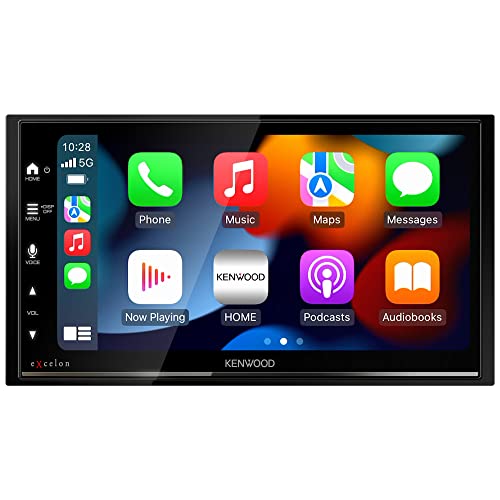
The best car stereo android phones can use are the ones that connect without fuss. A stereo has to show maps, play music and handle calls from your phone without cables dropping out or menus fighting you. The product table above lists receivers that pair with Android phones, and this guide explains how to read their compatibility claims.
It is written for first time buyers, so each term is explained once and the checks follow in the order you will need them.




How an Android Phone Talks to a Car Stereo
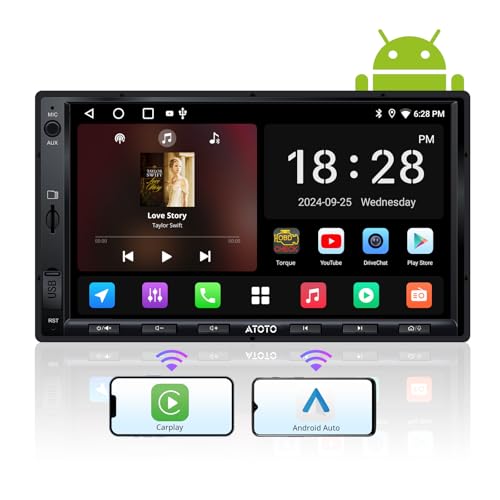
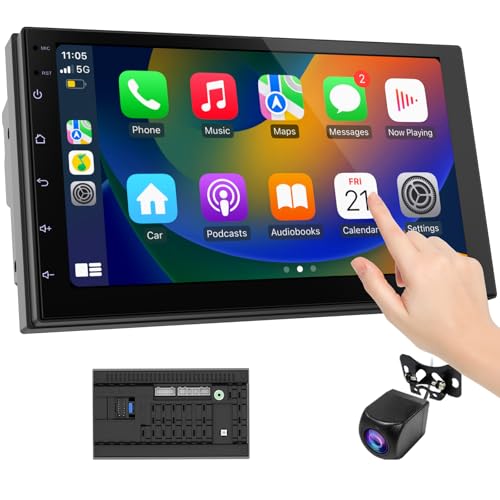
There are three common links. Bluetooth is the wireless link that handles calls and music streaming on almost every modern receiver. Android Auto puts a simplified driving screen on the stereo display, with large buttons for maps, messages and music. Screen mirroring or a wired link reflects more of the phone, and the quality of that experience varies from unit to unit.
Android Auto can run over a USB cable or wirelessly. Wireless is convenient, but it needs a compatible phone and a receiver that explicitly supports wireless mode, so confirm both sides before you buy. If your phone is older, wired Android Auto is usually the safest bet.
Compatibility Checks for Car Stereo Android Phones
Look for the Android Auto logo or an explicit statement of support in the receiver description, not just the word compatible. Check the minimum Android version the receiver asks for and compare it with your phone. A phone that is several versions behind may pair over Bluetooth but not support the driving screen.
Also check how the receiver treats voice control, because a good microphone and clear prompts make hands free calls and navigation far safer. A unit with a physical volume knob is easier to use on rough roads than one that hides every control in a touch menu.
Choosing Size, Screen and Fit
Single DIN and Double DIN
Single DIN receivers are the short, compact units used in older and smaller dashboards. Double DIN units are twice as tall and carry the large touch screen most people picture. Measure your dash opening, or check a fit guide, before you fall in love with a screen size.
Floating Screens
Some receivers mount a large screen in front of a single DIN chassis, which lets a car without a double DIN opening get a big map display. The trade off is dash space, because a big screen can cover vents or controls.
Dash Kits, Harnesses and Steering Wheel Controls
Most cars need a dash kit to fill gaps around the new unit, a wiring harness to avoid cutting factory wires, and sometimes an adapter to keep steering wheel buttons working. Budget a modest amount for these parts.
What Matters Once It Is in the Car
Screen brightness decides whether you can read directions in sunlight, so a bright, anti glare display matters as much as size. Touch response should feel immediate; a laggy screen tempts you to tap repeatedly while driving. If you plan to add an amplifier or subwoofer later, look for preamp outputs and a subwoofer control.
Keep the phone charged on long drives with a proper cable and a car charger that does not compete with the Android Auto connection. The guide to the best car charger for android phones covers that piece of the setup.
What Different Budgets Buy
Entry level receivers cover the basics: Bluetooth calls and music, a USB port, and wired Android Auto on many models, with a smaller screen. Mid range units usually add a larger, brighter touch screen, wireless Android Auto on many models and more sound tuning. Premium receivers add high resolution screens, faster response and extra outputs for amplifiers.
Use the table to compare the best car stereo android phones options at each level, and choose by how much you use maps and streaming each day. A commuter who only plays podcasts does not need a big floating screen, while someone who navigates every day will notice the difference in brightness and response straight away.
Setting Up Safely
Pair the phone and set up Android Auto while the car is parked. Allow only the permissions you are comfortable sharing, set your favorite destinations and music apps, and load offline maps for routes with weak signal. Never adjust the mount, the cable or the stereo settings while driving; pull over first.
If the wiring looks unclear or your car has a factory amplified system, a qualified installer is worth the cost. A neat install protects the dash trim and the car electronics.
Mistakes First Time Buyers Make
- Assuming Bluetooth alone gives the full driving screen; Android Auto support is a separate feature.
- Buying a wireless model without checking that the phone supports wireless Android Auto.
- Choosing a screen size without measuring the dash opening.
- Using a cheap USB cable, which causes dropouts that look like receiver faults.
- Skipping the harness and adapters, then cutting factory wires to force a fit.
Frequently Asked Questions
Do I need Android Auto, or is Bluetooth enough?
Bluetooth is enough for calls and music. Android Auto adds a simplified maps and messaging screen on the stereo, which is far more convenient for navigation. Many receivers offer both, and they work together.
Is wireless Android Auto worth paying extra for?
It is worth it if you take many short trips and dislike plugging in each time. A wired connection charges the phone at the same time and is often more stable, so long distance drivers sometimes prefer it.
Will an older Android phone work?
Often yes over Bluetooth. For the driving screen, check the receiver's minimum Android version. If the phone is too old, a software update or a newer phone may be needed.
What size screen is best?
A screen around 7 inches fits most double DIN openings and shows enough map. Larger floating screens suit drivers who want a bigger view, as long as they do not block vents or controls.
Can I install the stereo myself?
Many drivers do, with a dash kit, a wiring harness and basic tools. Cars with factory amplifiers or complex steering controls are better left to an installer.
Questions to Ask Before You Order
Does the receiver list Android Auto support for your phone, and is that wired, wireless or both? Does it fit your dash opening or come with a kit that does? Is there a physical volume control, and does it keep your steering wheel buttons working? Can you add an amplifier later through preamp outputs? A clear yes to each of those usually means the unit will still feel right in a year.
Keep the receiver manual and your phone settings notes together in the glove box. Small things such as the pairing steps and the reset procedure are easy to forget until you need them.
Finally, check the return window and the warranty before you start the install, so a compatibility surprise can be corrected without extra cost.
Final Thoughts
Start from your phone and your dash: confirm the connection type, measure the opening, and pick a screen you can read at a glance. Compare receivers in the table above on those terms.
That careful start turns a search for the best car stereo android phones need from a confusing list into a setup you can trust every day.

