
Best Car Diagnostic Tool Auto Scanner: Matching the Right Tool to Your Routine in 2026
Disclosure: We may earn a commission when you buy through links on this page, at no extra cost to you. As an Amazon Associate I earn from qualifying purchases. Learn more

Match a car diagnostic tool to your routine: compare coverage, live data and connection classes, and learn why a code names a system, not a part.
A warning light on the dash does not ask the same question of every driver. The commuter who needs the car at dawn wants to know whether the light means stop now or book a shop visit this week, while the hobbyist with a project car in the garage wants live numbers while the engine runs. Choosing the best car diagnostic tool auto scanner starts with that routine, because the right tool for one driveway is wasted money in another. The comparison table below lays the main classes side by side so you can match them to the way you actually use a car.
One fact shapes every class in this guide. A trouble code names a system that reported a fault, not the part that failed. A code about an oxygen sensor circuit can come from the sensor itself, from damaged wiring, or from an exhaust leak ahead of the sensor, and the scanner cannot tell you which one it is. Treat the code as the start of a short investigation, and buy the tool that supports that investigation at the depth your routine demands.

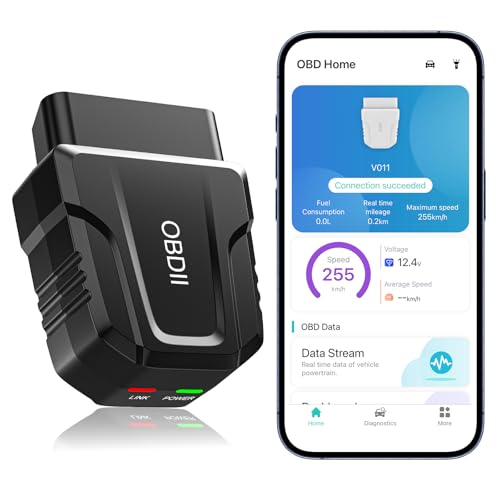
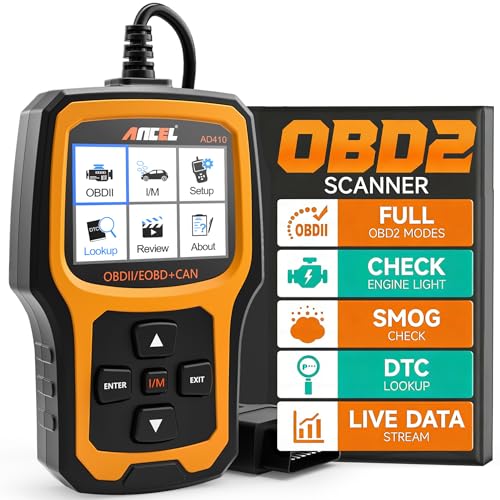


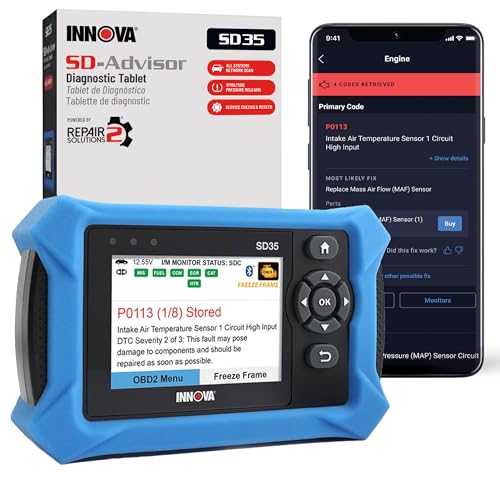

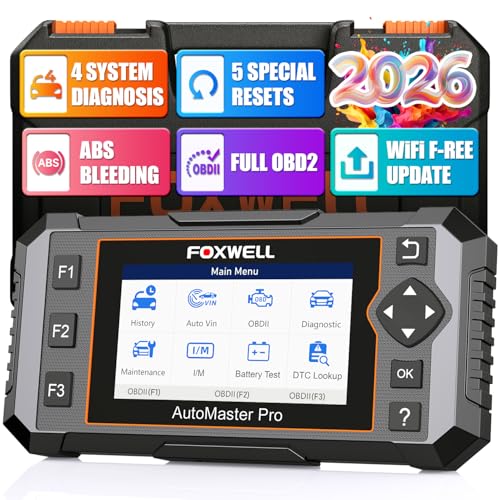
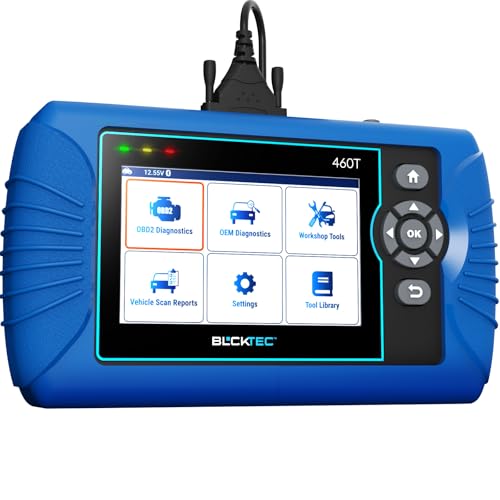
Which Scanner Fits Which Routine?
Scanner shelves are organized by price, but drivers are better served by sorting them by routine. The three routines below cover most buyers, and each one points to a different class of tool. Guides filed under names such as best diagnostic tool for cars describe this same shelf, so let your weekly pattern, not the label on the box, make the decision.
For the Weekly Driver
Your routine is simple: the car has to start every morning, and a warning light is an interruption, not a hobby. You need a tool that reads engine codes in plain language, shows whether the car is ready for an inspection, and then goes back in the glove box for months. A basic handheld unit or a simple plug in dongle does this job well for around $25 to $60. Skip the deep system coverage, because you will hand anything beyond an engine code to a shop anyway.
For the Project Car in the Garage
Your routine is the opposite: the car is a long term project, and you expect to chase faults yourself. You need live data you can watch while the engine idles, a record of the snapshot the car stored when the fault set, and coverage that reaches beyond the engine into brakes and airbags. Tools in this class run about $100 to $250, and the money buys information depth rather than convenience. A larger screen you can read under a work light matters more here than a slim case.
For a Household With Several Cars
Your routine is a shared one: two or three cars of different ages and makers, and one tool that has to speak to all of them. Coverage breadth is your first concern, because a scanner that reads every system on one brand may read only engine codes on another. Look for a class that lists all your makers by name and keeps its coverage updated as newer cars join the household. A mid priced unit shared across three cars costs less per car than a basic unit bought twice.
What a Code Can and Cannot Tell You
When a fault sets, the car stores a snapshot of conditions at that moment: engine speed, coolant temperature, vehicle speed and load. This stored snapshot, often called freeze frame data, is the closest thing the car keeps to a witness statement. It tells you whether the fault appeared at idle or at highway speed, hot or cold, and that context often separates a sensor fault from a wiring fault before you buy a single part.
Clearing a code wipes that witness away. The code, the snapshot and the record of completed self tests all disappear, and the car has to run through its checks again before the fault may return. Clear codes only after you have written down or saved what the tool showed you, and never clear them just before an inspection visit, because the erased test record can fail the visit on its own. A scanner that lets you save or print a report before clearing is worth more than one with a longer code library.
Key Features to Compare
Coverage Beyond the Engine
Every scanner in this class reads engine and emissions codes, because those follow a shared standard. The classes split on what else they reach: antilock brakes, airbags, automatic transmissions and steering systems sit behind maker specific access, and coverage varies sharply by brand family. If your routine includes brake or airbag lights, confirm your exact maker and model years on the coverage chart before buying. Drivers who need every system on many brands are shopping the class covered by our guide to the best professional car diagnostic tool, which is priced for shop use rather than driveway use.
Live Data and Graphing
Live data is the stream of sensor values the car reports while it runs: temperatures, voltages, fuel trims and speeds. Watching a value move tells you more than a stored code when a fault comes and goes, because a sensor that reads fine at idle may drop out under load. Graphing, which plots a value over time, makes those dropouts visible at a glance. Weekly drivers rarely need it, but anyone chasing an intermittent fault will use it on the first weekend.
Connection Classes: Built In Screen or Phone
A standalone handheld tool carries its own screen and buttons, lives in the car, and works the moment you plug it in. A dongle has no screen at all and sends everything to an app on your phone, which gives you a bigger display and tidy saved reports. A dongle built for an iPhone belongs to the class covered in our guide to the best car diagnostic tool for iphone, and the same split applies to other phones. Drivers who prefer a screen that is always in the glove box shop the class in our guide to the best car diagnostic scanner instead.
Updates and Subscription Costs
Coverage is not frozen at the factory, and a tool that never updates slowly loses reach as makers revise systems on newer cars. Standalone tools usually update through a computer download, and many include those updates in the purchase price. App based classes split: some include full coverage forever, while others charge a yearly fee, often around $20 to $50, once the first year ends. Read the fee terms before you buy, because a cheap dongle with a yearly fee can pass the price of a standalone tool within a few years.
Readiness Checks Before an Inspection
Modern cars run a set of self tests, called readiness monitors, as you drive. After codes are cleared or the battery is disconnected, those tests restart, and an inspection station will turn away a car with too many tests incomplete. Most scanners show monitor status on one screen, so you can confirm the car has finished its checks before you queue for the test. This single screen is the feature weekly drivers use most, often more than code reading itself.
Common Mistakes to Avoid
- Buying the part a code seems to name, when the code only names the system that reported the fault.
- Clearing codes before recording them, which erases the stored snapshot and the test history with it.
- Choosing by code library size while ignoring whether the tool covers your maker beyond the engine.
- Comparing dongle prices without the yearly app fee, which can quietly double the real cost.
- Leaving a dongle plugged in for months, where it can draw a small current from a parked car and add one more thing to rattle loose.
Keeping Your Scanner Ready
A diagnostic tool asks for little care, but the cable and connector take the wear, so coil the cable loosely rather than wrapping it tight around the body and never pull the tool out of the port by the cord. Store it out of the worst heat where you can, since a glove box in summer is hard on screens and batteries. Run an update at home on a quiet evening rather than in the driveway with a warning light on, and keep the app login details with your other car records. A tool that is charged, updated and findable is the one that gets used.
Scanner Questions Answered
Will a car diagnostic scanner tell me exactly which part to replace?
No scanner can do that, whatever the box claims. The tool reports the system that flagged a fault and the conditions stored with it, and the failed part still has to be found by testing that system. Use the code to choose what to inspect first, check the wiring and connectors in that circuit, and watch the live values for that sensor before you spend money. The scanner shortens the search; it does not finish it.
Should I clear a trouble code before taking the car to a shop?
Clearing the code first works against you. The shop loses the stored snapshot and has to wait for the fault to happen again, which can turn a quick visit into days of test driving billed by the hour. Drive the car in with the light on and the history intact. If you already read the codes yourself, write them down and hand the list over, because the numbers plus the snapshot give the technician a head start.
Does a phone dongle scanner work as well as a handheld unit?
For engine codes and readiness checks, a good dongle matches a handheld tool, because both read the same data from the same port. The split appears in coverage and cost: handheld mid range tools often reach more systems per maker, while dongles lean on app fees for the same reach. There is also a practical point. A handheld lives in the car, while a dongle depends on your phone being charged, paired and with you.
Why does my scanner read engine codes but not airbag codes on my car?
Engine codes follow a shared standard that every tool must read, while airbag, brake and transmission systems sit behind maker specific access that each tool class buys into separately. A tool can be fully featured for one brand family and engine only for another. The maker coverage chart for your exact model is the deciding document, and it changes as updates land, so a system that is missing now may arrive in a later update for some classes.
How often should a car diagnostic tool be updated?
Update it when a new car joins the household, when a maker you own releases a revised system, or when the tool fails to read a car it should cover. There is no fixed schedule for driveway use. Updates are easiest done at home through a computer or the app, and they can take a while, so start one before you need the tool rather than with the hood open. Keeping the login and cable with the tool saves a search later.
Final Thoughts
Buy for the routine, not the shelf label: weekly drivers need plain language codes and a readiness screen, project car owners need live data and deep coverage, and multi car households need breadth across makers. Whatever class you choose from the product table above, remember the honest limit of every best car diagnostic tool auto scanner: it names the system that reported the fault and shows you the conditions around it. The diagnosis is still yours to finish, and a tool matched to your routine makes that job shorter. Other naming guides, such as the one for the best auto diagnostic tool, cover the same classes under a shorter name.


