
Best Cameras for Taking Videos in 2026: A Practical Buying Guide
Disclosure: We may earn a commission when you buy through links on this page, at no extra cost to you. As an Amazon Associate I earn from qualifying purchases. Learn more

Compare the best cameras for taking videos by sensor, autofocus, stabilization, audio, battery and size, with a clear checklist for your budget.
A phone clip can look fine outdoors and then fall apart indoors, with hunting focus, shaky steps and thin sound. The best cameras for taking videos fix those weak points with a larger sensor, steadier handling and controls built for recording. This guide shows which specs change your footage and which ones you can safely skip, so you can read the comparison table below with a clear plan.
Start with where and how you record. A family trip, a weekly online channel and a rainy trail day each push a camera in a different way. Match the body to that use first, then compare lenses, audio and battery, and you will avoid paying for power you never switch on.

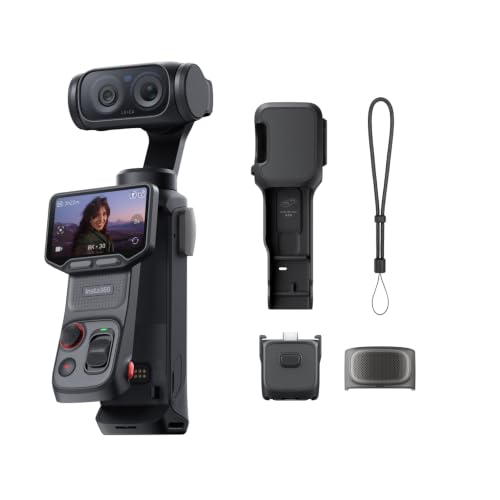

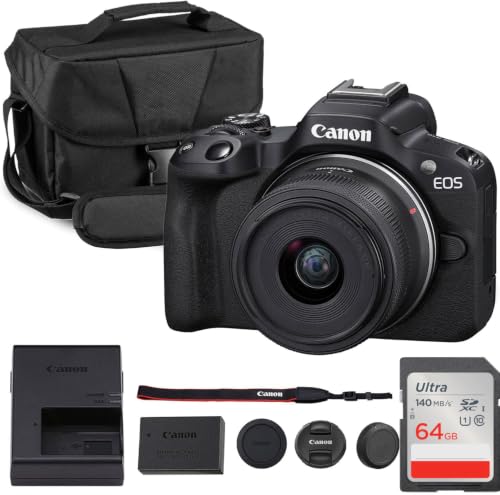


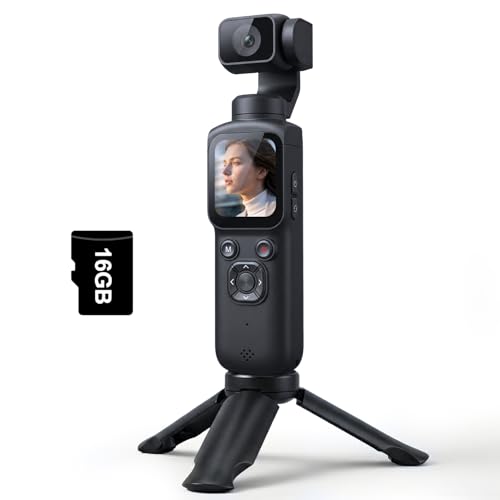

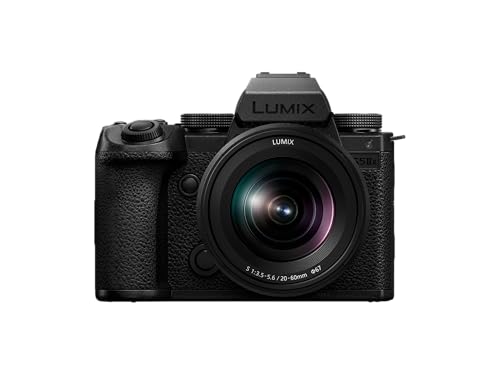
Who Should Buy Which Camera for Video?
Your shooting pattern matters more than a feature list. The groups below cover the three uses readers ask about most, and each one points to a different balance of size, focus help and sound.
Families Recording Trips and School Events
You need a camera that starts fast, focuses on moving children without help and fits in a day bag. Look for reliable face detection, a zoom lens that covers wide rooms and distant stages, and simple auto modes you can trust.
Creators Who Post Online Every Week
You record yourself, so a screen that faces forward and autofocus that holds your eyes are worth more than raw resolution. If this is your main goal, see our guide to the best cameras for video blogging for a closer look at that setup.
Outdoor and Action Shooters
You film on trails, bikes or water, where bumps and weather punish a normal body. Choose a small, tough camera with strong stabilization, sealed controls and mounts that hold it steady on a helmet or chest strap. For that narrower search, see our guide to the best action video cameras.
Key Features to Compare
When you shop for the best cameras for taking videos, compare these six factors in order. Together they decide how your footage looks, sounds and feels to shoot, indoors and out.
Why Sensor Size Matters for Video
The sensor gathers the light that becomes your image, and size is its biggest advantage. A 1 inch sensor already beats most phones in dim rooms, APS C sensors give cleaner shadows and softer backgrounds, and full frame sensors offer the most room in dark scenes. Megapixels matter far less for video, because a 4K frame uses only about 8 megapixels.
Focus and Steadiness That Save Takes
Good autofocus finds faces and eyes and holds them as people move, which saves takes you would otherwise throw away. Image stabilization steadies small hand movements, and in body stabilization can smooth walking shots with many lenses. Optical zoom on a fixed lens camera also benefits, because shake grows as you zoom in. If you film yourself walking, stabilization should rank near the top of your list.
Resolution, Frame Rates and Color Options
Most buyers should choose 4K recording, which stays sharp when you crop a vertical clip from a wide shot. A rate of 60 frames per second suits sports and smooth pans, while 24 or 30 frames per second suits everyday scenes. Slow motion at 120 frames per second helps with splashes, pets and tricks. Flat color profiles, often called log, hold more detail in bright skies and shadows, but they need editing later, so skip them if you share files straight from the camera.
Low Light Performance for Indoor Video
Low light quality comes from the sensor and the lens together. A lens marked f1.8 lets in far more light than one marked f4, so the camera can keep its ISO lower and its picture cleaner. If you film evening events often, put money into a faster lens before you pay for a larger body with a slow kit lens.
Audio Inputs and Screen Design
Sound decides how long viewers stay, and the built in microphone sits too far from a speaker in most rooms. A 3.5 mm microphone input lets you add a small mic near your voice, and a headphone socket lets you check for hum or wind noise before you finish. Screens matter too. A screen that flips forward suits solo recording, while a tilting screen suits high and low angles and keeps the side ports free for cables.
Battery Life, Charging and Handling
Video drains batteries faster than still photos, and many compact bodies record for about 60 to 90 minutes per charge. USB C charging helps because you can top up from a power bank between scenes. Handling counts as well. A body you can hold for ten minutes without strain, with a record button your thumb finds by feel, will get used more than a heavier body that stays home.
Types of Cameras for Taking Videos
Three camera families cover nearly every video need. None is best at everything, so choose by the trade you accept most easily.
Vlogging Cameras Built for Solo Recording
Vlogging cameras are small bodies with a fixed wide lens, a forward facing screen and simple face focus modes. They suit creators who talk to the lens at home and on trips. The trade is flexibility, because the fixed lens limits your reach and the small body limits battery size.
Mirrorless Cameras With Changeable Lenses
Mirrorless cameras let you swap lenses, so one body can film a wide room today and a distant stage with a telephoto lens later. They offer the strongest mix of sensor size, focus speed and video options. The trade is cost and bulk, since each lens adds both. Our guide to the best digital cameras shows how these bodies fit a wider stills search.
Compact Cameras and Camcorders for Simple Video
Compact cameras with long optical zoom suit travel and school events, because one lens covers the whole day. Camcorders add a deep grip, long recording times and zoom that stays smooth while you record. Both give up some low light quality and background blur. They suit buyers who value ease over editing power, and many sit at prices that undercut mirrorless kits by a wide margin.
Common Mistakes to Avoid
- Buying the highest resolution while ignoring the microphone leaves you with sharp footage that viewers stop watching.
- Choosing a large body for travel means it stays in the hotel safe while your phone does the filming.
- Skipping a headphone check lets a buzzing cable or air conditioner ruin a full session before you notice.
- Trusting digital zoom instead of optical zoom throws away detail that you cannot restore in editing.
- Recording a long event on one small memory card risks losing every clip if that card fails.
- Ignoring record time limits can stop a camera in the middle of a speech or performance.
Care and Maintenance Tips for Video Cameras
Simple habits protect both the lens and your future footage.
- Use a lens cloth, not your shirt, because shirt fabric can hold grit that scratches the front glass.
- Carry a spare battery and a second memory card, and swap them before a long event starts.
- Store the camera in a dry, padded bag, away from bathroom steam and car heat.
- Update the camera firmware when the maker offers focus or stability fixes, and follow the maker steps exactly.
- Wipe salt spray and dust off the body after outdoor shoots, before grit reaches the dials and ports.
- Format memory cards in the camera after you copy your files, which keeps the card file system clean.
FAQ
What features matter most in a camera bought mainly for taking videos?
Steady focus, clean sound and easy handling matter most in a camera bought mainly for video. One point buyers miss is the tally light, the small red lamp that shows recording has started. That light prevents the classic lost take, where you perform for a minute with the camera idle. Check that you can see it from in front of the lens.
Is a smartphone enough instead of a camera for taking videos?
A smartphone is enough for short clips in good light, shared soon after filming. A dedicated camera earns its cost when you record long events, zoom across a room or film after sunset. One extra gap is heat, because phones often dim their screen or stop long 4K clips sooner on warm days, while larger bodies shed heat better.
How much should I spend on my first camera for taking videos?
Most first time buyers do well at about $400 to $900 for the body or kit. Spend the next dollars on a microphone and a spare battery before a second lens, because sound and power shape every clip you make. If budget is your first filter, see our guide to the best inexpensive video cameras for the lower price bands.
Which sensor size is best for indoor video in low light?
An APS C or full frame sensor is best for indoor video in dim light. Size alone is not the whole story, though. A bright lens on APS C can beat a slow kit lens on full frame, and steady support lets you use slower shutter speeds for still scenes. For moving people indoors, raise the light in the room first if you can.
Can a camera for taking videos record interviews without a separate audio recorder?
Yes, a camera can record interview audio on its own when you plug a small microphone into its input. Place that mic within about 2 feet of the speaker, clipped to clothing or on a short stand. Test the level with headphones and aim for speech that peaks below the maximum mark, which leaves room for laughter and loud words.
Our Verdict
Choose by light, sound and size, in that order. Pick the sensor and lens for the dimmest place you film, add a microphone input if people talk on camera, and keep the body small enough to carry daily. Then check price and recording limits in the product table above. Chosen that way, the best cameras for taking videos are simply the ones that fit your scenes, your bag and your budget. For a broader look at clip focused models, see our guide to the best cameras for video.


