Best Cameras for Synology Surveillance Station for 2026: What Actually Matters Before You Buy
Disclosure: We may earn a commission when you buy through links on this page, at no extra cost to you. As an Amazon Associate I earn from qualifying purchases. Learn more

Compare cameras for Synology Surveillance Station by compatibility, codec, lens and night vision, with a buyer checklist to help you choose well.
Choosing a camera for a Synology NAS is less about headline resolution and more about whether camera and software work well together. The best cameras for synology surveillance station pair cleanly with your NAS, hold a stable stream, and record the events you need to review. Use the comparison table below to judge each model on compatibility first and extras second.
Surveillance Station turns your NAS into a recorder, a live view hub, and an archive for home and business video. That only works when the camera supports the right profiles and codecs, fits your network, and suits the place it will watch. The sections below cover the specs that decide quality, storage use, and upkeep.




Who Should Buy Cameras for Synology Surveillance Station?
Start with where the camera will sit and what job it must do, because one NAS can serve a door or a whole site.
Homeowners Recording Doors and Driveways
Most home systems watch a front door, a back door, and a driveway with two to four cameras. PoE models suit fixed spots because one cable carries power and data, and footage stays on your NAS, not a paid cloud plan. If a NAS feels like too much hardware, see our guide to the best home surveillance cameras for simpler app based setups.
Small Business Owners Covering Shops and Offices
A shop or office adds users, schedules, and longer retention. Look for cameras with motion events you can search later and housings that resist tampering in public areas. Count the staff entrance and stock room as separate views. For a wider premises plan, see our guide to the best security surveillance cameras.
Owners of Larger Homes, Barns and Gates
Barns, gates, and detached garages stretch both cable runs and WiFi range, so camera choice starts with distance. Outdoor rated PoE cameras on a wired run give the steadiest record at a gate, while a compact wireless camera can watch a porch where cable cannot reach. Check the night picture at the real distance, because infrared range runs out fast after dark.
Key Features to Compare
When you compare the best cameras for synology surveillance station, work through the same short list each time. Compatibility comes first, then stream load, picture detail, power, and build.
Native Support, ONVIF Profiles and the Compatibility List
Synology keeps a compatibility list that names the models Surveillance Station supports with native drivers. A native model usually exposes more settings, such as camera side detection and audio, while a generic ONVIF connection often carries the video stream and little else. Match the exact model and hardware revision on that list before you buy, and see our guide to the best cameras for synology if your NAS is an older unit.
Codec Choice and Stream Load on Your NAS
Surveillance Station records the streams your camera sends, so codec choice shapes picture quality and disk use. H.264 works almost everywhere and asks less of older NAS hardware, while H.265 often stores similar detail in a smaller file. Ask for a sub stream too, because a low resolution copy keeps multi camera live view smooth on a phone. About 15 to 30 frames per second suits most doors and yards.
Resolution, Lens and Field of View
Resolution only helps when the lens puts enough pixels on the person or plate you need to identify. A 2.8 mm lens gives a wide view for a porch or small room, while a 4 mm lens narrows the view and keeps faces larger at a gate. Models from about 2 MP to 8 MP cover most homes, and a varifocal lens helps at odd distances.
Power over Ethernet, WiFi and Network Reliability
A wired PoE camera draws power from the same network cable that carries its video, so recording does not depend on a battery or a weak radio signal. Check the total watt budget of your PoE switch as you add cameras. WiFi models place easily where cable cannot run, but walls and distance can weaken the link, so wired suits any camera that guards an entry.
Night Vision, Weather Sealing and Build Quality
After dark, sensor size and infrared range decide whether footage is useful or just gray shapes. Many outdoor models rate infrared reach at about 30 to 100 feet, yet rain and fog shorten that distance, so treat the rating as a ceiling. Look for a housing rated IP66 or IP67 for exposed spots and strong seals at the cable entry. Durability pays here, because a fogged camera helps no one.
Camera Types Compared for a Synology Setup
Form follows the mounting spot more than the brand. Simple indoor models often cost under $100, solid outdoor PoE models cost about $100 to $250, and premium options with larger sensors cost about $250 to $500. Check warranty length too, since cover tends to grow with price.
Dome and Turret Cameras for Entries and Rooms
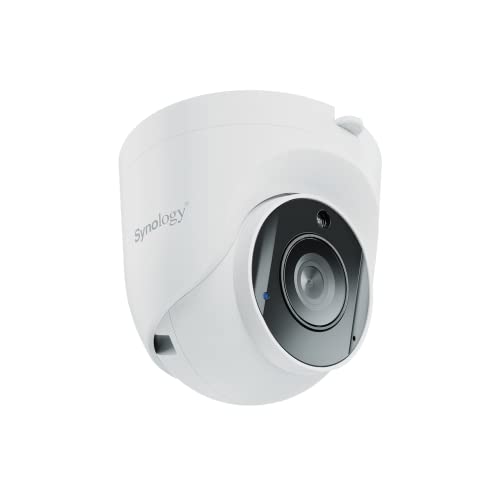
Dome and turret cameras sit close to a ceiling or soffit and resist casual tampering, which suits entries, halls, and shop floors. A turret handles glare at night better because its infrared lights sit apart from the lens. Choose this shape where the camera sits within reach.
Bullet Cameras for Walls, Yards and Parking Areas
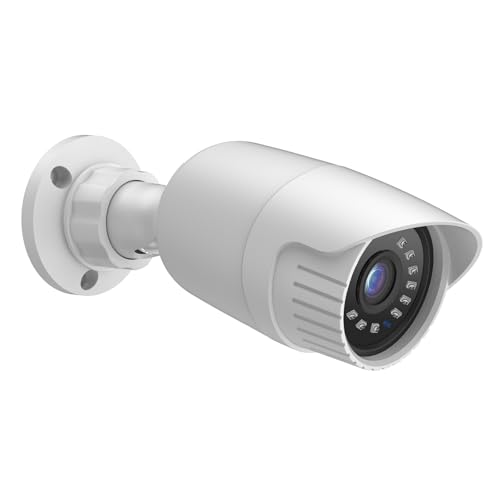
Bullet cameras mount on walls and eaves and point in one clear direction, which suits yards, driveways, and parking rows. Their shape sheds water well and often carries longer infrared range than compact options. If most of your views are outside, compare shapes in our guide to the best surveillance cameras outdoor first.
PTZ and Compact Cameras for Large or Small Rooms
A PTZ camera can pan, tilt, and zoom to follow activity across a large room or yard, but it can only look one way at a time. Compact indoor cameras cost less and suit nurseries, pet areas, and rental rooms where a fixed view is enough. Use movement as a supplement to fixed views at doors, not a replacement.
Checks to Run Before You Add a Camera to the NAS
Answer each question honestly before you order. A no answer points to the item or plan you should fix first.
- Is the exact camera model listed as supported for my NAS?
- Does it offer H.264 or H.265, a sub stream, and a microSD slot?
- Have I counted licenses for cameras beyond the two included with most NAS units?
- Can my PoE switch supply the total watts my wired cameras will draw?
- Does the lens fit each spot, with faces large enough to recognize?
- Is the housing rated for outdoor use at every exposed mount?
- Have I estimated disk space for my bitrate and retention days?
Common Mistakes to Avoid
Most regrets trace back to a short list of planning slips.
- Buying a camera that only works in its own app leaves Surveillance Station no stream to record.
- Forgetting extra device license costs makes a cheap multi camera plan cost more than expected.
- Choosing the widest lens for every spot spreads pixels so thin that faces stay unreadable.
- Stacking many high bitrate streams on a weak network causes dropped frames and recording gaps.
- Mounting an indoor camera in an exposed spot lets water in and shortens its life.
Care and Maintenance for Synology Connected Cameras
Wipe each lens and infrared window with a soft microfiber cloth every few months, and more often where dust coats the glass. Check that mounts stay tight and cable seals sit flush, because a loose seal is the usual path for water. Never use strong solvents on the dome cover, since they can cloud the surface.
Keep camera firmware and Surveillance Station current, and restart each camera after an update to confirm the stream returns. Play back one short clip per camera each month, because a silent failure can hide for weeks. Save a copy of your camera settings after any change.
Frequently Asked Questions
What features matter most in cameras for Synology Surveillance Station?
Compatibility matters most, because a camera that Surveillance Station cannot control is just a stream. After support, judge codec, lens, and night range for the spot it will watch. One extra check helps: buy and test a single camera at your hardest location, at night, before you order the full set. That test exposes weak light and weak signal early.
Do cameras for Synology Surveillance Station need a separate license for each camera?
Yes, each camera you add uses one device license, and most Synology NAS units include two. Any camera beyond those two needs an added license, sold as a one time purchase rather than a yearly plan. A housing with several separate sensors can count as more than one device, so confirm the count before you order.
How long does a camera connected to Synology Surveillance Station last?
A camera connected to Synology Surveillance Station typically lasts about 5 to 8 years in home service. The sensor rarely fails first; seals dry out, infrared output fades, and covers yellow with age. Shade where you can, and reseal cable entries once mid life to add useful years.
Can WiFi cameras work well with Synology Surveillance Station?
Yes, WiFi cameras can work well with Synology Surveillance Station when the signal at the mounting point is strong and steady. Test that exact spot with your phone before you drill, and aim for a clear path to the access point. Give the camera a fixed address in your router, so the NAS finds it after an outage.
Are premium cameras worth it for Synology Surveillance Station?
Premium cameras are worth it for Synology Surveillance Station when the cost buys native smart detection, a larger sensor, or a varifocal lens you will use. Those gains show up as cleaner night footage and faster event searches. For a quiet indoor room, a simpler model often records everything you need, so spend first on the entries.
Our Verdict
A sound Synology camera plan rests on three checks: native support verified by exact model, a codec and bitrate your NAS and disks can hold, and a lens that fits each mounting spot. Get those right and the system stays easy to use, with clear playback.
Use the product table above to compare the models that pass those checks. Chosen with care, the best cameras for synology surveillance station give you a record you can trust and clear value for the money.