
Best Cameras for Photography Class Made Simple: A Clear Buying Guide for 2026
Disclosure: We may earn a commission when you buy through links on this page, at no extra cost to you. As an Amazon Associate I earn from qualifying purchases. Learn more

Shopping for the best cameras for photography class for the first time? Learn the terms, compare options, and avoid rookie mistakes with this easy guide.
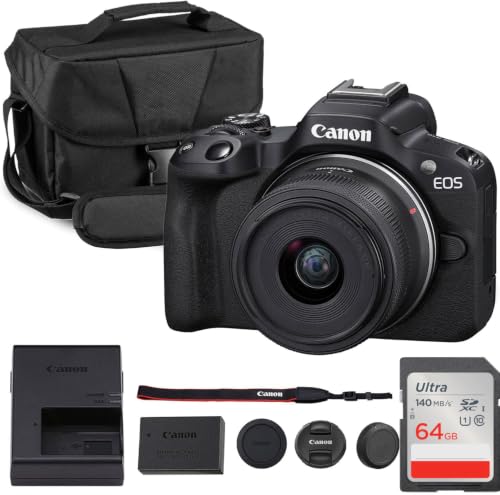
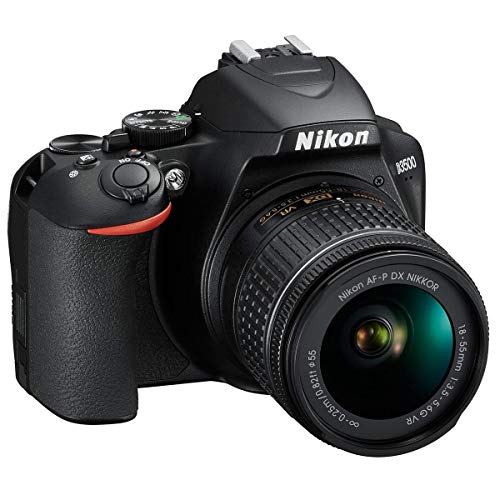
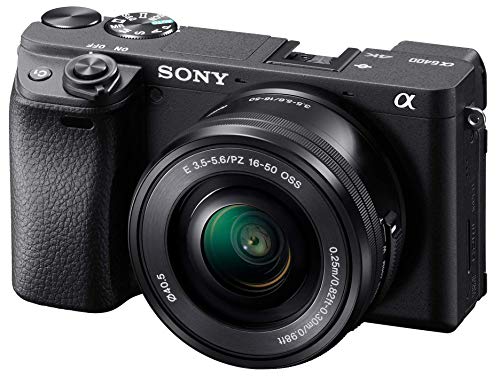
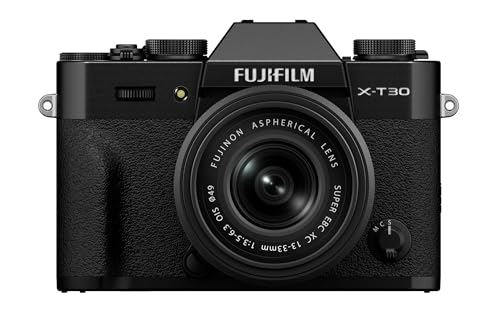
Buying a camera for a class is different from buying one for travel or family photos. Your instructor will ask you to change settings by hand and explain why an image looks the way it does. The best cameras for photography class give you direct control and files that hold up when you print or edit them. Use the comparison table below to match camera types to your syllabus.
This guide starts with plain language basics, then covers sensor size, lenses, autofocus, and low light results. You will also find a setup routine for your first week, mistakes that cost students grades and money, and care steps that keep a camera working through a full term.






Cameras 101: The Basics for Class
A camera records light through a lens onto a sensor or film, and you control that light with three settings. Aperture sets how wide the lens opens, shutter speed sets how long light enters, and ISO sets how sensitive the camera is to light. Most courses teach on digital models, so see our guide to the best digital cameras for the wider format. If your syllabus names darkroom work, see our guide to the best film photography cameras first.
Mirrorless cameras show a live preview in an electronic viewfinder and tend to be smaller. DSLR models use an optical viewfinder, and many used options cost less. Point and shoot compacts have a fixed lens, and some lack full manual control, so check any compact against your course rules first.
Who Should Buy a Camera for a Photography Class?
Match the camera to the course level and the work you must hand in. The best cameras for photography class for an intro student differ from the right choice for a portfolio course. If you are still weighing the wider field, see our guide to the best cameras for photography before you narrow to a class list.
Students in an Intro Course That Requires Manual Mode
You need full manual mode, a standard kit lens, and clear dials you can learn without menu digging during a timed exercise. An APS C mirrorless or DSLR body gives you room to grow across several terms. If every syllabus term is new, see our guide to the best beginning photography cameras for a slower start.
Students in a Portrait, Landscape, or Studio Course
Your assignments reward control over focus, depth of field, and lighting triggers more than fast burst shooting. Choose eye detection for people work, a hot shoe for studio flash, and a screen that tilts for low tripod angles. Save part of your budget for a prime lens with a wide maximum aperture, because lens choice matters more here than a small step up in sensor size.
Students in an Advanced or Portfolio Course
You will likely shoot RAW files, print large, and present a consistent series, so you need strong color control and WiFi transfer or tethering for studio review. Full frame bodies suit this level when the budget allows. An advanced APS C body with good lenses often makes a stronger portfolio, so ask about print size and file rules first.
Specs That Help You Finish Assignments Well
Read each spec through one question: will this help you finish a class assignment well and on time? Start with manual mode plus aperture priority and shutter priority modes, because weekly exercises isolate one variable at a time. Look for dials or a clear quick menu and a lens mount with lenses you can borrow or rent at fair cost.
Sensor Size and What It Means for Student Work
Sensor size shapes detail, low light results, and how shallow your depth of field can look at a given aperture. One inch sensors suit compact bodies and bright daylight work. APS C sensors offer a strong balance of size, price, and quality for most students. Full frame sensors gather more light in dim rooms, but bodies and lenses cost more and weigh more. Megapixel count matters less, because most current sensors give enough pixels for class prints.
Low Light Performance for Classrooms and Evening Shoots
Classrooms, galleries, and evening field trips often give you dim light and ban flash, so low light performance decides whether you keep detail or accept blur and noise. A wider maximum aperture lets in more light before you raise ISO. Higher ISO settings brighten an image but add grain like noise and reduce fine detail. A larger sensor usually holds detail better at high ISO than a small sensor.
Autofocus and Stabilization for Class Assignments
Autofocus matters when your subject moves, when light falls, or when you work at a wide aperture and focus must land exactly on an eye. Look for eye detection for portraits, a focus point you can move quickly, and tracking that holds a walking subject for street assignments. Image stabilization in the body or the lens steadies your hands at slower shutter speeds in museums and interiors, but it cannot freeze a moving subject.
Lens and Zoom Range for Course Assignments
The lens decides what fits in your frame and how your subject separates from the background. A kit zoom covering about 18 to 55 mm on an APS C body handles landscapes, groups, and most daily assignments. A prime lens has a fixed focal length and often a wide aperture for portraits. Optical zoom changes the view through glass, while digital zoom crops and loses detail when you compare models.
Video Capabilities for Mixed Media Classes
Some courses add a short video unit, while others never grade moving images, so treat video as a bonus unless your syllabus names it. Useful tools include 4K video recording, a microphone input for clean sound, and a screen that flips forward for self recording. Log profiles give flat color you can grade later, but they add steps to a first project. Confirm the time limit per clip before you buy.
First Setup Steps Before Your First Assignment
Charge the battery, insert a memory card, format that card in the camera, and set the date and time before your first class. Set image quality to RAW plus JPEG if your instructor allows both, because the JPEG is a quick reference while the RAW file leaves room to edit. Attach the strap and shoot a short practice set at home before a graded exercise.
Work through the menu once with your syllabus beside you and save your course settings if the camera offers a custom mode. Practice changing aperture, shutter speed, and ISO without lowering the camera from your eye. Pack a spare battery and a spare card, because a flat battery during a field session leaves you with no work to hand in.
Rookie Mistakes to Avoid
These errors appear in almost every first term, and each one is easy to prevent.
- Buying a camera without full manual mode leaves you unable to finish exercises that set aperture and shutter speed yourself.
- Spending your whole budget on the body leaves no money for a card and a bag, so the camera travels unprotected.
- Choosing a compact with only digital zoom gives you cropped, soft images for distant detail.
- Ignoring course lens rules can leave you with a lens too narrow for group scenes in a small room.
- Learning file export the night before a deadline can leave you with the wrong format and a late submission.
Care and Maintenance for a Camera You Use Every Week
Clean the lens with a lens cloth and a blower, never with your shirt, because grit on fabric can scratch the glass coating. Keep caps on in your bag and use a padded section so the body does not knock against books. Wipe moisture off after rain and let the camera dry at room temperature before storage.
Store the camera in a cool, dry place out of direct sun, and remove the battery during long breaks. Check for dust spots by photographing a plain pale wall at a small aperture, and use only a blower for loose dust. Send the camera for professional sensor cleaning if spots remain, because touching the sensor without training can cause lasting damage.
FAQ
What features matter most in cameras for photography class?
Manual control matters most, followed by a lens you can use for several assignment types. One check students miss is the approval step, because some instructors keep a list of accepted bodies and mark down work shot on auto only gear. Ask for that list before you pay, and ask whether the school rents bodies by the week to test fit.
How much should a student spend on a first camera for a photography class?
Plan on about $400 to $900 for a used or entry level body with a kit lens, then reserve extra for a card, a bag, and a spare battery. That reserve often decides whether the camera is ready each week. A prior generation APS C body with a clean sensor beats a newer compact that lacks manual control when money is tight.
Is a smartphone enough for a photography class instead of a dedicated camera?
A smartphone is enough only if your instructor says so in writing, because most courses require manual settings a phone app cannot fully provide. Phones also handle large prints poorly in dim light or fast movement. Many teachers accept phone images for early composition exercises, so you can learn framing while you choose a camera for later units.
What do kit lens numbers like 18 to 55 mm mean for class work?
The first number is the widest view and the second is the longest reach, so this range covers wide group scenes through short portrait distances. Test it in your classroom: zoom to 18 mm for the full room, then to 55 mm for one classmate across the room. If both frames look useful, that range covers most early assignments.
Wrapping Up
Start with your syllabus, then weigh manual control, sensor size, and the lens you will use most against your total budget. Use the product table above to compare types side by side before you order.
When you shop for the best cameras for photography class with those points clear, you protect both your grades and your money. Pick the simplest system that meets every course rule and add lenses only when an assignment shows a real need.


