
Best Cameras for Low Light Videography Made Simple: A Clear Buying Guide for 2026
Disclosure: We may earn a commission when you buy through links on this page, at no extra cost to you. As an Amazon Associate I earn from qualifying purchases. Learn more

Learn how sensor size, aperture, stabilization, and focus affect dim scene video, and choose a camera that fits your budget and shooting style.
If you are shopping for the first time, dim rooms, evening streets, and candlelit gatherings can feel like a puzzle. The best cameras for low light videography are not the ones with the longest spec list. They are the ones that keep faces clear, colors natural, and motion smooth when light is scarce. This guide explains the basics in plain language so you can compare options with confidence.
We will walk through sensor size, lenses, focus, stabilization, and battery life, then flag common beginner mistakes and a simple first use routine. The comparison table below can help you line up the choices side by side as you read. Keep your usual shooting spots in mind, because a camera that suits a quiet living room may not suit a busy evening event.
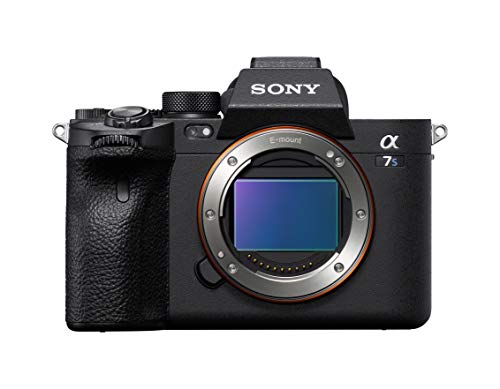

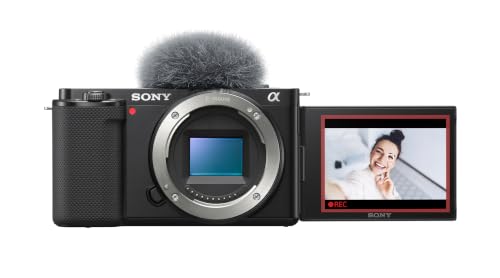


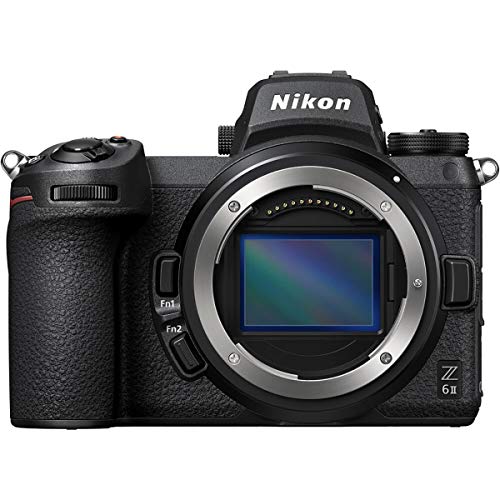


Cameras 101: The Basics
A camera records video by letting light pass through a lens onto a sensor. In bright daylight, almost any recent camera can look good. In dim light, the sensor has to work much harder, and small differences become easy to see. Noise, which looks like grain or speckles, appears first in shadows and dark backgrounds, and colors can also shift, so skin tones may look orange under warm lamps or gray under mixed lighting.
Three controls shape the result more than anything else. Aperture controls how much light the lens lets in. Sensitivity, often shown as ISO, controls how strongly the sensor responds to that light. Shutter speed controls how long each frame gathers light, but video needs a fairly steady frame rate, so you cannot simply slow it down without changing how motion looks, and a good dim light camera balances these three controls instead of pushing one of them to an extreme.
Key Specs Explained in Plain English
What You Can Realistically Get on a Budget
Around $300 to $500 usually buys a capable starter camera with a modest sensor, a kit lens, and usable video in indoor light. Expect clean footage in a well lit room and acceptable footage in a dim room, but not the silky shadows of a much larger sensor, while features often trimmed at this level include weather sealing, advanced focus tracking, and long battery life. Do not cut corners on the lens, because a brighter lens often improves dim light video more than a small jump in sensor size. A guide to best cameras low light can help you compare what different price levels actually change.
Features That Matter for Low Light Videography
Dim scene video rewards a wide maximum aperture, a sensor that stays clean at higher sensitivity, and focus that locks onto a face instead of hunting in the dark. A bright lens, often described as f1.8 or f2.8, lets in more light than a slow kit lens. Reliable focus matters because a soft face ruins a clip even when exposure looks right. Strong stabilization also helps, since you may hold the camera by hand in a dark room where a tripod would block the view or draw attention.
Sensor Size and Image Quality
Sensor size describes the light gathering area inside the camera. Larger sensors usually produce cleaner shadows and smoother tones, while smaller sensors can still do well in moderate light with a bright lens. Common sizes include 1 inch, APS C, and full frame, and each step up tends to bring better dim light performance and a higher price. Megapixel count alone does not tell you much about video, because video uses only part of the sensor in many cameras, so judge image quality by how clean shadows look and how natural colors stay, not by the biggest number on the box.
Autofocus and Stabilization
Eye focus and face focus help the camera stay on a person who moves, talks, or turns toward a window. In dim light, focus systems can struggle, so look for a camera that keeps tracking when a subject steps into shadow and back into light. Built in stabilization smooths small hand movements, which matters even more at night because your hands may be less steady in a crowded room. A gimbal can add extra smoothness for walking shots, but it also adds weight and setup time, so for most beginners, dependable built in stabilization plus a comfortable grip is the safer starting point.
Durability and Weather Sealing
Weather sealing protects buttons, doors, and joints from rain and dust, which matters if you film outdoors after sunset. It does not make a camera waterproof, and you should still shield it in heavy rain. A solid grip, a clear menu, and buttons you can find by touch help when you work in the dark. Check that the battery door and card door close firmly, and that the lens mount feels secure rather than loose, and if you film near water or on a boat, a wrist strap and a dry bag are cheap insurance.
Low Light Performance
Low light performance is a combination of sensor cleanliness, lens brightness, and processing. A camera that looks clean at ISO 3200 will usually be more useful than one that needs ISO 12800 for the same scene. Noise reduction can smooth grain, but too much of it can smear fine detail such as hair or fabric texture, so test footage in a real room at night, not only in a bright store, and watch dark corners closely. Also compare best low light video cameras when you want to see how dedicated video designs handle the same dim scenes.
Rookie Mistakes to Avoid
- Chasing the highest ISO number: a huge maximum ISO does not mean clean footage, and the usable range is usually much lower.
- Ignoring the lens: a dim kit lens can hold back a good sensor, so budget for a brighter lens if your camera lets you change lenses.
- Forgetting audio: a built in microphone picks up room echo and fan noise, so plan for an external microphone or a quiet shooting spot.
- Skipping a spare battery: cold air and long recording sessions drain power fast, and a dead battery ends a shoot at the worst moment.
- Judging footage on a tiny screen: a clip that looks fine on the camera screen may show noise and soft focus on a larger display.
Getting Started: Setup and First Use
Start by charging the battery fully and formatting the memory card in the camera, not on a computer. Set the frame rate and resolution you plan to use most often, then record a short test clip in the room where you will actually film, and watch it on a larger screen and check faces, shadows, and sound before an important event. Use a lens cloth, not your shirt, to clean the front element, because fabric can smear coatings and trap grit. Carry a spare battery and a spare card, and keep them in an inside pocket in cold weather so they stay warm.
When you film, lock focus on the main subject before you press record, and avoid sudden zooms that can confuse the focus system in dim light. If the camera offers a focus peaking display, turn it on for manual focus practice. Keep movements slow and steady, and give each shot a few extra seconds at the start and end so editing is easier. For webcam style calls in a dark room, a separate guide to best low light web cameras may suit you better than a full camera setup.
Frequently Asked Questions
What features matter most in cameras for low light videography?
A bright lens, a clean sensor at higher sensitivity, and dependable face or eye focus matter most. Stabilization ranks close behind, because handheld footage in dim light shows every shake. A flip screen helps you frame yourself, and a microphone input helps you fix audio without replacing the whole camera. One point beginners often miss is heat: long video clips can warm a small camera, so check recording limits and keep a spare battery ready for longer sessions.
Which is better for low light?
A larger sensor with a bright lens usually beats a smaller sensor with a slow lens, but the gap depends on your scene. In a moderately lit room, a smaller sensor with an f1.8 lens can look surprisingly good. In a very dark hall, the larger sensor pulls ahead because it keeps shadows cleaner. The practical test is simple: compare footage from both options in the same dim room at the same distance, and note that a still photo mode does not predict video quality, since video processing and frame rate change the result.
How much should I spend on my first one?
Most beginners do well around $300 to $700 for a camera and a basic lens, with room left for a spare battery, a card, and a simple microphone. Spending more mainly buys cleaner shadows, faster focus, and better sealing rather than a whole new look. If your budget is tight, put extra money toward a brighter lens before you chase a larger sensor. One often missed cost is storage: high quality video fills cards fast, so budget for a fast card and a backup drive.
What specs matter most for beginners?
Beginners should weigh sensor cleanliness, lens brightness, focus reliability, and ease of use above headline resolution. A camera that focuses fast in dim light and holds exposure steady will produce more usable clips than a complex camera with a steep menu. Battery life and card speed also matter, because a camera that stops mid clip is no help at an event. A final practical point is weight: a lighter setup gets carried more often, and the camera you actually bring always beats the one left at home.
Wrapping Up
Start with the room you film in most, then choose a sensor and lens combination that keeps that room clean and natural. Test focus and stabilization in real dim light, not only under store lights, and leave room in your budget for a spare battery and better audio. If you compare a few options in the product table above, you will see how small spec differences add up in dark scenes. The best cameras for low light videography for you are the ones that feel simple to use, stay steady in your hands, and keep faces clear when the light fades.
