
Best Cameras for Kayaking: Reviews and Buying Guide for 2026
Disclosure: We may earn a commission when you buy through links on this page, at no extra cost to you. As an Amazon Associate I earn from qualifying purchases. Learn more

Compare waterproof depth, 4K video, sensor size and mounts to choose the best cameras for kayaking trips.
Paddling puts a camera through splashes, rain, wet hands, and constant motion, so a model that works well on a trail can fail fast on the water. Choosing the best cameras for kayaking means weighing waterproof depth, secure mounting, and controls you can use without putting your paddle down. This guide covers the types, specs, and setup choices that matter most on rivers, lakes, and coasts, so you can match a camera to your paddling.
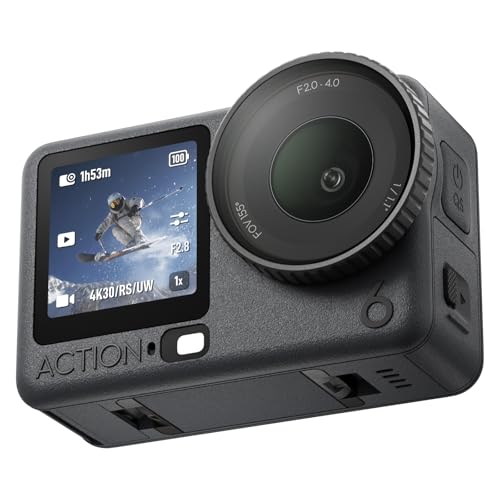
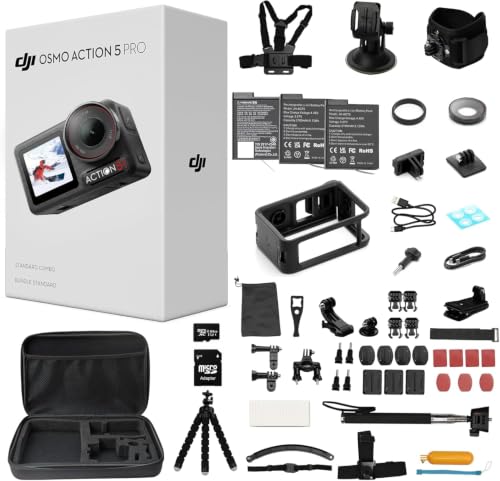
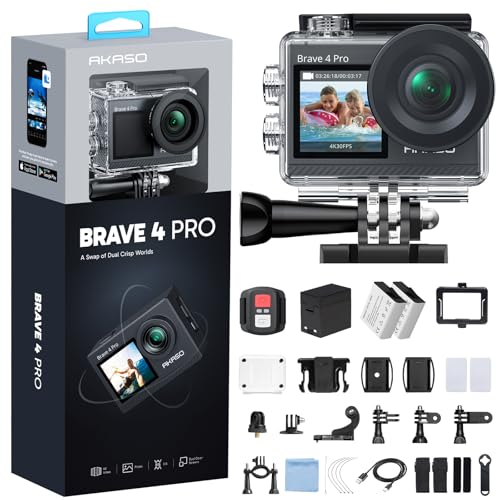
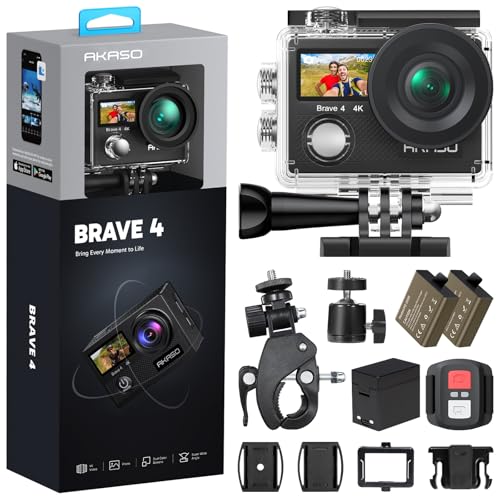
You will find notes on sensor size, 4K video, optical zoom, and autofocus, plus advice on floats, tethers, and batteries for full days out. The comparison table below gathers the specs side by side, so use it as a quick reference as you narrow your list to the features your trips demand.


Who Should Buy a Camera for Kayaking?
The right choice depends less on headline specs and more on how you paddle and how much attention you can spare while the boat moves. The three groups below cover the most common needs.
Solo Paddlers Who Want Video Without Stopping
If you paddle alone and want footage of rapids, crossings, or quiet backwaters, look for an action camera you can start with one press or a simple voice command. A wide field of view and strong stabilization keep the horizon steady, and a chest or deck mount keeps both hands on the paddle. Add a bright float grip, and practice the routine at home until it feels automatic.
Anglers and Wildlife Watchers Who Need Reach
Fishing and birding from a kayak call for reach, because you often cannot drift closer without spooking your subject. Prioritize true optical zoom, because digital magnification only enlarges pixels and softens detail. Fast autofocus helps you lock onto a heron or a jumping fish despite the shake of a rocking seat. Add a snug wrist tether, because a camera that slips during a cast is gone in deep water.
Families and Group Leaders Who Want Simple Sharing
Group trips need a camera that anyone can use with wet hands and little instruction. Look for large buttons, a clear auto mode, and a screen you can read in bright sun, plus WiFi transfer so clips move to a phone without cables. If this is a first dedicated camera for a younger paddler, see our guide to the best starter cameras for simple models that teach good habits.
How to Choose a Kayaking Camera: Buying Guide
Specs only help when you translate them into time on the water. In practice, the best cameras for kayaking balance sealing, image quality, and simple handling, because a brilliant sensor is useless if spray fogs the lens or the menu needs dry fingers. If you put image quality first on land too, see our guide to the best quality cameras for premium builds and sensors.
Features That Matter for Kayaking
Start with the waterproof rating, because it sets where the camera can go. A body rated for submersion to about 33 feet handles capsizes and rain, while a splash rating only covers light spray. Check that the screen responds to wet fingers and that buttons are large enough to find by touch. A fast startup matters too, since wildlife rarely waits while you scroll menus in bright glare.
Sensor Size and Image Quality
Sensor size shapes low light quality more than megapixel count does. A 1 inch sensor gathers more light than tiny older sensors, so dawn launches and shaded coves look cleaner. APS C and full frame bodies deliver the best stills, but they need a housing that adds bulk and cost. If stills matter most, see our guide to the best cameras for photography to compare formats before you commit to a housing based system.
Video Capabilities
Look for 4K video at up to 60 frames per second, because higher frame rates smooth paddle strokes and let you slow rapids footage cleanly. Electronic stabilization is essential on a moving boat, and wind reduction keeps built in microphones clear on open water. A bright fixed screen is easier to rinse and less fragile than a flip screen in the boat. Check record limits too, since some bodies stop clips near 30 minutes.
Size, Weight, and Ergonomics
Deck space is limited, so favor a camera you can lift, aim, and stow with one hand. Compact bodies fit a life vest pocket or a small dry bag, while larger bodies need a deck bag and both hands. Look for a deep grip, a shutter button you can find by touch, and lugs that accept a floating tether. A camera that feels awkward with dry hands will feel worse with cold, wet ones.
Durability and Weather Sealing
Weatherproof and waterproof are not the same promise. Weather sealed bodies resist rain and spray, but a single capsize can end them. True waterproof cameras add sealed doors, protected lenses, and ratings for depth and time underwater. Shock resistance helps on rocky launches, but the seals do the real work, so inspect gaskets often and keep grit away from every closure.
Battery Life and Charging
Video drains batteries far faster than stills, and cold days shorten runtime further. Check rated shots per charge and rated video minutes at your chosen resolution. USB C charging is an advantage on multiday trips, because you can refill from the power bank that charges your phone. Carry a spare in a dry pouch, keep spares warm in cold weather, and turn off WiFi and GPS when you do not need them.
Types of Cameras for the Water
Four camera families cover most paddling needs, each trading size, quality, and protection differently. For a wider look at everyday models, see our guide to the best digital cameras.
Action Cameras
Action cameras are the default choice for moving footage, thanks to tiny bodies, native waterproofing, and mounts for chests, helmets, and decks. Their wide lenses capture the bow, your paddle, and the full scene, and stabilization suits whitewater and surf launches. The tradeoffs are a small sensor, modest stills, and no true zoom, so they shine on video first trips rather than careful photography.
Tough Compact Cameras
Tough compacts pair a sealed, drop resistant body with a real optical zoom lens, so you can frame wildlife from a respectful distance and shoot stills with one hand. Most offer underwater modes that restore color lost below the surface. They cost more than basic compacts, but they need no housing, which makes them the simplest fit for stills first paddlers.
Vlogging Cameras
Vlogging cameras add flip screens, autofocus for faces, and microphone inputs for trip narration. That kit excels at calm lakes and camp storytelling, where you can talk to the lens and review framing at a glance. On open water they always need a waterproof housing, which mutes touch controls and adds setup time, so they suit creators who film on shore as much as they paddle.
Mirrorless Cameras
Mirrorless bodies deliver the largest sensors, the sharpest lenses, and the most control over depth of field, which dedicated photographers value on misty mornings. The catch is protection, since a fitted housing can cost as much as the camera and turns a small body into a bulky rig. Many owners keep mirrorless gear in a dry bag for shore use and paddle with a tougher camera in hand.
Mounts, Carry, and Setup on the Water
Mount choice shapes both your footage and your safety. Chest mounts give a stable paddling view, deck mounts face you or the bow, and clamp mounts grip a paddle shaft for short clips. Every mount should release quickly and ride low, so it never blocks a wet exit or a rescue. Add a backup tether to every mounted camera, because pads and suction cups can let go in heat, cold, or a hard capsize.
Carry the camera within reach, so you never open a large hatch in rough water. A roll top dry bag, a floating wrist strap, and a cloth in a sealed pouch cover most days. For 4K recording, choose cards with fast write ratings from the maker list, and format them in the camera before each trip.
Common Mistakes to Avoid
Most kayaking camera losses trace back to habits that are easy to fix before your next launch.
- Trusting a splash rating in whitewater leads to a flooded body on your first capsize.
- Skipping a tether turns a single fumble at the launch into a camera lost on the bottom.
- Opening battery doors with sandy hands grinds grit into the seals and invites slow leaks.
- Relying on digital zoom instead of optical zoom leaves wildlife shots soft and cropped.
- Mounting a camera where it blocks your wet exit puts gear ahead of safety.
- Leaving a wet camera sealed in a hot car breeds fog inside the lens.
A quick dockside check of seals, tether, battery, and card prevents nearly every problem on this list.
How to Make Your Kayaking Camera Last Longer
Salt, sand, and trapped moisture wear out a kayaking camera faster than age does. A few minutes of care after each trip keeps seals tight, lenses clear, and batteries ready.
- Rinse the closed body in clean freshwater after saltwater trips, because dried salt corrodes metal contacts.
- Use a lens cloth, not your shirt, since gritty fabric can scratch the front glass.
- Dry the camera fully with doors open in shade to stop trapped moisture fogging the lens.
- Store the camera in a dry, padded bag with the battery removed on long breaks.
- Update the firmware when the maker releases it, because updates often improve autofocus.
Inspect O ring seals and latches monthly, and replace a nicked gasket right away, since a leak is the most expensive failure on the water.
Cameras for Kayaking: Your Questions Answered
What features matter most in a camera for kayaking?
Waterproof sealing, a secure mount or tether point, and controls that work with wet hands matter most in a camera for kayaking. Beyond those basics, look for a water repellent lens coating, because droplets bead and roll off instead of sitting in every clip. A simple menu you can navigate in glare saves more shots than extra modes.
What waterproof rating does a kayaking camera need for rapids?
A kayaking camera should carry a true submersion rating, not just splash resistance, and a housing adds margin when your model allows one. Ratings are measured in still water, so crashing waves and fast current press harder on seals than the test suggests. Treat the printed depth as a ceiling with room to spare, and retire a worn door seal to calm lakes only.
Which camera sensor is better for low light kayaking photos?
A larger sensor is better for low light kayaking photos, because it gathers more light and holds detail in shadows. Select raw capture when your camera offers it, since raw files let you lift dark shorelines later without the banding compressed files show. Keep shutter speeds brisk for moving subjects, because stabilization cannot freeze a paddler or a bird in flight.
How much should you spend on your first kayaking camera?
Most beginners do well with a first kayaking camera under $300. Tougher bodies with better sensors often cost about $400, and the kit around the camera, a float strap, a mount, and a fast card, can add around $75 more. Spending on protection first beats a pricier body you are afraid to use near water.
What camera specs matter most for beginners who kayak?
For beginners, the specs that matter most on a kayaking camera are a clear waterproof rating, a bright screen, and an auto mode you can trust. Skip deep menus at first and learn one video setting and one photo setting well. On your first trip, keep the camera on its float in calm, shallow water, so early mistakes cost a short swim rather than the camera.
Is a smartphone enough instead of a dedicated kayaking camera?
A smartphone in a quality waterproof pouch can be enough for calm lake photos and short clips. The limits show up fast, though, since wet touchscreens misread taps, pouches muffle audio, and bright sun can overheat a sealed phone. Your phone is also your emergency link, so keep it dry for calls and let a dedicated camera take the spray.
Final Thoughts
Start with how and where you paddle, then let sealing, sensor, and handling follow. Solo video, wildlife reach, and group sharing each point to a different family, and the product table above pulls those tradeoffs into one view. When you compare the best cameras for kayaking for your trips, favor the model you can mount securely, operate with wet hands, and rinse and dry without fuss, because the camera you trust near water is the one that comes along.

