
Best Cameras for Golf Swing Analysis in 2026: Which One Fits the Way You Use It?
Disclosure: We may earn a commission when you buy through links on this page, at no extra cost to you. As an Amazon Associate I earn from qualifying purchases. Learn more

Compare cameras for golf swing analysis by frame rate, shutter control and setup needs, with a clear checklist for home practice and range sessions.
A full golf swing takes about one second, and the club moves fastest in a fraction of that time. A camera that looks sharp for family video can still smear the clubhead into a blur and hide the fault you want to fix. The best cameras for golf swing analysis freeze that motion and let you step through it frame by frame. Use the comparison table below to match frame rate, shutter control and viewing angle to the way you practice.
There is no single right choice for every golfer. A player in a small garage needs a wide view at short distance, while a coach on a range needs a bright screen and fast file sharing. This guide sorts those needs first, then explains the specs that matter.

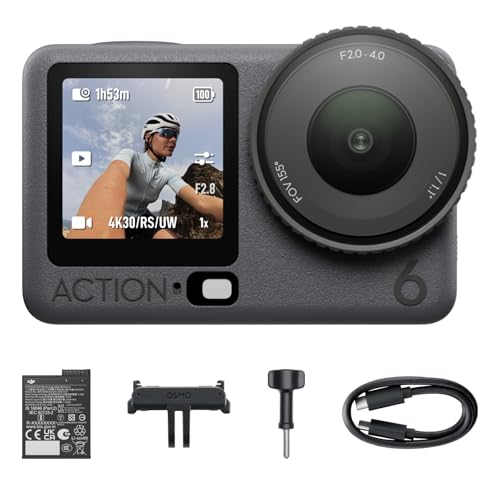

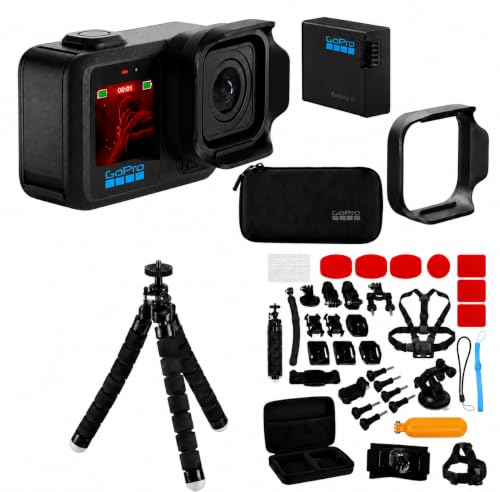


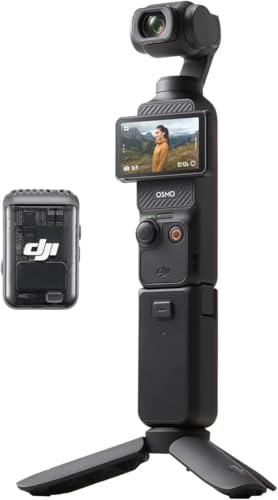

Who Should Buy Which Cameras for Golf Swing Analysis?
Start with the place where you record most often, since space, light and routine decide which features earn their cost.
Solo Players Who Practice at Home
You record alone in a garage, a spare room or a garden net, so the camera must start without help and fit a tight space. Prioritize a wide field of view that captures your full swing from about 6 to 10 feet away, a remote or voice start, and a tripod socket for steady placement. Instant phone playback lets you check one swing, adjust and record again in the same session.
Golfers Who Train at the Driving Range
You work outdoors in bright sun and may record dozens of swings in one visit. Prioritize a screen you can read in sunlight, a battery that lasts a full session, and a mount that stays firm on mats or turf. Quick height adjustment matters because the best angle changes when you move from irons to driver.
Coaches Who Record Lessons for Students
You need repeatable footage that a student can study after the lesson ends. Prioritize consistent framing from a fixed position, clear slow motion playback, and drawing tools that mark lines for stance, plane and posture. Fast export matters because students expect the clip on their phone before they leave.
Key Features to Compare
The best cameras for golf swing analysis share one trait. They show club and body positions clearly at the moments that decide ball flight, not general video quality alone.
Frame Rate for Slow Motion Playback
Frame rate decides how many still positions you can inspect between backswing and impact. At 30 or 60 frames per second the video often jumps past the fault, while 120 frames per second shows the transition and 240 frames per second reveals clubface movement near impact. Check the resolution at each rate, because many cameras reach their top rate only at 1080p, not at 4K. Pick 4K at lower rates for crisp still grabs, and a true high rate mode for motion study.
Shutter Speed and Motion Blur Control
A fast shutter freezes the club shaft and clubhead so each frame stays readable. Look for manual shutter control or a sports mode that pushes the shutter to about 1/1000 of a second or faster. Automatic modes often slow the shutter indoors, trading a brighter picture for a blurred club. If you record in a dim garage, add light before you accept a slow shutter, because light lets the camera stay fast and sharp at once.
Sensor Size, Resolution and Low Light Results
Sensor size shapes how clean the image looks when light drops. A 1 inch sensor gathers more light than small sensors in basic action models, and APS C and full frame sensors go further still. Megapixels alone tell you little here, since a sharp 1080p frame at a high rate beats a soft 4K frame at a low rate. If you also shoot everyday photos with the same body, see our guide to the best quality cameras for broader image quality advice.
Sensor Readout and Skew on Fast Swings
Most cameras read the sensor line by line, so a very fast club can lean in the frame because the top and bottom are captured at slightly different moments. This effect is called rolling shutter skew, and it can make a straight shaft look warped near impact. Models with faster readout reduce the warp, and global shutter models remove it by capturing the whole frame at once.
Field of View and Working Distance
Field of view decides how much of your swing fits from a given distance. A wide lens suits a garage where the camera sits about 6 to 10 feet away, while a standard lens works on a range with more room. Too wide a view shrinks your body and hides detail, while too narrow a view cuts off the top of the backswing. Check the field of view in the mode you will use, since some cameras crop the image at high frame rates.
Playback Tools, Apps and File Sharing
Good analysis tools save as much time as good capture specs. Look for smooth slow motion playback, frame advance in both directions, and simple line drawing for plane and posture checks. Side by side playback in a clear app helps you compare a current swing with an older one on your phone. Fast wireless transfer matters at the range, where a long wait between swings breaks your rhythm.
How to Set Up Your Camera for Face On and Down the Line Views
Placement decides what your footage can prove. For the face on view, put the camera in front of your stance at about hip height, far enough back to keep your hands and the top of the swing in frame. For the down the line view, place it behind you on the target line, in line with your hands at address. Keep the lens level, because a tilted camera invents plane faults that are not in your swing.
Mark your spots once and reuse them. Tape on a garage floor or a spare alignment stick on range mats gives you the same camera and ball position each session, so changes in the video reflect changes in your swing. Record one test swing and check that your body and club stay in frame before you start your practice set.
Common Mistakes to Avoid
- Judging a camera by its top frame rate alone leaves you with a low resolution mode that looks too soft to study.
- Recording with a slow automatic shutter blurs the clubhead and hides the very fault you bought the camera to find.
- Placing the camera too close or off the target line distorts your view of swing path and body alignment.
- Leaving image stabilization active on a firm tripod can add small frame shifts that make still positions harder to compare.
- Saving every swing in the largest file mode fills your storage quickly and slows transfer when you review at home.
Tips to Get the Most From Your Camera
Clean the lens with a soft lens cloth before each session, since range dust and garage grime soften every frame. Carry a spare battery and a spare card, and swap them at the first warning rather than mid session. Wipe the body with a dry cloth after outdoor use, and check the tripod socket and mount screws for looseness each week.
Store the camera in a dry, padded bag away from direct heat, and keep it out of a hot car between sessions. Charge batteries the night before a recording day, and format the card in the camera after you copy the clips you want to keep.
Cameras for Golf Swing Analysis: Your Questions Answered
What features matter most in cameras for golf swing analysis?
Frame rate, shutter control and a field of view that fits your space matter most in cameras for golf swing analysis. Together they decide whether club position stays clear at impact and whether your whole swing fits in the frame. One extra point helps. Session folders or simple file naming make month to month comparison far easier than one long unsorted library.
Is a smartphone enough for golf swing analysis?
Yes, a recent smartphone is enough for basic golf swing analysis. Use the rear camera, lock focus and exposure on your stance, and record at the highest frame rate the phone offers. The limits appear at impact, where phone readout can warp the shaft, and in dim indoor light. Move to a dedicated camera when those two limits start hiding the faults you work on.
What frame rate do you need for golf swing analysis?
You need about 120 frames per second for full swing golf analysis, and 240 frames per second helps most at impact. Tempo and body turn read well at 120, while clubface angle in the last instant before contact needs the higher rate. Putting is the exception. A smooth 60 frames per second often suffices for stroke work, so save the high rate modes for full swings.
How should a beginner set a budget for a first swing camera?
A beginner should set a total budget first, then split it between the camera, a firm tripod and simple lighting. Useful setups often cost about $150 to $400 in total. That order matters because a modest camera on a steady mount with good light returns clearer frames than a costly camera on a wobbling stack of books. Upgrade the camera only after your setup routine feels automatic.
Which camera setup works best for low light indoor golf bays?
A camera with a larger sensor and strong high frame rate modes works best for low light indoor golf bays. Add light before you raise sensitivity settings, and place the light behind the camera so your body and club stay evenly lit. Some ceiling lights flicker at high frame rates and create moving bands across the frame, so test one short clip at your chosen rate before a full session.
The Bottom Line
Choose by your practice place first, then by frame rate and shutter control. Home players need a wide view and remote start, range players need battery life and a readable screen, and coaches need drawing tools and fast sharing.
Check the product table above against those needs, and the best cameras for golf swing analysis for your routine will stand out. Clear, repeatable footage beats raw specs every time you review a swing.

