
Best Cameras for Concert Videos: What to Look For in 2026
Disclosure: We may earn a commission when you buy through links on this page, at no extra cost to you. As an Amazon Associate I earn from qualifying purchases. Learn more

Dark rooms and loud sound shape every show clip. Compare the best cameras for concert videos by low light, audio and venue rules.
Filming a live show is harder than it looks: the stage is dark, the lights flash from white to red in a second, the music is loud, and the performer moves constantly. The best cameras for concert videos keep focus on a moving subject, stay clean in low light, record long clips without overheating, and capture sound that does not distort. This guide explains the features that matter and how to match a camera to your seat and your venue.
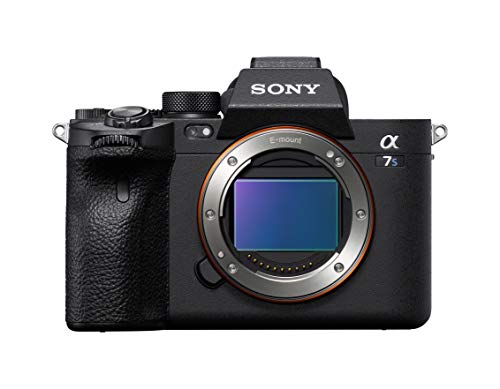
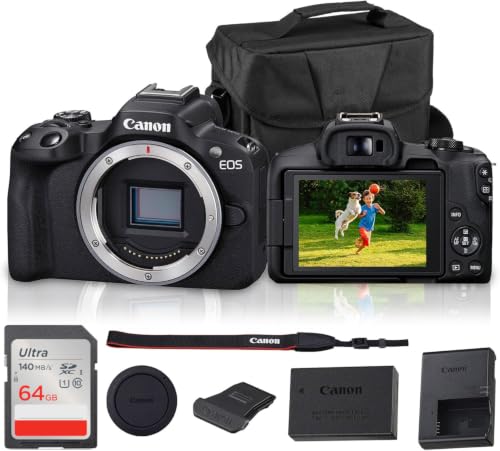
Start with where you will stand and what the venue allows. A small club, a large arena and an outdoor festival ask for different gear, and many venues ban interchangeable lens bodies or tripods. The product table above lines up the main camera types, and the sections below explain how to choose.



Who Should Buy Which Camera for Concert Videos?
Fans Filming From the Crowd
If you stand in general admission, size and discretion matter as much as image quality. A compact camera or a small mirrorless body with a bright lens fits venue bag rules and lets you film steadily without blocking the view of people behind you. Look for good stabilization, a flip screen for awkward angles, and a battery that lasts the whole set.
Creators Publishing Show Clips
If you post clips regularly, prioritize clean 4K video, reliable autofocus on faces, and a microphone setup that handles loud sound. A larger sensor keeps stage light cleaner, and a lens with a wide aperture helps in dark rooms. Think about file size too, because long clips fill cards fast.
Musicians and Venues Recording Their Own Shows
If you record your own band or a local venue, you can mount a camera on a tripod and film the whole set. Here a camera that records for hours, runs on wall power and accepts a clean audio feed from the mixing desk matters more than a compact size. Action cameras work well as extra angles on a drum riser or a stage edge.
Key Features to Compare
Low Light Performance and Sensor Size
A concert stage mixes deep shadow with intense spotlights. A larger sensor gathers more light and keeps noise under control, which is why full frame and APS C bodies usually look cleaner than small sensor compacts in a dark club. A lens that opens wide, shown by a low f number, helps even more, because it lets the camera keep a fast enough shutter without raising sensitivity too far.
Autofocus and Tracking
Autofocus decides whether the singer stays sharp when they step into a spotlight and back out. Look for face and eye detection that works in low light and does not hunt when lights flash. Tracking that stays on one performer as others cross the stage saves many clips. Avoid judging autofocus from daylight samples alone.
Stabilization
Handheld footage in a crowd shakes, so stabilization is important. In body stabilization steadies the sensor, lens stabilization works inside the lens, and some systems combine both. Stabilization cannot freeze fast performer motion, but it keeps the frame steady between moments. A small gimbal is rarely allowed in crowded venues, so rely on built in stabilization.
Audio: The Loudest Problem
Loud music can overload a camera microphone and produce crackling distortion. Look for a manual audio level control, a limiter, and a headphone jack so you can check sound while you record. A microphone input lets you attach a small recorder or a mic made for high sound levels. Some cameras also offer a wind or low cut filter that reduces rumble from bass.
Video Quality, Frame Rates and Recording Limits
4K at 24 or 30 frames per second suits most concert clips, and 60 frames per second gives smoother motion and the option to slow footage. Check the recording limit, because some bodies stop at a set clip length or when they overheat. A full song can run over five minutes, so a camera that stops early will cost you the finale.
Battery Life and Storage
A long set drains batteries fast, especially when the screen stays on. Carry a spare, and choose a camera that charges over USB so a power bank can top it up between acts. Fast memory cards matter for high bit rate video, and a second card slot gives you a backup.
Size, Weight and Venue Rules
Many venues restrict lens length, bag size and tripods, and some ban detachable lens cameras entirely. Read the venue page before you buy, and keep your ticket terms handy. A camera that security will not admit is useless, no matter how good its specs look.
Types of Cameras for Concert Videos
Mirrorless Cameras
Mirrorless bodies offer large sensors, interchangeable lenses and strong autofocus, which make them the top choice for dark venues. They cost more and need a bright lens, but the image quality is a clear step up from a phone or a compact.
Premium Compact and Vlogging Cameras
These pocketable cameras have a fixed lens, a flip screen and good stabilization. They pass strict venue rules more often than larger bodies, and they suit fans who want better footage than a phone without carrying a kit.
Action Cameras
Small and tough, action cameras are ideal as extra angles on stage or in a mosh pit area where larger gear is risky. Their wide lens and small sensor limit low light quality, so use them for energy and variety rather than as a main camera.
Camcorders
Camcorders record for hours, offer a long zoom and often accept professional audio inputs. They are bulky for crowds but excellent for a tripod based recording from the back of a hall.
Common Mistakes to Avoid
- Buying on resolution alone, which ignores low light quality and leaves dark clips noisy.
- Skipping a check of venue rules, so the camera is turned away at the door.
- Relying on the built in microphone at full volume, which distorts loud music.
- Using digital zoom from a far seat, which crops the picture and softens detail.
- Forgetting a spare battery and a fast memory card.
Care and Setup Tips
Charge every battery before the show, format the memory card in the camera, and set your frame rate, white balance and audio level at home. Stage lights change color constantly, so a fixed white balance keeps skin tones steady across a song. Use a lens cloth, not your shirt, to clean the lens, and store the camera in a dry, padded bag. After the show, copy the files to two places before you format the card.
Frequently Asked Questions
What features matter most in cameras for concert videos?
Low light quality, reliable autofocus and good audio handling matter most. A bright lens and a larger sensor help the picture, and manual audio levels keep loud music from distorting. Stabilization and a long recording limit complete the short list.
Which camera is better for low light concert videos?
A mirrorless camera with an APS C or full frame sensor and a bright lens usually performs best. Small sensor compacts and action cameras can work in well lit venues, but they get noisy in dark clubs.
How much should I spend on a first concert camera?
Many fans do well with about $500 to $1,200 for a body and a bright starter lens, plus a spare battery and a fast card. Spend on the lens before a body upgrade, because glass shapes dark scenes more than small body differences.
Is a smartphone enough for concert videos?
A smartphone is enough for casual clips from a close, well lit seat. It struggles in dark rooms, from distant seats and with very loud sound, where a dedicated camera with a larger sensor and audio controls gives clearer results.
Can I bring a camera into a concert?
It depends on the venue and the artist. Many allow phones and small cameras but ban interchangeable lens bodies, flash and tripods. Read the venue page and your ticket terms before you travel.
Final Thoughts
Pick the camera that handles dark rooms, loud sound and long songs within the rules of your venue. A bright lens, steady autofocus, manual audio control and a spare battery matter more than the highest resolution. Compare the finalists in the product table above, and the best cameras for concert videos for your seat should be clear.

