Best Cameras for Commercials: A First Time Buyer's Guide for 2026
Disclosure: We may earn a commission when you buy through links on this page, at no extra cost to you. As an Amazon Associate I earn from qualifying purchases. Learn more

Shopping for the best cameras for commercials for the first time? Learn the terms, compare options, and avoid rookie mistakes with this easy guide.
Buying a camera to film an advert feels very different from buying one for holidays. The best cameras for commercials must record clean sound, hold focus on a moving person, and give footage that stays sharp after editing. This guide starts with plain language basics, and the comparison table below will make more sense once you know them.
You do not need the most expensive body on day one. Match the camera to your usual scene, from a founder at a desk to hands making a product.



Cameras 101: The Basics for a Commercial Shoot
A camera for adverts is a video tool first. Light enters through the objective lens, lands on a sensor, and the camera turns that light into moving images and sound. You copy the files to a computer, trim them, adjust color, and export a finished clip.
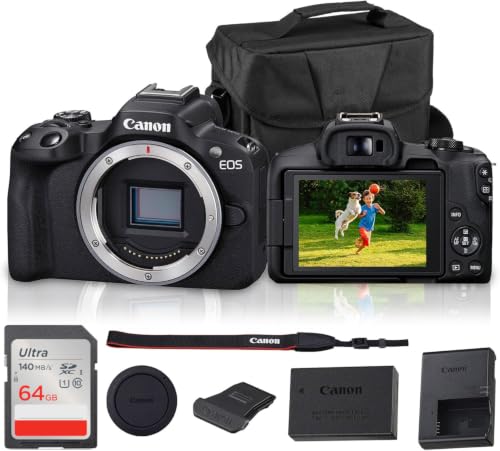
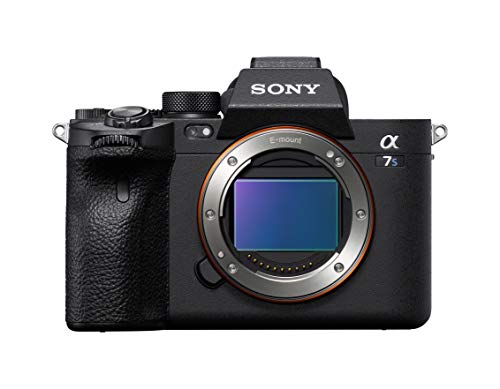
Three families cover most first purchases. Mirrorless cameras use changeable lenses and suit most commercial work. Point and shoot compacts have a fixed lens and suit simple talking clips. Dedicated video bodies add cooling and more ports for teams that film all day.
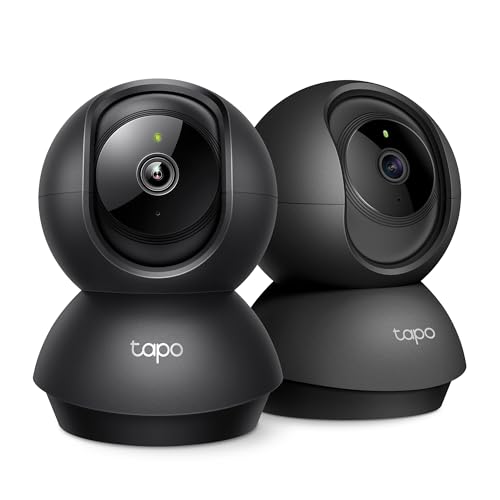
If monitoring a shop floor is your actual need, see our guide to the best commercial surveillance cameras instead, and return here when you need to shoot an advert.
Reading the Spec Sheet for a Commercial Shoot
Read each spec by asking what changes on shoot day, whether that is your light, your lens, your sound, or how long you can keep filming.
Features That Matter Most for Commercials
Commercial footage must survive editing, captions, and cropping for several screen shapes, so clean detail matters more than in a casual clip. Look for 4K video as your baseline, because editors can crop a 4K frame into a vertical version and keep a usable picture.
Sensor Size and the Look of Your Footage
Sensor size describes how large the light sensing area is. Larger sensors usually gather more light and blur the background more easily. A 1 inch sensor can look good in bright rooms, an APS C sensor is a strong middle step, and a full frame sensor gives the cleanest results in dim rooms.
Focal Lengths for Rooms, Talking Shots and Products
The lens decides what fits in the frame. A wide setting around 24 mm suits small rooms, a range near 35 to 50 mm suits natural talking shots, and a setting near 85 mm suits tight product shots. Optical zoom uses real glass movement, so it keeps detail, while digital zoom crops and softens the image. One zoom covering about 24 to 70 mm handles most first adverts well.
Focus That Follows a Moving Presenter
Autofocus earns its keep when a presenter walks toward the camera or lifts a product up close. Look for a system that can find and follow a face and an eye, because a soft face in a talking advert is hard to forgive later. Image stabilization smooths small hand movements during walk shots, but a tripod gives the steadiest result for a locked product scene.
Audio Inputs, Color Control and Ease of Use
Viewers forgive a slightly soft image sooner than muffled speech, so plan sound as part of the camera choice. A microphone input lets you place a small mic near the speaker, and manual audio levels stop loud words from distorting. Manual white balance keeps skin and product colors consistent between shots. Menus should let you change frame rate and audio level quickly.
Recording Time, Cards and Power for Longer Takes
An interview or a cooking demo can run far longer than a short clip, so check the recording limit before you buy. Some bodies stop near 30 minutes per clip, while others record until the card fills. Fast cards are required for higher quality 4K video settings. Plan on mains power for a full day in one location.
Picking the Right Camera for Different Commercial Uses
Shoppers comparing the best cameras for commercials often start with price, but your usual advert is the better guide.
Best Video Cameras for Commercials
The best video cameras for commercials put video controls first, with clear frame rate choices, reliable focus during movement, and sound you can monitor as you record. If most of your work is spoken to camera, spend on audio and focus before a larger sensor. If most of your work is silent product footage, spend on the lens instead.
Small Business Owners Filming Their Own Adverts
You likely film alone, in short sessions, between other jobs. Choose a compact mirrorless body or a strong compact with a turning screen, simple auto exposure, and an easy microphone input. A kit zoom lens covers talking shots and product close views without lens changes. Skip complex color profiles at first, because a clean standard picture you can publish the same day beats footage that waits weeks for grading at your desk.
Freelance Creators Working for Local Brands
Clients judge you on consistency across locations you do not control. Choose a body that can send a clean live image to a larger monitor, so a client beside you can approve framing before you record. If you also shoot campaign stills, see our guide to the best cameras for commercial photography to keep still and video needs apart.
In House Marketing Teams Building a Repeat Setup
A team films the same presenter, room, and product line again and again, so repeatability is the prize. Choose one body the whole team can learn, save your usual settings as a custom mode, and keep matched batteries ready. For wider reading on camera types, see our guide to the best digital cameras and then return to the video points above.
First Session Checks Before a Real Shoot
Open the box a day before any real shoot. Charge the battery fully, format the card inside the camera, and set the date so files sort in filming order. Then run this short first session in your usual room.
- Fit the lens and clean the front glass with a lens cloth, not your shirt, because fabric can drag grit across the coating.
- Set 4K video at 25 or 30 frames per second, turn on face detection autofocus, and set white balance for your room light.
- Plug in your microphone, record a test sentence at normal volume, and listen back through headphones for echo or hum.
- Film one short scene three times, changing only your distance from the window, and note which version flatters the product most.
- Copy the test files to your computer, then make a second copy before you format the card.
Keep a spare battery, a spare card, and a small cloth in the camera bag. Those cheap items prevent most cancelled sessions.
Common Mistakes to Avoid
First time buyers rarely fail on camera choice alone, and each mistake below costs money or a reshoot.
- Buying the body with your whole budget leaves nothing for a microphone, so the advert sounds cheap even when the picture looks good.
- Filming a presenter against a bright window darkens the face, so the most important part of the shot becomes hard to see.
- Trusting digital zoom to reach a distant product softens the footage, so fine detail on packaging disappears.
- Skipping a headphone check lets room echo reach the final edit, where it cannot be fully removed.
- Recording the only copy onto one card risks losing the whole session if that card fails before backup.
- Choosing a heavy rig for handheld filming tires your arms, so the last clips shake more than the first ones.
Care and Maintenance for Commercial Cameras
Clean the lens with a blower first to remove loose dust, then wipe in small circles with a clean cloth made for optics. Keep caps on both ends of a lens when it is off the body, and step away from wind or cooking steam before changing lenses. Store it in a dry bag or cabinet.
Charge batteries after use, and wipe contacts dry after outdoor filming. Choose a weatherproof body or a simple rain cover if your adverts include markets, farms, or sports fields. Update camera software only between projects, and clear cards only after backup.
FAQs
What features matter most in cameras for commercials for a small crew?
For a small crew, reliable autofocus, a microphone input, and a screen the presenter can see matter most. Add one point many lists miss: check how the camera handles mixed light, such as daylight from a window plus warm ceiling lamps. A short test in your own room reveals color shifts that a spec sheet hides.
Which camera type is better for low light commercials?
A full frame mirrorless camera is usually better for low light commercials, especially with a lens that opens to a low f number such as f1.8 or f2.8. One extra step helps any camera: move the presenter closer to a soft window or a large lamp. Added light beats raising the sensitivity setting, which adds grain.
What camera specs matter most for first time commercial shooters?
For first time shooters, a turning screen, simple menus, and face detection autofocus matter more than the highest resolution on offer. Try one practical check before buying: hold the body plus your chosen lens at arm height for one minute. If that feels tiring in the shop, plan on a tripod for talking scenes or choose a lighter pairing.
How much should I spend on my first camera for commercials?
Plan a total budget, not a body price. Expect about $600 to $1,200 for an entry body or strong compact plus basic sound and support, and about $1,200 to $2,500 for a stronger mirrorless setup. Keep roughly a quarter for light and sound, because clear speech outsells a costly body filmed in the dark.
Our Verdict
Start with the scene you will film most, then choose sensor size for your light, a lens range for your room, and audio inputs for your speakers. Those decisions shape your results far more than a long feature list. Use the product table above to compare bodies against that short list.
Chosen that way, the best cameras for commercials for you are simply the ones your team can set up quickly and trust on a normal working day. Film one short test advert, review it on a large screen, and adjust one thing at a time.