
Best Cameras for ATEM Mini: 2026 Buyer Checklist
Disclosure: We may earn a commission when you buy through links on this page, at no extra cost to you. As an Amazon Associate I earn from qualifying purchases. Learn more

Clean HDMI, steady power and sharp 1080p video decide the best cameras for atem mini setups, with a checklist for lenses and focus.
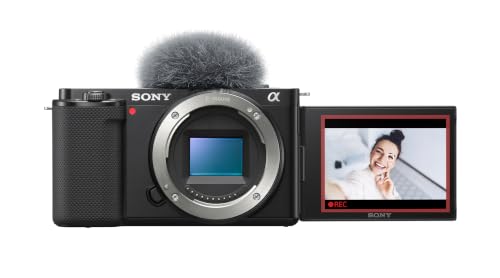
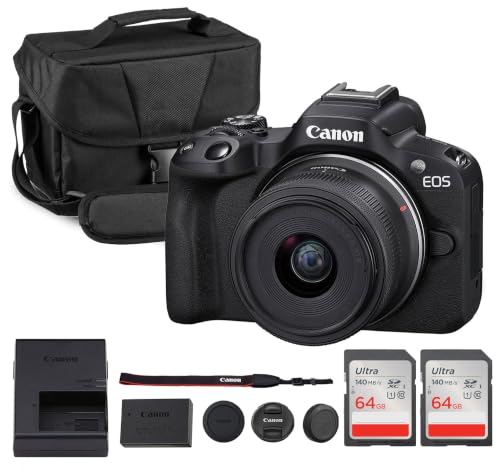
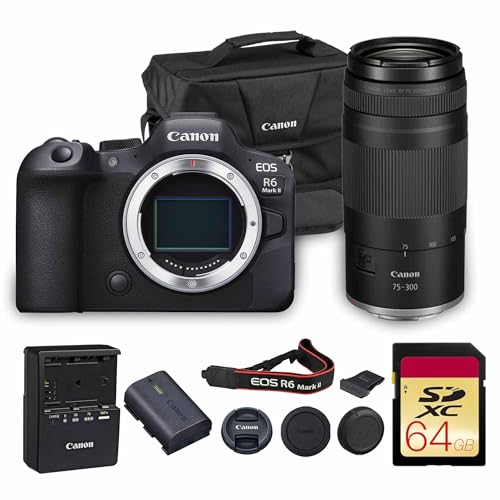
Choosing a camera for a live switcher is different from choosing one for recording alone. The feed has to stay clean, steady and live for the whole event. The best cameras for atem mini setups share three traits, a clean HDMI output, power that does not stop mid stream, and focus you can trust without touching the camera. Use the comparison table below to check those traits first.
This guide turns that checklist into plain buying steps, covering who needs which camera type, which specs change the live picture, and which shortcuts cause black screens or soft video.




Who Should Buy a Camera for an ATEM Mini Setup?
Match the camera to the job the switcher does each week. A single fixed view needs less than a three camera show.
Solo Streamers and Podcast Hosts Who Sit in One Place
You need one sharp view at desk distance and a lens that frames your head and shoulders without cropping. Face tracking lets you present and switch scenes without refocusing by hand. If your desk is very tight, see our guide to the best mini digital cameras then apply the HDMI checks below.
Church, School and Community Teams With Volunteers
You need a camera that starts the same way every time and holds its settings when different people run the desk. Simple menus reduce errors on busy mornings. Choose models that remember focus and exposure after a power cycle, and label each HDMI input so a volunteer can trace a dark screen to the right camera in seconds.
Presenters, Teachers and Small Studios Shooting Wide and Close Views
You need at least two angles, usually a wide room view and a tighter view of the speaker or product. Use the stronger low light camera for the close view, where faces matter most, and a simpler camera for the wide view. Match color settings across cameras before the event, because mixed white balance is hard to fix live.
Key Features to Compare
Compare these factors in order. The first two decide whether the camera works with the switcher at all, and the rest decide how good the live picture looks. That order sorts the best cameras for atem mini from cameras that only record well.
Clean HDMI Output Without Screen Icons
Clean HDMI means the camera sends only the video image, with no battery icon, focus box or menu text burned into the feed. Check the menu for an HDMI info display or clean output setting and confirm it can stay on while the camera stands by. Test the feed on the switcher preview before a live event.
Resolution and Frame Rate That Match the Switcher
The ATEM Mini works in high definition up to 1080p, so a camera that outputs 1080p at a steady frame rate is the core need. Set every camera to the same rate, such as 1080p at 29.97 or 59.94. A 4K camera can help when its downscaled output looks sharper, but 4K output alone will not raise the stream above the switcher limit.
Continuous Power and Heat Control for Long Streams
Many cameras stop on battery power long before a service, class or tournament ends. Look for a dummy battery or AC adapter option, or USB power that runs the camera while it outputs video, not only while it charges when off. Heat matters too, because a camera that shuts down after short recording in a warm room is a risk.
Sensor Size and Low Light Picture Quality
A larger sensor gathers more light and usually gives cleaner video in halls, sanctuaries and evening rooms. One inch sensors suit bright rooms, APS C sensors give a clear step up for faces, and full frame sensors help most in dim light but cost more and need larger lenses. Megapixels matter less for a 1080p stream.
Autofocus and Lens Choice for Your Shot
Continuous autofocus with face and eye detection keeps a moving speaker sharp without a camera operator. Fixed lens cameras are simple, but check the optical zoom range and the widest view at your seating distance. Interchangeable lens cameras let you pick a bright prime for close views or a zoom for flexible framing. Avoid digital zoom, because it crops the image and softens detail on large screens.
Mounting, Cable Reach and Audio Paths
A standard tripod thread and a side HDMI port make daily setup easier. Audio can travel through the camera HDMI feed, or into the switcher mic inputs from a separate microphone for clearer speech.
Camera Types Compared for ATEM Mini Use
For general stills and video terms, see our guide to the best digital cameras, then use the switcher checks in this guide. The three types below behave very differently at a live desk.
Mirrorless Cameras for the Main View
Mirrorless models give the best mix of sensor size, lens choice and autofocus for a main speaker view. They suit rooms where picture quality is the priority and someone can set exposure before the event. Their weak points are cost, heat in some bodies, and menus that hide the clean output setting.
Camcorders for Simple Long Running Views
Camcorders are built for long video, with power, zoom and handling shaped for events that run for hours. Optical zoom lets an operator frame a stage from the back. They often cost less to run than a mirrorless kit, but low light quality and background blur are usually weaker for a close face view.
Compact Cameras for Tight Desks and Second Angles
A compact camera can fill a product table or small desk where a large body will not fit. If space is the main limit, see our guide to the best mini cameras for smaller options, then check each one for clean HDMI and long power. Compacts suit a second view, because small sensors limit low light quality.
Quick Buyer Checklist Before You Connect to an ATEM Mini
Answer yes to each point before you pay. A no on the first three points is a reason to choose a different camera.
- Does the camera offer clean HDMI output with no icons or focus boxes on the feed?
- Can the camera send 1080p video at the same frame rate as your other cameras?
- Can the camera run from wall power for the full length of your longest event?
- Does autofocus track a face while the speaker moves and looks down at notes?
- Does the lens frame your shot from the tripod position you will actually use?
- Do you own the right HDMI cable length and port adapters for the room?
- Can the camera hold white balance and exposure when room lights stay the same?
Common Mistakes to Avoid
Most live failures come from setup choices, not from the switcher itself.
- Buying a camera for its 4K badge without checking clean HDMI leaves overlays on your live feed.
- Mixing frame rates across cameras makes switching uneven and can push speech out of sync.
- Running a main camera on a small battery risks a black input during a talk or service.
- Placing a wide lens too close to a speaker distorts faces and makes the view feel tense.
- Testing only for five minutes at home misses heat shutdowns that appear after an hour.
Care and Maintenance for Cameras Used With an ATEM Mini
Wipe lenses with a clean microfiber cloth and keep a blower for dust, because a small spot shows clearly on a plain wall behind a speaker. Cap lenses when you move cameras and store bodies in a dry padded bag.
Clean HDMI contacts with a dry cloth, seat each cable firmly, and check for firmware updates only on a quiet day, never on show day. Run the full setup for at least as long as the event, confirm settings after a restart, and note the working settings on a card kept with the switcher.
FAQ
What features matter most in a camera for an ATEM Mini setup?
Clean HDMI, matched frame rates and long running power matter most, because the switcher can only use the feed it receives. Also run a hand clap test on the preview screen to spot feed delay, since a slower camera can make lip sync harder to correct.
Which sensor size is better for low light streaming with an ATEM Mini?
A larger sensor is usually better for low light streaming with an ATEM Mini, with full frame ahead of APS C and one inch options in dim rooms. Light placement adds a point the body cannot replace, because moving a soft light closer to the speaker often helps more than a costly upgrade in a poorly lit room.
Is a smartphone enough instead of a dedicated camera for an ATEM Mini?
A smartphone can be enough for a short test stream, but it is a weak main camera for regular ATEM Mini use. Calls, alerts and app updates can interrupt the feed, and most phones need extra apps or adapters for clean HDMI. Use a phone as a spare wide view.
How much should I spend on a first camera for an ATEM Mini?
For a first camera for an ATEM Mini, plan about $400 to $900 for the body or camcorder, then set aside more for power, a tripod and cables. Spending only on the body is the common trap, because the parts that keep the feed live are often sold apart. A used camera can work if you test its HDMI output first.
Can a camera record internally while it sends video to an ATEM Mini?
Yes, many cameras can record internally while they send video to an ATEM Mini, but this dual use is not free. Internal recording can raise heat and shorten the safe running time. If the stream is the priority, record the program output with a computer instead.
Our Verdict
Start with clean HDMI, matched 1080p output and power that lasts the whole event, then choose sensor size and lens for your room. Use the product table above to compare those points.
When those basics are covered, the best cameras for atem mini choice becomes the camera your team can set up the same way every week. Pick the simplest type that fits your main shot and test it for a full session.


