
Best Cameras for Architectural Photography by Budget: A Guide for 2026
Disclosure: We may earn a commission when you buy through links on this page, at no extra cost to you. As an Amazon Associate I earn from qualifying purchases. Learn more

Compare the best cameras for architectural photography by budget tier, and learn which lenses, sensors, and level tools keep building lines straight.
Building photography punishes the wrong gear choices. Vertical lines lean, bright windows blow out to white, and tight city lots leave no room to step back. Prices for the best cameras for architectural photography run from a few hundred dollars to several thousand, and the gap is not only about image quality. The comparison table below lines up current options side by side, so you can see exactly where each budget level sits before spending anything.
This guide sorts the spending into clear tiers, then covers the features that matter for structures: wide lenses, perspective control, dynamic range, and steady support. If you are still weighing camera styles in general, our overview of the best cameras for photography gives useful background before you narrow the field.
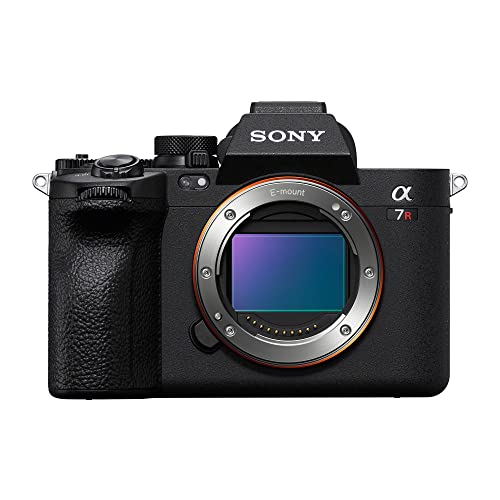
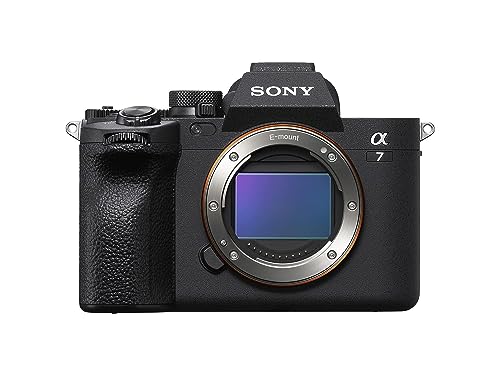
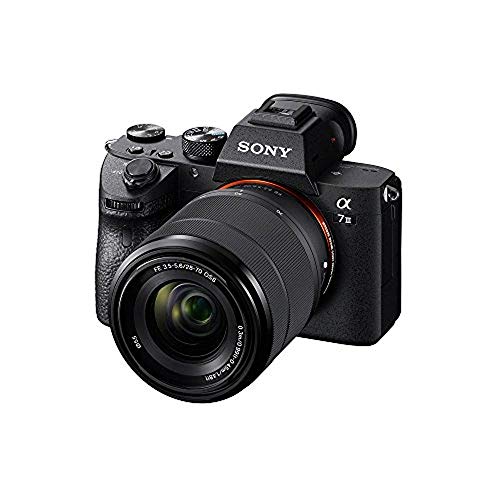


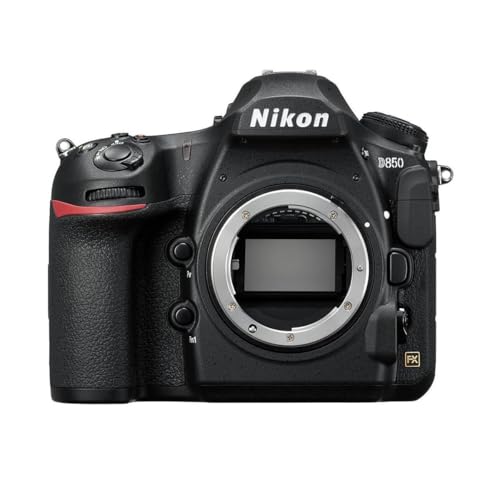


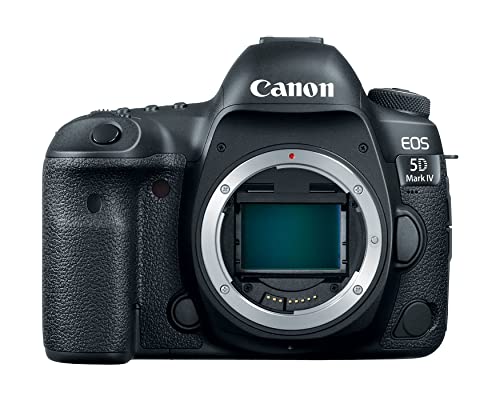
What Your Money Gets You at Each Price Tier
Most buyers start by scanning the best digital cameras for architectural photography and then matching a tier to their subjects. The tiers below describe what each level realistically delivers for buildings, interiors, and city scenes.
Budget Tier: What to Expect
Budget kits of about $400 to $800 usually pair an APS C sensor with a standard zoom lens. Image quality is genuinely good in daylight, and leaning lines can be corrected in editing software afterward. The limits show up indoors, where noise creeps into shadow areas, and in the lens range, since a true wide angle lens is rarely included. This tier suits learners, hobbyists documenting travel, and agents who want better listing photos than a phone provides without a large outlay.
Midrange Tier: Where Most Building Shooters Land
Midrange bodies of about $800 to $1,800 add the tools architecture shooters actually use weekly. Expect a wider dynamic range that holds detail in bright windows and shaded stone at once, in body image stabilization for handheld interior shots, and access to quality wide zoom lenses. Weather sealing appears at this level, which helps on dusty sites and in light rain. For serious hobbyists and part time real estate work, this tier covers nearly every assignment without obvious compromise.
Premium Tier: What the Extra Money Buys
Premium kits of about $1,800 to $4,000 center on full frame sensors with high resolution, often 33 to 45 megapixels or more. That resolution lets you straighten perspective by cropping while keeping enough detail for large prints. This tier also brings the best support for tilt shift lenses, dual memory card slots for paid work, and tethered shooting straight to a computer on location. Professionals billing clients for property, hotel, or design work recover the cost through reliability and deliverable quality.
Features Worth Paying For (and Ones to Skip)
Architecture rewards a short list of features and ignores many headline specs. Spend on the tools below, and skip fast burst rates, animal eye tracking, and extreme telephoto reach, since none of them improves a facade or an interior.
Features That Matter for Architectural Photography
Buildings demand geometry control above all else. An electronic level and a grid overlay on the screen help you keep the camera perfectly upright, which is the single biggest step toward straight verticals. In camera perspective correction and lens profiles reduce the editing work afterward. Highlight warnings that blink over blown areas protect bright windows during exposure. High resolution earns its keep here too, because straightening a leaning shot always crops away edges, and starting with more pixels leaves a sharper final image for print and portfolio use.
Lens and Zoom Range
The lens matters more than the body for this subject. A wide zoom covering about 14 to 24 mm on full frame, or about 10 to 18 mm on APS C, handles tight interiors and close city streets where you cannot step back. Tilt shift lenses are the specialist option: they shift the lens parallel to the sensor so vertical lines stay vertical at capture instead of in software. Standard zooms still cover exteriors from a distance, but no long telephoto range deserves priority in an architecture kit.
Sensor Size and Image Quality
Dynamic range is the sensor trait that matters most here, because a single frame often holds a sunlit facade and a doorway in deep shade. Full frame sensors generally capture the widest range and the cleanest high ISO files for dim interiors. APS C sensors remain capable, especially on a tripod at low ISO settings where noise stays minimal. Judge sample images by shadow detail and highlight roll off rather than megapixel totals alone, since a clean 24 megapixel file beats a noisy higher resolution one for most building work.
Video Capabilities
Video matters only if your work includes property walkthroughs or listing clips. Clean 4K recording, a microphone input, and smooth stabilization cover that need completely. Slow, steady pans from a tripod or a small gimbal look professional without any advanced settings. High frame rate modes and advanced log profiles add cost and editing time while contributing nothing to stills, so treat them as optional extras. If video plays no part in your plans, let this section carry no weight in your decision at all.
Extras That Add Little for Building Work
Several popular features earn nothing on a building shoot. Elaborate subject tracking modes are built for moving targets, and your subject holds still. Very fast continuous shooting solves a problem you do not have. Built in creative filters and novelty scene modes duplicate what editing software does better. Even extensive wireless features matter less than expected, since most architecture work happens at a tripod within arm's reach of the camera. Redirect that money toward a wider lens or a sturdier tripod instead.
Long Term Costs to Factor In
The body is only the first payment. A rigid tripod with a geared or ball head costs about $100 to $300 and is close to mandatory, since slow shutter speeds rule interior work. A quality wide angle lens often costs as much as the camera itself, and tilt shift lenses cost more still. Add memory cards, storage drives for large files, and insurance if you shoot for clients. Factor in sensor cleaning as well, because dust spots show clearly against plain skies and ceilings. Finally, never look at the sun through an optical viewfinder while framing a bright exterior; use the rear screen for those compositions.
Cameras: Your Questions Answered
What features matter most in cameras for architectural photography?
An electronic level, strong dynamic range, and support for wide and tilt shift lenses matter most. The level keeps verticals honest at capture, which saves heavy correction later. Dynamic range protects the classic problem shot: a bright window inside a dim room. One point rarely covered in feature lists is the highlight warning display. Turning it on shows exactly which windows or lamps are clipping to pure white, so you can adjust exposure before leaving the location.
What lens focal length works best for photographing buildings?
A range of about 16 to 24 mm on full frame suits most exteriors, while interiors in small rooms often need about 14 to 16 mm to hold the whole space. Going wider than that stretches corners and makes furniture near the edges look distorted. Before buying a costly tilt shift lens, rent one for a weekend project. A single paid or portfolio shoot with rented glass teaches you more about whether you need the correction at capture than weeks of reading specifications.
Which camera type is better for low light interiors?
A full frame mirrorless camera is better for low light interiors, because its sensor stays cleaner at the high ISO settings dim rooms demand. In body stabilization also helps when you handhold in homes where tripods feel intrusive. Do check the rules before any interior shoot, though. Historic houses, museums, and some rental properties ban tripods entirely, and in those spaces a fast lens and steady hands matter more than any camera body feature.
Is a smartphone enough for architectural photography?
A smartphone is enough for scouting locations, sharing quick progress shots, and casual travel records. Its limits appear when you need straight verticals without quality loss, clean files in dim interiors, or prints larger than a small frame. Phone perspective fixes work by cropping and warping, which softens detail fast. Treat the phone as a capable sketchbook. When a building deserves a portfolio image or a client deliverable, a dedicated camera with a proper wide lens earns its place quickly.
How much should I spend on my first camera for buildings?
A sensible first budget is about $600 to $1,200 once the wide lens is included in the plan, not just the camera body. New shooters comparing the best beginning photography cameras should reserve part of that total for a tripod from day one. Buying the body first and the lens months later is the common trap, because architecture without a wide lens frustrates every outing in between.
Final Thoughts
Choose by geometry first: a body with a good level and dynamic range, a genuinely wide lens, and a tripod that holds still. Those three decisions shape your results far more than any headline specification. Set your tier, check the candidates against the product table above, and the best cameras for architectural photography for your budget will stand out clearly.


