
Best Camera Bag for 2 Cameras: 2026 Full Carry Guide
Disclosure: We may earn a commission when you buy through links on this page, at no extra cost to you. As an Amazon Associate I earn from qualifying purchases. Learn more

Carrying two cameras needs smart dividers, quick access, and real comfort. Compare bag styles, padding, and weather protection to find a bag that fits your kit.
Carrying two bodies changes every bag decision, so a best camera bag for 2 cameras guide has to start with your actual kit. Two bodies plus lenses, batteries, and cards weigh far more than one camera and a spare lens, and the bag must protect both bodies without turning into a heavy box. The comparison table below compares the main bag styles for two camera kits.
Photographers carry two cameras for good reasons: a second body with a different lens avoids lens swaps in dust or rain, and a backup body saves a paid shoot if one camera fails. Wedding, event, travel, and wildlife photographers all use two body setups. The right bag keeps both bodies reachable, padded, and balanced on your back or shoulder, so you can shoot all day without a sore neck or a missed moment.




Who Should Carry Two Cameras
Wedding and event photographers are the classic two body users. One body often carries a wide zoom for groups and rooms, while the second carries a longer lens for portraits and candid moments. Swapping lenses during a ceremony wastes time and risks dust on the sensor, so two ready bodies earn their weight.
Travel and wildlife photographers also benefit. A second body with a telephoto lens stays ready for distant subjects, while the main body handles landscapes and street scenes. Even keen hobbyists carry two bodies on a big trip, with an older body as backup. If you shoot paid work, a backup body is cheap insurance against a failure that could ruin a client day.
Bag Styles for Two Camera Kits
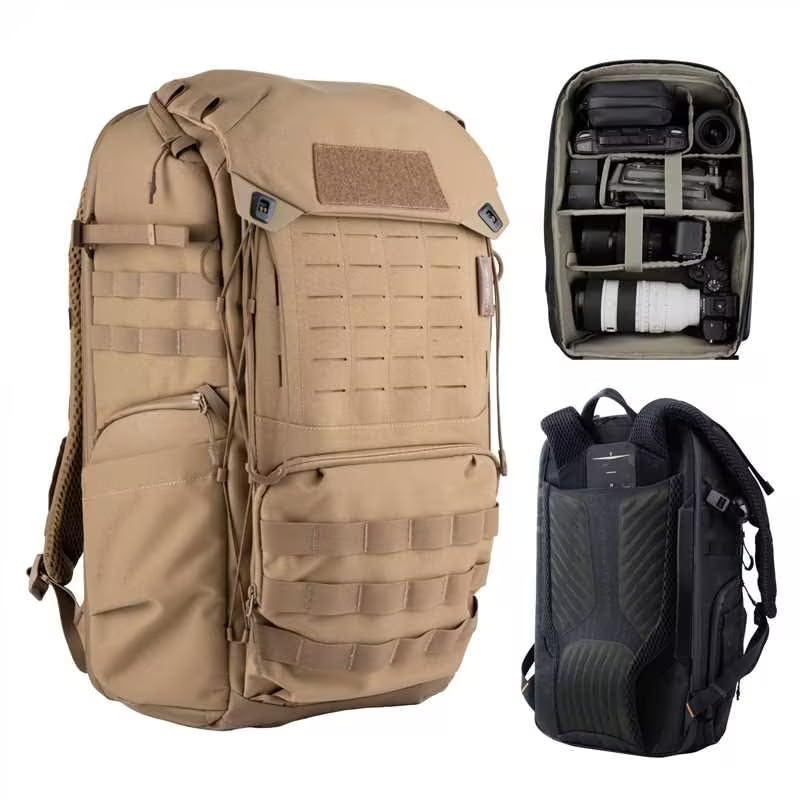
Backpacks suit the heaviest two camera kits. They spread weight across both shoulders, hold two bodies plus three or four lenses, and often include a laptop sleeve and tripod straps. Look for rear or side access so you can reach a body without taking the pack fully off. A good hip belt moves weight off your shoulders on long walks.
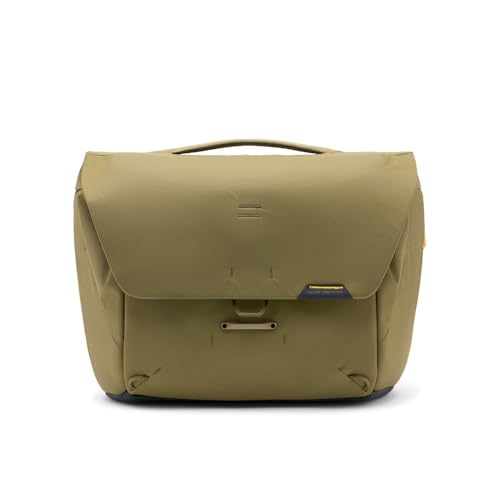
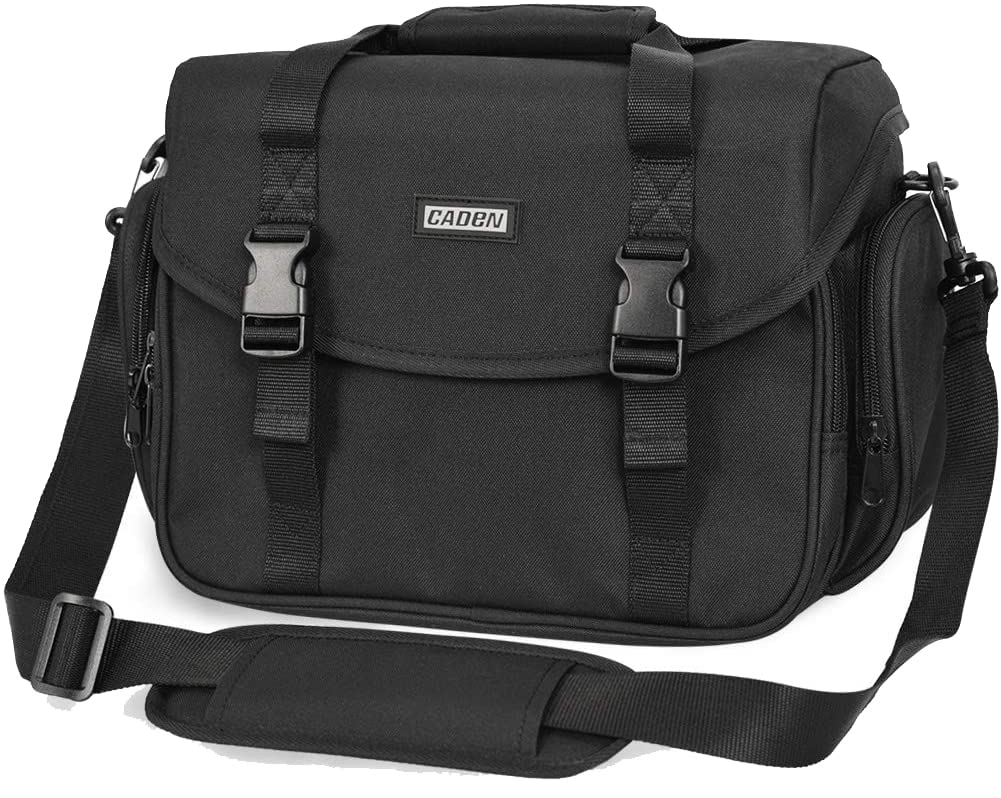
Messenger bags and shoulder bags give faster access, since you can swing the bag forward and grab a body without stopping. They suit event work where speed matters, but one shoulder carries the whole load, so they tire you faster with heavy kits. Sling bags split the difference, with one strap and a swing around design, but they suit smaller two body kits better than large ones.
Rolling cases suit studio and travel photographers who move between locations by car or plane. They carry the most gear with the least strain, but they fail on rough ground, stairs, and crowded streets. Many photographers pair a rolling case for transport with a small shoulder bag for shooting.
Key Features to Compare
Dividers decide whether your kit actually fits. Padded, movable dividers should cradle each body with its lens attached, not force you to remove lenses for storage. Measure your longest body and lens combination and compare it with the bag interior depth. Dividers that attach firmly with hook and loop fasteners stay put when you swing the bag around.
Padding and weather protection matter as much as size. Dense foam protects against bumps, while a rain cover or water resistant fabric protects against sudden showers. Check the zippers: large, smooth running zippers with storm flaps last longer and keep dust out. Pockets for batteries, cards, filters, and a phone should be reachable without opening the main compartment.
Comfort features separate good bags from painful ones. Padded shoulder straps, a chest strap, and a hip belt all help with heavy kits. Back ventilation keeps you cooler on long walks. Try the bag loaded with your own kit before you commit, and walk around the shop for several minutes to feel the balance.
Living With Your Choice
Pack the bag the same way every time so you can find gear by touch in low light. Keep the body you use most in the quickest access slot, and store batteries and cards in the same pocket each shoot. A small pouch for used cards stops you mixing full and empty cards during a busy day.
Clean the bag regularly, since dust and grit wear zippers and scratch gear. Shake out dividers, wipe the interior, and check stitching at stress points every few months. If a strap or zipper starts to fail, repair it promptly, since a dropped bag can damage two bodies at once.
A Final Check Before You Order
Before you order, lay out your full two camera kit on a table and measure the longest body and lens combination, the second body, and your largest extra lens. Compare those measurements with the bag interior dimensions, remembering that thick dividers eat into usable space. A bag that fits on paper but forces you to remove lenses for storage will frustrate you on every shoot.
Check the access design against your shooting style. Rear access keeps gear secure against theft in crowds but slows you down, while side access lets you grab a body fast but exposes zippers to pickpockets. Top access suits quick lens swaps, while full front access suits studio packing. The best bag for you matches how you actually work, not how a reviewer works.
Finally, check the warranty, the strap hardware, and the rain cover. Metal buckles and strong stitching last longer than plastic clips under heavy loads, and a rain cover that lives in its own pocket will actually be used when showers arrive. Buy from a seller with a clear return policy, and test the loaded bag at home before removing tags.
Getting the Most From Your Choice
Once the bag arrives, configure the dividers around your real kit, not the stock layout, and leave a little slack so dividers do not press on lens barrels or camera grips. Place the body you grab most in the fastest access slot, and keep batteries, cards, and filters in fixed pockets you can find by touch in low light. A consistent layout saves fumbling during a ceremony or a wildlife encounter.
Break the bag in on a short shoot before a big job, and adjust straps, hip belt, and chest strap under real weight. A bag that feels fine empty can pull badly when loaded, and small strap tweaks change comfort dramatically. Note any pressure points and fix them with padding or repositioning before a long day.
Maintain the bag between shoots by emptying it fully, shaking out dust and grit, and checking zippers and stitching. Clean spills promptly, since food and drink residue attracts pests and stains dividers. A well maintained bag protects two expensive bodies for years, while a neglected bag with a failing zipper risks a costly drop.
Related Buying Guides
If you want to compare a closely related option, our guide to best bags for cameras covers the details that matter for that choice, so you can weigh it against the advice in this guide before you decide.
If you want to compare a closely related option, our guide to best messenger bags for cameras covers the details that matter for that choice, so you can weigh it against the advice in this guide before you decide.
If you want to compare a closely related option, our guide to best camera bags for mirrorless cameras covers the details that matter for that choice, so you can weigh it against the advice in this guide before you decide.
Frequently Asked Questions
What size bag do I need for two cameras?
You need a bag whose interior fits two bodies with lenses attached, plus room for spare batteries, cards, and at least one extra lens. Measure your longest body and lens combination and compare it with the interior depth. A backpack usually suits the largest kits, while a messenger bag suits two smaller bodies. Always test with your own kit loaded, since published dimensions can hide divider thickness and awkward shapes.
Is a backpack or shoulder bag better for two cameras?
A backpack spreads weight across both shoulders and suits heavy kits and long walks, but access is slower. A shoulder bag gives faster access for event work, since you can swing it forward and grab a body, but one shoulder carries the whole load. Many photographers own both: a backpack for travel and a shoulder bag for fast shooting. Your shooting style and the weight of your kit should decide.
How do I protect two cameras in one bag?
Use padded, movable dividers to cradle each body separately so bodies and lenses cannot knock together. Keep lens caps on and store loose items in pockets, not loose in the main compartment. Choose a bag with dense foam, water resistant fabric or a rain cover, and strong zippers. Pack the bag the same way each time so gear stays put when you move quickly.
Can I carry a laptop with two cameras?
Many two camera backpacks include a padded laptop sleeve, usually for a 13 or 15 inch laptop. Check the sleeve size against your laptop and make sure the laptop weight does not unbalance the bag. Messenger bags with laptop sleeves exist too, but the combined weight can strain one shoulder. If you carry a laptop daily, a backpack with a good hip belt is usually the kinder choice.
What should I check before buying a camera bag?
Check the interior fit with your own bodies and lenses attached, the divider quality, zipper strength, weather protection, and strap comfort under load. Look for useful pockets for batteries, cards, and filters, and a tripod or water bottle holder if you need one. Walk around loaded for several minutes to judge balance. Buy from a seller with a clear return policy so you can test it at home.
Final Thoughts
Finding best camera bag for 2 cameras success means matching the bag to your kit and your shooting pace. Backpacks carry heavy kits kindly, shoulder bags win on speed, and rolling cases suit smooth ground travel. The product table above can help you compare styles side by side. Load your own kit, walk around with it, and choose the bag that keeps both bodies safe, reachable, and comfortable all day.


