
Best Cam Cameras: Which Type Fits Your Use 2026
Disclosure: We may earn a commission when you buy through links on this page, at no extra cost to you. As an Amazon Associate I earn from qualifying purchases. Learn more
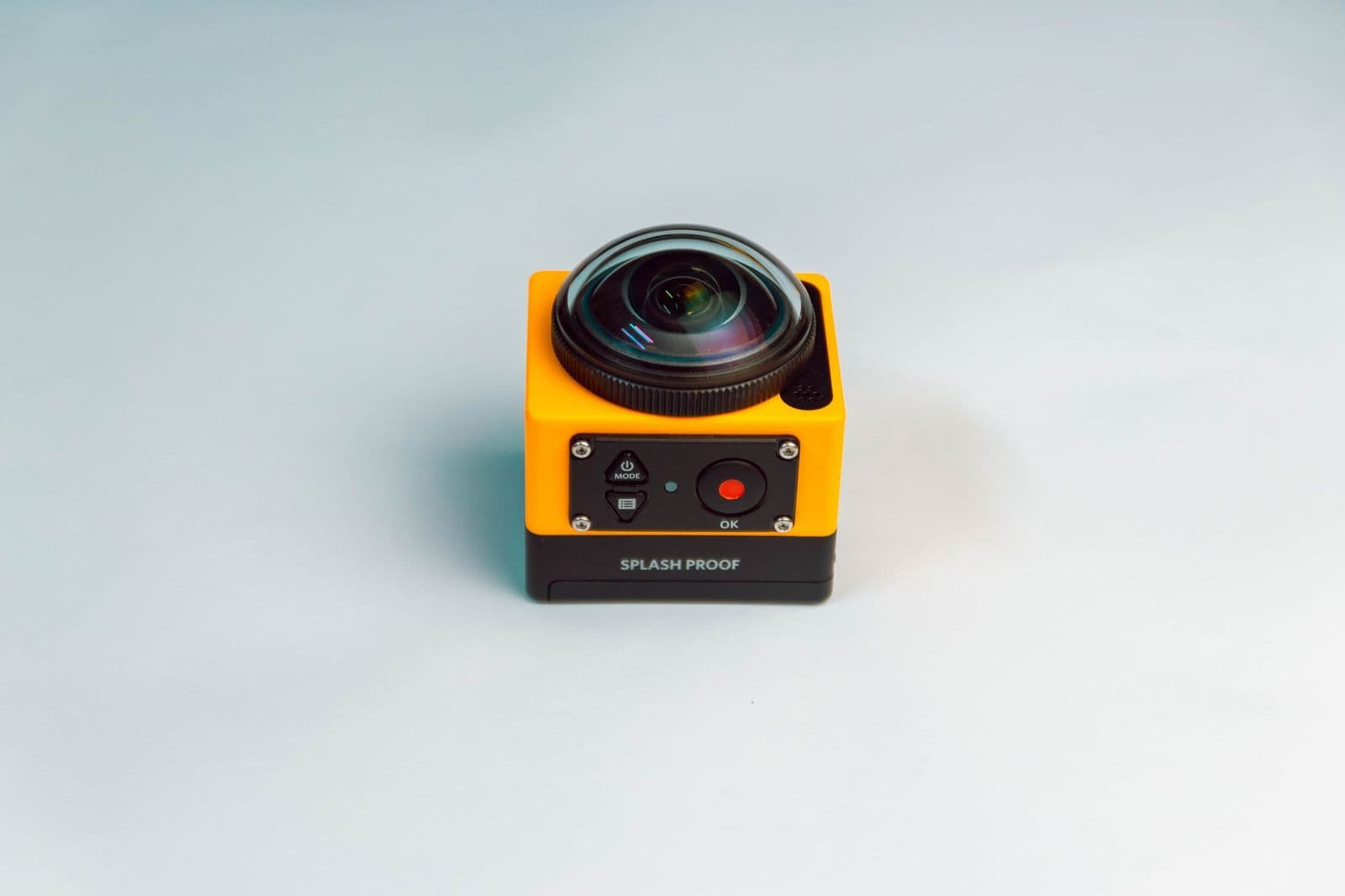
Compare the best cam cameras by type, from webcams to dash, trail and action cams, with advice on sensors, storage and power.
The word "cam" covers a lot of ground. A webcam sits on a monitor, a dash cam watches the road, a trail cam waits in the woods and an action cam rides on a helmet, so the best cam cameras depend entirely on where the camera will live and what it needs to record. Choosing by use first saves money, because a model built for one job rarely does another well.
This guide sorts the main cam types, explains the specs that matter for each, and shows how to avoid the usual mistakes. It works as a starting point before you read a guide for the exact type you need.
Cam Camera Types at a Glance
| Type | Main job | Key spec |
|---|---|---|
| Webcam | Video calls and streaming at a desk | Resolution, autofocus, microphone |
| Dash cam | Recording the road from a vehicle | Loop recording, night image, parking mode |
| Trail cam | Capturing wildlife or property while you are away | Trigger speed, battery life, weatherproofing |
| Action cam | Filming sport and travel on the move | Stabilization, waterproofing, mounts |
| Home security cam | Watching doors, yards and rooms | Night vision, alerts, storage |
Many buyers search for a cam camera without knowing which of these they need. Start with the place the camera will sit, and the choice narrows quickly.
Who Should Buy Which Cam Camera
Remote Workers and Streamers
You need a clear picture in indoor light, reliable autofocus and a decent microphone. A webcam that records 1080p at 30 or 60 frames per second suits most calls. Streamers who want a more cinematic look often pair a camera with a capture device, but a good webcam is the simplest place to start.
Drivers and Commuters
A dash cam should start recording when the car starts and overwrite old clips in a loop. Look for a wide field of view, clear night footage and a sturdy mount. If you park on the street, a model with a parking mode can capture knocks while you are away.
Hunters, Hikers and Property Owners
Trail cams sit outdoors for weeks, so battery life and weather sealing matter as much as picture quality. A fast trigger speed catches an animal in frame instead of an empty trail, and infrared lighting keeps night photos from startling wildlife.
Athletes and Travellers
Action cams are small, tough and usually waterproof. Good stabilization turns shaky footage into smooth video, and a wide range of mounts lets you attach the camera to a helmet, handlebar or chest strap.
Choosing the Best Cam Cameras for Your Use
Image Quality
Sensor size and lens quality matter more than headline megapixels. A larger sensor gathers more light, which helps in dim rooms, at night on the road and in forest shade. Resolution of 1080p is enough for most calls and dash footage, while 4K helps when you plan to crop or review detail.
Low Light and Night Vision
Most cams spend part of their life in poor light. Look for infrared illumination on trail and security cams, and for a wide aperture lens or a night mode on dash cams and action cams. Footage taken in the dark is usually black and white, so set your expectations accordingly.
Storage and Power
Many cams record to a memory card, so choose the card size and speed class the maker recommends. Dash cams and webcams usually run from a cable, while trail and action cams use batteries. Plan for spare batteries or solar panels if the camera will stay out for weeks.
Durability and Weather Resistance
Anything outdoors needs a rating for dust and water. Dash cams should withstand heat in a closed car, and trail cams should resist rain and freezing nights. Check the listing for specific ratings instead of vague terms like "weatherproof".
Connectivity
WiFi and app control make it easy to view clips on a phone. Cellular models send photos without a card swap but need a data plan. Wired USB connections suit webcams.
Reading Specs Without the Jargon
Field of view is how much of the scene the lens captures, and wider is not always better, because very wide lenses stretch the edges. Frame rate tells you how smooth motion looks, with 30 frames per second fine for calls and 60 better for action. Bit rate and compression affect how much detail survives in the file, so a camera that records at a higher bit rate often looks cleaner even at the same resolution.
Finally, read the fine print on "up to" claims. Battery life, storage time and range figures are usually measured in ideal conditions, so allow a margin for cold weather, heavy use and bright sun.
Budget Ranges
Basic webcams and dash cams start around $30 to $60, with strong mid range models between $70 and $200. Action cams run about $100 to $400, and cellular trail cams cost $100 and up. Spending more usually buys a better sensor, steadier video and longer battery life rather than extra features.
Common Mistakes to Avoid
- Buying a camera for one job and expecting it to handle another.
- Choosing by megapixels or "4K" in the listing instead of sensor size and lens quality.
- Ignoring memory card limits, which can cap recording time or cause errors.
- Forgetting power, which leads to dead cameras at the worst moment.
- Mounting the camera where reflections, glare or branches spoil the view.
Setup and Care
Charge or plug in the camera before you mount it, format the memory card in the device and check the view on your phone. Clean lenses with a soft cloth rather than a shirt, since grit scratches coatings. Update firmware when the maker releases fixes, and replace batteries and cards that begin to fail.
Related Guides
If the road is your main use, our guides to the best dash cam cameras and the best dash cam cameras for cars cover that job in detail. For stills and general video, see the best digital cameras and the best quality cameras.
Frequently Asked Questions
What is the difference between a cam and a regular camera?
Cam is a short form that usually points to a camera built for one job, such as a dash cam or a webcam. Regular cameras are more general and offer more manual control and lenses.
Which cam type is best for beginners?
A webcam or a basic dash cam is the simplest start. They are low cost, easy to set up and give clear results without learning manual settings.
Do I need a memory card?
Most cams record to a microSD card. Use the size and speed class listed by the maker, and replace the card if you see errors.
How long does a cam battery last?
It varies by type. Action cams run for an hour or two per battery, and trail cams can last for months on a set of batteries or a solar panel.
Can a phone replace a cam?
For casual use, yes. A dedicated cam is better for long recording, rugged conditions or hands free mounting.
Final Thoughts
Start with the place the camera will live, then match the sensor, storage and power to that job. Comparing models within a single type is much easier than comparing different cams side by side. Chosen that way, the best cam cameras are the ones that quietly do their one job well.


