
Best Business Class Routers: A First Time Buyer's Guide for 2026
Disclosure: We may earn a commission when you buy through links on this page, at no extra cost to you. As an Amazon Associate I earn from qualifying purchases. Learn more

Shopping for the best business class routers for the first time? Learn the terms, compare options, and avoid rookie mistakes with this easy guide.
If this is your first time buying network gear for an office, the terminology alone can feel like a barrier. This guide starts from the basics and builds up, so you can judge the best business class routers by what your workplace actually needs. No prior networking knowledge is assumed, and every key term is explained in plain language.
You will learn how WiFi standards, ports, and device capacity affect daily work, how to size coverage for your space, and which rookie mistakes cost offices money. A business router protects point of sale systems, video calls, and shared files, so a calm, informed choice matters. Use the comparison table below once the fundamentals feel clear.
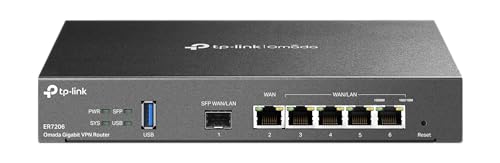


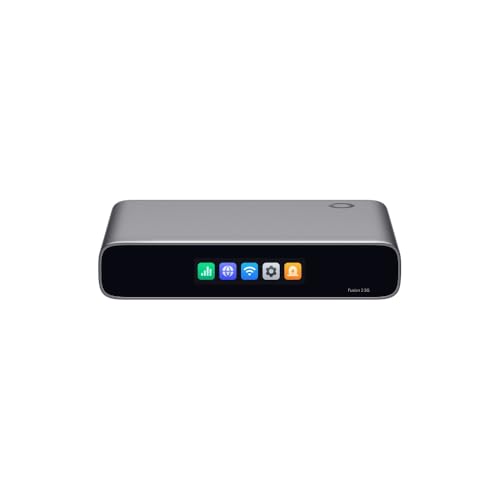

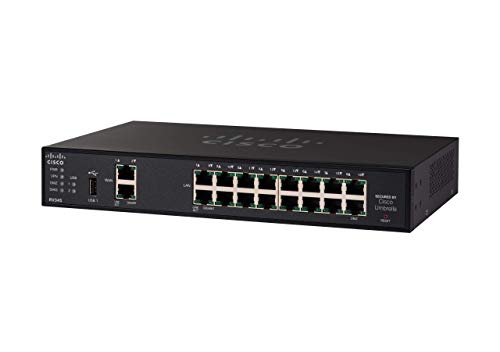


Business Class Routers 101: The Basics
A router directs traffic between your local network and the internet, and between devices inside your office. A business class model adds stronger security controls, support for more simultaneous devices, tools to prioritize important traffic, and hardware built to run all day without restarts. Home routers can work for a very small setup, but they often lack guest network controls, VPN support, and management features a growing team needs.
Three terms cover most buying decisions. Bandwidth is how much data can move at once, like the width of a road. Latency is delay, how long a request takes to get a response, which affects call quality. Coverage is how well the wireless signal reaches every workspace without dead zones. Keep those ideas in mind and the specification sections below will make sense, even if you have never configured a network before. For a wider comparison, our guide to the best routers for business shows how general business models differ.
Key Specs Explained in Plain English
WiFi Standard: WiFi 6, 6E, and 7
WiFi 6 handles busy offices well and supports many devices efficiently on the familiar 2.4 GHz and 5 GHz bands. WiFi 6E adds a 6 GHz band, which is less crowded and suits newer laptops and phones that can use it. WiFi 7 increases capacity further and lowers latency, but your devices must support it to gain the full benefit. For most small offices buying now, WiFi 6 or 6E offers the best balance of price and useful life. Choose 7 if you keep gear for many years and already own compatible devices.
Security and Controls
Look for WPA3 encryption as the current baseline for protecting your wireless network. Business models should also offer a separate guest network, so visitors never share the network that holds your files and payment systems. Firewall controls, automatic security updates, and VPN support matter for remote staff. Some brands bundle advanced threat protection in a subscription, so check what is included free and what needs ongoing payment. Never run an office on default passwords, change admin credentials during setup and store them securely.
Wired Ports: Multi Gig, WAN, and LAN
WAN ports connect your router to the internet source, while LAN ports connect wired devices such as desktops, printers, and access points. Wired connections are faster and more stable than WiFi for fixed equipment, so count the ports you need today and add spare capacity. A 2.5 Gbps port helps if your internet plan or local file transfers exceed standard gigabit speed. If you run out of ports, a separate network switch can expand wired capacity without replacing the router.
Speed Ratings Versus Your Internet Plan
Router boxes advertise combined ratings such as AX3000, which add theoretical speeds across all bands together. No single device receives that full number, so do not shop on that figure alone. What matters is whether the router can deliver your actual internet plan speed to your devices, with capacity to spare for local traffic. If your plan is around 300 to 500 Mbps, a solid midrange WiFi 6 router is usually enough. Faster plans and busy offices benefit from higher capacity models and wired backhaul for any mesh nodes.
Number of Devices and MU MIMO and OFDMA
Count every connected item, computers, phones, printers, cameras, payment terminals, and smart devices in meeting rooms. Business spaces often reach 50 or more devices sooner than owners expect. MU MIMO lets the router talk to several devices at once instead of in rapid turns, and OFDMA splits channels efficiently for many small requests. Together they keep a busy network responsive. Choose a model rated comfortably above your current device count so growth does not force an early replacement.
Coverage and Office Size
Coverage depends more on building layout and materials than on a headline square foot claim. Concrete walls, metal shelving, and multiple floors weaken signal far more than open space. A single router suits a compact open office, while larger or divided spaces need mesh nodes or wired access points for even coverage. Place units centrally and elevated, away from thick obstructions. If your team is expanding into a bigger site, our guide to the best routers for large business covers the next step up in scale.
Best Business Class Routers for Specific Needs
Best Cisco Business Class Routers
If you are researching best cisco business class routers options, the appeal is usually established management tools, broad support documentation, and a large base of technicians who know the ecosystem. When comparing this route, focus on three criteria, whether the management style fits your skill level, the total cost including any licensing, and how easily the system scales to a second site. A Cisco based setup can suit offices that value standardized support, but confirm that features you need are included in the tier you are buying, not locked behind a higher plan.
Rookie Mistakes to Avoid
- Buying on speed rating alone. The biggest number on the box does not predict real office performance or coverage.
- Ignoring your internet plan. A router cannot make your connection faster than the plan you pay for each month.
- Skipping security setup. Leaving default passwords and outdated firmware exposes the whole business network.
- Undercounting devices. Cameras, terminals, and staff phones add up quickly and strain undersized hardware.
- Placing the router in a corner or closet. Poor placement creates dead zones that no setting can fully fix.
First time buyers comparing team sizes may also benefit from our guide to the best small business routers, which focuses on compact offices with simpler needs.
Getting Started: Setup and First Use
Start by placing the router centrally and elevated, with clear space around it. Connect the WAN port to your modem or fiber terminal, power everything on in order, and follow the maker setup flow to create your network name and a strong password. Update firmware before adding all your devices, because early updates often fix security and stability issues. Create a separate guest network on day one, then connect critical wired devices by cable. Test coverage by walking the office with a laptop and running calls from the farthest rooms, and adjust placement before you finalize cable runs. Keep a written record of your settings for future troubleshooting.
FAQs
Mesh or a single router: which is better?
A single router is better for a compact open office because it is simpler, cheaper, and easier to manage. Mesh is better when walls, floors, or a long layout create dead zones a single unit cannot reach. Mesh nodes should use wired connections where possible for the most stable result. Choose based on a coverage test in your real space, not on floor area alone, since building materials change the answer.
Will a new router speed up my internet?
A new router can speed up your local network and help you reach the full speed of your internet plan if the old router was the bottleneck. It cannot exceed the plan speed your provider delivers. If pages feel slow, test a wired connection directly and compare. Upgrading helps most when your current router is old, overloaded with devices, or placed where its signal is blocked.
How often should I replace my router?
Most offices replace a router every four to six years, or sooner when security updates stop, a new WiFi standard would clearly help, or device growth causes daily slowdowns. Business use justifies a shorter cycle than home use because downtime costs money. Keep firmware current throughout its life. If support ends for your model, plan a replacement promptly rather than running unpatched network hardware.
Do I need WiFi 7 yet?
Most small offices do not need WiFi 7 yet, because few client devices can use its full advantages and WiFi 6 or 6E already handles heavy loads well. WiFi 7 makes sense if you are equipping a new site for a long service life and buying new laptops at the same time. Otherwise, spend the difference on better coverage, such as an extra access point, which staff will notice every day. Our guide to the best wifi routers for business can help you weigh wireless priorities.
Final Thoughts
For a first purchase, prioritize security, device capacity, and coverage that fits your actual building over headline speed numbers. Those three factors decide whether staff trust the network or work around it. Review your finalists in the product table above, confirm port counts and update support, and choose the best business class routers option that matches your team size today with room to grow. A careful setup day will pay off for years.


