
Best Cable Modem Routers: Combo Units Compared for 2026
Disclosure: We may earn a commission when you buy through links on this page, at no extra cost to you. As an Amazon Associate I earn from qualifying purchases. Learn more

The best cable modem routers compared by DOCSIS version, Wi-Fi coverage, and provider approval, so you can stop paying rental fees.
Renting a modem and router from your internet provider adds a monthly fee that quietly grows into hundreds of dollars over a few years. The best cable modem routers combine both devices in one box, work with your provider, and cover your home with a steady Wi-Fi signal. The product table above lists combo units you can compare by speed class, Wi-Fi standard, and price.
This guide explains what a cable modem router does, which specs matter for your plan, and where a combo unit makes sense compared with separate devices. It also covers setup, security, and the mistakes that cause most activation problems.

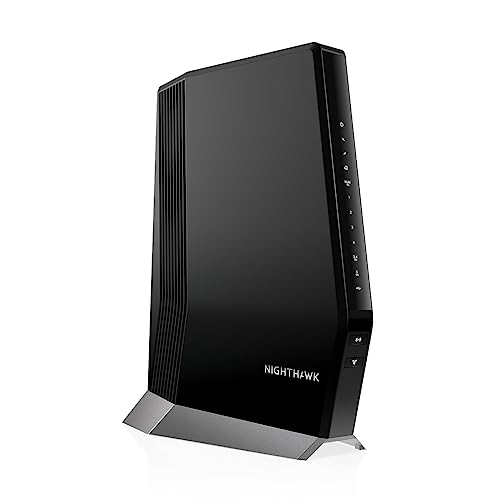
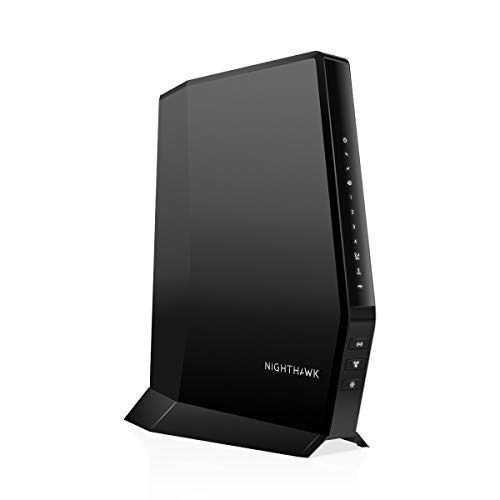


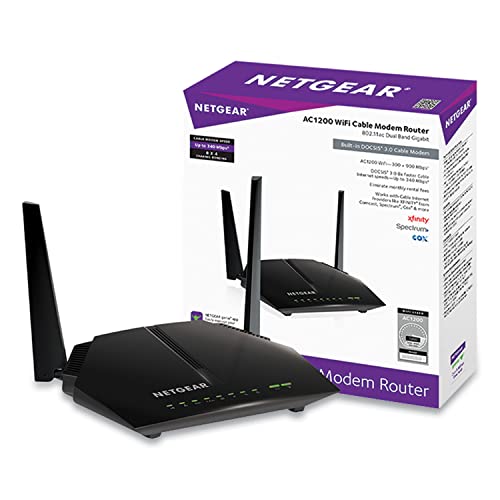


What a Cable Modem Router Combo Does
A cable modem converts the signal on your coax line into a network connection. A router shares that connection with phones, laptops, TVs, and smart home gear through Wi-Fi and Ethernet ports. A combo unit, sometimes called a gateway, does both jobs in one device, which means one power cord, one place to plug in the coax line, and one app or web page to manage.
Combos suit small and medium homes where one central device can reach every room. Larger homes with thick walls often do better with a modem plus a mesh Wi-Fi system, because a combo unit sits wherever your coax outlet happens to be, and that spot is rarely the best place for coverage.
Who Should Buy a Combo Unit
Renters of Provider Equipment
If you pay a monthly rental fee for a gateway, buying your own approved unit can pay for itself within about a year or two. Compare the purchase price with twelve to twenty four months of rental fees, and keep the return receipt for the old equipment so charges stop on time.
Apartments and Smaller Homes
A single combo is usually enough for an apartment or a house under about 2,000 square feet. You get fewer cables, a simpler setup, and less to troubleshoot. Place it high and in the open, away from microwaves, thick walls, and metal shelving.
Households That Want Simple Management
People who prefer one app and one device to manage often like combos. You can set a guest network, pause a device, and update firmware from the same place. If you like to swap routers every few years for new Wi-Fi standards, a separate modem gives more freedom.
Key Specs to Compare
DOCSIS Version and Speed Class
DOCSIS is the cable standard that sets how fast a modem can talk to your provider. DOCSIS 3.0 units still work on slower plans, while DOCSIS 3.1 supports gigabit speeds and better efficiency. Match the unit to the plan you pay for, with a little headroom if an upgrade is likely. Buying far above your plan wastes money, and buying below it caps your speed.
Wi-Fi Standard and Coverage
The Wi-Fi label on a combo, such as AC1900, AX1800, or AX3000, is a theoretical combined figure, not the speed you will see on one device. Newer Wi-Fi 6 units handle many devices at once better than older AC models. Look at the number of antennas, band support, and whether the unit can join a mesh system later if coverage falls short.
Provider Approval
Every cable provider publishes a list of approved modems by speed tier. A model can power on and still fail activation or lose features such as voice service if it is not on that list. Check the exact model name and your provider and plan before you buy, and remember that some units are certified for one provider and not another.
Ethernet Ports and Extras
Count the wired devices you have, such as a desktop, console, or streaming box. Most combos offer four gigabit Ethernet ports. Extras such as parental controls, guest networks, and quality of service settings help busy households. Phone ports only matter if you use a provider voice line.
Types of Cable Modem Routers
Standard Combo Units
These are the common one box gateways, from older DOCSIS 3.0 AC models to current Wi-Fi 6 units. They cover most homes and cost the least. Older models can be a bargain on slower plans but may lack the newest security updates, so check whether the maker still supports them.
Wi-Fi 6 Combo Units
Wi-Fi 6 gateways handle crowded networks better, with more devices online at once and steadier video calls. They suit families with many phones, tablets, and streaming screens. They cost more, and the benefit shows mainly when your devices also support Wi-Fi 6.
Mesh Ready Combos
Some combos pair with matching satellite units to extend coverage. This is a good path if you start with one unit and may need more reach later. Check that the satellites are sold separately and that the system supports wired backhaul for the best speed.
Budget and Value
Combo units usually fall into three bands. Entry models at about $90 to $120 cover slower plans and small spaces. Mid range models at about $130 to $200 add DOCSIS 3.1 and Wi-Fi 6 for faster plans. Premium models at about $250 to $400 add multi gig ports and wider coverage for large homes. Prices change often, so use these as rough guides. Spending more helps most when your plan is fast, your home is large, or many devices share the network.
Add the warranty length and the maker support quality to the value calculation. A unit that lasts five years and receives security updates costs less per year than a cheaper unit you replace in two.
Setup and Security Tips
- Connect the coax line first, then the power cord, and wait for the lights to settle before you start activation.
- Follow your provider activation steps, which usually take a few minutes through an app or a phone call.
- Change the default Wi-Fi name and password and the admin password right away.
- Turn on automatic updates if the unit offers them, and check for firmware updates every few months.
- Set up a guest network for visitors and smart home devices so they stay apart from your computers.
- Place the unit in the open, off the floor, and away from other electronics that cause interference.
Common Mistakes to Avoid
The most frequent mistake is buying a unit that is not approved for your provider or speed tier. Another is hiding the device in a cabinet behind the TV, which cuts coverage and traps heat. Some buyers also keep paying rental fees after they switch, so confirm in writing that the old equipment is returned and the fee has stopped.
A smaller mistake is judging Wi-Fi speed from a distant room before checking the wired speed. Plug a computer into the unit with an Ethernet cable first to confirm the plan speed, then check Wi-Fi room by room. This tells you whether a problem comes from the plan, the unit, or its placement.
Related Guides
If you use Comcast service, see best cable modem routers for xfinity and best modems and routers for xfinity for approval details. To compare combos with separate devices, read best modems and routers, and for router only options see best cable routers.
Frequently Asked Questions
Is a cable modem router combo better than separate devices?
A combo is simpler and often cheaper, which suits small and medium homes. Separate devices give you more control, since you can upgrade the router without replacing the modem. Large homes and enthusiasts usually prefer a separate modem with a mesh system.
How do I know if a combo works with my provider?
Check your provider approved device list for your plan and speed tier, and match the exact model number. If the listing does not name your provider, assume it is not certified until you confirm it.
How fast a unit do I need?
Choose a unit rated for your plan speed with some headroom. A DOCSIS 3.0 model with 16 or 24 channels suits plans up to a few hundred megabits, while gigabit plans call for DOCSIS 3.1. The Wi-Fi rating matters less than placement and your devices.
Will buying my own unit save money?
It usually does if you keep service long enough to cover the purchase price. Divide the price by your monthly rental fee to find the payback period, and keep the receipt for returned equipment.
Why is my Wi-Fi slow with a fast plan?
Slow Wi-Fi usually comes from distance, walls, interference, or too many devices on one band rather than the plan. Check the wired speed first, then move the unit to a central spot, and consider a mesh extender for far rooms.
Final Thoughts
Choosing among the best cable modem routers comes down to provider approval, the right speed class, and enough Wi-Fi coverage for your home. Compare the units in the product table above against your plan, then confirm the model on your provider list before you order. With the right unit, you save the rental fee and get a home network that is easier to manage.


