
Best Cable for IP Cameras 2026: A Practical Guide
Disclosure: We may earn a commission when you buy through links on this page, at no extra cost to you. As an Amazon Associate I earn from qualifying purchases. Learn more

Cables for IP cameras compared by category, copper, PoE support, shielding and jacket rating, with clear run length limits.
A camera is only as reliable as the run that feeds it data and power. Choose the wrong cable and you get dropouts or a camera that dies at the far end of the house. The best cable for ip cameras matches your run length, your route, and the power your camera draws, and the comparison table below lets you check those points side by side.
Most IP cameras connect by Ethernet, so this guide focuses on network cable rather than coax or USB leads. You will learn which category to buy, why conductor metal matters, when shielding helps, and how to plan each run before you drill a hole.
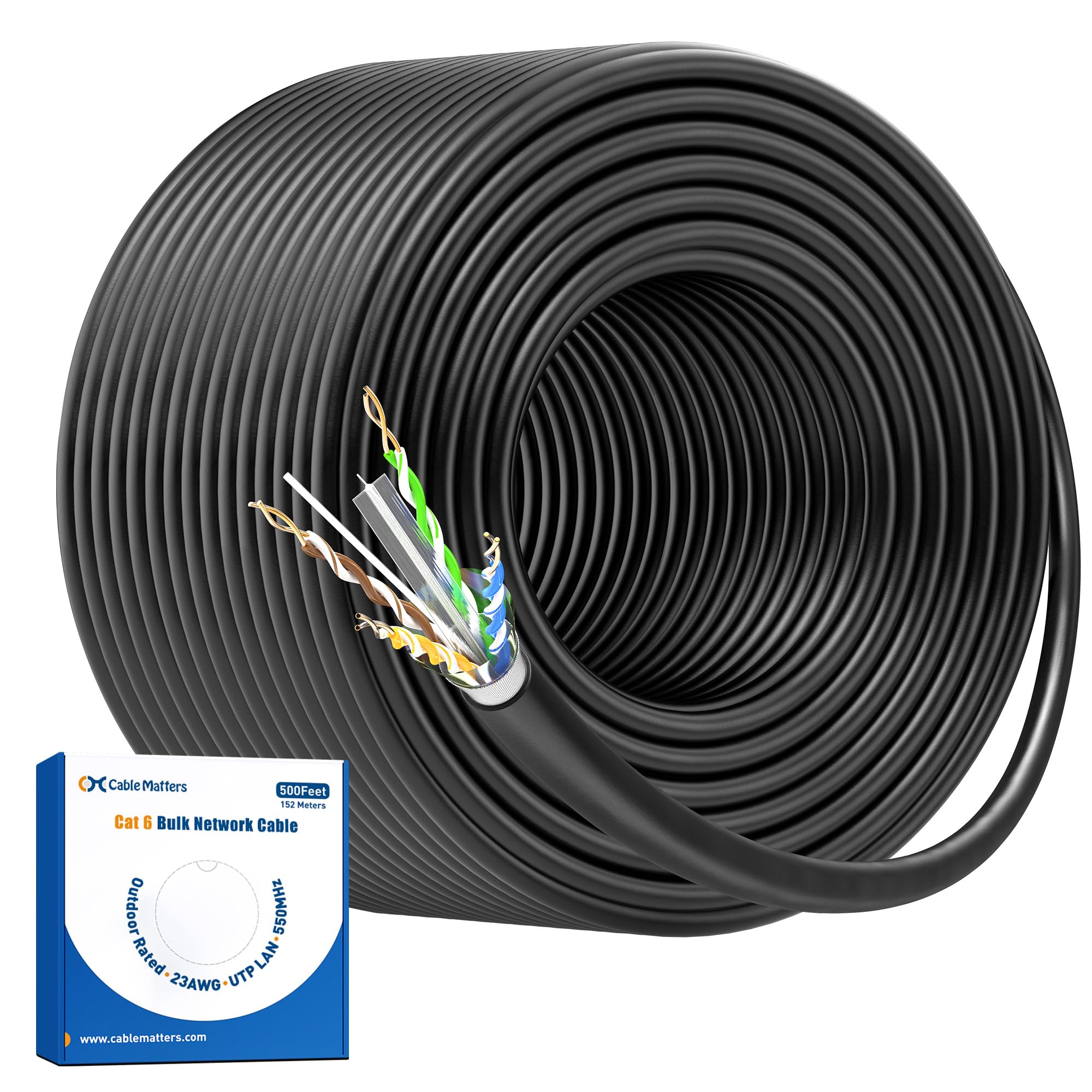


Who Should Buy Which Cable for IP Cameras?
Start with where the cable will live, because route and distance decide most of the specification. If you are still choosing cameras, see our guide to the best ip cameras first, then wire the models you picked.
Homeowners Wiring a Few Indoor and Porch Cameras
You likely need short to medium runs from a switch or recorder to rooms, eaves, and a front porch. Cat6 in solid bare copper covers these distances with room to spare and supports gigabit speeds for several high resolution streams. Buy finished patch cables for short visible runs and bulk cable for runs through walls or attic space, with a jacket rated for each space it passes through.
Owners of Large Homes With Long Runs to Gates and Garages
Your problem is distance and power loss, not raw speed. A gate or garage camera can sit near the limit of a single Ethernet run, so thicker conductors and careful routing matter most. Plan one run per camera from a central switch, measure the real path with corners and rises included, and consider a weatherproof switch partway if the route passes the limit.
Small Business, Farm, and Rental Property Owners
You need runs that survive sun, damp air, rodents, and years without attention. Prioritize outdoor rated or direct burial cable, shielded construction near motors, and clear labeling at both ends so a technician can trace a fault fast. For a wider system view, see our guide to the best security ip cameras and plan cable and cameras together, because replacing a buried run later costs far more than the cable.
Key Features to Compare
Choosing the best cable for ip cameras starts with five checks: category, conductor metal and gauge, power support, shielding, and jacket rating. Read the print legend on the jacket before you buy, because it states those ratings in one line.
Cable Category and Bandwidth
Category sets the speed and bandwidth the cable can carry. Cat5e supports gigabit Ethernet and is enough for a couple of modest cameras, but it leaves little headroom. Cat6 carries gigabit easily, handles 10 gigabit over shorter runs, and uses tighter twists that resist interference better, which makes it the sensible default for new installs. Cat6a extends 10 gigabit to full length runs and suits large systems, though it is thicker and stiffer.
Solid Bare Copper, Gauge, and Copper Clad Aluminum
Always choose solid bare copper conductors for fixed camera runs. Copper clad aluminum, sold as CCA, uses an aluminum core with a thin copper skin. It carries power poorly and its resistance rises over distance, so a camera may work on your desk and fail at the end of a long run. Gauge matters too: Cat6 commonly uses thicker 23 AWG conductors, while much Cat5e uses 24 AWG wire, and thicker copper loses less voltage.
Power over Ethernet Support
Most IP cameras draw power over the same Ethernet cable that carries video, using standards called 802.3af and the higher power 802.3at. Your cable, switch, and camera must agree on the standard. A basic fixed camera draws modest power, while a camera with strong night illumination, heating, or motorized movement draws much more on cold nights. Solid copper delivers that power with less loss, so check camera wattage against the switch budget per port.
Shielded Versus Unshielded Cable
Unshielded cable suits most homes, where runs pass through quiet walls and ceilings. Shielded cable adds a foil or braid layer that drains away electrical noise, which helps near motor drives, large lighting ballasts, or long runs parallel to mains wiring. Shielding only works when connectors, jacks, and the patch panel are also shielded and properly grounded at the rack end. A shield left unconnected can make noise worse, so buy shielded parts as a complete system or stay unshielded.
Jacket Ratings for Indoor, Outdoor, and Buried Runs
The jacket protects the pairs and carries the safety rating. General indoor cable suits open rooms, riser rated cable suits vertical shafts, and plenum rated cable is required in air handling spaces in many buildings, so check local building codes before routing through ducts. Outdoors, choose a jacket with UV resistance and water blocking. For ground contact, pick cable sold for direct burial, in conduit where digging is likely.
Types of Cable Runs and How Cable Is Sold
Finished patch cables come with plugs fitted, in lengths from about 1 to 50 feet, and use stranded conductors that flex well. They suit short links from a wall plate to a camera or from a switch to a recorder. Bulk cable comes on spools of about 250 to 1000 feet, uses solid conductors, and is cut to length for runs inside walls, ending at a jack or a plug rated for solid wire.
Plan each run as one continuous length from switch to camera, with no joins in the middle. Measure the true path along walls and rises, then add a few feet at each end. Keep the total channel under 100 meters, about 328 feet, including patch cords. Keep the twists intact up to each connector, follow the T568B order at both ends, and test every run before closing a wall. Once runs work, see our guide to the best software for ip cameras for managing feeds.
Best Ethernet Cable for IP Cameras
For nearly every IP camera install, Ethernet cable is the right answer, and Cat6 solid bare copper is the version to buy. It carries data and PoE power on one run, reaches the full standard distance, and leaves headroom for higher resolution cameras later. Choose shielded Cat6 only for noisy electrical environments with grounded hardware, and an outdoor or direct burial jacket whenever the route leaves the building. If a listing hides the conductor metal, treat that silence as a warning.
Common Mistakes to Avoid
- Buying copper clad aluminum cable for a PoE camera run invites voltage drop, warm connectors, and a camera that resets under load.
- Running one length past 100 meters causes packet loss and streams that freeze or fall offline without warning.
- Using indoor rated jacket outdoors lets sun crack the covering, so water enters and corrodes the conductors.
- Stapling cable tightly to joists crushes the twisted pairs and quietly cuts the speed the run can carry.
- Pulling cable hard around sharp corners stretches the conductors and creates faults that appear weeks later.
- Mixing shielded cable with unshielded plugs leaves the shield unconnected, so the interference protection you paid for does nothing.
Care and Maintenance for Camera Cable Runs
Camera cable needs little routine care once installed, but a yearly walk along accessible runs catches damage early. Look for cracked jackets on sun exposed sections, chew marks in lofts, and connectors that have worked loose at the camera end. Reseat any plug that feels slack and replace damaged patch cords at once, because a patch lead is cheap while a wall run is not.
Keep spare cable stored dry and coiled loosely. Label both ends of every run with the camera location, and keep a list of run lengths with your recorder. Protect outdoor connectors with the weatherproof boots the camera maker supplies, and form a small downward loop before the cable enters the camera so rain runs off. If a run must pass near mains circuits or through a plenum space, hire a licensed low voltage installer, because local codes govern those spaces.
FAQ
Can one Ethernet cable carry two IP cameras at once?
One standard Ethernet run is designed for one camera. Splitter kits exist that share the pairs between two devices, but they cap speeds at the slower standard, divide the available PoE power, and can leave both cameras short of power at night. A small PoE switch at the far end, fed by one run, is the cleaner way to add a second camera nearby.
Do IP camera runs need special RJ45 plugs on solid cable?
Yes, solid camera cable needs plugs made for solid conductors of the right gauge. Plugs for stranded patch wire grip with a different contact shape and can work loose on solid cores, causing faults that come and go. Many installers prefer plugs that let the wires pass through the front, because you can confirm the color order before crimping.
Can I reuse network cable already inside my walls for IP cameras?
You can reuse existing cable if the jacket legend shows Cat5e or better and the conductors are solid bare copper. Test every pair with a cable tester, since a run that once carried a printer may hide a damaged pair that PoE needs. Replace any length with cracked insulation or unknown metal, and budget for new cable where the old run passes through damp space.
Should I leave extra cable at each IP camera location?
Yes, leave a service loop of about 1 to 2 feet coiled neatly near each camera. That slack lets you cut off a corroded end and fit a fresh plug without replacing the whole run, and it gives room to reposition the camera during aiming. Coil it loosely, secure it with a soft tie, and keep it protected from weather.
Why does an IP camera drop offline at night but work all day?
Night dropouts usually mean the cable cannot deliver enough power once the camera draws more current. Infrared illumination, heaters, and motorized lenses raise power draw after dark, and a long or thin conductor loses more voltage exactly when the camera needs it most. Shorten the run, remove any splitter, or move a PoE switch closer, then retest after dark.
Final Thoughts
Good camera cable is a quiet purchase: pick Cat6 solid bare copper, match the jacket to the route, respect the length limit, and terminate each end with care. Compare your planned runs against the product table above, and check the jacket legend on any listing before price tempts you.
Chosen that way, the best cable for ip cameras disappears into the walls and keeps every feed alive for years.


