Best Business Printers for Mac: What Actually Matters Before You Buy for 2026
Disclosure: We may earn a commission when you buy through links on this page, at no extra cost to you. As an Amazon Associate I earn from qualifying purchases. Learn more

Run this checklist for best business printers for mac covering AirPrint, cost per page, speed and setup so your office prints reliably every day.
A printer that works well with Windows can still frustrate a Mac office if drivers lag, AirPrint drops, or scanning needs clumsy workarounds. The best business printers for mac feel native from day one, with clean setup, reliable wireless printing, and costs you can predict. This article gives you a checklist to judge every model, so you can score options in the comparison table below against the same standards.
Use the checklist in order. Mac compatibility and running cost matter more than a long feature list, because you will feel those two factors every single week.

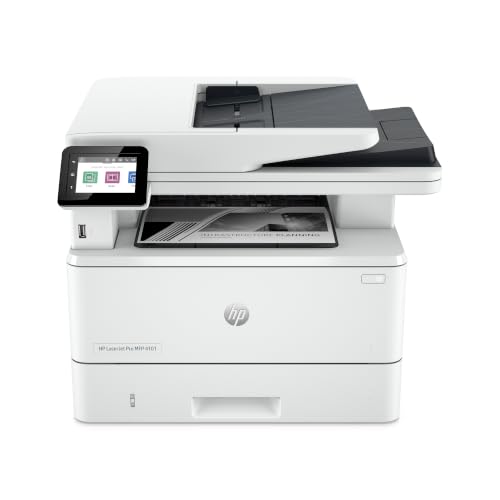

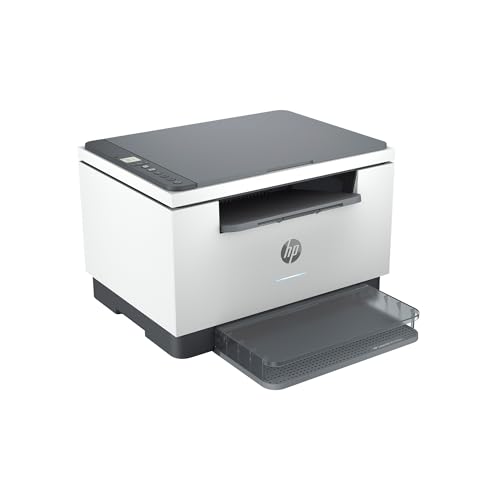
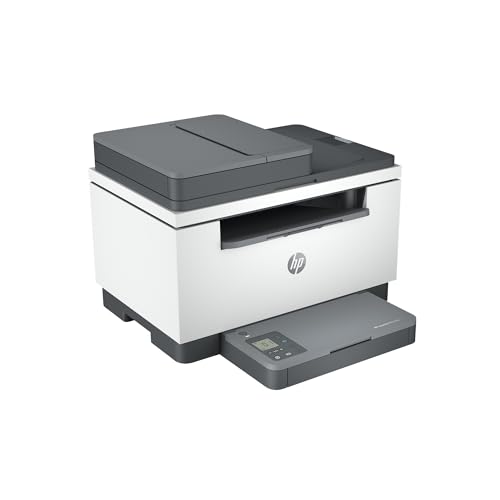

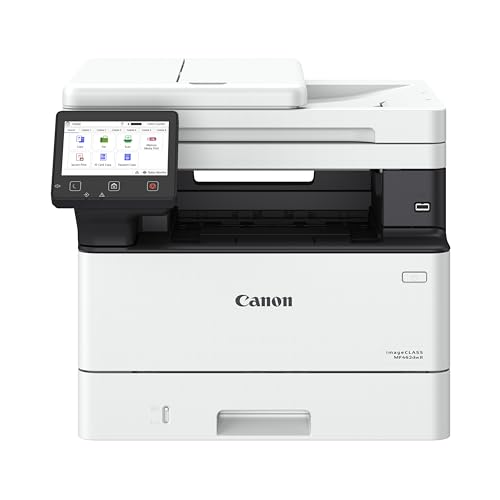

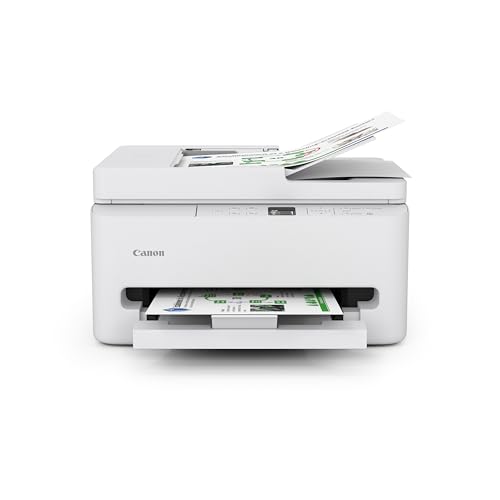
How to Judge a Business Printer for Mac
Each criterion below includes a practical threshold. If a model misses on Mac support or cost per page, a fast engine or a big touchscreen will not make up for it over a year of office use.
Features That Matter for Mac
True Mac support means current macOS drivers, AirPrint for iPhone and iPad printing, and scanning that works without extra paid software. Check that the maker lists support for the macOS version your team runs today, not just older releases. Bonjour discovery should find the printer on your network without manual address entry. If your office uses M series Macs, confirm the driver is built for Apple silicon rather than relying on translation that can slow setup.
Printer Type: Inkjet, Laser, Tank, and More
Laser models suit text heavy offices with crisp pages and low fuss. Inkjet models handle color graphics and photos better. Ink tank models refill from bottles and cut running costs for high volume color work. Ignore 3D printer traits that sometimes appear in broad listings, because build volume and filament choices have nothing to do with office documents. Match the type to your page mix first, then compare speed and cost within that type.
Reliability and Support
Reliability shows up in firmware updates, clear error messages, and parts you can replace without a service call. Look for at least a one year warranty and US based support channels you can reach during business hours. A model with a strong track record of macOS updates after each major release is a safer buy than a newer model with no update history. Paper handling that resists jams saves more time than any app feature.
Footprint and Noise
Measure your shelf or desk before you buy, including space to open the lid and pull out the output tray. Many office models need more depth in use than their listed footprint suggests. Noise matters in a small office where calls happen near the printer. If the product listing gives sound levels, lower numbers help, but placement on a stable surface away from desks helps even more. A compact design that still holds a full ream is the sweet spot.
Print Speed
Print speed is listed in pages per minute, and the first page out time matters as much as the peak rate for short jobs. For a team that prints contracts and reports all day, look for at least twenty pages per minute for black text. Color speed will be lower, so check both numbers. Duplex speed also counts if you print double sided often, because some models slow sharply when they flip each page.
Ease of Setup and Calibration
Setup should take under thirty minutes from box to first AirPrint page. Clear on screen steps, automatic network detection, and print head alignment that runs itself all reduce friction. For Mac teams, the best sign is that you never need to hunt for a driver download at all. If a model requires manual calibration or repeated alignment to keep text sharp, it will cost your team time long after install day.
Connectivity and Mobile Printing
Dual band WiFi, Ethernet for a stable office link, and AirPrint cover most business needs. Ethernet is worth using when the printer serves many people, because a wired network link drops far less often than wireless. Check that scanning can send files to a Mac folder or email without a subscription. USB remains a useful backup for a single desk setup. If guests print often, easy guest access without sharing your main password is a plus, and you can compare broader options in our guide to the best business printers as well.
Three Profiles to Measure Against
The three profiles below describe what passing options usually look like at each level. Use them to judge any model in the product table above without relying on brand claims.
The All-Round Profile
An overall leader pairs full Mac and AirPrint support with low cost per page, duplex printing, and an automatic document feeder for scanning stacks. Expect fast first page times and a paper capacity of at least two hundred fifty sheets. This profile suits a small office that prints daily and cannot afford downtime. It costs more upfront than basic models, but lower ink or toner costs and fewer jams repay that gap within the first year for most teams.
The Budget Profile
A value profile keeps AirPrint, duplex printing, and decent speed while trimming the feeder size and display. Running costs stay fair if you choose standard or high yield supplies wisely. This level fits solo professionals and very small teams that print a few hundred pages a month. The main limit is capacity, so you will refill paper more often. If your volume grows, you can step up later without having learned a whole new workflow.
The Heavy Use Profile
A heavy use profile adds a larger paper tray, faster duplex speed, and supplies that last for thousands of pages. Duty cycle ratings run higher, and the build feels sturdier for shared use. Tank and laser designs dominate here because they keep cost per page low at volume. Choose this profile if your team prints over a thousand pages a month or runs end of month reports that cannot wait for a slow or jam prone machine.
Quick Buyer Checklist
- Does the maker list driver and AirPrint support for your current macOS version in writing?
- Can you state the cost per page for black and for color using high yield supplies?
- Does it print double sided automatically and scan double sided if you need that?
- Will the full footprint, with trays open, fit the spot you measured?
- Does it offer Ethernet as well as WiFi for a stable shared connection?
- Is the paper capacity enough for at least two days of your normal volume?
- Can every Mac and iPhone in the office print a test page without extra software?
Red Flags to Watch For
- Vague running cost claims with no cost per page figures for any supply size.
- No mention of AirPrint or current macOS support on the official product page.
- A very short warranty paired with no clear route to replacement parts or service.
- Supplies that are hard to find in the US or that ship only from overseas sellers.
- Setup that requires an account and a subscription before basic printing will work.
If you see two or more of these signs, move on even when the price looks low. For a wider view of Mac specific models, see our guide to the best printers for mac computers before you commit.
Choosing Business Printers for Your Situation
Best Small Business Printers for Mac: What to Check
When you shop for best small business printers for mac, the small part changes the math. You need compact size without giving up duplex printing or a document feeder, because a tiny team still scans contracts and prints reports. Prioritize low running cost over peak speed, since a few hundred pages a month will not stress a midrange engine. A model the whole team can manage without an IT person is worth more than extra trays you will never fill. Teams weighing shared needs can also see our guide to the best printers for small business for volume based advice.
Care and Maintenance Tips
Print a color page each week to prevent inkjet clogs, especially in dry offices. Use genuine or reputable supplies, because leaks and poor yield cost more than the savings from the cheapest refills. Keep paper dry and fan each ream before loading to cut jams. Clean the scanner glass monthly so scans stay sharp, and run firmware updates when the maker releases them for macOS compatibility. If you print items like cards for events, check paper weight limits first, a point covered further in our guide to the best printers for business cards. For scanning and copying in one unit, see our guide to the best multifunction printers for mac as well.
Business Printers: Your Questions Answered
What features matter most in business printers for mac?
Current macOS drivers and AirPrint matter most, followed by low cost per page and automatic duplex printing. Those four traits decide daily ease and yearly cost. A useful extra check is whether scanning saves directly to a Mac folder in PDF format without extra steps, because teams scan as often as they print. If a model nails the core four and scans cleanly, extra display or voice features add little real value.
Are ink tank printers worth it?
Yes, ink tank printers are worth it if you print color often and your monthly volume is steady. Bottled ink brings cost per page down sharply compared with small cartridges. The upfront price is higher, and print speed can be slower than laser rivals. A practical tip is to estimate a full year of pages before you decide, because the savings only appear once volume passes a few thousand pages.
What does cost per page mean?
Cost per page means the supply cost divided by the number of pages that supply can print. A toner or ink yield of two thousand pages at a given price gives you a simple cents per page figure. Paper adds a small extra cost. Compare black and color figures separately, and use high yield supplies for the fairest comparison, because standard yields can make a good printer look costly.
Inkjet or laser: which is cheaper long term?
Laser is usually cheaper long term for text heavy offices, while ink tank inkjet can beat both for high volume color. Standard cartridge inkjet is often the costliest path over time. Your page mix decides the answer, so count how many color pages you print each month. Also factor in replacement drums or print heads where they apply, because those parts can change the yearly total.
Final Thoughts
Judge every candidate by Mac support, cost per page, and duplex plus scanning ease, and you will avoid most regrets. The right best business printers for mac pick disappears into your workflow, printing from every Mac and iPhone without help. Revisit the product table above, run the checklist against your top two options, and choose the one that passes every line.