
Best Budget Mesh WiFi Systems (2026): Types That Fit Real Homes
Disclosure: We may earn a commission when you buy through links on this page, at no extra cost to you. As an Amazon Associate I earn from qualifying purchases. Learn more
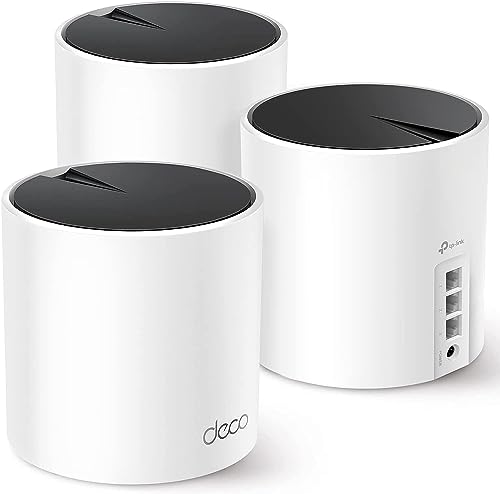
Dual band, tri band or newer standard? Compare mesh sets by home size, ports and cost to find the best budget mesh WiFi system for your home.
A video call drops in the bedroom, a show buffers in the living room, and someone working from home loses connection mid call. Those frustrations usually point to one weak router trying to cover too many rooms. A best budget mesh wifi system fixes that by spreading coverage across several small nodes, so your family shares one network name as you move from room to room.
This guide helps you choose by space, number of users, and budget rather than by headline speed alone. The comparison table below sums up the main types, and the sections that follow explain pack size, bands, ports, and running costs in plain terms.

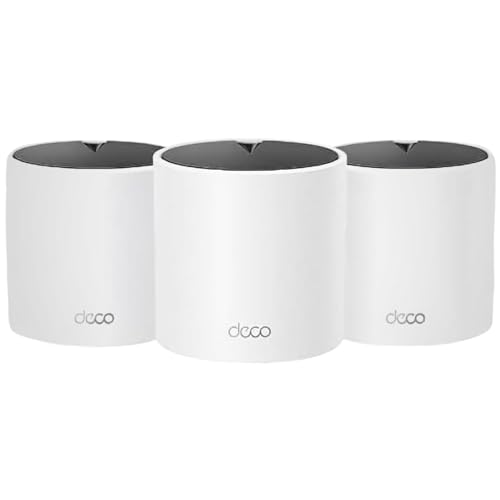
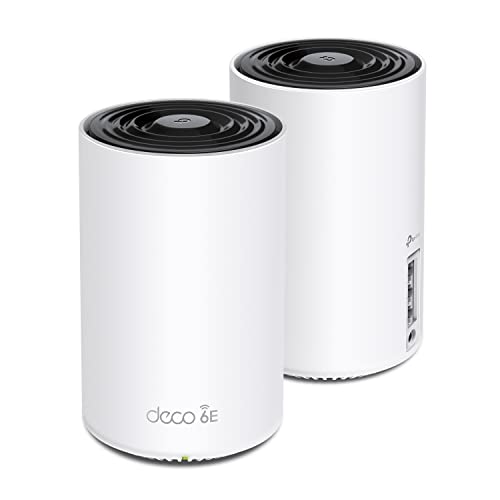


Quick Answer: How Budget Systems Compare in 30 Seconds
Most budget buyers need one of three paths. A compact dual band set suits a smaller home where a few people browse, stream, and take calls. A tri band set suits a busy family home because one band can carry traffic between nodes. A set built on a newer WiFi standard costs more at first but leaves more room as phones and laptops are replaced.
Start with floor area and layout, then check bands and ports, and only then compare price. If your budget can stretch further, see our guide to the best mesh wifi system for higher priced options.
Before You Buy: A Quick Checklist for Choosing a Mesh WiFi System
Budget mesh gear varies more than the boxes suggest. Two sets with similar speed ratings can feel very different in a real home, so work through the points below in order.
Size: Match the Pack to Your Space
Pack size is your first decision. A 2 pack usually covers a compact flat or a small single floor house, with one node at the modem and one partway toward the weak rooms. A 3 pack suits most family houses, adding a node for an upstairs landing or a far bedroom. A 4 pack helps long or split level layouts, though each extra node adds cost and needs a sensible spot with power nearby.
Which Type Fits Your Routine
Think about what your household does at the same time. Light use, such as browsing, music, and one or two video streams, runs well on a simple dual band set. A home with several people on calls, schoolwork, and streaming at once benefits from tri band hardware. If someone works from home daily, steady coverage in that room matters most.
Features Worth Paying For, and Ones to Skip
Pay for features that solve a problem you actually have. Useful extras include wired backhaul support, guest network controls, parental controls that pause access by device, and enough Ethernet ports for a desk or a TV box. Skip very high speed ratings your internet plan cannot feed.
WiFi Standard and Bands
WiFi 6 is the sensible budget baseline and handles many devices at once better than older standards. WiFi 6E adds a 6 GHz band that is less crowded, which helps in dense streets or blocks of flats where many networks overlap. WiFi 7 raises the ceiling further but costs more, so it suits buyers who plan to keep the set for many years. Dual band sets split traffic across two bands, while a best tri band mesh wifi system adds a third band that can be reserved for traffic between nodes.
Coverage and Home Size
Coverage ratings assume open space, and real homes have walls, floors, and metal that weaken the signal. Brick, concrete, and foil backed insulation cut range far more than plasterboard, so thick walled homes often need one more node than the box suggests. Place nodes in open spots, about halfway between the main node and the weak area. For larger floor plans, see our guide to the best mesh wifi system for large homes.
Ports and Wired Backhaul
Ports matter when some gear should stay wired. A work laptop on a dock, a desktop, or a streaming box near the main node all run steadier on a cable. Wired backhaul means linking nodes with Ethernet cable instead of radio, which keeps speeds steadier at the far node. Plan for it if your home already has cable runs.
Gaming Features: QoS and Steady Latency
For players, steady latency matters more than peak download speed. Quality of Service settings let the system favor game traffic or a work call when the network gets busy, so a large download elsewhere causes fewer spikes. A wired connection from the nearest node to a console helps even more. If gaming is the main reason for upgrading, see our guide to the best mesh wifi system for gaming for features aimed at players.
Realistic Budget Ranges
For under $150, expect a dual band WiFi 6 set for a smaller home, with basic app controls and few ports. About $150 to $300 buys larger packs, tri band designs, and better handling of many devices at once. About $300 to $500 brings WiFi 6E or entry WiFi 7 sets with more ports and stronger radios. Spending above that level moves out of budget territory, so only step up if your home size or device count truly demands it.
Types Compared: Three Budget Paths That Fit Different Homes
Instead of chasing one winner, match the type to your home. The three paths below cover most budget shoppers, and each one trades price against capacity in a different way.
Compact Dual Band Sets for Smaller Homes
This path suits flats and small houses where the router almost reaches every room already. Two nodes are usually enough, and setup stays simple because there is less to place and configure. You give up the dedicated link between nodes that tri band gear offers, so far room speeds dip more when several people are active. For a couple or a small family mostly streaming and browsing, that trade is often worth the saving.
Tri Band Sets for Busy Family Homes
This path suits homes where evenings mean homework, calls, streaming, and gaming all at once. The extra band gives node traffic its own lane, so the far bedroom keeps a steadier connection while the living room streams. These sets cost more and the nodes can be larger. For a shared family home office, this is usually the most balanced budget choice.
Newer Standard Sets for Longer Use
This path uses WiFi 6E or WiFi 7 hardware bought at the lower end of its price range. You pay more today, but the set stays useful as new phones and laptops arrive with matching radios. It also helps in crowded areas where the extra band avoids neighbors and their networks. The risk is paying for capacity your internet plan and devices cannot use yet, so weigh the higher price against how long you plan to stay in the home.
How Budget Mesh Systems Are Compared
We compare systems on coverage for real floor plans, handling of many devices, bands and backhaul options, ports, app setup, and total value at each price step. We rely on maker specifications and patterns in verified buyer feedback about range, drops, and app quality. When you shortlist a set, read our notes on how to set up a mesh wifi system so placement and setup time factor into your choice.
What Budget Systems Do Well, and Where They Compromise
Budget mesh does the main job well. It removes dead zones, gives you one network name across the home, and lets you add a node later if a room still struggles. The app based setup suits family homes because you can pause a device, set up a guest network for visitors, and check which node a phone has joined. Nodes also tend to be small and plain, so they blend into a living room shelf better than a large router with tall antennas.
The compromises show up at the edges. Cheaper sets offer fewer Ethernet ports, simpler controls, and sometimes push advanced features into a paid subscription. Top speeds at the far node are lower than on premium sets, especially through thick walls. A home with many heavy users at once will feel those limits sooner.
Common Buying Mistakes to Avoid
- Buying too few nodes for the layout, which leaves the far bedroom weak and forces a second purchase later.
- Paying for the highest speed rating while your internet plan is far slower, which wastes money you could spend on an extra node.
- Placing nodes inside cupboards, behind televisions, or on the floor, which weakens the signal before it reaches your devices.
- Ignoring port counts, which leaves a work desk or streaming box on a shaky wireless link when a cable would have fixed it.
- Forgetting subscription costs, which can turn a cheap set into a pricier one once parental controls or security features renew each year.
Cost of Ownership and Care
Running costs stay low. Each node uses a small amount of power around the clock, so a 3 pack adds only a modest sum to your yearly electricity bill. The bigger variable is subscriptions. Some brands charge yearly for advanced parental controls, network security reports, or priority support, so check which features stay free before you buy.
Care is simple. Keep nodes where air can move around them, since heat shortens the life of small electronics. Restart the system once in a while if speeds feel off, and let firmware updates install so security fixes are applied. Keep the app login details somewhere safe for an easier phone change later.
FAQ: Your Questions, Answered
What is the most reliable mesh WiFi system brand?
No single brand guarantees reliability in every home, because layout and placement matter as much as hardware. A more useful check is how long a maker supports a model with firmware updates, and whether replacement nodes stay on sale so you can expand later. Clear update notes and a responsive support record are stronger signs than a familiar logo. Choose the system whose support window and expansion options fit how long you plan to keep it.
How do you clean a mesh WiFi system?
Unplug the node, let it cool, and wipe the shell with a dry or slightly damp cloth. Use a soft brush or a gentle burst of air to clear dust from vents, since blocked vents trap heat. Never spray liquid directly onto a node and never open the case. Cleaning two or three times a year is plenty for most homes, though homes with pets may need it a little more often.
Is a mesh WiFi system worth it for a small apartment?
It can be, but only in some layouts. A studio or a compact one bedroom flat is often served well by a single good router, since walls are few and distances are short. Mesh earns its cost in longer flats, split level units, or homes where the modem sits at one far end. Our explainer on is a mesh wifi system worth it walks through that decision in more depth.
How long does a mesh WiFi system last?
Most sets stay useful for about four to six years before newer standards and aging radios make an upgrade feel worthwhile. The hardware rarely fails outright in that span. Support ending is the usual trigger, because a system without security updates should not stay at the heart of your home network. Keeping nodes cool, updated, and away from kitchen steam helps yours reach the upper end of that range.
Are budget mesh WiFi systems worth it for a family home?
For most families, yes, because the daily wins are coverage and calm rather than record speeds. Calls stop dropping, homework devices stay connected, and one network name covers the house. The main caution is device count. A large family with many phones, tablets, consoles, and smart home gadgets active at once should favor a tri band set, even on a budget, rather than the cheapest dual band pack.
Final Thoughts
Start with your layout, count your busiest hour of users, and pick the simplest type that covers both. A dual band pack suits smaller homes, tri band suits busy family evenings, and a newer standard suits buyers keeping a set for many years. Whichever path you take, the best budget mesh wifi system for your home is the one sized right, placed well, and free of subscription surprises. Use the product table above to compare your shortlist before you order.


