Best Budget Gaming Mouse (2026): A Practical Buying Guide
Disclosure: We may earn a commission when you buy through links on this page, at no extra cost to you. As an Amazon Associate I earn from qualifying purchases. Learn more

Compare the best budget gaming mouse options by sensor, weight, shape and connection, and choose strong value for your grip and games.
A basic office mouse can feel slow and vague when a game asks for fast aim and repeated clicks. A best budget gaming mouse fixes that without flagship prices, as long as you spend on the sensor, shape and clicks first. Use this guide and the product table above to judge value by how a mouse tracks, fits and holds up, not by lighting or headline numbers.
Your games, hand size and grip decide which tradeoffs are smart. A shooter player needs light weight and reliable tracking, while a strategy player may value extra buttons and comfort during long sessions. The sections below match those needs to the specs that change play.


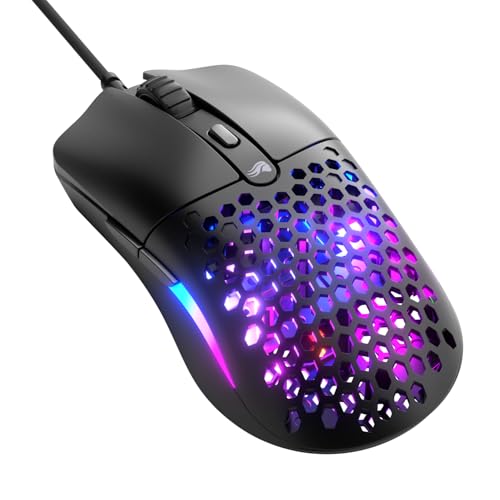

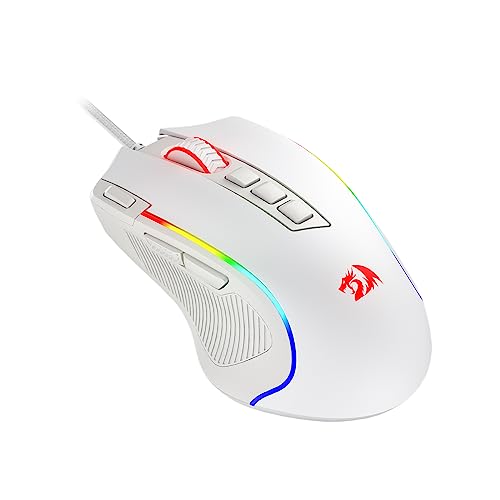

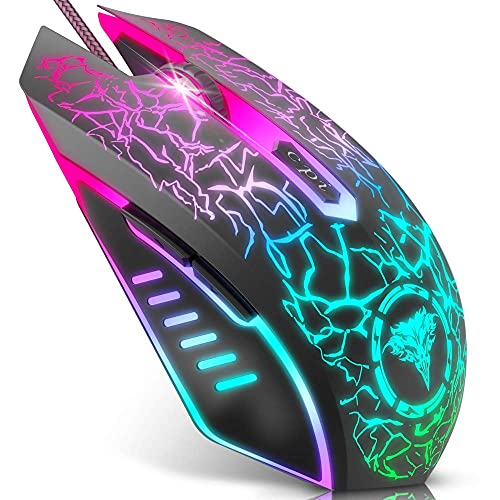

Who Should Buy a Low Cost Gaming Mouse?
Most buyers here do not need every premium extra. They need accurate tracking, a shape they can control for hours, and clicks that stay crisp. Match yourself to one group first, because that choice sets your weight, size and button priorities.
Competitive Shooter Players Watching Every Dollar
You play fast shooters where a missed flick costs a round, so tracking consistency and low weight matter more than decoration. Choose a light wired model or a proven 2.4 GHz wireless model with a strong sensor and simple software. A symmetrical shape with two side buttons gives you aim control and simple binds without extra bulk slowing your stops.
Casual, Strategy and Role Playing Gamers
You switch between slower paced games, browsing and work, and you sit for longer stretches. Comfort should lead, so look for a sculpted right handed shape that supports your palm and a scroll wheel with clear steps. Extra side buttons help with spells and commands. A little more weight is fine here, because steady control and a relaxed hand matter more than the fastest flick.
Students and Players Who Game Away From Home
You carry your gear between rooms or classes, and your desk space may be small. A compact shell fits a laptop bag and works on a small pad. Wireless models with a stored receiver suit you well, since one mouse can serve a laptop and a gaming PC without swapping gear.
Key Features to Compare
Compare these factors in order, because the first three decide how the mouse performs in play, while the last three decide how it feels and lasts. That order keeps a low price honest when you shop for a best budget gaming mouse against flashier listings.
Sensor Accuracy, DPI Range and Polling Rate
The sensor turns surface movement into cursor motion, so a good optical sensor should track fast swipes without spinning out or adding smoothing you can feel. DPI sets sensitivity, and most players settle between 400 and 3200 DPI even when boxes advertise far higher numbers. Look for a polling rate of 1000 Hz, because that reports movement every millisecond. Spend here first.
Wired, 2.4 GHz Wireless and Bluetooth Connections
A wired connection costs least and never needs charging, though the cable can drag unless you route it with slack. A 2.4 GHz receiver gives the low latency wireless play shooters need, with battery life often around 40 to 90 hours. Bluetooth saves power, but its higher latency makes it a backup for casual play, not ranked matches.
Weight and Balance for Your Game Pace
Weight shapes how easily you start, stop and correct your aim. Many strong value models weigh about 50 to 90 grams, with wired versions lighter and wireless versions a little heavier. Lighter mice suit fast, low sensitivity swipes, while a moderate weight can feel calmer for high sensitivity control. Balance matters too, because a nose heavy mouse fights small corrections.
Shape, Size and Grip Style Fit
Measure your hand from wrist to middle fingertip, then match shell length and width to that size before you look at lighting. Palm grip users rest their whole hand on the shell and prefer a taller, fuller shape. Claw and fingertip players move the mouse with smaller motions, so they often prefer a shorter, lower shell. If your fingers drag, the shape is wrong.
Click Switches, Extra Buttons and Onboard Memory
Main click switches decide feel and lifespan, and value models often carry ratings around 20 million to 80 million clicks. Optical switches can reduce the double clicking fault that worn mechanical contacts develop, while a crisp mechanical switch may feel more tactile. Two side buttons cover most shooter needs, and onboard memory lets your DPI and binds travel between computers.
Shell Quality, Cable and Glide Feet
A solid shell should not creak when you squeeze the sides, and the coating should give grip without feeling sticky. Flexible cables on wired models reduce drag. Smooth PTFE feet let the mouse glide evenly, and rounded edges stop scratching on cloth pads. See our guide to the best gaming mouse mat if your current pad is worn or uneven.
Three Budget Mouse Styles and Where the Money Goes
At this price, every design gives something up. The right style gives up what you notice least, and our guide to the best mouse for gaming shows how these value styles sit beside costlier options.
Light Wired Models for Pure Aim Value
This style puts nearly all the budgett into the sensor, switches and shell, because there is no battery or radio to pay for. You get dependable tracking and low weight for the least money. The cost is cable management, so this style suits a permanent gaming space best.
Wireless Models That Cut the Cable for Less
Value wireless models spend part of the budgett on the radio and battery, so the shell or extras may be simpler than a wired rival at the same price. In return you get a clean desk and freedom to play from a couch. Confirm a receiver connection is included for serious play.
Compact Models for Small Desks and Bags
Compact shells trade a full palm fill for portability and easy fingertip control. They suit small hands, travel and crowded desks. Large hands may cramp on them during long sessions, so check length against your hand measurement. If price is your first filter, see our guide to the best inexpensive gaming mouse for more low cost options.
Common Mistakes to Avoid
These errors waste money even at budgett prices, because each one leads to a mouse you replace sooner than planned.
- Chasing the highest advertised DPI leaves you paying for numbers you will never set while the sensor stays weak.
- Buying a shell that is too large or too small for your hand causes finger drag, wrist strain and sloppy aim.
- Choosing Bluetooth only for ranked shooters adds latency that makes fast tracking feel delayed.
- Ignoring weight makes low sensitivity play tiring, because every long swipe takes more effort to start and stop.
- Judging by lighting alone hides poor feet, a stiff cable and clicks that may wear out early.
How to Make Your Gaming Mouse Last Longer
Clean the sensor lens with a dry cotton swab and wipe the shell with a slightly damp cloth, then let it dry fully before play. Keep food and drink away from the desk, because crumbs reach the scroll wheel quickly. Replace worn feet when glide feels scratchy, since fresh feet restore smooth movement cheaply.
- Charge a wireless mouse before the battery is fully empty, and store the receiver in its slot when you travel.
- Update firmware only through the maker software, and note your saved profiles in case a reset clears them.
- Coil a wired cable loosely without sharp bends, and leave slack at the desk edge to reduce strain.
- Use a clean cloth pad and shake dust from it weekly, because grit under the feet wears both surfaces.
Frequently Asked Questions
Wired or wireless: which suits a budgett gaming mouse better for ranked play?
Wired suits ranked play better if your budgett is very tight, because every dollar goes to the sensor and shell. A 2.4 GHz wireless model matches it once the sensor tier is equal, so choose wireless when cable drag bothers you. Test in a practice range before a ranked session, because settings copied from another player rarely match your pad or sensitivity.
What DPI should you set on a budgett gaming mouse for shooters?
Start at 800 DPI and adjust in game sensitivity until a full pad swipe turns your view in a controlled, repeatable way. That combined value, often called effective DPI, matters more than the number alone. Avoid changing DPI daily, because stable settings build muscle memory.
How long does a wireless budgett gaming mouse battery usually last?
Most value wireless models run about 40 to 90 hours per charge with lighting off and polling at gaming rates. Turning RGB lighting on can cut that time by half or more. Charge during a weekly break rather than mid match, and use the wired cable mode if your model offers it, because that mode lets play continue when the battery runs out.
Does a budgett gaming mouse work with Mac computers and game consoles?
Yes, a budgett gaming mouse works with Mac computers and many consoles for basic pointing and clicking in supported games and menus. Extra buttons may need Windows software to configure, though onboard memory can carry saved settings to another system. Check the game itself, because console support depends on the title rather than the mouse.
When should you replace a budgett gaming mouse instead of repairing it?
Replace the mouse when the sensor skips on a clean pad, the wheel scrolls the wrong way often, or a main click fails after you rule out dirt and software settings. A worn foot set can be worth fixing on an otherwise sound mouse. Keep the receipt, because click and wheel faults inside the warranty period should go to the maker first.
Final Thoughts
Put your money in this order: a sensor that tracks cleanly, a shape that fits your hand and grip, honest weight, then switches and feet. Connection style and extra buttons come after those basics, and lighting comes last. Compare your shortlist in the product table above against that order, and a modest budgett will stretch further than most listings suggest.
Chosen that way, a best budget gaming mouse is not a compromise but a tool matched to your games, desk and hand. Buy the simplest model that gets the basics right.