
Best Brother Printers for Home Use: A 2026 Buying Guide
Disclosure: We may earn a commission when you buy through links on this page, at no extra cost to you. As an Amazon Associate I earn from qualifying purchases. Learn more

Learn how to choose Brother printers for home use by print type, running costs, wireless setup, and space, with checks for families and home offices.
best brother printers for home use cover a wide range of home needs, from school homework and photos to work documents and occasional labels. The comparison table below compares inkjet, laser, and all in one styles, so you can match the printer to how often you print and what you print. This guide focuses on running costs and everyday usability, not on naming a single winner.
Home printing has changed. Many homes print less paper than they once did, but still need reliable printing for forms, schoolwork, and work files. A printer that sits idle for weeks needs different strengths from one that prints every day, so start with your real pattern, not an ideal one.


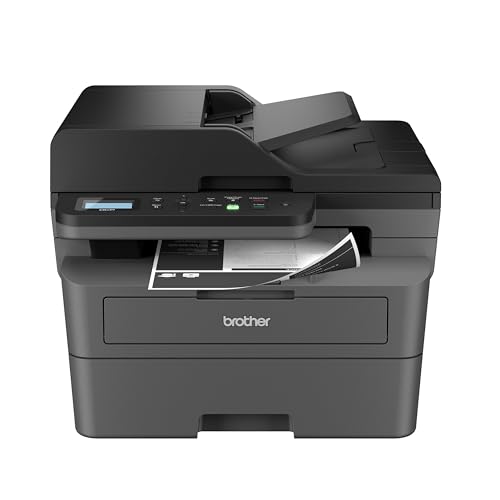
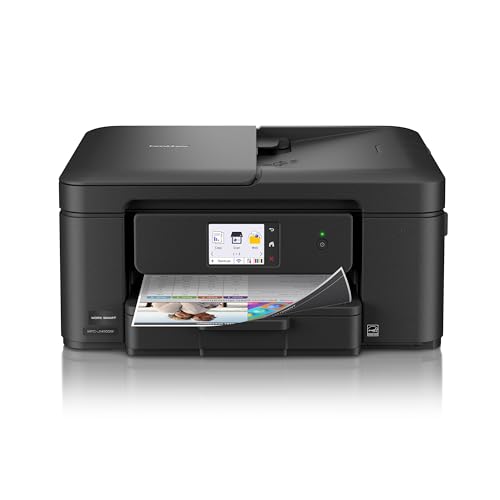
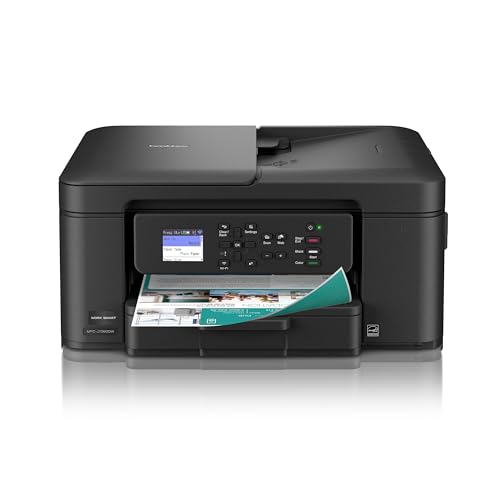


Printer Types for the Home
Inkjet printers handle color documents and photos well and usually cost less to buy. They suit homes that print photos, school projects, and colorful documents. Ink can dry if the printer sits unused for a long time, so occasional use needs a model that copes well with idle periods.
Laser printers excel at sharp text and fast document printing. They suit home offices and homework heavy homes, and toner does not dry out during idle weeks. Color laser models cost more up front, so weigh that against how much color you truly print.
All in one printers add scanning and copying, which helps with forms, school papers, and archiving. If you scan often, check the feeder and scan quality, not just print speed. A flatbed scanner suits books and delicate papers, while a feeder suits stacks of loose sheets.
Running Costs and Ink Choices
Running cost matters more than the purchase price over a few years. Check cartridge or toner yield, the price of replacements, and whether the printer accepts high yield options. A cheap printer with expensive ink can cost more in the long run than a pricier printer with efficient supplies.
Subscription ink plans can suit steady printers, but they can waste money for very light users. Read the terms for unused pages, rollover, and cancellation before signing up. For light use, a standard cartridge or a tank model with a clear cost per page may be simpler.
Paper choice also affects cost and results. Standard paper suits everyday documents, while photo paper suits prints you want to keep. Keep paper dry and flat, and use the correct paper setting so the printer lays down the right amount of ink.
Wireless Setup, Space, and Noise
Wireless printing should be simple from phones, tablets, and laptops. Check app support, setup steps, and whether the printer stays connected after a router restart. A printer that drops off the network often will frustrate the whole household, no matter how good its print quality is.
Measure your space before buying. Include room to open paper trays, lift scanner lids, and reach the rear for jams. Noise matters in a small home or a shared study area, so check quiet modes and how loud the printer is during a full page run.
Choosing for Your Household Pattern
Families with school age children need a printer that handles homework, forms, and occasional color projects without constant ink worries. A model with affordable high yield ink and simple wireless printing usually serves a family better than a feature heavy office machine.
Home workers need sharp text, reliable duplex printing, and a paper tray that does not need refilling every day. If you print contracts or forms, check duplex quality and how the printer handles envelopes and heavier paper without jamming.
Light users who print a few pages a month should prioritize a printer that wakes reliably after idle time and does not waste ink on cleaning cycles. Laser models often suit this pattern, because toner stays ready for months.
Related Guides to Compare
If this topic connects with your search, the guide to best printers for home use covers a closely related choice and can help you compare features, sizes, and everyday use before you decide.
If this topic connects with your search, the guide to best computer printers for home use covers a closely related choice and can help you compare features, sizes, and everyday use before you decide.
If this topic connects with your search, the guide to best multifunction printers for home use covers a closely related choice and can help you compare features, sizes, and everyday use before you decide.
If this topic connects with your search, the guide to best aio printers for home use covers a closely related choice and can help you compare features, sizes, and everyday use before you decide.
If this topic connects with your search, the guide to best inkjet printers for home use covers a closely related choice and can help you compare features, sizes, and everyday use before you decide.
A Final Check Before You Order
Before you order, revisit the product table above with a simple print tally for a normal month. Count color pages, black and white pages, photos, and scans, then check which printer type matches that mix. A printer bought for a workload you do not have will cost more in ink or frustration than a plainer model matched to your real pattern.
Check the full cost of ownership over two or three years, including ink or toner, paper, and any subscription you might join. Compare cost per page for your mix, not just the purchase price, and read subscription terms for rollover and cancellation. For light users, a model that wastes little ink during idle weeks is often the better value.
Measure your space with trays open and the scanner lid raised, and check access to the rear for jams and to the tank or cartridges for replacement. A printer squeezed into a tight cupboard is harder to load, clean, and maintain, and paper jams become more frustrating when you cannot reach the rear easily.
Plan the setup before the printer arrives. Note your wifi password, the devices that will print, and where the printer will sit relative to your router. A stable wireless connection matters more than raw speed, so test printing from each device during the first week and note any device that struggles to connect.
Test the features you will use most during the return window: duplex printing, photo quality on the right paper, scanning a multi page document, and printing from a phone. Problems with those core tasks usually appear early, and catching them early lets you exchange the printer while the option is still simple.
Finally, set a simple maintenance routine from the start: print a test page if the printer sits idle, clean the paper path as directed, and keep firmware updated. A printer that is maintained lightly and regularly will stay reliable far longer than one that is ignored until a problem appears.
For a family printer, agree on simple house rules before problems arise. Decide who replaces ink, where spare paper lives, and which device settings children may change. Those small agreements prevent the common frustrations of an empty tray on homework night or a changed setting that stops wireless printing. A printer that everyone can use confidently, without calling for help each time, serves a household far better than a feature rich model that only one person understands.
Frequently Asked Questions
Should I buy inkjet or laser for home use?
Choose inkjet for frequent color and photo printing at a lower purchase price. Choose laser for sharp text, fast documents, and long idle periods without dried ink. Your mix of color, volume, and idle time should decide, not the headline price alone.
How can I keep home printing costs down?
Print in draft mode for everyday papers, use duplex printing to halve paper use, and buy high yield supplies when your volume justifies them. Avoid printing full color pages for notes that work in black and white, and keep the printer firmware updated for efficiency fixes.
Why does my printer use ink when I am not printing?
Printers run cleaning cycles to keep nozzles clear, especially after idle periods. This uses a small amount of ink and helps prevent blocked nozzles. Printing a test page every week or two can reduce heavy cleaning cycles for very light users.
What should I check before buying a wireless printer?
Check that it works with your phones, tablets, and computers, and that setup does not need a wired connection you do not have. Look for clear app instructions and a stable connection after router restarts. If your wifi is weak in the printer spot, plan a better location or a wired option.
How much space does a home printer really need?
Allow space for the printer footprint plus room to open trays, lift the scanner, and clear jams from the rear. Measure the spot, including door swing and shelf height, before ordering. A printer squeezed into a tight cupboard will be harder to load and maintain.
Final Thoughts
Match the printer to your print volume, color needs, and idle time, then check running costs before price alone. best brother printers for home use should fit your space, stay connected, and print reliably when you need it.


