
Best Brother Printers 2026: A Practical Buying Guide
Disclosure: We may earn a commission when you buy through links on this page, at no extra cost to you. As an Amazon Associate I earn from qualifying purchases. Learn more

Learn how to choose among Brother printers by print volume, ink or toner costs, paper handling, and connectivity so the model you pick fits home or office use.
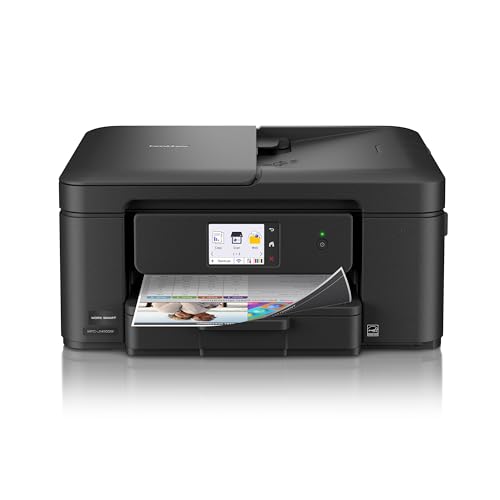
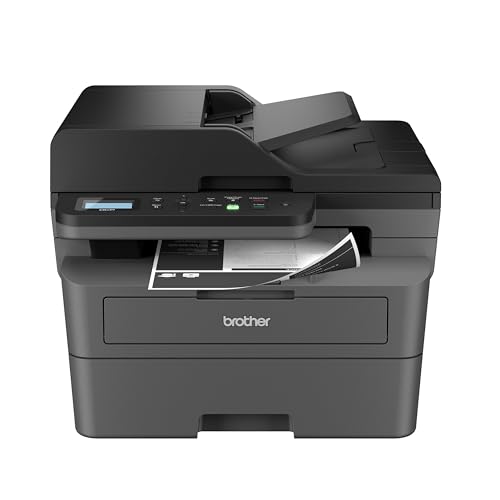
Choosing among best brother printers starts with how you actually print, not with a feature list. A household that prints school forms a few times a week has very different needs from a small office that prints invoices every day, and the comparison table below helps you weigh those needs side by side.
Before you compare models, count your pages, note whether you print photos or only documents, and check where the printer will live. Those three facts narrow the choice faster than any specification sheet, and they keep you from paying for speed or capacity you will never use.






Match the Printer to Your Print Volume
Light printing suits a compact inkjet with a modest paper tray, because the machine spends most of its time idle and running costs stay low when you print only a few pages. Heavy printing, on the other hand, rewards a laser model with a larger toner cartridge and a paper tray that you do not have to refill every other day. Think about your busiest week rather than your average week, since a printer that copes with peaks will feel calm during quiet periods too.
Also consider how many people share the printer and whether jobs arrive in bursts, such as homework on Sunday night or invoices at month end. Shared use calls for a sturdier paper path, a larger output tray, and simple controls that guests or colleagues can use without training. A machine built for one person may jam or slow down when three people send jobs at once.
Inkjet or Laser: Which Running Cost Suits You
Inkjet models usually cost less to buy and handle color documents and photos with pleasing results, which makes them attractive for families and creative work. Their ink can dry out if the printer sits unused for weeks, and replacement cartridges add up when you print often, so check the cost per page before you fall for a low purchase price. If you print mainly in black and white, a monochrome laser often works out cheaper over a year of steady use.
Laser models print sharp text quickly and their toner does not dry out, which suits offices and anyone who prints in bursts with long gaps between jobs. Color laser models exist, but they are larger and their toner sets cost more, so they suit workplaces that need color charts and presentations rather than photo printing. Weigh the purchase price against two years of consumables to see the honest total.
Paper Handling, Scanning, and Copying
A printer that only prints may be enough if you already scan with a phone, but a model with a scanner and copier saves time when you handle forms, receipts, and school paperwork. An automatic document feeder helps when you scan several pages at once, while a flatbed alone is fine for single pages and books. Check the maximum paper size too, since some compact models only handle letter size comfortably.
Paper handling also means trays, duplex printing, and envelope support, all of which affect daily convenience more than headline speed figures do. Automatic two sided printing saves paper and looks professional for reports, while a rear feed or manual slot helps with envelopes and thicker card. If you print labels or card stock, confirm the supported weights before you buy, because not every model handles thick media well.
Connectivity and Everyday Ease of Use
Wifi printing from phones, tablets, and laptops is now standard on most models, and it matters most when the printer sits in another room from your desk. Look for simple setup, a clear display, and an app that lets you check ink levels and print from cloud storage without fuss. Ethernet suits a fixed office desk, while USB alone suits a single computer and a printer that never moves.
Ease of use also covers noise, warm up time, and how often the machine asks for attention, since a noisy printer in a bedroom or a slow starter in a busy office quickly becomes annoying. Read the control panel layout in photos or in store if you can, because small buttons and cryptic menus frustrate everyone. A printer you enjoy using will get used properly, while a fiddly one invites workarounds and wasted paper.
Size, Noise, and Where It Will Live
Measure the space before you order, including room for the paper tray to extend and for the scanner lid to open fully. A printer that fits on paper but crowds a desk will block drawers, trap heat, and make paper changes awkward, so leave clearance on at least one side. Also think about power outlet access and cable length, since a printer tucked behind furniture is hard to service when a jam occurs.
Noise matters in shared rooms, bedrooms, and home offices where calls happen, so check whether the model offers a quiet mode and how loud it runs at full speed. Ventilation matters too, because laser printers give off warmth and a faint smell during long runs, which is best handled with airflow rather than a closed cupboard. A calm, accessible spot extends the life of the machine and your patience with it.
Avoiding Common Buying Mistakes
The most common mistake is buying on headline speed or on a sale price while ignoring ink or toner costs, which often exceed the purchase price within the first year. Another mistake is choosing a photo specialist when you mainly print text, or a text specialist when you print family photos every weekend, so match the strength of the machine to your most frequent job. Finally, do not assume every model supports your operating system or your phone, so confirm compatibility before checkout.
Also avoid ordering without checking warranty terms, return windows, and local support for consumables, because a bargain loses its shine when cartridges are hard to find. Keep the box and receipt until you have printed a full week of normal jobs, and test scanning, copying, and wifi printing early rather than months later. A careful first week catches setup problems while returns are still simple.
Related Guides for Your Shortlist
If most of your pages are black text documents, the guide to best brother laser printers explains toner yields and duplex options in more depth.
For color documents and family photos, the guide to best brother inkjet printers covers ink systems and photo paper choices.
If build quality and long term reliability matter most, the guide to best quality printers compares sturdier models across brands.
When photo results disappoint, the guide to best photo paper for brother printers shows how paper choice affects color and sharpness.
For offices that need color charts and presentations, the guide to best brother color laser printers explains toner sets and running costs.
A Final Check Before You Order
Before you settle, print a test week that mirrors real life, including a color document, a photo, a multi page report, and a scanned form, and note where the machine hesitates or wastes paper. This practical trial reveals paper handling quirks, software annoyances, and ink behavior that specification sheets never mention, and it gives you evidence for a return if the fit is wrong. Keep notes on noise, warm up time, and app reliability, since those daily details shape satisfaction far more than a single speed figure.
Also plan where consumables will live and how you will reorder them, since a printer without ink on a deadline day is useless regardless of its features. Subscribe or set a reminder at a sensible ink level, store spare cartridges away from heat, and keep the manual accessible for the first month. A small routine around supplies prevents the most common printer frustration, which is discovering an empty cartridge when you need a document urgently.
Finally, think about who else will use the printer and whether they need simple instructions, because a machine that only one person understands becomes a bottleneck in a busy household or office. Post a short note near the printer covering wifi printing, scanning, and paper refills, and show new users once rather than troubleshooting repeatedly. Shared understanding turns a personal purchase into a household tool that everyone can rely on.
Frequently Asked Questions
Should I choose inkjet or laser for home use?
Choose inkjet if you print color documents and photos regularly and your volume is light to moderate, because purchase prices are lower and color quality is pleasing. Choose laser if you print mostly black text, print in bursts, or leave the printer idle for weeks, because toner does not dry out and text stays sharp. For very light use, either type works, so let running costs and space decide.
How do I estimate my true printing cost?
Start by counting pages in a typical month, then divide cartridge or toner prices by their rated page yields to get a rough cost per page. Add paper costs and remember that color pages cost more than black pages, especially for photos. This simple calculation often changes the choice, because a cheap printer with costly ink can outspend a pricier laser within a year.
Do I need a scanner and copier built in?
You need a scanner and copier if you handle forms, receipts, school paperwork, or signed documents more than a few times a month, because scanning from a phone is slower for multi page jobs. If you rarely copy anything, a print only model saves space and money. An automatic document feeder is worth it when you scan batches, while a flatbed alone suits single pages.
Is wifi printing reliable enough for daily use?
Wifi printing is reliable for daily use when the printer sits within good signal range and your router is reasonably modern, and most models recover well after sleep. For a fixed office desk, ethernet removes doubt entirely, while USB suits a single computer setup. If your wifi is weak in the printer room, test signal strength there before you rely on wireless printing alone.
What should I check in the first week after buying?
Print a normal mix of documents and photos, test scanning and copying, try wifi printing from every device you use, and check ink or toner levels after a few days. Also test duplex printing, envelopes, and any paper size you use often, so problems surface early. Keep packaging and receipts until this trial week is complete, because returns are far simpler within that window.
Final Thoughts
When you weigh volume, running costs, paper handling, connectivity, and space together, best brother printers become much easier to compare, and the product table above gives you a clear place to start. The right choice is the one that fits your busiest week, your budget for consumables, and the room where it will live.
Take a few minutes to list your weekly pages, your color needs, and your must have features before you order, and talk with your household or office mates if they will share the machine. A short checklist now prevents a year of small frustrations later, and it leaves you with a printer that simply works when you need it.


