
Best Bookshelf Speakers for Computer 2026: Desk Sound Guide
Disclosure: We may earn a commission when you buy through links on this page, at no extra cost to you. As an Amazon Associate I earn from qualifying purchases. Learn more
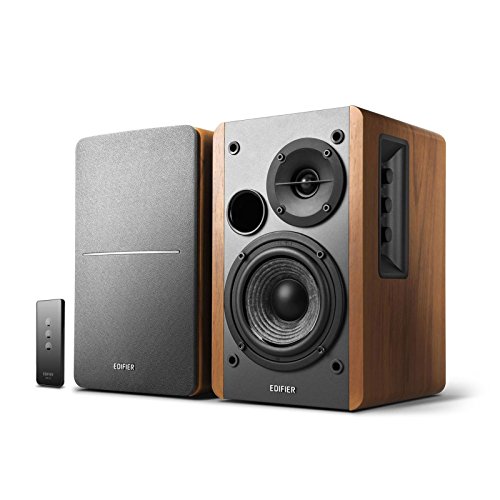
Find bookshelf speakers for your computer by size, connection, power, and desk placement so music, calls, and games sound clear at close range.
A pair of best bookshelf speakers for computer use can transform a desk setup, because small built in laptop speakers cannot move enough air to give music body or voices warmth. Bookshelf speakers sit close to your ears, so even a modest pair can sound full and detailed when placed well. The comparison table below helps you compare size, inputs, and power before you buy.
Start with your desk: measure the free space, note where your monitor sits, and decide whether you can place speakers at ear height on stands or risers. Also list your sources, since a turntable, a console, and a phone may need different inputs from a simple computer only setup. Those two facts, space and sources, shape nearly every other choice.
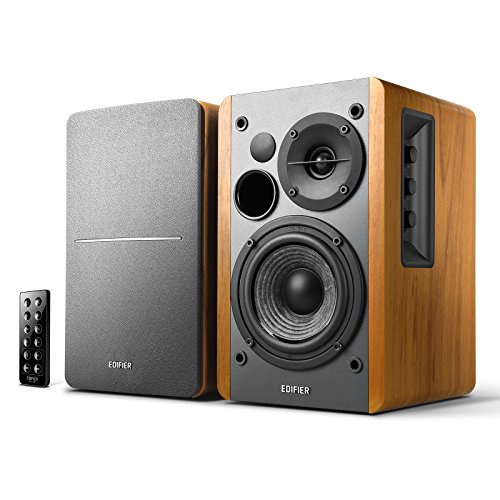

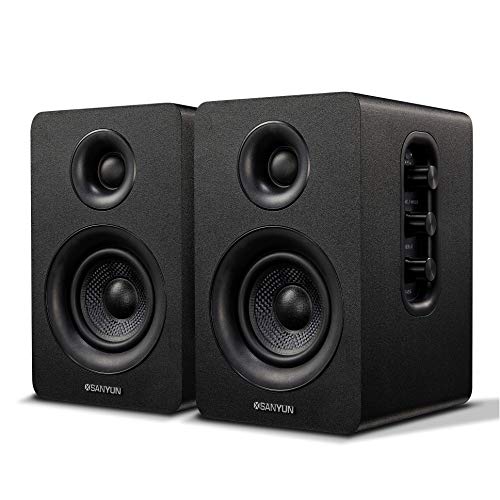

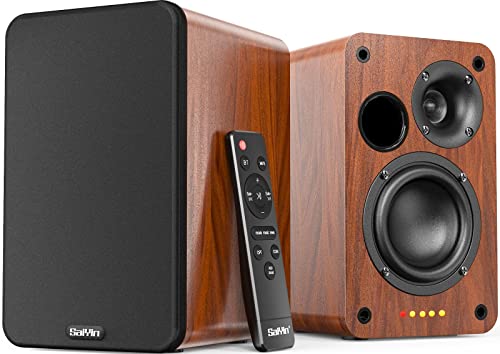
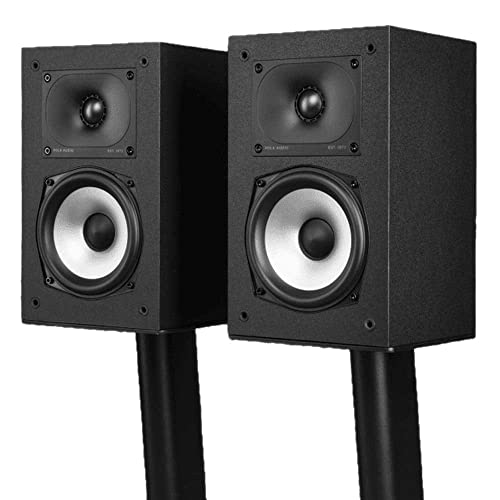
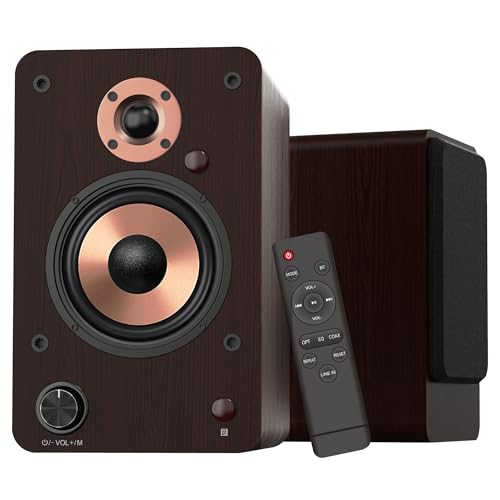
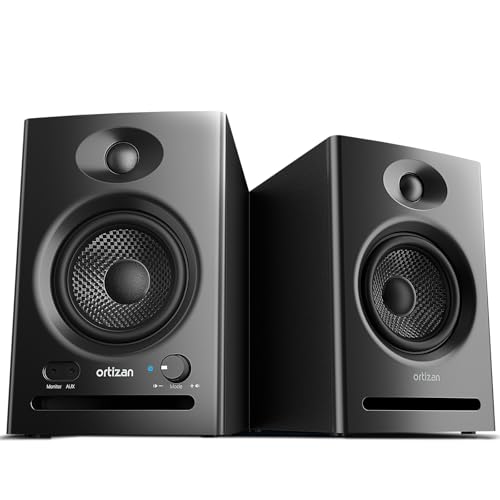
Why Bookshelf Speakers Suit a Desk
Bookshelf speakers are designed for near field listening, which means they sound balanced when you sit a few feet away. Their separate woofers and tweeters handle bass and treble with more control than a single tiny driver, so voices sound natural and instruments keep their texture. A sealed or front ported cabinet works well near a wall, while a rear port needs breathing room behind it.
Powered bookshelf speakers include an amplifier inside, so you connect them straight to your computer and control volume from one knob. Passive speakers need a separate amplifier, which adds cost and desk clutter but gives you room to upgrade later. For most desk setups, powered speakers are the simpler and tidier path.
Size, Placement, and the Listening Triangle
Aim for a triangle with your head and the two speakers, with tweeters near ear height and speakers angled slightly inward. Keep the left and right speakers the same distance from your ears so the stereo image stays centered. If one speaker sits in a corner and the other in open air, the bass will sound uneven no matter how good the speakers are.
Small speakers with a 4 inch woofer fit tight desks and still sound good at close range, while a 5 inch woofer adds bass weight for music and games. Measure the depth too, since a deep cabinet can push your monitor too close or crowd your keyboard. Stands or foam pads lift tweeters to ear height and reduce vibrations passing into the desk.
Connections That Match Your Sources
A 3.5 mm input covers most computers, while optical input gives a clean digital link from many monitors and consoles. Bluetooth adds phone streaming without a cable, though wired connections usually sound steadier for long sessions. USB input can simplify setup by carrying both audio and power control, but check that your operating system sees the speakers without extra drivers.
If you also connect a turntable, you will need a phono input or a separate preamp, since turntable output is far quieter than a computer signal. A headphone output on the front is handy for late night use, and a subwoofer output lets you add bass later without replacing the speakers. Buy for the sources you have now, with one spare input for the next device.
Sound Qualities Worth Listening For
Clarity matters most at a desk, because you sit close enough to hear harsh treble or muddy midrange clearly. Listen for voices that sound like people rather than a telephone, and for bass that stays tight instead of booming. A speaker that sounds exciting for five minutes but tiring after an hour is a poor desk companion, so favor balance over boom.
Room acoustics still matter, even at a desk. A bare wall behind you can add echo, while a rug, curtains, or bookshelf softens reflections. If bass sounds boomy, move the speakers away from the wall or plug the rear port if the maker supplies a plug. Small moves often fix more than new equipment does.
Power, Volume, and Daily Use
For near field listening, modest power is plenty, since you sit close and rarely need room filling volume. A speaker that plays cleanly at low volume matters more than one that plays loudly, because most desk work happens at moderate levels. Check that the volume knob moves smoothly and that the speakers stay silent when idle, with no hiss from the tweeter.
Think about daily habits too: a front volume knob beats reaching behind a speaker, and an auto standby mode saves power when you step away. If you take calls, a speaker with a clear midrange helps voices cut through without raising the volume. Keep cables tidy with a short run and a cable clip so the desk stays pleasant to work at.
Related Guides to Read Next
If you want to compare nearby options, these related guides can help: best bookshelf speakers, best sounding computer speakers, best computer speakers for gaming, best inexpensive computer speakers, best computer speakers with subwoofer. Each one covers a different angle, so start with the guide that matches your room, your budget, or your next question.
Living With Desk Speakers Daily
Daily desk listening quickly reveals whether speaker placement and volume habits suit your work, since you sit close enough to notice harsh treble or boomy bass within an hour. Start each week by checking that speakers still sit at ear height, angled toward you, and equally distant from your seat, since small moves during cleaning or cable changes can shift the stereo image. A stable setup sounds better than a setup that drifts.
Volume habits matter as much as equipment, because most desk work happens at moderate levels where clarity counts more than loudness. Set a comfortable level for music and calls, and resist turning up to overcome a noisy room, since higher volume tires ears faster. If background noise competes, a rug or curtain often helps more than extra volume, and it protects your hearing over long sessions.
Switching between sources is a daily reality on a desk, with music, video calls, games, and notifications all sharing the same speakers. Keep cables labeled and inputs memorized so switching takes seconds rather than minutes of fumbling behind the desk. A front volume knob and a headphone output for late nights make the setup far more pleasant to live with than rear controls alone.
Long sessions also test comfort in a different way, since a speaker that sounds exciting for ten minutes can feel tiring after three hours. Favor balanced sound over boosted bass or treble, and take short listening breaks during very long workdays. If fatigue appears regularly, check placement and room reflections before blaming the speakers, since bare walls and hard desks add harshness.
Over months, desk speakers become part of your work routine, and small maintenance habits keep them sounding fresh. Dust grilles gently, check cable connections when sound changes, and keep drinks away from speaker tops and ports. Those habits cost little time and protect a setup that makes every workday sound a little better.
Frequently Asked Questions
Do I need a separate amplifier for desk speakers?
Not if you choose powered bookshelf speakers, which include an amplifier and connect directly to your computer. Passive speakers need a separate amplifier, which adds cost, cables, and desk space but allows future upgrades. For a simple desk setup, powered speakers are easier and usually sound excellent. Choose passive only if you already own an amplifier or plan a larger system later.
Where should I place speakers on my desk?
Place them at ear height, angled slightly toward you, forming a triangle with your head as the third point. Keep both speakers the same distance from your ears and away from corners when possible, since corners boost bass unevenly. Use stands or foam pads to lift tweeters and reduce desk vibration. Small placement changes often improve sound more than spending extra money.
Is Bluetooth enough for computer speakers?
Bluetooth is convenient for phone streaming, but a wired connection from your computer usually gives steadier sound with less delay. Delay matters for video and games, where sound must match the picture. Use a wired link for your computer and keep Bluetooth for casual phone listening. If you only stream music, Bluetooth alone may be fine.
What size woofer is best for a desk?
A 4 inch woofer suits small desks and close listening, giving clear voices and tidy bass. A 5 inch woofer adds weight for music, movies, and games but needs more desk space and distance from the wall. Larger woofers can overwhelm a small room and muddy the bass at close range. Match the woofer to your desk size and your listening distance.
Can I add a subwoofer later?
Yes, if your speakers have a subwoofer output or your setup allows a separate connection, you can add a subwoofer later for deeper bass. A small sealed subwoofer suits a desk room better than a large ported one, which can boom in a small space. Set the crossover low so the subwoofer fills in only the lowest notes. Adding bass later lets you spread the cost over time.
Final Thoughts
The product table above makes it easy to compare size, inputs, and power, but placement and honest listening matter just as much. Measure your desk, list your sources, and choose speakers that sound balanced at the volume you actually use. With best bookshelf speakers for computer chosen this way, music, calls, and games all gain warmth and detail without taking over your workspace.


