
Best Bluetooth Studio Monitors Under 200: Desk Pairs for Producers and Editors for 2026
Disclosure: We may earn a commission when you buy through links on this page, at no extra cost to you. As an Amazon Associate I earn from qualifying purchases. Learn more

Best bluetooth studio monitors under 200: woofer size, inputs and latency advice for small desks.
Bluetooth adds convenience to a small studio, but it can hide weak drivers, noisy amplifiers and tuning that flatters music instead of revealing mix problems. The best bluetooth studio monitors under 200 balance honest sound, useful wired inputs and simple wireless playback. Use the comparison table below to check pair price, woofer size and connections first.
At this budget you will not get deep bass or perfect accuracy. You can get a clear near field pair that makes voices and editing decisions easier to judge. The sections below show what matters, what to give up, and why placement matters more than a long feature list.
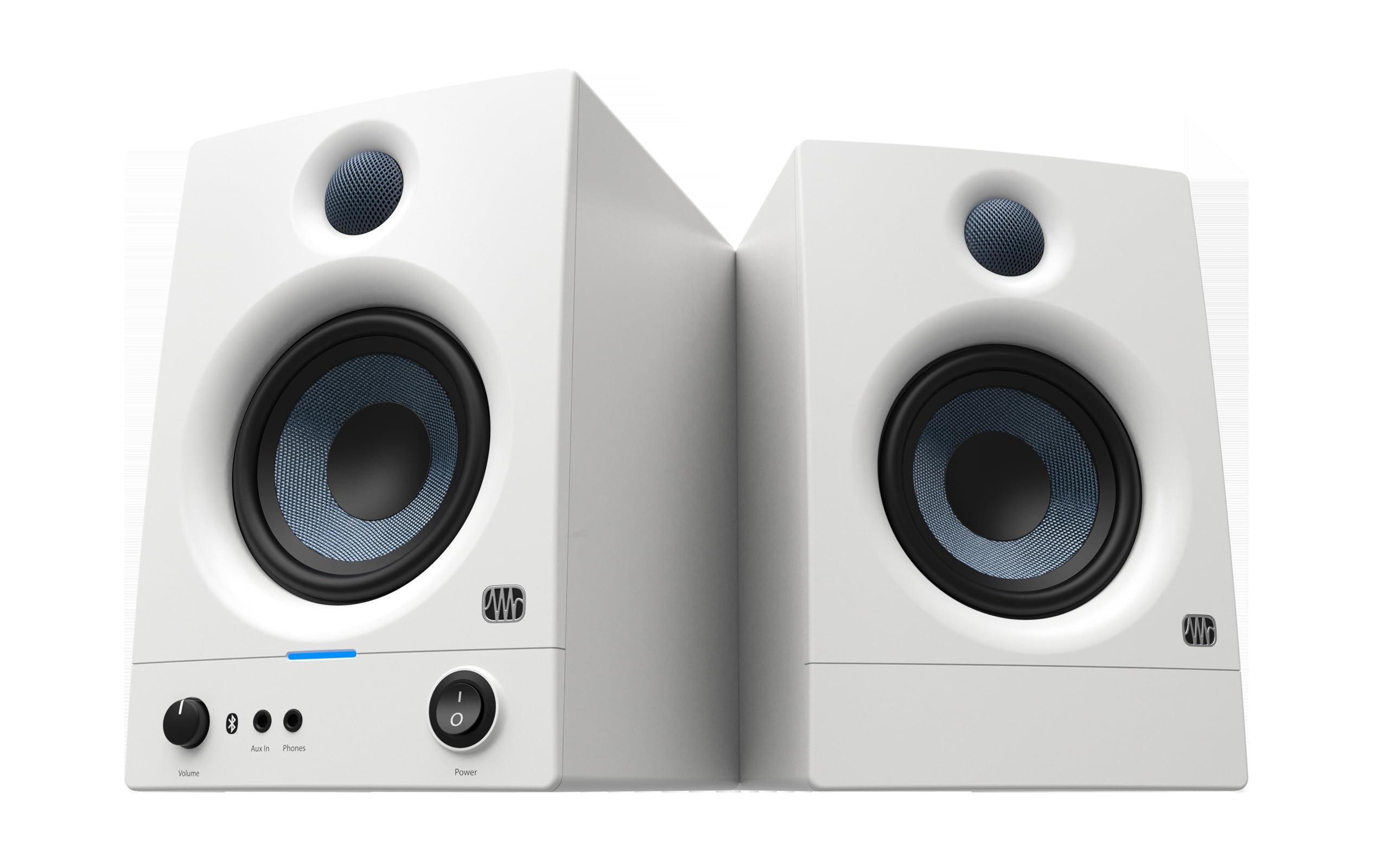


Who Should Buy Bluetooth Studio Monitors on a Tight Budget?
Your main job decides whether Bluetooth is a bonus or a daily tool. Match the groups below to your work, then confirm the pair has wired inputs for moments when wireless playback is not fast enough.
Bedroom Producers Working in Small Rooms
You record and mix close to the speakers, often at modest volume. A compact pair with a 4 inch or 5 inch woofer fits a bedroom desk and keeps bass manageable near walls, while Bluetooth lets you check a mix from a phone. If wireless is optional for you, see our guide to the best studio monitors under 200 for wired choices at the same budget.
Podcast and Video Editors Who Switch Devices Often
You move between a laptop, a phone and a tablet while you cut dialogue and check levels. Quick pairing saves time, and a front volume knob plus a headphone output simplify short sessions. Choose tuning that keeps voices clear without pushing sibilance forward. You still need a wired connection for sync checks, because a small wireless delay can make lip movement look off during detailed edits.
Desk Listeners Who Want Flatter Sound Than Consumer Speakers
You listen while you work and want less boomy bass and clearer detail than most small lifestyle speakers provide. Studio models aim for balance, so songs and spoken word sound plain in a good way, with fewer surprises on other systems. Bluetooth keeps the desk clear. Pick tone trim controls if your desk sits against a wall and low notes build up.
Key Features to Compare
Compare sound and connections before cabinet finish. The best bluetooth studio monitors under 200 earn their price through driver control, low noise and honest limits, not through bass boosts that mask the midrange where most mixing decisions live.
Woofer Size and Listening Distance
Woofer size shapes how much low frequency energy a small cabinet can move. Most pairs here use woofers of about 3.5 to 5 inches with a small tweeter. A 3.5 inch model suits close listening at about 2 to 3 feet.
A 5 inch model gives kick drums more weight at about 3 to 4 feet. Larger is not always better in a tiny room, because extra bass can excite corners and blur notes.
Frequency Response and Bass Port Position
Frequency response states the range a speaker can reproduce, but tolerance matters as much as the lowest number. A claim that reaches 60 Hz means little if output falls sharply above that point, so expect useful bass, not sub bass, and check low end on headphones. Front ported cabinets can sit closer to a wall, while rear ported cabinets need about 6 to 12 inches behind them.
Bluetooth Version, Latency and Wired Options
Bluetooth makes reference checks easy, but it adds delay and compression that vary by phone, computer and codec support. That delay rarely matters for playback, yet it can bother you when you record vocals or edit video to tight cuts. Look for a recent Bluetooth version, stable pairing and a clear switch back to wired sound. A good pair treats wireless as one input among several, never the only way to work.
Inputs for Interfaces, Phones and Computers
The input panel decides how cleanly the speakers join your setup. Balanced TRS inputs help reject hum from an interface with balanced outputs. RCA inputs suit many computers and media players, while an aux input suits a phone.
A front headphone output that mutes the speakers is handy at night. For pair pricing, see our guide to the best studio monitors pair under 200 before you assume a low price covers both cabinets.
Amplifier Power and Noise at Close Range
Power ratings at this price often quote peak numbers, so treat wattage as a rough guide, not a promise of loudness. What matters at a desk is clarity at low and moderate volume, plus the noise floor when nothing plays. Listen for hiss during quiet passages, because a faint hiss can distract you in a silent bedroom. Clean low volume performance matters more than maximum output.
Trim Controls for High and Low Frequencies
Trim controls adjust high and low output by a few decibels to suit placement. If the speakers sit near a wall, a small low frequency cut can reduce boom without moving furniture. If the room feels dull, a gentle high frequency lift can restore clarity to cymbals and consonants.
Make one change at a time. Controls cannot fix severe room problems, but they correct predictable wall and desk effects.
Types of Bluetooth Studio Monitors Compared
Most budget pairs fall into three shapes. The right shape depends on desk depth, how close you sit and whether you value compact size or fuller bass more.
Compact Models With 3.5 Inch Woofers for Tight Desks
These fit easily beside a laptop and a small interface, and they keep the stereo image focused at close range. Limited bass output can be a plus in a small untreated room. Voices sound clear, while electronic bass feels light. Choose this type if your desk is shallow or you mainly edit speech rather than judge deep low frequencies.
Fuller 5 Inch Models for Music Production at a Desk
A 5 inch woofer moves more air and gives bass lines and kick drums a firmer foundation, so mixing choices feel less like guesswork. The cabinets are deeper and need more wall space and desk depth to sit at ear level. Choose this type if music production is your main job and you can form a triangle with equal sides between your head and the speakers.
Pairs Built Around One Powered Main Speaker
Many budget sets put the amplifier and controls in one main cabinet, with a cable feeding the second speaker. This costs less and keeps setup simple, but cable length limits how wide you can spread the pair. Check where the knob and inputs sit, because the main cabinet may need a specific side. Readers focused on flat tuning can also see our guide to the best studio reference monitors under 200.
Common Mistakes to Avoid
- Buying a single speaker price by mistake leaves you with mono sound and no stereo image.
- Placing rear ported speakers flat against a wall boosts bass and hides low midrange problems.
- Tracking vocals over Bluetooth adds delay that makes timing feel late and hard to judge.
- Setting speakers below ear level points tweeters at your chest and dulls editing detail.
- Turning up a bass boost to fake deep low end masks kick and bass balance errors.
- Judging a pair only at loud volume hides hiss that appears during quiet work.
Looking After Budget Studio Monitors at Your Desk
Keep cabinets dry and dust free with a soft dry cloth, and never spray cleaner directly onto a cone or tweeter. Dust rear panel vents so heat can escape, and keep cables loose rather than bent hard at plugs. Replace a frayed cable before you blame the amplifier.
Turn volume down before you switch inputs or pair a device, because a sudden pop can stress a small driver. Power the pair down during long breaks, and store speakers away from direct sun. A light foam pad under each cabinet reduces desk vibration.
FAQ
Can Bluetooth studio monitors under $200 handle serious mixing work?
Yes, Bluetooth studio monitors in this price range can handle serious early mixing work if you mix at close range and check results on other systems. Their main limit is deep bass, so use headphones to confirm the lowest notes. A quiet mono listen also helps, because balance errors that hide in stereo often stand out in mono.
Why do Bluetooth studio monitors delay sound during recording?
Bluetooth studio monitors delay sound because wireless audio is encoded, sent and decoded before you hear it. That gap feels harmless during playback but confusing when you sing or play along. Use the wired input for recording and keep Bluetooth for reference checks. Lowering buffer size in your app can also reduce a separate delay.
How far should Bluetooth studio monitors sit from a wall?
Bluetooth studio monitors should sit far enough from a wall that bass sounds even rather than swollen, and the gap depends on the port. Front ported pairs can sit about 2 to 6 inches away, while rear ported pairs often sound cleaner at about 6 to 12 inches. Move both speakers by the same amount when you check, because uneven gaps skew the image.
Do Bluetooth studio monitors under $200 need an audio interface?
No, Bluetooth studio monitors in this range do not need an audio interface for basic playback from a phone or computer. An interface still helps if you record with a microphone, need balanced outputs or want a large volume knob within reach. Start without one, then add an interface when recording becomes routine.
What size Bluetooth studio monitors fit a small bedroom desk best?
Bluetooth studio monitors with 3.5 inch or 4 inch woofers fit most small bedroom desks best because they leave room for a laptop and keep bass controlled near walls. Measure desk depth first, and leave space to raise tweeters to ear level. Angled pads can aim the speakers without taking space that larger cabinets demand.
The Bottom Line on Bluetooth Studio Monitors Under 200
Start with fit. Choose the woofer size your desk and room can support, confirm the price covers a pair, and insist on wired inputs alongside Bluetooth. Use the product table above to compare port position, inputs and trim controls.
When you judge best bluetooth studio monitors under 200 by clarity at low volume, low noise and honest bass rather than boosts and peak watt claims, the right pair is easier to spot. Buy for your room first.


