
Best Bluetooth Keyboards for iPhone 2026: A Practical Guide
Disclosure: We may earn a commission when you buy through links on this page, at no extra cost to you. As an Amazon Associate I earn from qualifying purchases. Learn more

Compare the best bluetooth keyboards for iphone by size, layout, pairing, stand, and battery life, with advice for commuters, students, and writers.
Typing long messages, emails, or notes on a phone screen gets tiring quickly, and a small Bluetooth keyboard can change that. The best bluetooth keyboards for iphone are light enough to carry every day, pair in seconds, and feel comfortable for more than a few lines of text. This guide explains how to choose one.
The comparison table below shows the main styles side by side. Start with where you will type, then match size, layout, and battery life to that routine.


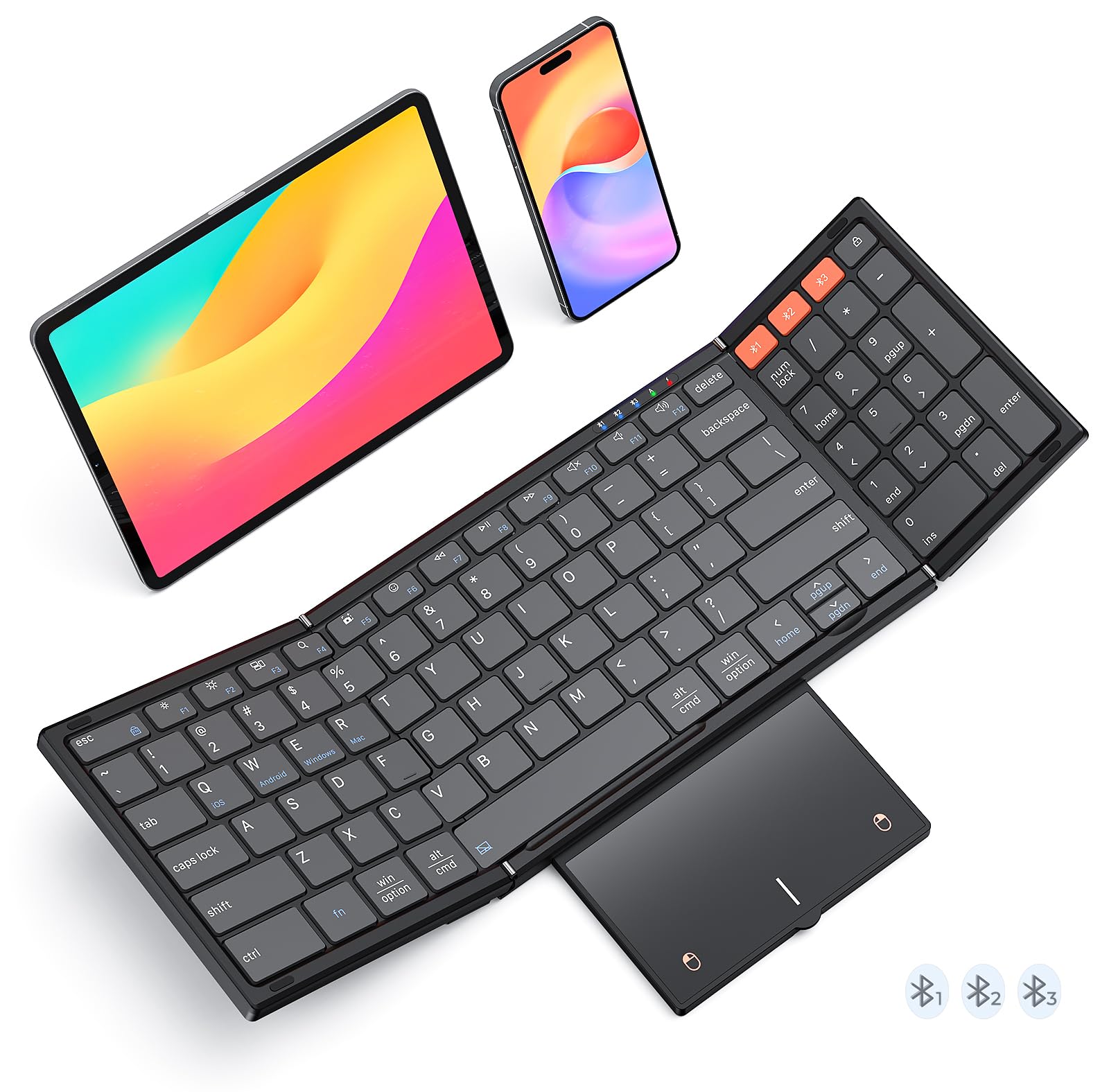


Who Should Buy a Bluetooth Keyboard for an iPhone
Commuters and travelers who answer email on the go do best with a foldable board that slips into a jacket pocket. Students and note takers often prefer a slim full size board with a built in phone slot, which lets them type at a table. Writers who draft longer pieces on a phone gain the most from a keyboard with a stable stand and full size keys.
If you only type a few messages a week, the on screen keyboard is probably enough. A hardware keyboard pays off once you type for several minutes at a time.
Key Features of Bluetooth Keyboards for iPhone
Pairing and iPhone Compatibility
Most Bluetooth keyboards pair through the standard iPhone Bluetooth settings. Look for a board that reconnects automatically after sleep and remembers more than one device, so it also works with an iPad or a computer. Check that the layout includes the keys you need for punctuation and shortcuts.
Size, Layout, and Key Feel
Foldable boards save space but often shrink or move keys, which takes time to learn. Slim full size boards type more naturally and still fit a bag. Scissor switches feel stable and quiet, while very shallow keys feel quick but tiring over long sessions.
Stand and Phone Holder
A built in slot or stand holds the phone upright while you type, which saves your neck and frees both hands. Check that the slot fits your phone with its case on and holds it in portrait and landscape.
Battery Life and Charging
Many Bluetooth keyboards run for weeks on a charge. USB C charging matches most modern cables, and a power switch prevents the keys waking in a bag. Backlit models use more power, so look for adjustable brightness.
Weight and Portability
A keyboard heavier than your phone changes how a small bag feels over a full day. Weigh the board together with its case or sleeve before you decide it is easy to carry.
If you are also comparing other devices, see our guides to the best keyboards for iphone, the wider best bluetooth keyboards, the best bluetooth keyboards for mac, and the best bluetooth keyboards for ipad.
Setup and Everyday Use
Turn the keyboard on, open Bluetooth settings on the iPhone, and select the keyboard name when it appears. Open a notes app and check punctuation, the shift key, and any shortcut keys. Learning the common iPhone text shortcuts, such as moving the cursor by word and selecting text, makes a physical keyboard much faster.
Common Mistakes to Avoid
- Buying a full size board that is awkward to carry with a phone.
- Choosing a very compact layout without checking where the punctuation keys sit.
- Ignoring whether the phone slot fits a phone with a case.
- Forgetting to turn the keyboard off in a bag, which drains the battery.
- Skipping the return terms before you know the layout suits your hands.
Care and Maintenance
Charge the keyboard before trips, keep it dry, and wipe the keys with a barely damp cloth. Store foldable boards flat and avoid stacking heavy items on the hinges. Update your iPhone software when prompted, since updates often improve Bluetooth stability.
Budget and Value
Simple foldable boards cost about $20 to $50, and slim full size boards with a stand or backlight run about $30 to $70. Higher priced options usually add better keys and sturdier builds. Choose the tier that fits how long you type each day.
Frequently Asked Questions
Will a Bluetooth keyboard work with any iPhone?
Yes, a Bluetooth keyboard works with any iPhone that supports Bluetooth keyboards, and pairing uses the normal Bluetooth settings. Some shortcut and function keys behave differently on iPhone, so check the layout before you rely on them.
Is a foldable keyboard comfortable for long typing?
Foldable boards suit short and medium sessions, but smaller or moved keys can tire your hands over long ones. If you type for an hour at a time, a slim full size board is usually more comfortable.
Can one keyboard connect to my iPhone and my iPad?
Many boards store two or three devices and switch with a key press. Check how quickly it switches and whether reconnection after sleep is automatic.
How long does the battery last?
Most keyboards last weeks on a charge, and backlight use shortens that. Turn the keyboard off between sessions to extend battery life.
Do I need a stand as well?
A stand makes typing far more comfortable. Pick a keyboard with a built in phone slot, or carry a small folding stand that fits your phone with its case on.
Final Thoughts
Choose by how you carry and use the keyboard: foldable for pockets, slim full size for tables. Comfortable keys and quick, stable pairing matter more than extras, and the product table above helps you compare the practical differences.
Check the return terms, try the layout in your own apps, and the best bluetooth keyboards for iphone for your routine will be easy to pick.


