Best Beamforming Routers: Which One Fits the Way You Use It? for 2026
Disclosure: We may earn a commission when you buy through links on this page, at no extra cost to you. As an Amazon Associate I earn from qualifying purchases. Learn more
Compare the best beamforming routers by home size, devices, and speed needs with a clear checklist for coverage, ports, security, and value.
There is no single router that suits every home, and chasing the highest speed number often leads to paying for coverage or ports you will never use. The right choice among the best beamforming routers depends on your floor plan, your internet plan, and how many phones, laptops, TVs, and smart devices compete for signal at once.
This guide sorts routers by the way you actually live and work, then walks through the features that change daily performance. Use the comparison table below to see how models differ at a glance, then match those differences to your rooms, walls, and habits before you spend.


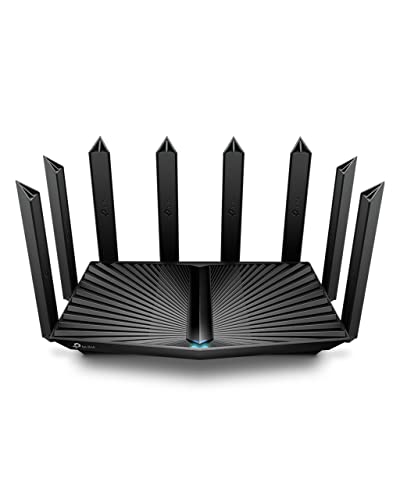

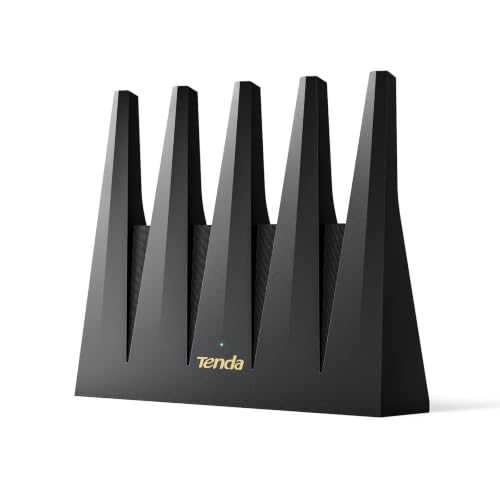

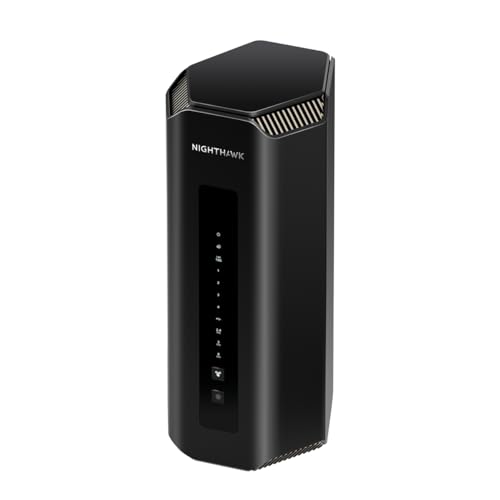
Who Should Buy Which Beamforming Routers?
Beamforming means the router aims its signal toward a connected device instead of sending it evenly in all directions. That focus helps most in real homes with walls, floors, and distance, but the benefit depends on band, antenna design, and how busy your network gets each evening.
For Gamers and Power Users
You need low latency, stable ping, and a router that keeps its composure when downloads, voice chat, and streaming run at the same time. Look for strong processors, quality of service controls that can favor a console or PC, and at least one fast wired port for a direct connection. A gaming desk near the router gains more from an ethernet cable than from any wireless feature, so plan a wired path if you can.
For Students and Everyday Users
Your priorities are steady video calls, smooth browsing, and a price that leaves room in a tight budget. A solid dual band WiFi 6 model with beamforming on both bands covers most apartments and small homes well. Simple app setup, automatic updates, and clear activity views matter more to you than exotic extras. If your plan is under 500 Mbps, a midrange router already has headroom to spare.
For Travelers and Commuters
If you move often or split time between rentals, you want a compact router that sets up fast and stores easily. Beamforming still helps in small spaces, but portability, a simple reset process, and support for hotel or dorm style logins matter more. Many travelers do better with a small travel router as a companion and a full size model at home base. Keep your network name and password consistent so devices reconnect without fuss at each stop.
For Remote Workers and Creators
Your router is work equipment, so reliability comes first. Prioritize stable firmware, a guest network for visitors, and VPN support if your employer requires it. Upload speed matters for sending large files and hosting calls, so check that the router handles your full plan speed in both directions. A battery backup for the modem and router keeps short power blips from dropping you out of a meeting.
Key Features to Compare
Spec sheets list dozens of numbers, but only a handful predict how a router feels at 8 p.m. on a busy night. The sections below translate each feature into a plain decision you can make with your floor plan and bill in hand.
Setup and App Management
A good app walks you through placement, naming, and passwords in about fifteen minutes and then stays useful afterward. You should be able to see connected devices, pause a child tablet at bedtime, run a speed test, and approve firmware updates from your phone. If setup requires a desktop browser and deep menus, routine tasks get skipped. Check whether key controls sit behind a subscription, because a router you cannot fully manage without paying monthly loses value fast.
WiFi Standard (WiFi 6, 6E, 7)
WiFi 6 handles crowded homes well and suits most buyers today. WiFi 6E adds the 6 GHz band, which is fast and uncrowded but reaches a shorter distance, so it shines when you sit in the same room as the router. WiFi 7 raises peak speeds and lowers latency further, yet it costs more and needs WiFi 7 devices to show its full gain. If your phones and laptops are WiFi 6 or older, a quality WiFi 6 or 6E router is the smarter spend.
Wired Ports (Multi Gig, WAN/LAN)
Count your wired devices before you buy. A network switch, a desktop, a TV box, and a network drive can fill four LAN ports quickly. If your internet plan is faster than 1 Gbps, you need a WAN port rated at 2.5 Gbps or higher, plus a matching LAN port, or the extra speed stops at the router. Shoppers comparing provider specific fit can also see our guide to the best routers for spectrum for modem compatibility notes that apply to many cable homes.
Speed Ratings vs Your Internet Plan
Labels such as AX3000 add the theoretical peaks of all bands together, and no single device ever receives that total. Treat the rating as a rough size class, not a promise. Match the router class to your plan with room to grow: a plan around 300 Mbps pairs well with entry WiFi 6 models, while gigabit plans deserve midrange or better hardware. Your slowest link, often an old phone or a distant room, sets the speed you actually feel.
Security and Parental Controls
Choose a router with WPA3, automatic security updates, and a clear end of support policy, because an unpatched router guards your whole home. Guest networks keep visitor phones and smart bulbs away from your laptops and storage. Parental controls range from simple schedules and device pauses, which are often free, to filtering and reports that may need a plan. If you want a broader view of general models, see our guide to the best wlan routers for how home networking terms line up across brands.
Common Mistakes to Avoid When Buying Beamforming Routers
- Buying by top speed alone. A huge rating cannot fix poor placement or a slow plan, and it often costs the most.
- Ignoring your modem and provider. Confirm compatibility and any required settings first; readers on cable plans can check our guide to the best routers for comcast for a sense of what providers expect.
- Forgetting wired ports. One missing port can mean a switch purchase later or a console stuck on a weak wireless link.
- Skipping the return window. Coverage claims vary by home, so buy from a seller that allows returns after a real world trial week.
- Leaving defaults in place. Default admin passwords and outdated firmware are the easiest risks to remove on day one.
Tips to Get the Most From Your Beamforming Router
Place the router near the center of your home, raised on a shelf, away from thick masonry, metal cabinets, and the microwave. A move of a few feet can clear a blocked path to a back bedroom. Update firmware on a calm schedule, such as the first weekend of each month, and reboot the modem and router in that order after updates.
Change the default admin password, store it in a password manager, and turn on automatic updates if offered. For a stubborn dead spot, adjust one thing at a time and check with the same device in the same chair, so you know what helped. If you are still weighing general options, see our guide to the best reviewed routers for context on how common features compare across the wider market.
Beamforming Routers: Your Questions Answered
Mesh or a single router: which is better?
A single router is better for most apartments and compact homes because it costs less and sets up in minutes. Mesh earns its price in larger homes, homes with two or more floors, or layouts with a long hallway where one signal source fades. Mesh nodes also help when the modem hookup sits in a corner you cannot move. Start with one unit if your home is modest, and choose a system you can expand later.
How often should I replace my router?
Plan on replacing your router about every four to five years, or sooner if security updates stop. New WiFi standards, faster plans, and a growing count of devices also make a case for upgrading. Warning signs include frequent reboots, drops during calls, and speeds far below your plan even when wired. If a wired test is fast but wireless stays poor in the same room, the router itself is aging out.
Do I need WiFi 7 yet?
Most households do not need WiFi 7 yet, because few devices support it and internet plans rarely stress WiFi 6 hardware. WiFi 7 makes sense if you are buying for many years, run a very fast multi gig plan, or move large files between local devices daily. Everyone else can put the savings toward better placement, a mesh node, or a battery backup. Your money works harder on coverage than on a future standard today.
Will a new router speed up my internet?
A new router can raise your wireless speeds up to the limit of your plan, but it cannot exceed that plan. If your current router is old, overheats, or lacks beamforming and WiFi 6, the gain at a distance can be large. Run a wired speed test first. If wired results already match your plan and only far rooms lag, a better placed router or mesh node solves the real problem.
The Bottom Line
Start with your floor plan and plan speed, then choose the WiFi standard and port count that fit, and only then compare extras. Coverage, steady firmware support, and simple controls decide daily satisfaction far more than a headline speed number. Check the product table above against those three priorities, and the best beamforming routers for your home will narrow to a short, confident list.