Best Ax Routers: What Each Budget Gets You for 2026
Disclosure: We may earn a commission when you buy through links on this page, at no extra cost to you. As an Amazon Associate I earn from qualifying purchases. Learn more

A price tier buying guide to the best ax routers, covering coverage, device capacity, WiFi 6 features, and what each budget level really delivers.
AX routers, built on the WiFi 6 standard, sell from under $60 to over $400, and the box speed numbers make the gap look bigger than it feels at home. This guide sorts out what each price step actually buys in coverage, device handling, and ports, so you can spend on the limits you really hit. Finding the best ax routers for your home starts with your floor area and internet plan speed. Start with the comparison table below, then use the tiers here to judge the value.
A quick reality check first: no router can deliver more internet speed than your plan provides. What a better router improves is local throughput, stability under load, and reach into awkward rooms.


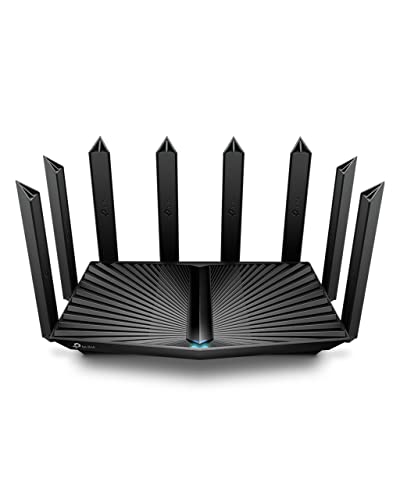
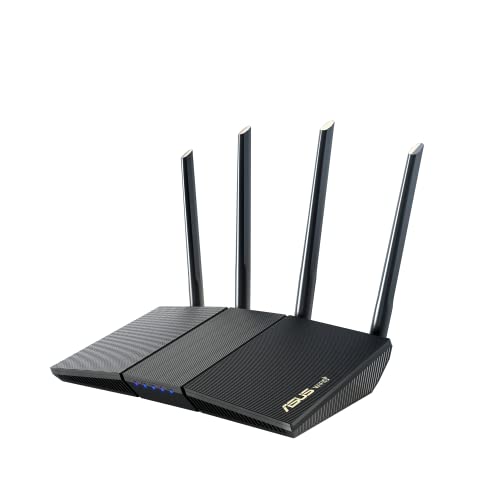


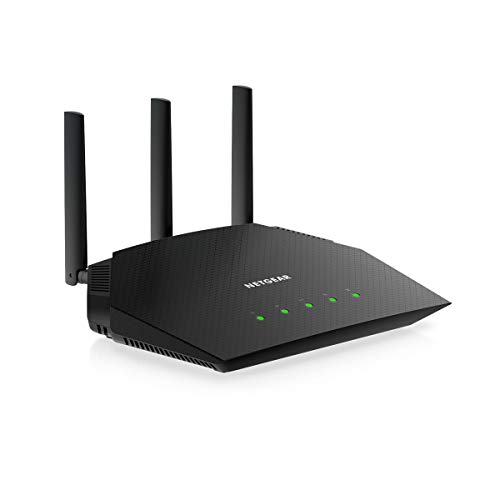


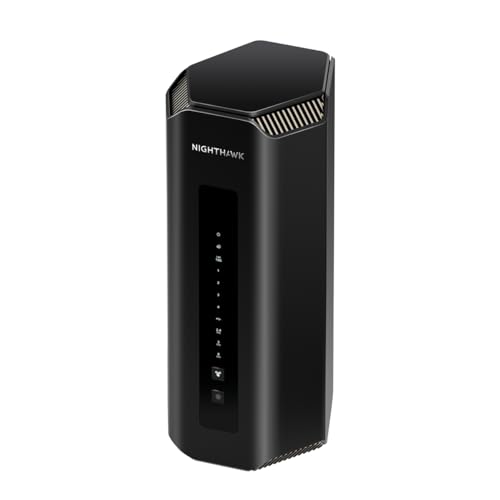
What to Look For at Each Budget
Think of the three profiles below as reference points. A model that matches the profile for your budget is a sound buy even if its headline speed class looks modest next to pricier rivals in the product table above.
Budget Profile
A strong budget choice, usually around $60 to $100, is a dual band AX1500 or AX1800 router with four external antennas, gigabit ports, and WPA3 security. It suits apartments and small homes with plans up to about 500 Mbps and a dozen or so connected devices. Strengths are simple setup and low running cost. The limitation is range: thick walls and a second floor will expose it, and it has no multi gig port for faster future plans.
Midrange Profile
Midrange models, around $120 to $200, step up to AX3000 or AX5400 class hardware with stronger processors, better MU MIMO handling, and often a 2.5 Gbps port. This is the profile most family homes should target, since it holds up with 30 to 50 devices, 4K streaming on several screens, and video calls at once. The limitation is that a single unit still struggles to cover large or oddly shaped homes evenly, no matter how strong its radios are.
Premium Profile
Premium routers, around $250 to $450, add tri band designs with a dedicated backhaul or extra 5 GHz band, faster processors for QoS and VPN duty, and multiple multi gig ports. They fit gigabit plus plans, serious gaming households, and home offices with network storage. If you want the wider naming picture while you compare, our guide to the best ax wifi routers covers the same class of hardware. The limitation is simple value: on a 300 Mbps plan, most of this power sits unused.
What Your Money Gets You at Each Price Tier
Budget Tier: What to Expect
Budget AX routers deliver the core WiFi 6 benefits, OFDMA and better efficiency than older AC models, in a compact box with a basic app. Expect one gigabit WAN port, three or four gigabit LAN ports, and parental controls limited to simple schedules and site blocking. Firmware support at this tier tends to run a few years. For renters, students, and anyone on a plan under 500 Mbps, this tier covers daily needs without waste, and the savings can fund a longer Ethernet cable run to place the router centrally.
Midrange Tier: The Sweet Spot for Most Buyers
The midrange adds processing headroom, which is what keeps speeds steady when many devices compete at dinner time. You typically get better antenna arrays, target wake time for battery savings on phones, and richer controls like device prioritization and guest networks with proper isolation. Many models add a USB port for simple file sharing. Households with smart TVs, consoles, laptops, and a growing pile of smart home gadgets will feel this step up more than any other.
Premium Tier: When Spending More Pays Off
Premium pricing buys capacity and flexibility rather than basic speed. Tri band layouts keep gaming and streaming traffic away from smart home chatter, multi gig ports serve fast fiber plans and wired backhaul, and stronger CPUs sustain VPN and QoS without slowdowns. You also tend to get longer firmware support and better build quality. This tier pays off for homes over about 2,500 square feet served by one unit, competitive gamers who wire in, and anyone running a NAS that several people access at once.
Features Worth Paying For (and Ones to Skip)
Number of Devices and MU MIMO/OFDMA
OFDMA lets the router serve many small packets in one transmission, which is exactly the pattern smart bulbs, sensors, and phones create. MU MIMO moves data to several devices at once instead of in strict turns. Together they matter more in a busy home than peak speed class. If your household passes 40 connected devices, prioritize a midrange or better processor and at least four stream capability on the 5 GHz band. A cheap router with a big speed number but weak internals will still bog down.
Coverage and Home Size
Manufacturers quote coverage up to an optimistic square footage measured in open space. In real homes, plan on one router comfortably serving about 1,500 square feet per floor with typical drywall, less with brick or concrete. Placement matters as much as hardware: central, elevated, and away from metal and aquariums. If your home is long, split level, or over about 2,500 square feet, budget for mesh instead of a single mighty router. Our guide to the best reviewed routers can help you sanity check coverage claims across categories.
Speed Ratings vs Your Internet Plan
The AX number on the box adds theoretical maximums across bands that no single device can use at once. Match the router loosely to your plan: AX1800 class is fine to about 500 Mbps, AX3000 suits gigabit, and higher classes mainly add capacity for local traffic and many devices. A practical test is your wired speed at the modem; if that already matches your plan, a new router improves WiFi delivery, not the plan itself. Paying for AX11000 speed class on a 200 Mbps plan is pure waste.
Setup and App Management
Good setup software saves real frustration. Look for an app or web interface that shows connected devices by name, lets you pause a child profile in two taps, applies firmware updates automatically overnight, and exports a backup of your settings. During setup, place the router, run the update before changing settings, then set one network name for both bands so devices roam sensibly. If you prefer a broader look at naming before setup, our guide to the best wlan routers explains how WLAN and WiFi labels relate.
WiFi Standard (WiFi 6, 6E, 7)
AX means WiFi 6 on the 2.4 and 5 GHz bands, which covers the vast majority of devices sold today. WiFi 6E adds the 6 GHz band for short range, very fast links to newer laptops and phones. WiFi 7 goes further but costs more and helps mainly in dense or cutting edge setups. For most buyers, plain WiFi 6 at the right tier is the value choice, and it will stay useful for years because phones and laptops keep 5 GHz support as their workhorse band.
Long Term Costs to Factor In
Routers sip power, typically 8 to 20 watts, so electricity cost over a five year life is modest, roughly the price of a couple of streaming subscriptions. The real long term costs are add ons: some brands charge a yearly fee, often around $50 to $100, for advanced security and parental control suites, and mesh nodes added later cost around $100 to $200 each. Cable internet users on providers like Spectrum can also stop paying modem rental by owning their gear, and our guide to the best routers for spectrum explains the compatibility side. Factor warranty length too; two years is a reasonable minimum.
FAQs
How often should I replace my router?
Plan on four to six years for an AX router. Replace sooner if security updates stop, if the unit needs weekly reboots, or if your device count and plan speed have clearly outgrown it. A useful sign is the manufacturer firmware page: once your model drops off the current support list, its days as your main line of defense are numbered, even if speeds still feel acceptable.
Do I need WiFi 7 yet?
Most households do not need WiFi 7 yet. Its gains show up with many WiFi 7 devices, multi gig internet plans, and large local transfers, which few homes have today. An AX router at the right tier delivers the same everyday experience for far less money. Revisit the question at your next replacement cycle, when WiFi 7 pricing and device support will both be friendlier.
Will a new router speed up my internet?
A new router speeds up your WiFi, not your plan. If pages crawl because the old router drops connections, has weak range, or chokes when several people stream, an AX upgrade will feel dramatic. If a wired computer at the modem already tests below your plan speed, the problem is the line or the modem, and no router purchase will fix it. Test wired first, then decide.
Mesh or a single router: which is better?
A single router is better for compact and medium homes because it is cheaper, simpler, and avoids handoff quirks between nodes. Mesh wins in large, multi floor, or masonry homes where one unit leaves dead zones no placement trick can fix. A middle path is one strong router now with mesh compatible firmware, so you can add a node later only if a dead zone actually appears.
The Bottom Line
Match the tier to your floor area and plan speed, value processor strength and OFDMA for busy homes, and resist paying for speed class you cannot use. Most families land happily in the midrange. The best ax routers for you are the ones in the comparison table above that fit those three rules without stretching your budget.