
Best Bass Monitor Speakers: Studio and Desktop Monitors With Strong Low End
Disclosure: We may earn a commission when you buy through links on this page, at no extra cost to you. As an Amazon Associate I earn from qualifying purchases. Learn more

Choose bass monitor speakers by woofer size, bass port, power and inputs for accurate, controlled low end at your desk.
When you search for the best bass monitor speakers, you are usually looking for powered monitors that reproduce low end clearly enough for music, mixing and gaming without a separate subwoofer. A monitor speaker is meant to be accurate, so bass should be tight and controlled, not boomy. This guide explains how woofer size, ports and room placement shape the low end, and what to check before you buy.
The product table lists studio and desktop monitors from compact near field models to larger bi amped designs.
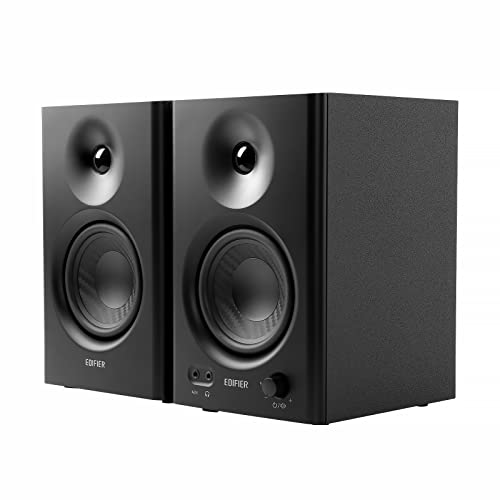


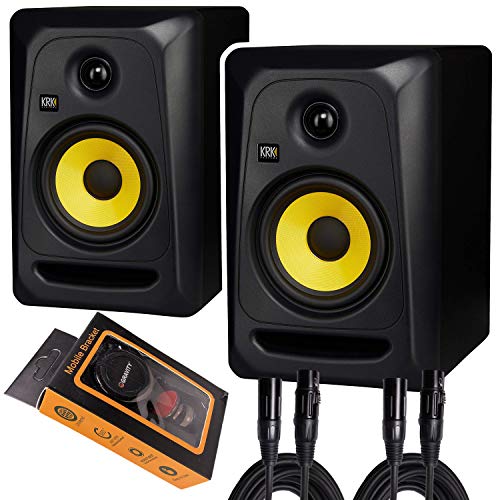
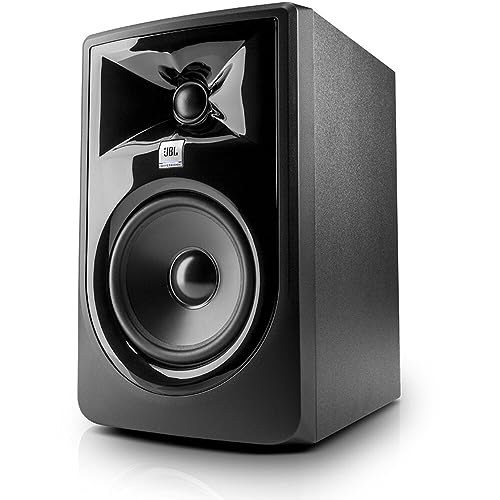

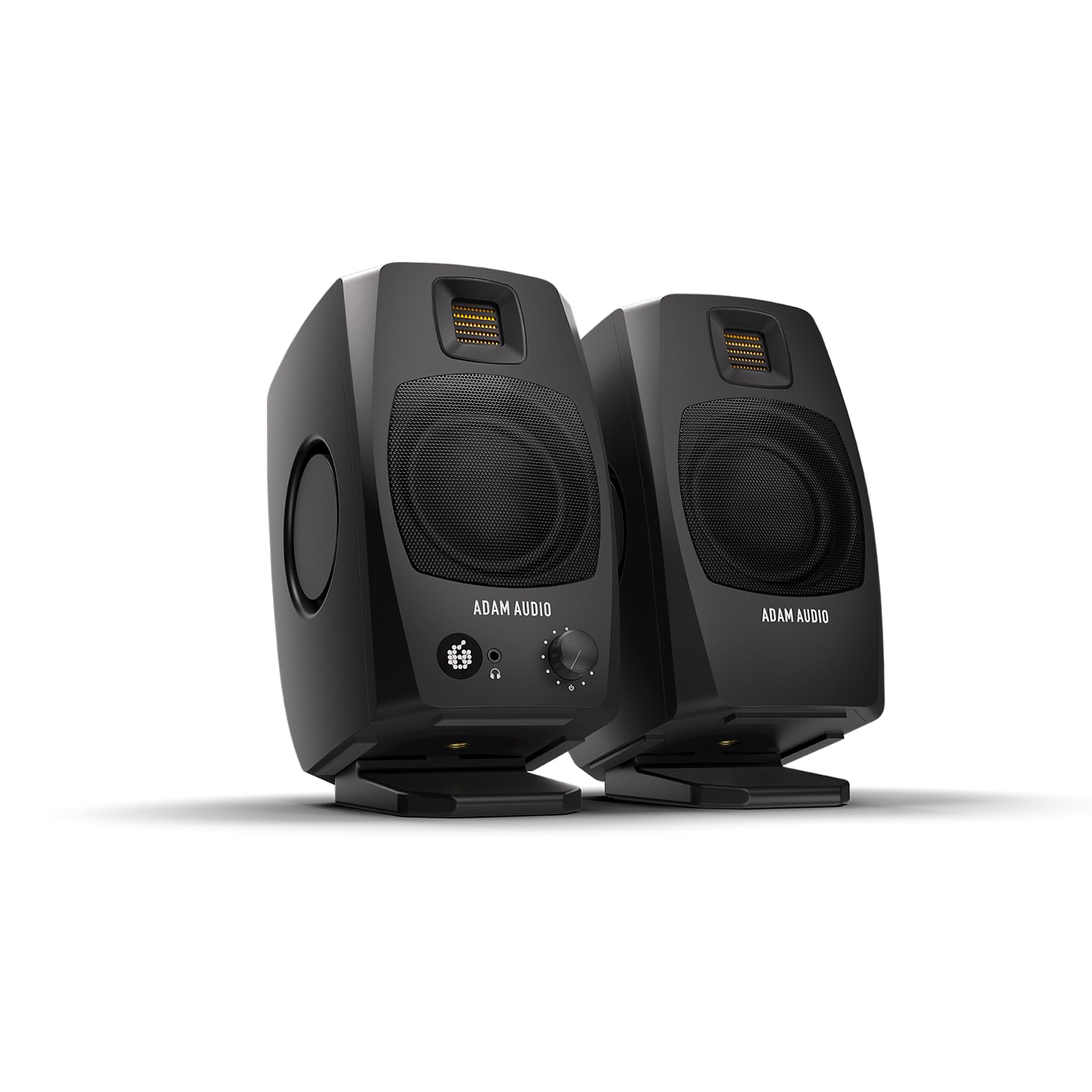


Monitors Versus Regular Speakers
Studio monitors aim for a flat, honest response, so you hear what is in the recording. Home hi-fi speakers are often tuned to flatter the sound, with extra warmth or sparkle. Powered monitors also carry their own amplifier, which is matched to the drivers, so you connect a source and play. That makes them a simple, high quality choice for desks.
If you listen mostly for enjoyment, you can use monitors for music, films and games. They just present the sound plainly.
Woofer Size and Bass Depth
Woofer size is the main limit on bass depth. A 3 to 4 inch woofer suits small desks and goes down to about 60 to 70 Hz. A 5 inch woofer reaches roughly 50 Hz and fits most rooms. A 7 or 8 inch woofer reaches lower and fills bigger spaces, but needs more room and care in placement.
Frequency response figures show how far each model reaches, but check the tolerance. A figure with a tight tolerance is more honest. If you want the very lowest notes, plan on adding a subwoofer later.
Ported Versus Sealed Cabinets
A ported monitor uses a tuned opening to boost low end, giving more bass from a small box. The trade off is that ports need space behind the speaker and can chuff at high volume. Sealed cabinets roll off more gently and tend to be tighter, though they need more power for the same level.
Front ported designs are useful when speakers sit close to a wall. Rear ported monitors need a hand span or more behind them.
Placement and Room Effects
Where you put monitors changes the bass more than most specs. Speakers near a wall or corner gain extra low end, sometimes too much. A desk can also boom, so decouple the speakers with isolation pads or stands. Place the speakers at ear height, forming a triangle with your head, angled slightly toward you.
Soft furnishings absorb treble and reduce reflections, while bare walls make the room brighter and bassier. Small changes in position are worth a few minutes of listening.
- Keep monitors off the desktop surface with pads or stands.
- Leave space behind rear ported models.
- Align tweeters at ear height.
- Match the distance from each speaker to your head.
Inputs and Connectivity
Check that the inputs match your gear. Balanced XLR and TRS inputs suit audio interfaces and keep noise down. RCA and 3.5 mm inputs suit computers and consoles. Bluetooth is a convenience on some desktop models, though a wired connection avoids delay for video and games. Many monitors include bass and treble trims that help tame a boomy desk.
Power and Volume
Power ratings suggest how loud a monitor can play, but sensitivity and woofer size matter as much. For a desk at an arm length away, a pair of 4 to 5 inch monitors with 50 to 100 watts is plenty. Larger rooms and listening further away need more power and bigger woofers.
Choosing for Your Use
For music production, accuracy matters most, so choose a monitor with a flat response and balanced inputs. For general listening and gaming, features such as Bluetooth, a headphone output and a front volume knob make daily use easier. For small apartments, compact monitors with a front port can sit close to a wall without booming. If you share walls with neighbors, remember that strong bass travels through floors, and consider isolation pads under the speakers.
Budget wise, entry monitors around $100 to $150 give a big upgrade over laptop speakers. Midrange pairs from about $200 to $400 add larger woofers and better tuning, and they stay clean at higher volume.
Setup and Care
Connect everything with the power off, then bring the volume up gradually. Leave the bass trim flat at first and make small adjustments for your room. Keep the vents clear, dust the cabinets and grilles with a dry cloth and avoid very high volumes for long sessions, which stress the drivers.
For related reading, see our guide to the best monitor speakers and the best bass speakers.
Common Mistakes
The most common mistake is putting monitors directly on a desk or in a corner and then blaming the speakers for boomy sound. Another is buying on wattage alone, when woofer size and cabinet design matter more. A third is skipping the cable check, since a mismatch between balanced and unbalanced connections adds hum. Finally, avoid pushing the bass trim to the maximum, which flattens dynamics and strains the drivers.
Frequently Asked Questions
Do studio monitors have enough bass for music?
Yes, for accurate, controlled bass. They sound less boomy than many consumer speakers. If you want very deep bass, add a subwoofer.
What size monitor should I buy for a desk?
A 4 to 5 inch woofer suits most desks. Larger monitors need more space and more distance from the listener.
Do I need a subwoofer with monitors?
Not always. Many listeners are happy with 5 inch monitors, but a subwoofer adds depth for films, games and electronic music.
Can I use monitors for gaming and movies?
Yes. They give clear dialogue and detail. A wired connection avoids audio delay.
Why do my monitors sound boomy?
Most often it is placement. Pull the speakers away from walls, decouple them from the desk, and trim the bass control by a decibel or two.
Final Thoughts
Choose the woofer size for your room, pick inputs that match your gear and set the speakers up with care. Do that and the best bass monitor speakers will give you a clear, controlled low end that stays honest at any volume.


