
Best Bang for Your Buck Home Security Cameras of 2026: Complete Buying Guide
Disclosure: We may earn a commission when you buy through links on this page, at no extra cost to you. As an Amazon Associate I earn from qualifying purchases. Learn more

Resolution, night vision, storage costs and alerts decide value in the best bang for your buck home security cameras.
More cameras do not automatically mean a safer home. The best bang for your buck home security cameras cover your real entry points with clear video, send alerts you can trust, and keep their ongoing costs low enough that you never feel pushed to turn features off.
This guide shows you how to judge resolution, night vision, storage, and placement before you buy. Start with the product table, then use the tiers and checklists here to match a setup to your home and budget.
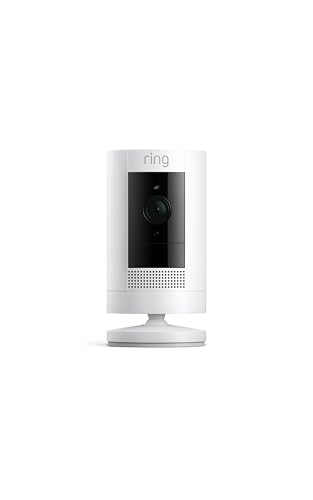


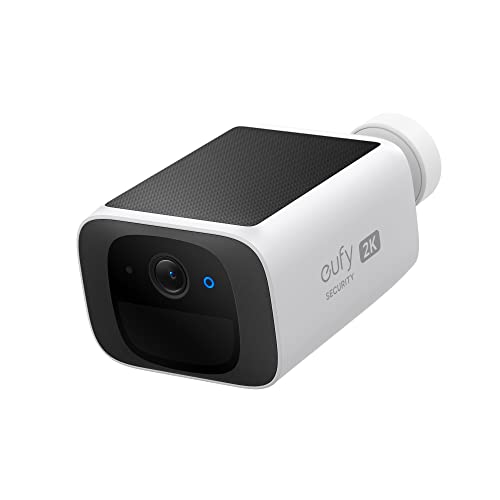


Three Price Tiers at a Glance
Price tiers in home cameras are less about raw picture sharpness and more about what you stop paying for later. A camera with local storage, good detection, and no required plan often delivers better value over three years than a cheaper camera that needs a monthly fee for basic features.
Mid-Range Tier
The mid-range sweet spot is usually around $60 to $120 per camera. Expect 2K resolution, color night vision with a small spotlight, person detection, two way audio, and a microSD slot or hub based local storage. Weather sealing at IP65 or better covers most outdoor spots. This tier suits most homes because it balances clear identification footage, sensible alerts, and low running costs without paying for 4K detail you may never need on a phone screen.
Budget Tier
Budget models around $30 to $60 focus on one job done well, such as watching a front porch or a driveway. Keep your standards firm on the basics: at least 1080p video, reliable motion alerts, local storage, and an app that loads clips quickly. You may give up wider fields of view, richer color at night, or vehicle detection. That trade is fair for a secondary angle, a rental friendly indoor view, or a first camera while you learn what coverage you truly need.
Upgrade Tier
Upgrade models above about $120 add 4K detail, wider dynamic range for bright porches, faster radar or advanced person and package detection, and larger local storage options. Solar charging and cellular backup also appear at this level. Pay for this tier when you need to read detail at a long driveway, cover a large yard from fewer positions, or avoid cloud fees at scale. Skip it for short indoor views, where extra resolution adds cost but little useful evidence.
How to Choose: Buying Guide
Features That Matter in Value Home Security Cameras
Value starts with coverage and clarity at the distance that matters. A camera watching a door needs a clear face view at about 10 to 20 feet, while a driveway camera needs wider coverage and stronger night range. Prioritize person detection to cut false alerts, local storage to control costs, and a field of view around 130 to 160 degrees for outdoor spots. Those choices decide whether your system helps daily or becomes another noisy app.
For a wider look at placement by room and entry point, see the best home cameras for security before you fix your final camera count.
Video Resolution and Field of View
Resolution and field of view work as a pair. A 2K camera with a 140 degree view usually identifies a person at a porch better than a 1080p camera stretched across 160 degrees, because the subject occupies more pixels. For long driveways, a narrower view can be an advantage, concentrating detail where cars and visitors actually pass. Check sample footage at night and at your real mounting distance, not only bright showroom clips shot from a few feet away.
Weather Resistance
Outdoor cameras should carry at least an IP65 rating, which means sealed against dust and water jets from rain. IP66 adds protection against heavier driven rain. Also check the stated temperature range if you live with hard winters or hot summers, because battery performance falls in deep cold and adhesives can fail in heat. Prefer screw mounts over adhesive outdoors, keep connectors sheltered under eaves where possible, and angle the camera slightly down to shed water from the lens.
Two Way Audio and Siren
Two way audio lets you speak to a delivery driver or visitor through the app, and a small siren or spotlight can discourage someone lingering where they should not be. Audio quality varies a lot, so value models that sound clear at normal speaking distance beat louder but distorted ones. Remember that recording audio can be restricted by local laws in some places, and guests may have a legal expectation of notice. Use audio thoughtfully and check your local rules.
Night Vision: Infrared vs Color
Infrared night vision gives clear black and white footage without visible light, which suits side yards and spots where a spotlight would annoy neighbors. Color night vision uses a small spotlight or a sensitive sensor to keep clothing and car colors visible, which helps identification. The trade off is light spill and more insects drawn to the lens. For a front door, color usually earns its cost. For a quiet back fence, infrared may be the calmer choice.
Storage: Local vs Cloud Subscription
Local storage on microSD or a home hub keeps clips in your hands and avoids monthly fees, but the card can be stolen with the camera and storage size limits history. Cloud storage keeps footage safe off site and makes sharing easy, yet plans for several cameras add up fast over years. Many buyers choose a middle path: local recording for everything, plus a small cloud plan only for the front door during busy seasons.
If you are comparing fee structures across brands, the best bang for buck security cameras breaks down how plans change the true cost of ownership.
Types of Home Security Cameras
Solar Powered Cameras
Solar models pair a battery camera with a small panel, removing the need for wiring or frequent recharging in sunny spots. They suit gates, sheds, and far corners of a yard where running cable is hard. The catch is shade: a panel under trees or facing away from the sun may not keep up in winter. Choose a model that also accepts a plug in charge, so a long cloudy spell never leaves a blind spot.
Indoor Cameras
Indoor cameras are small, plug in, and often include privacy modes that close a shutter or stop recording when you are home. They suit watching a front door from inside, checking on pets, or covering a garage entry. Place them to view doors and windows rather than private living space, tell household members and regular visitors they are there, and use scheduling so recording matches your routine instead of running without thought all day.
Wired Camera Systems
Wired systems record to a central recorder and draw power through the same cable on many models, giving steady recording without WiFi load or battery care. They suit larger homes and anyone who wants continuous recording rather than motion clips only. Installation takes more effort and planning, and moving a camera later is harder. In return you gain reliability and large local storage, which is why many long term setups still start with wire.
For whole property layouts that mix wired and wireless views, see the best surveillance cameras for home security for recorder and coverage basics.
Setup and Care Tips
- Mount cameras 8 to 10 feet high. That height captures faces at an angle while keeping the camera out of easy reach.
- Enable two factor authentication. A strong password plus a second step protects your footage if a password leaks elsewhere.
- Position away from direct sun glare. Angle the lens so sunrise and sunset do not wash out the view at key hours.
- Check local laws before recording audio. Rules on audio and on filming beyond your property vary by place.
- Test alerts at walking speed. Walk your normal paths after setup and adjust sensitivity until people trigger alerts but trees do not.
- Clean lenses and update firmware. A soft cloth monthly and prompt updates keep image quality and security fixes current.
FAQs
What features matter most in value home security cameras?
Person detection, clear 2K video, and local storage matter most. Together they give you alerts worth opening, footage you can actually use, and costs that stay flat after purchase. Field of view comes next, matched to the spot rather than maximized on paper. For a small home, one well placed camera with those features beats three weak ones.
Are home cameras easy to hack?
Reputable cameras with updated firmware and strong account security are not easy targets for casual intrusion. Most real world problems come from reused passwords, shared accounts, and skipped updates. Turn on two factor authentication, give guests limited access instead of your login, keep the app and camera firmware current, and place indoor cameras only where the view is justified. Those habits remove most of the practical risk.
How much storage do I need for home security cameras?
For motion based recording, a 128 GB card often holds one to three weeks from one busy camera, depending on traffic and resolution. Continuous recording fills the same card in a few days, so heavy use calls for a hub or recorder with a hard drive. Think in days of history you want to keep. Most households find seven to fourteen days plenty unless they travel for long stretches.
Do I need a subscription for home security cameras?
No, a subscription is optional on many models, and choosing cameras that record locally is the main way to avoid one. Plans usually add cloud history, richer alerts such as package or vehicle labels, and easier sharing. Read what the free tier includes before you buy, because some brands lock person detection behind a plan. Price the plan across three years and add it to the camera cost when you compare value.
Can home security cameras work without WiFi?
Yes, wired systems and cameras recording to a local hub or card can capture footage without WiFi, and some models use cellular data instead. What you lose without WiFi is live viewing and instant phone alerts while away. For a vacation property with no internet, local recording still documents events for later review. If remote alerts are the whole point for you, budget for internet or a cellular plan as part of the system.
Wired or wireless: which is more reliable for home security?
Wired is more reliable for continuous recording, since power and data do not depend on batteries or signal strength. Wireless is far easier to install and move, and modern battery and plug in models are dependable for motion based alerts. Many homes mix both: wired for the front and driveway, wireless for side gates and indoor spots. Reliability also depends on your router, so a strong signal at each mount point matters.
Outdoor placement raises its own questions about height, angle, and weather, which the best outdoor security cameras for your home covers in more detail.
Our Verdict
Buy coverage and detection first, resolution second, and extras last. Count the three year cost, including any plan, before you call a camera cheap. Matched to the right spots, the best bang for your buck home security cameras give you clear evidence, calm alerts, and a system you will still be glad to own years from now. Compare your shortlist against the product table above and start with your main entry point.


