
Best Bags for Laptops 2026 Buying Guide
Disclosure: We may earn a commission when you buy through links on this page, at no extra cost to you. As an Amazon Associate I earn from qualifying purchases. Learn more

Compare laptop bags by size, padding, comfort, and organization to protect your laptop and carry daily gear without strain.
Choosing best bags for laptops starts with your laptop size and your daily carry. A bag that fits loosely lets the laptop shift and bump, while a bag that fits tightly strains zippers and seams. This guide covers sizing, protection, comfort, and organization so your laptop travels safely. The comparison table below compares bag styles.
Think about a typical day, not a holiday. Commuting, campus, and client visits each demand different pockets and carrying styles. A bag that works for all three is rare, so favor the routine you repeat most often.


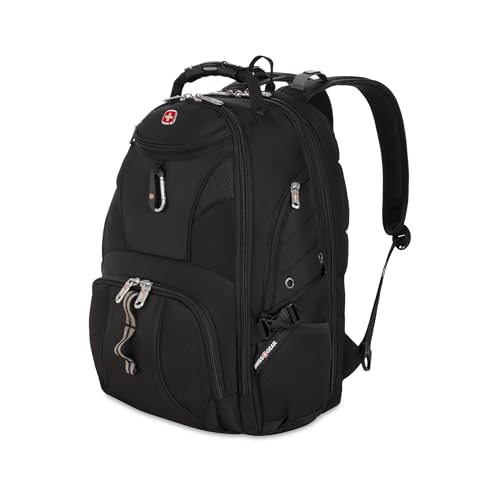

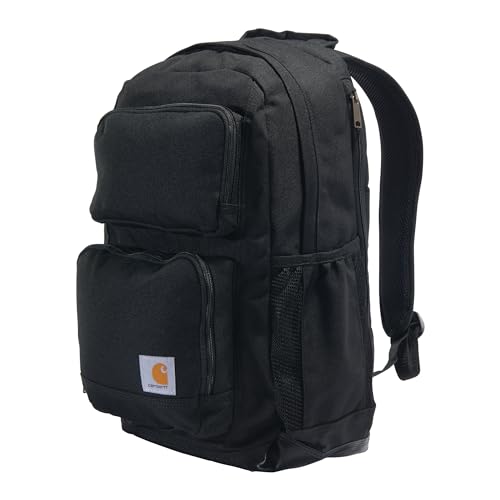

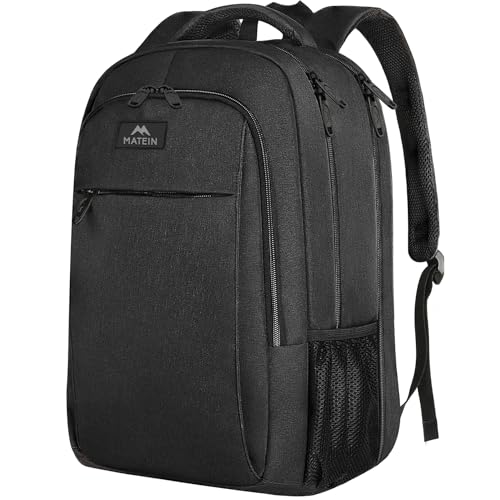


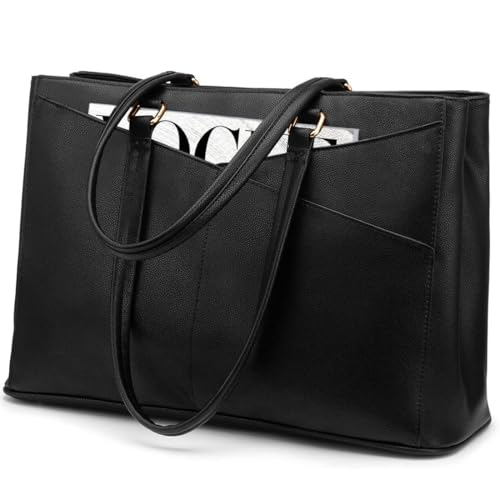

Sizing the Bag to the Laptop
Measure your laptop, including any case, and compare it with the stated laptop compartment size. Screen size alone can mislead, since bezels and thickness vary. A snug compartment with a secure strap or pocket holds the laptop still without squeezing it.
Check the bag depth too, since a slim bag may bulge once you add a charger and notebook. Leave a little room for daily extras, but avoid a cavernous bag for a small laptop. The laptop should not slide side to side when you tilt the bag.
Protection That Actually Helps
Padding should surround the laptop on all sides, with extra thickness at the base where drops hit hardest. A suspended sleeve that holds the laptop above the bag floor adds real drop protection. Water resistant fabric and covered zippers help in rain, though few bags are fully waterproof.
Corner protection matters, since corners take most impact. A rigid base panel helps the bag keep shape and protects against bumps from below. Test the zipper path, since a zipper that runs across the laptop compartment can scratch if it fails.
Carrying Comfort for Daily Use
Backpacks spread weight across both shoulders and suit heavier loads and longer walks. Messenger bags give fast access but load one shoulder, which tires you on long commutes. Briefcases look professional yet suit lighter loads and shorter carries.
Padded straps, a chest strap, and a ventilated back panel reduce strain on longer days. Adjust straps so the bag sits high on your back rather than hanging low. A luggage strap helps at airports by fixing the bag to a rolling case.
Organization Without Clutter
Useful pockets include a charger pocket, a document sleeve, a water bottle pocket, and a small pocket for keys and earphones. Too many tiny pockets can hide items and slow you down. A simple layout you can navigate by touch in a crowd beats a maze of compartments.
Keep the laptop compartment separate from wet or sharp items. A bottle pocket on the outside keeps spills away from electronics. A quick access pocket for a phone and pass speeds up travel without opening the main compartment.
Materials and Long Term Durability
Ballistic nylon and waxed canvas handle daily abrasion well, while lighter polyester suits occasional use. Check stitching at strap joints and handles, since these fail first under load. Metal hardware lasts longer than plastic, though it adds weight.
Rain covers add protection for heavy downpours and pack away small. Clean the bag regularly and empty it fully once a week to check for wear. The product table above recaps the bag styles in this guide.
Related Buying Guides
For narrower choices, see our guides to the best book bags for laptops, the best laptop bag for women, the best work bags for laptops, and the best tote bags for laptops.
Packing a Laptop Bag Efficiently
Pack heavy items close to your back, since weight near the body strains less than weight swinging at the bag edge. Place the laptop in its padded compartment first, then add the charger and notebook around it. Keep flat items such as documents against the back panel.
Use small pouches for cables and accessories so they do not tangle or scratch the laptop. A cable pouch also speeds up airport security, since you can lift out electronics quickly. Empty the bag weekly to remove receipts, wrappers, and forgotten items that add weight.
Traveling With a Laptop Bag
Air travel adds rules and risks, so keep the laptop accessible for security checks and never check it in hold luggage. A bag that opens flat or has a checkpoint friendly laptop section speeds up screening. Keep a backup of important files in cloud storage in case the bag is delayed.
On trains and buses, keep the bag in front of you or between your feet with a strap looped around a leg. Pickpockets target bags on overhead racks and empty seats, so a bag that stays close is safer. A discreet bag without large logos attracts less attention.
Before You Buy Checklist for a Laptop Bag
A laptop bag protects expensive gear, so check protection and comfort before style. This list covers the points that matter on a daily commute.
- Laptop compartment dimensions measured against your laptop including its case
- Padding surrounds all sides, with extra thickness at the base
- Suspended sleeve holds the laptop above the bag floor if possible
- Strap comfort checked with your real daily load, not an empty bag
- Carrying style suits your commute, whether backpack, messenger, or briefcase
- Pockets cover charger, documents, bottle, and small essentials without clutter
- Water resistance and covered zippers suit your local weather
- Stitching at strap joints and handles feels firm and even
Load the bag with your usual gear in the shop when possible, and walk with it before deciding.
Laptop Bag Materials Explained
Ballistic nylon is a popular bag material because it resists abrasion and water well while staying relatively light. It suits daily commuting and travel, where bags face rain, crowds, and rough handling. Waxed canvas offers a classic look with good water resistance, though it weighs more and needs occasional rewaxing.
Polyester is lighter and cheaper, making it common on budget bags, but it wears faster under heavy loads and daily abrasion. Leather looks premium and ages beautifully, yet it needs care, dislikes heavy rain, and adds significant weight. Choose material for your routine, not just for appearance.
Zippers and hardware deserve equal attention, since a bag with great fabric but weak zippers fails quickly. Metal zippers last longer and handle heavy loads better, while plastic zippers save weight but can jam under strain. Check that zipper pulls are large enough to grip with cold or wet hands.
Finally, consider how the bag ages, since daily bags accumulate scuffs and stains that reveal material quality. Dark colors hide wear better than light ones, and coated fabrics wipe clean more easily. A bag that still looks respectable after a year of use gives better value than a pristine bag that falls apart.
Frequently Asked Questions
What size bag fits a 15 inch laptop?
Most bags labeled for 15 inch laptops fit models up to about 15.6 inches, but bezels and thickness vary. Measure your laptop length, width, and depth and compare with the compartment dimensions. A snug fit with a securing strap protects better than a loose one.
Backpack or messenger bag for commuting?
Backpacks suit longer walks and heavier loads by spreading weight across both shoulders. Messenger bags suit short trips and fast access, since you can swing them forward without removing them. For daily loads over a few pounds, a backpack is usually kinder to your back.
Are laptop bags waterproof?
Most laptop bags are water resistant rather than fully waterproof, meaning they handle rain but not submersion. Covered zippers, storm flaps, and coated fabric improve protection. For heavy rain, add a rain cover or keep the laptop in a waterproof sleeve inside the bag.
How much padding does a laptop need?
Padding should cover all sides with extra thickness at the base, and a suspended sleeve adds drop protection. Thin fashion bags may look smart but leave corners exposed. If you travel daily, prioritize protection over a slim profile.
Can one bag serve work and travel?
Yes, if it has a padded laptop compartment, a document sleeve, and a luggage strap, plus room for a change of clothes. Travel focused bags add more volume and organization but weigh more daily. Choose based on which role you repeat most often.
Final Thoughts
Fit the bag to your laptop, favor real padding and comfortable straps, and keep organization simple. That formula for best bags for laptops protects your gear and your back on every trip.
Before you buy, try a real commute with the bag fully loaded, since an empty bag hides weight distribution problems that appear within minutes of walking. Pack your laptop, charger, notebook, bottle, and daily essentials, then walk around the shop or your home for several minutes. Notice whether straps dig into your shoulders, whether the bag swings awkwardly, and whether zippers open smoothly under load. Check that you can reach your phone, keys, and travel pass without unpacking everything, since fumbling in a crowd wastes time and patience. Finally, inspect the bag in daylight for stitching flaws and fabric defects before removing tags, and keep the receipt until you have used the bag for a full working week, since daily use reveals issues that a shop test cannot.

