
Best Bag for Multiple Laptops 2026 Guide
Disclosure: We may earn a commission when you buy through links on this page, at no extra cost to you. As an Amazon Associate I earn from qualifying purchases. Learn more
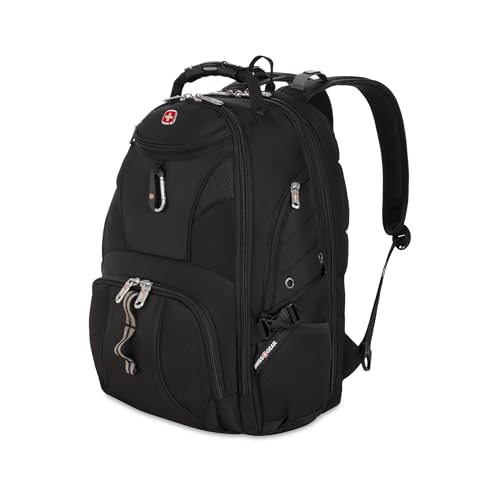
Find a bag that carries multiple laptops safely. Compare padded sleeves, weight balance, organization, and travel features before you buy one.
Choosing the best bag for multiple laptops is a different task from buying a single laptop bag. You need separate padded sleeves so machines do not scratch each other, a structure that balances weight, and enough organization for chargers and cables. IT workers, technicians, and students with two machines all face the same challenge: carrying several laptops without damage.
The comparison table below compares the main bag styles, and this guide explains sleeve layout, weight distribution, and protection. Read it before buying, so every laptop you carry arrives safely.
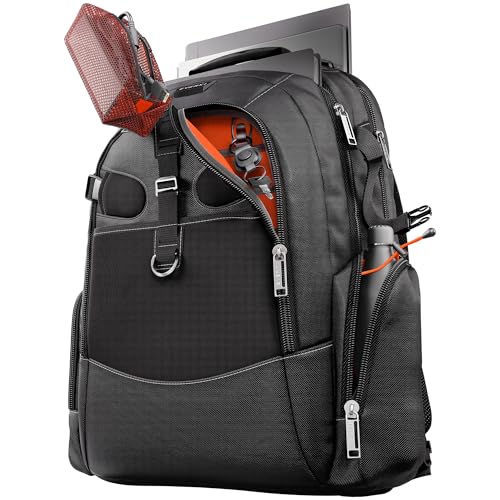
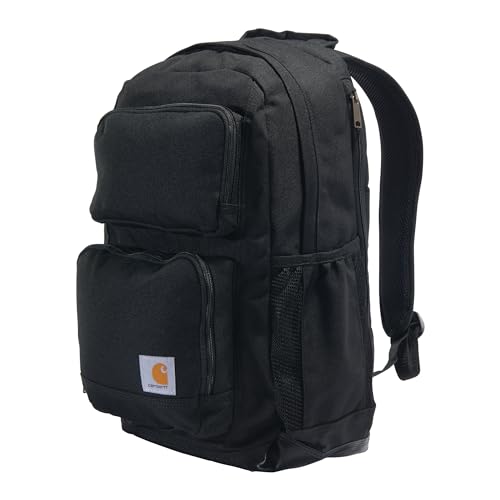


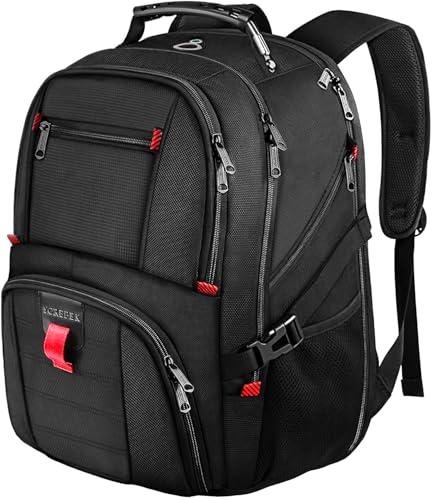
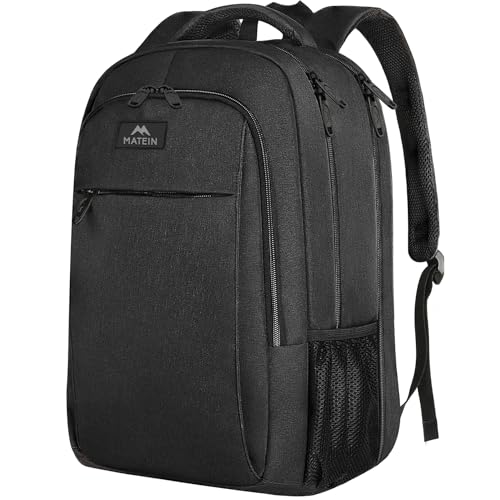

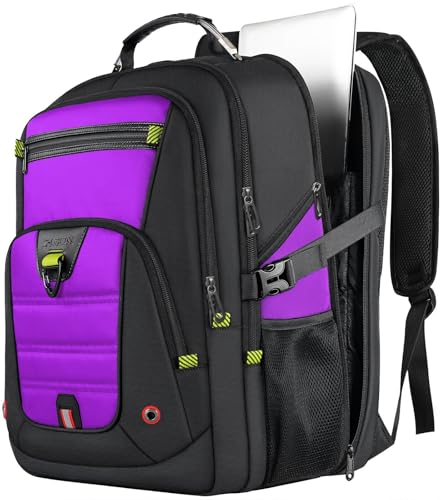

Separate Sleeves and Scratch Protection
Each laptop needs its own padded sleeve, separated by a divider so screens and lids never touch. A divider with soft lining prevents scratches from zips, corners, and charger plugs. Check that sleeves are sized for your actual machines, since a sleeve made for a 13 inch laptop will not safely hold a 15 inch one.
Look for sleeves with a raised base or suspension, which protects corners when the bag is set down hard. A securing strap inside each sleeve stops laptops sliding out when the bag opens. If you carry a tablet alongside laptops, give it a separate slim pocket rather than sharing a sleeve.
Weight Balance and Carrying Comfort
Two or more laptops add up quickly, so weight balance matters more than in a single laptop bag. A backpack distributes weight across both shoulders, while a messenger bag concentrates it on one side and tires you faster. For heavy multi laptop loads, a wheeled bag or a backpack with a hip belt is kinder on your back.
Try the bag loaded with all your machines and chargers, and walk with it as you would on a normal day. Check that straps stay comfortable and the bag does not pull backward. A bag that feels fine empty can feel very different with two laptops, chargers, and documents inside.
Chargers, Cables, and Organization
Multiple laptops mean multiple chargers, so cable organization prevents a tangled mess. Dedicated charger pockets, cable loops, or a separate pouch keep power bricks separate from laptops, where they could scratch screens. Label chargers if machines use similar connectors, to avoid plugging the wrong charger into a laptop.
A document pocket and small item pockets keep paperwork, adapters, and tools accessible without opening laptop sleeves. Avoid overfilling the bag, since pressure on sleeves compresses padding and reduces protection. If chargers make the bag bulge, you need a larger bag or a separate charger pouch.
Protection From Bumps and Weather
Padding thickness and bag structure decide bump protection. A bag with a rigid back panel and thick sleeve padding absorbs knocks better than a soft tote. Reinforced corners and a padded base add protection where impacts happen most, especially when the bag is set down on hard floors.
Weather protection matters for commuters and field technicians. Water resistant fabric and covered zips handle rain, while a rain cover suits heavy downpours. Keep a dry bag inside for extra protection on wet days, since even a good bag can soak through in prolonged rain.
Travel and Security Features
For air travel, check whether the bag meets cabin limits with all laptops inside, and whether sleeves allow quick removal at security. A lay flat design speeds checks, while a luggage strap secures the bag to a rolling suitcase. Keep the bag as hand luggage whenever possible, since checked laptops face rougher handling.
Security features such as lockable zips and hidden pockets help in crowded places. Place the most valuable laptop closest to your back, and keep the bag closed and in front of you in queues. A bag that looks organized and professional also draws less attention than an overstuffed tote.
A Final Check Before You Order
Before ordering, measure every laptop you carry, list chargers and accessories, and note how you travel. Compare that full load with the product table above, and choose a bag with a sleeve for each machine plus room for chargers. A bag that fits everything without bulging protects best.
Try the bag loaded, if returns allow, and check zip and strap quality under full weight. A multi laptop bag is working equipment, and durability matters more than looks. With the right bag, carrying several machines becomes routine rather than a juggling act.
For related laptop bag options, see our guides to best laptops bag, best book bags for laptops, best laptop bag for women and best work bags for laptops, covering general laptop bags, book bags, bags for women, and work bags.
Organizing a Mobile Office
Carrying multiple laptops often means carrying a mobile office: chargers, adapters, documents, and tools all compete for space. A bag with a clear layout prevents the chaos of digging for a charger while a laptop slides around unprotected. Assign every item a pocket, and return items to the same place after use, so packing becomes routine.
Color coded pouches or labels help distinguish chargers and cables for different machines, especially when connectors look similar. A small pouch for adapters, memory cards, and tools keeps tiny items from vanishing into main compartments. Organization saves time daily, and it prevents the damage caused by loose items pressing against laptop screens.
Review your carry regularly and remove items you no longer need. Bags accumulate cables, old documents, and accessories that add weight without value. A monthly clear out keeps the load manageable and ensures the bag still fits everything without bulging or stressing zips.
Frequently Asked Questions
Can I carry two laptops in one sleeve?
No, sharing a sleeve lets laptops scratch each other and concentrates impact on both machines. Each laptop needs its own padded sleeve with a divider between them. If your bag has only one sleeve, add a separate padded sleeve for the second laptop before carrying both together.
Is a backpack or messenger bag better for multiple laptops?
A backpack distributes weight across both shoulders and suits heavy multi laptop loads, while a messenger bag concentrates weight on one side and tires you faster. For two or more laptops, a backpack or wheeled bag is usually more comfortable, especially for longer commutes or walking.
How do I stop chargers scratching laptops?
Keep chargers in dedicated pockets or a separate pouch, never loose beside a laptop screen. Use cable ties or pouches to prevent plugs contacting screens, and label similar chargers to avoid mix ups. A bag with a separate charger compartment solves this problem neatly.
What size bag do I need for two 15 inch laptops?
Measure both laptops, including thickness, and compare the total with sleeve dimensions and bag capacity. Two 15 inch laptops need a large bag with two full size sleeves, and the loaded weight may exceed 5 kilograms with chargers. Check bag dimensions against your travel needs before ordering.
Should multiple laptops go in checked luggage?
No, keep laptops as hand luggage whenever possible, since checked baggage faces rough handling, temperature extremes, and theft risk. Use a bag that meets cabin limits and allows quick sleeve removal at security. If checking is unavoidable, use maximum padding and back up data first.
Final Thoughts
The best bag for multiple laptops gives every machine its own padded sleeve, balances weight sensibly, and keeps chargers organized. Use the product table above to compare layouts, and measure every laptop before ordering. Carrying several laptops safely is simply good organization.

