
Best Backpacks for Tablets: What Matters Before You Buy
Disclosure: We may earn a commission when you buy through links on this page, at no extra cost to you. As an Amazon Associate I earn from qualifying purchases. Learn more

A checklist for the best backpacks for tablets covering sleeve fit, padding, weight, organization and value for school and work.
Many backpacks claim to fit a tablet, yet the sleeve is too loose, too tight, or so thin that a drop still cracks a corner. This checklist for the best backpacks for tablets helps you judge protection, fit and daily comfort before you spend. Whether you commute, study or travel, the same checks apply.
Start with the table of picks below for sizes and weights, then score each option against the criteria that follow. A tablet is light, so the pack itself should not undo that advantage.


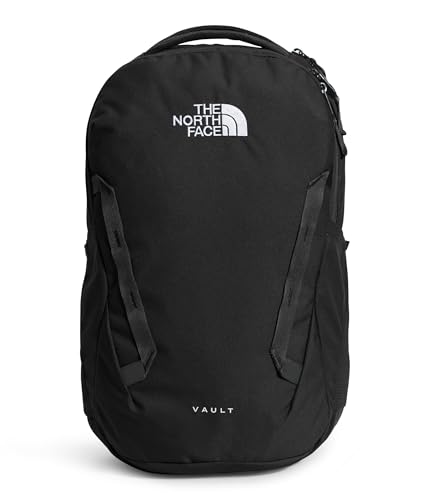
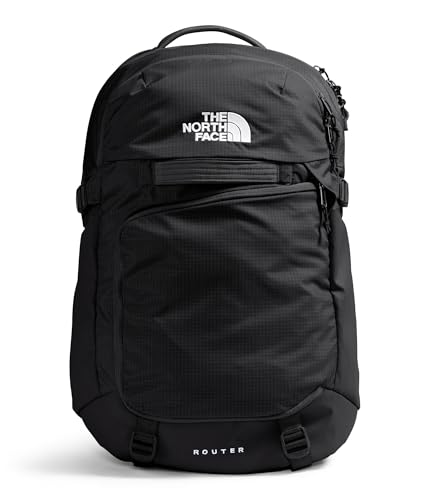


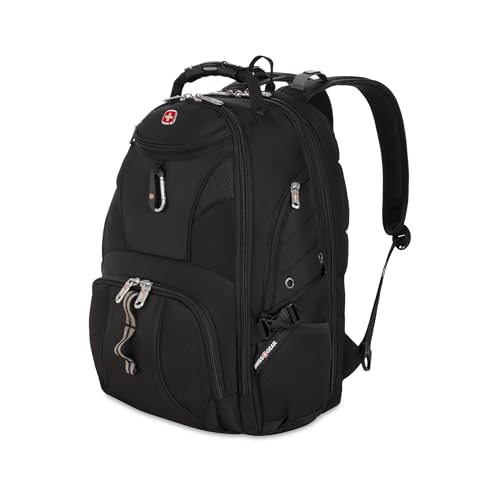


What to Look for in a Tablet Backpack
Sleeve Size and Padding
Tablets need a sleeve that matches their exact dimensions, with soft lining that will not scratch the screen and padding on both sides. A sleeve around 10 to 13 inches covers most models, but measure your tablet with its case on, since a keyboard case adds thickness. A sleeve placed near the back panel keeps the tablet stable and stops it flexing against books or a water bottle. Padding that reaches the corners matters most, because that is where drop damage usually happens.
Weight and Portability
The pack should stay light because the whole point of a tablet carry is a lighter load. For daily use, look for a pack under about 2.5 lb empty, with padded straps that do not overwhelm a small frame. Compact packs around 12 to 18 liters suit tablet only days, while 20 to 25 liters adds room for books, a jacket and lunch. Try the pack on, since strap spacing matters as much as weight.
Pockets for Accessories
Tablets rarely travel alone. A stylus, a keyboard case, a charger, a power bank and earbuds all need homes. Choose a pack with small secure pockets for those extras, and keep the charger in a separate pocket so the brick never presses on the screen. Avoid packs that force cables into the main compartment, where they tangle.
Comfort and Straps
Padded, adjustable straps and a breathable back panel make even a light load feel better over an hour. Smaller users should check that straps adjust short enough to sit properly. A sternum strap keeps straps in place when walking quickly or cycling.
Weather Protection
Water resistant fabric and covered zippers handle light rain. For long wet commutes, add a rain cover or keep the tablet in a sleeve inside the pack for a second layer.
If you are still choosing the device itself, our guide to the best pc tablets outlines the common sizes you will need to fit.
Choosing a Size and Style
Compact packs trim volume to about 12 to 16 liters and weight to under 2 lb, which makes them ideal for tablet only outings, conferences and flights as a personal item. The trade off is space: you will fit the tablet, a charger, a notebook and a light layer, but not bulky books or gym gear. Mid size daypacks of 20 liters suit commuters and students who carry a tablet plus daily essentials, and often include a separate organizer panel. Sling and crossbody bags suit very light loads and quick access, but they put weight on one shoulder. For trips where the tablet is one item among many, compare these compact options with the larger designs in our guide to the best backpacks for travel.
Price and Value
The best backpacks for tablets do not need to be expensive, but they do need honest padding. Prices often sit around $30 to $60 for simple padded packs, $60 to $110 for well organized everyday packs, and above that for premium or travel focused designs. A value pack with honest padding beats a flashy one with thin foam and many useless pockets. Check that the sleeve is the main design feature, not an afterthought pocket, and that the pack stands or leans without tipping the tablet onto the floor.
Quick Buyer Checklist
- Does the sleeve fit your tablet with its case on, without forcing the zipper?
- Is there padding on both sides of the sleeve and extra protection at the corners?
- Does the empty pack weight keep your total carry comfortable for your commute?
- Can you reach your charger, stylus and phone without opening the main compartment?
- Does the fabric shed light rain, or do you need a rain cover for your route?
- Do the straps and back panel feel comfortable with your real load inside?
- Is the volume right for your bulkiest normal day, not just your lightest?
Red Flags to Watch For
- A sleeve size listed only as fits most tablets, with no inch dimensions you can measure against.
- Padding that stops short of the corners.
- Zippers that catch on the lining in store, a sign they will frustrate you daily.
- No warranty information or a very short warranty.
- A heavy empty weight that makes a tablet carry feel like a laptop carry.
Tablet Backpacks for Students and Commuters
Students usually carry a tablet with a notebook, a water bottle and a charger, so a 15 to 20 liter pack with an easy access front pocket is enough. Commuters on trains benefit from a pack that sits high on the back and has a quick access pocket for a transit card. Both groups should avoid overstuffing side pockets, since uneven loads strain zippers and tilt the pack backward.
Tips to Get the Most From Your Backpack
Keep your tablet in its sleeve even inside the pack when you travel, for a second layer against bumps. Wipe the sleeve lining now and then, since grit trapped inside can scratch a screen over time. If straps squeak or zippers stiffen, a little cleaning usually fixes it before it becomes damage.
Do a corner check at home. Put the tablet in the pack, zip it, and set the pack down firmly on each bottom corner from a few inches up. If you feel a hard knock through the padding, add a fitted case before your first commute.
FAQs
What features matter most in backpacks for tablets?
Sleeve fit and corner padding matter most, followed by light weight and sensible pockets. The pack should hold the device snugly near the back panel, protect it on both sides and keep chargers away from the screen.
Can a laptop backpack hold a tablet?
Yes, many laptop backpacks include a tablet sleeve or a sleeve large enough for one. Check that the tablet cannot slide around, and add a case if the sleeve is oversized.
Do I need a special sleeve for a keyboard case?
A keyboard case adds thickness and weight, so choose a sleeve that fits the tablet and case together without forcing the zipper.
Is a small sling bag enough for a tablet?
For very light days, yes, if the bag has padding around the tablet. For books or a charger plus extras, a small backpack distributes the weight better.
Can I carry a tablet in a travel backpack?
Yes. Put the tablet in a padded sleeve inside the pack, away from liquids and heavy items, and keep it in an easy access pocket for airport screening.
Our Verdict
Measure your tablet with its case, demand real corner padding, and keep the pack light enough that tablet carry stays a pleasure. Those three checks beat any feature list. Review the table above and choose the best backpacks for tablets option that fits your device, your route and your daily load.

