
Best Automatic Irrigation Controller: A Complete Buying Guide
Disclosure: We may earn a commission when you buy through links on this page, at no extra cost to you. As an Amazon Associate I earn from qualifying purchases. Learn more

Shopping for the best automatic irrigation controller? Learn about zones, weather-based scheduling, sensors, and setup mistakes before you buy.
Watering a yard by hand works fine until vacation season, a stretch of triple-digit days, or life just getting busy, and that is exactly when lawns and garden beds start to suffer. An automatic irrigation controller takes the schedule off your plate so sprinklers and drip lines run on their own, adjusting to the weather instead of a fixed clock. Finding the best automatic irrigation controller for your property means matching zone count, sensor support, and connectivity to how your yard is actually laid out, not just picking the model with the most app screens. This guide walks through how many zones you likely need, what weather-based scheduling actually changes, which sensors are worth the extra wiring, and where rebates can offset the cost.







Counting Your Zones, Including Drip Lines
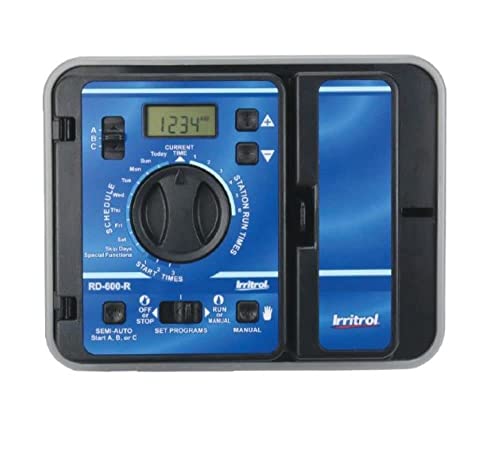
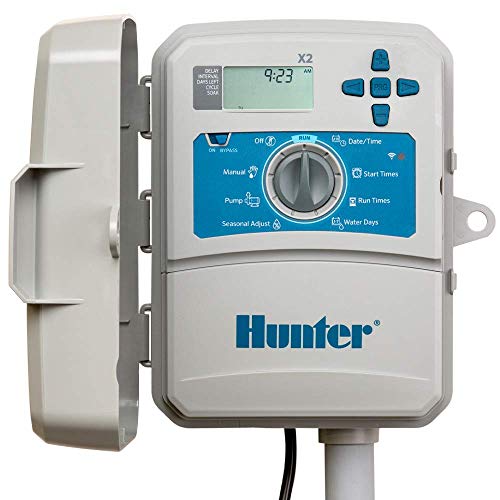
Every valve in your system needs its own zone on the controller, so before comparing any automatic irrigation controller, count how many valve wires come out of your existing setup or estimate zones based on how your yard is laid out. Most residential properties run somewhere between four and eight zones, though larger lots with separate beds, turf areas, and containers can climb higher. Buy a controller rated for a few more zones than you currently need. Adding a garden bed or converting part of the lawn later is far easier when a spare zone is already sitting there waiting, and running a new wire back to a maxed-out controller box is a job most homeowners would rather avoid.
Typical Zone Counts for Residential Yards
A small front and back yard with one or two turf areas plus a couple of planting beds typically lands in the four to six zone range. Corner lots, homes with separate irrigation for a vegetable garden, or properties that split lawn care into front and back systems often need eight or more. If you are only trying to keep a handful of pots or houseplants alive rather than irrigate a whole yard, a simpler automatic watering system for indoor plants handles that job without the wiring a full controller requires.
Why Drip and Turf Zones Should Stay Separate
Sprinkler heads and drip emitters put out water at very different rates, so running them on the same zone means one side gets overwatered while the other stays dry. Keep turf on its own zones and route drip lines, whether they feed shrubs, a vegetable patch, or container plants, onto separate zones with their own run times. This is one of the most common wiring mistakes homeowners make when converting an old timer to a new controller, and it is worth fixing during setup rather than after plants start showing stress. A quick walk-through of your yard with a notepad, marking which heads and emitters belong where, makes the whole rewiring process far less confusing later.
Weather-Based Scheduling vs a Fixed Timer
A fixed timer runs on the same schedule no matter what is happening outside, which means it keeps watering through a rainstorm unless someone remembers to shut it off manually. A true best automatic irrigation controller pick relies on weather-based scheduling, sometimes called evapotranspiration or ET-based watering, which pulls in local rainfall, temperature, and humidity data to adjust run times automatically. On a mild, rainy week the system waters less; during a heat wave, it adds minutes without anyone touching the app. Homeowners who switch from a basic timer to a weather-based model consistently report lower water bills, mainly because the system stops watering lawns that are already saturated. The adjustment usually happens quietly in the background, so there is rarely anything to configure beyond confirming your zip code and letting the controller pull local data on its own.
If you want to double-check the data your controller is basing decisions on, pairing it with a home weather station gives you an actual read on rainfall and temperature at your property instead of a regional forecast that might be miles away.
Sensors Worth Adding to Your Setup
Weather-based scheduling handles the big picture, but sensors catch what a forecast misses right at your property line. Most controllers support at least one add-on sensor, and checking which types a model accepts before buying saves you from being stuck with a mismatched wire later. Not every input terminal works with every sensor brand, so cross-checking compatibility before you buy either piece avoids a return trip to the store.
Rain and Freeze Sensors
A rain sensor halts a scheduled cycle the moment it detects active rainfall, even if the forecast that triggered the schedule was wrong. A freeze sensor does the same below a set temperature, which protects both your plants and your irrigation lines from unnecessary strain. These two are inexpensive, wire in easily, and are worth adding even to a fairly basic controller.
Soil Moisture Sensors
Soil moisture sensors measure actual ground conditions instead of estimating them from weather data, which matters most in yards with mixed sun and shade or uneven drainage. They cost more and take longer to install correctly, so they tend to make the most sense for larger properties or anyone who has already fought with over or under watered patches using a weather-only setup.
App Control, Wifi Reliability, and Backup Options
What the App Actually Adds
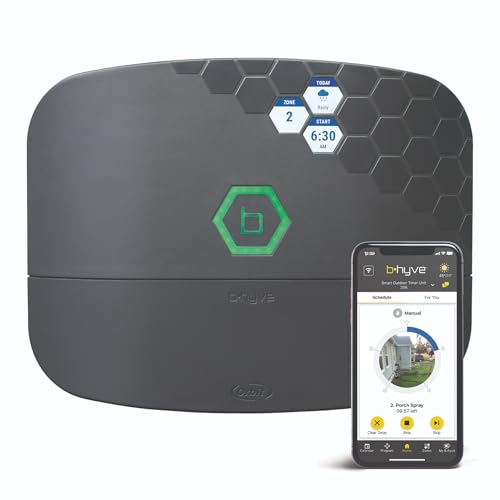
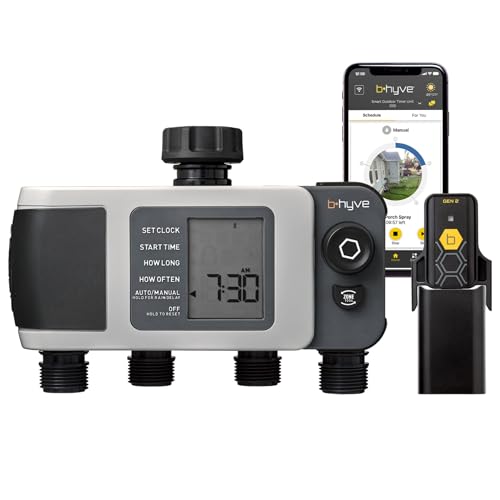
Wifi-connected controllers let you adjust schedules, run a quick manual cycle, or pause watering entirely from your phone, which matters most if you travel or manage a property you do not live at. Many also integrate with a broader smart home hub, so irrigation sits alongside lighting and security in one routine instead of a separate standalone app. That matters more once you are managing several outdoor devices, since switching between four different apps to check on your yard gets old fast.
When Wifi Drops, What Happens to Your Schedule
Outdoor units often sit at the edge of home wifi coverage, in a garage or on an exterior wall, and dropped connections are one of the most common complaints in owner reviews. Look for a controller that keeps running its last saved schedule on the hardware itself when wifi disconnects, rather than one that stalls out entirely. If dropouts are a recurring problem, upgrading to a mesh wifi router for a large home often fixes coverage gaps faster than troubleshooting the controller itself.
Rebates, Certifications, and What You'll Actually Pay
Price ranges for automatic irrigation controllers run from simple wifi timers to higher-end models with full sensor support and larger zone counts. Before assuming the priciest option is the safest buy, check whether it carries a WaterSense certification, since that label means the EPA has independently verified real water savings rather than a marketing claim. Many municipal water utilities also offer rebates, sometimes covering a meaningful share of the purchase price, for installing a WaterSense-certified controller. It is worth checking your local utility's website before buying, since these programs vary by region and change over time, and some even reimburse a portion of the sensor hardware too, not just the controller itself.
Frequently Asked Questions
How many zones do I need for a typical yard?
Most homes with a front and back lawn plus a couple of planting beds need four to eight zones. Larger properties or yards with separate drip systems for gardens often need more, so leave some room to expand.
Can I run drip irrigation and sprinklers from the same controller?
Yes, as long as they are wired to separate zones. Running both from a single zone waters one type too much or too little, since drip and sprinkler heads apply water at very different rates.
Do smart irrigation controllers need wifi to work?
No. Most store their schedule locally and keep running it even if the internet connection drops, though you lose remote app access and weather-based adjustments until wifi reconnects.
What does WaterSense certification actually mean?
It means the EPA has independently verified the controller's water-saving performance. Certified models often qualify for utility rebates, which can meaningfully lower the upfront cost.
Can I add sensors to a controller I already own?
Many controllers have input terminals or wireless pairing for rain, freeze, or soil moisture sensors even if they did not come with one out of the box. Check your model's manual or spec sheet for supported sensor types before buying one separately.
How much do automatic irrigation controllers typically cost?
Basic wifi models sit at the lower end of the price range, while higher zone-count controllers with full sensor support and app ecosystems cost more. Rebates can bring the net cost of a WaterSense-certified model down significantly.
Choosing What Fits Your Yard
The right automatic irrigation controller comes down to matching zones, sensors, and connectivity to how your yard is actually built rather than chasing the longest feature list. Start with an accurate zone count, decide which sensors are worth the extra wiring, and check for rebates before finalizing a budget. Getting those three details right matters more than any single flashy feature, and it is what actually determines whether the system saves you time and water for years rather than sitting there half configured.