
Best Audio Monitors Under 200 for 2026: A Buying Guide
Disclosure: We may earn a commission when you buy through links on this page, at no extra cost to you. As an Amazon Associate I earn from qualifying purchases. Learn more

Compare audio monitors under 200 by driver size, inputs, bass reach and placement, with a clear checklist for desks, small rooms and home studios.
An audio monitor is a speaker built to tell the truth. Unlike entertainment speakers that add bass and sparkle, a monitor shows you what your recording really contains, which is what you need before you share a mix. The best audio monitors under 200 can do that job in a small room, and this guide explains how to judge them using the product table below.
At this price you are choosing trade offs, not perfection. Driver size sets how much low end you hear, the inputs decide how cleanly a monitor connects to your gear, and placement matters as much as the speaker itself.
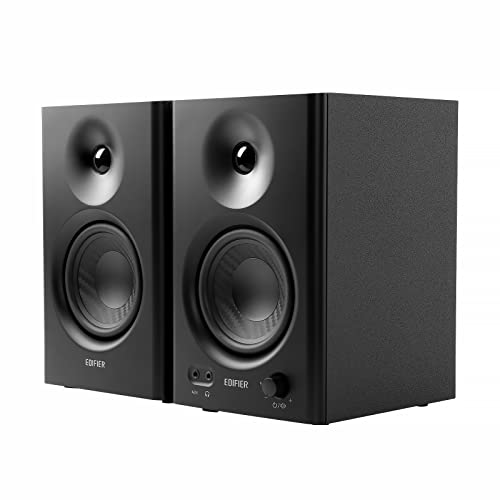


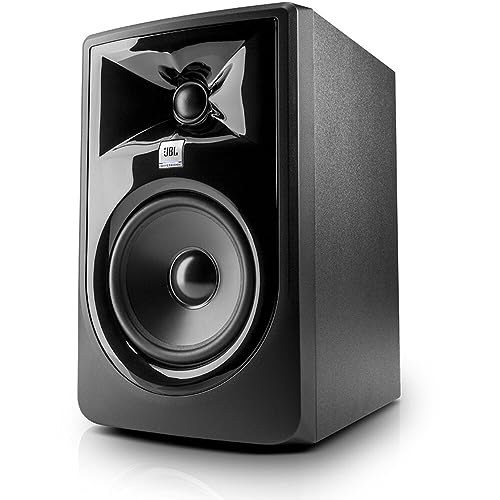
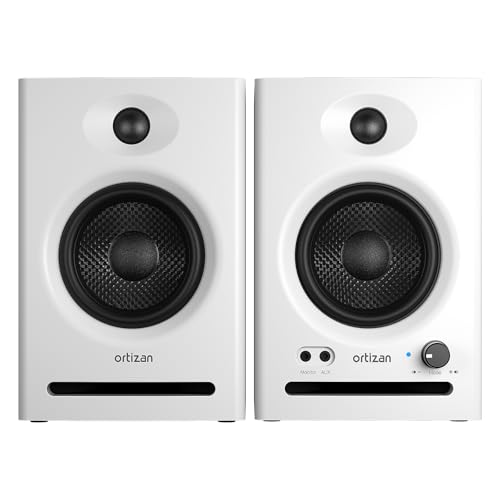
Who Should Buy Audio Monitors Under This Budget?
Start with the work you repeat most often, because a monitor that suits mixing can be the wrong shape for a crowded desk. If you need a screen rather than speakers, see our guide to the best monitors under 200 instead, since every section here covers speakers only.
Bedroom Producers Making Their First Mixes
You record and mix in one room, often the room where you sleep, and you need to hear balance problems before friends hear them on phones and earbuds. Choose a powered pair with a 5 inch woofer, balanced inputs and controls that tame bass near a wall. Honest midrange matters more than deep bass, because vocals and guitars live in the midrange and mistakes there travel to every playback system.
Video Editors and Podcasters at a Desk
You work close to the screen, you edit speech for hours, and your speakers share the desk with a keyboard and notes. Choose a compact pair that points the tweeters at your ears from a short distance. Clear, calm treble helps you judge sibilance and room echo in a voice recording without ear fatigue. If your editing expands into music scoring, see our guide to the best monitor speakers under 200 for wider speaker choices at this budget.
Listeners Who Want Honest Playback at Home
You listen for pleasure but prefer records as they were mixed, without a heavy bass lift covering quiet detail. A monitor pair gives you that plain presentation, plus a stable stereo image when you sit in the middle. Plan for stands or desk pads to raise the speakers to ear level.
Key Features to Compare
Compare these factors in order, because the best audio monitors under 200 all make their compromises in different places.
Driver Size and Low End Reach
The woofer diameter is the quickest guide to bass. Compact woofers of about 3 to 4 inches suit very close listening but leave the lowest notes quiet, while 5 inch woofers balance bass and desk space for most small rooms. Woofers of about 6.5 to 8 inches move more air and reach lower, yet they need more distance from you and from the wall to stay clear.
Frequency Response and Honest Tuning
Frequency response describes how evenly a monitor plays low, middle and high sounds, and a flatter curve means fewer surprises when your mix moves to other speakers. Read the tolerance as well as the range, because a figure quoted within 3 dB tells you far more than a bare range with no tolerance. What you want is a smooth balance with no booming bass shelf and no harsh treble lift.
Inputs and How You Connect Your Gear
Balanced inputs, usually XLR or TRS sockets, reject hum picked up along the cable run, which matters when a computer and a charger share the same desk. Unbalanced RCA inputs are simpler and work fine over short cables, but they are more likely to pass buzz from a noisy source. Check what your source offers before you buy, and confirm your source gives you one easy volume control for the pair.
Amplifier Power and Useful Headroom
Most monitors in this class are powered, which means each cabinet holds its own amplifiers, matched to its woofer and tweeter at the factory. Watt figures alone mislead, because makers measure them in different ways. What matters is clean headroom: the speaker should play at your normal level without strain, hiss or a hardening tone when a chorus gets loud. If it sounds comfortable at about 85 dB from your chair, its power is enough for that room.
Bass Port Position and Placement Near Walls
The port is the opening that helps a small cabinet produce bass, and its position changes where you can put the speaker. A front port lets you place the cabinet close to a wall, because the air leaves toward you. A rear port needs space behind it, often about 6 to 12 inches, or the bass swells and blurs notes. On a shallow desk against a wall, front ported designs are the safer buy.
Room Controls and Sound Trim Switches
Many budget monitors include small switches that adjust bass or treble by a few decibels, and these are practical tools rather than decoration. A bass trim helps when a speaker must sit near a wall, where surfaces add low end you did not record. A treble trim can soften a bright room with bare walls. Set these once for the room and leave them alone while you mix.
Types of Audio Monitors Compared
Size is the honest way to sort this market, because it predicts bass and how much desk a pair will claim. If mixing music is your main job, see our guide to the best studio monitors under 200 and compare the same size class there.
Compact Monitors for Tight Desks
Pairs with woofers of about 3 to 4 inches fit beside a laptop and suit speech, editing and quiet nearfield listening. They give up deep bass, so kick drums and bass guitars will sound light. Choose them when space is the hard limit and your work is mostly voice.
Five Inch Monitors for Most Small Rooms
The 5 inch class is the middle path at this budget, with enough bass to judge most popular music and cabinets that still sit on a desk or short stands. Most buyers under $200 should start here, for mixing, editing and daily listening.
Larger Monitors for Bigger Rooms and More Bass
Woofers of about 6.5 to 8 inches suit longer listening distances and bass heavy material. They cost more of your budget and your space, and in a small room their extra bass can become a problem rather than a gain. Choose them only when you can give them stands and space from walls.
Common Mistakes to Avoid
Most disappointing purchases at this price come from setup and sizing errors.
- Buying a single monitor because the price listed is per speaker leaves you mixing in mono.
- Placing monitors flat on a desk with tweeters aimed at your chest muffles detail and adds desk reflections.
- Choosing the largest woofer for a tiny room creates boomy bass that hides the midrange.
- Connecting balanced speakers with long unbalanced cables invites hum you may blame on the monitors.
- Mixing at loud levels all day tires your ears and pushes you toward dull mixes.
- Judging a monitor only with polished records tells you nothing about how it reveals flaws in your own work.
How to Make Your Audio Monitors Last Longer
Keep the cabinets dry, out of direct sun and away from radiators, because heat and moisture age the cone surrounds and the electronics inside. Dust with a soft dry cloth and never spray cleaner onto the drivers. Turn the volume down before you switch sources or unplug cables, since a loud pop at full gain can damage a tweeter.
Give the amplifiers air and do not stack papers on the rear panel, where many models shed heat. If a speaker develops a new buzz, swap cables and sides to locate the fault. A fault that follows the speaker needs a repair shop, not more volume.
FAQ
Do audio monitors under 200 need an audio interface?
No, audio monitors under 200 do not require an audio interface, but one usually improves the experience. A computer headphone output can feed the speakers, yet its volume control is easy to bump and its output can carry noise. An interface gives you a single large volume knob, balanced outputs and a headphone socket in one box.
Should you buy one larger audio monitor or a stereo pair under 200?
Buy a stereo pair, because music, film sound and game sound are all mixed for two speakers. One larger monitor cannot show you panning, stereo reverb or how two parts share space. A matched pair of modest monitors teaches you more in a week than a single bigger speaker will in a year of mono listening.
Do audio monitors under 200 need a subwoofer for bass?
Not at first, because most buyers at this budget gain more from learning one pair of speakers well. A subwoofer adds cost, needs its own placement work and can overwhelm a small untreated room. Add one later only if your work depends on the lowest octave, such as electronic music or film effects, and check mixes on headphones in the meantime.
How far should audio monitors sit from your ears?
For desk sized monitors, start with about 3 to 4 feet between each speaker and your head, with the same distance between the two speakers. That triangle keeps the stereo image stable, so a centered voice stays centered. Sitting much farther away lets the room add reflections and weakens the direct sound you are paying for.
Can audio monitors under 200 work for everyday listening and films?
Yes, audio monitors under 200 handle everyday listening and films well, as long as you expect an honest rather than a boosted sound. Dialogue is usually very clear at low evening volumes. Most pairs have no remote control, so plan to adjust volume at your source instead of from the sofa.
Final Thoughts
Under $200, the winning formula is simple: a woofer size your room can support, balanced connections your gear can feed, and tweeters at ear level. Spend what remains on stands or pads rather than a bigger cabinet. Use the product table above to confirm size, inputs and price for the pair.
Compare best audio monitors under 200 with those three checks in mind and you will hear your work more clearly from the first session. Let your recordings, not the speakers, supply the excitement.


