
Best ATI Graphics Cards 2026: Radeon Guide from Budget to High End
Disclosure: We may earn a commission when you buy through links on this page, at no extra cost to you. As an Amazon Associate I earn from qualifying purchases. Learn more

Best ATI graphics cards are now sold as AMD Radeon: compare Radeon RX models for 1080p, 1440p and 4K gaming by memory, power draw and price.
ATI was the company behind Radeon graphics cards until AMD bought it, and the brand name was retired a few years later. Anyone searching for the best ATI graphics cards today is really shopping for AMD Radeon cards, which continue the same line.
The product table lists current Radeon RX cards from partners such as XFX, Sapphire, ASRock, Gigabyte and PowerColor. The sections below explain which tier suits your monitor and games.
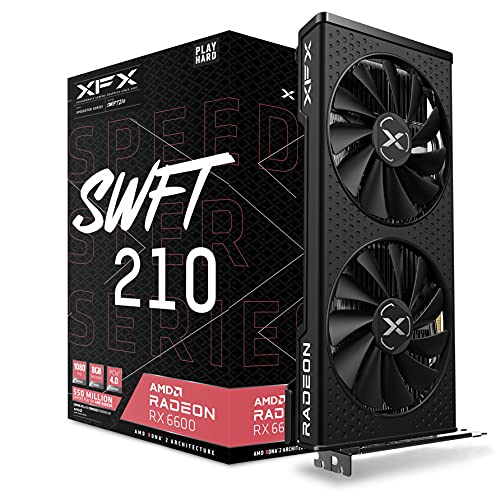


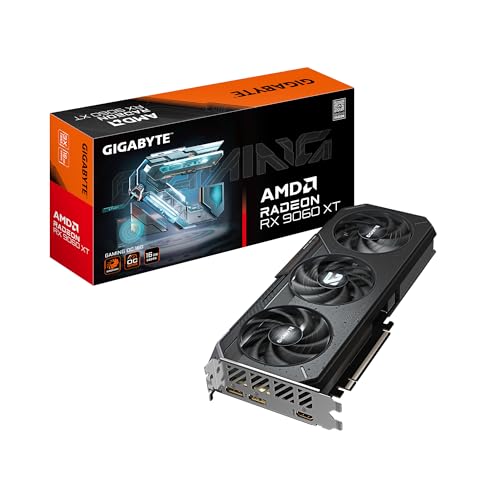


Who Should Buy Which ATI Graphics Cards
Pick from the best ATI graphics cards by screen resolution and refresh rate. A 1080p monitor needs far less than a 4K display. If you play esports titles, high frame rates matter more than ultra settings. For video editing or 3D work, memory size becomes important.
Key Features to Compare
- Video memory: 8 GB is a minimum for new games at 1080p, while 16 GB gives more headroom for 1440p and up.
- Ray tracing and upscaling support (FSR).
- Power draw and the connectors your power supply offers.
- Card length and cooler design for your case.
- Ports: DisplayPort and HDMI versions for your monitor.
ATI Graphics Card Price Tiers: From 1080p Budgets to 4K Builds
1080p value cards
Radeon RX 6600 and RX 7600 cards handle 1080p gaming with solid frame rates.
1440p mainstream cards
Radeon RX 6600 XT, RX 7800 XT and RX 9060 XT give more headroom with 8 to 16 GB of memory.
High end and 4K cards
Radeon RX 9070 XT, RX 7900 GRE and RX 7900 XTX handle 1440p ultra and 4K gaming.
The ATI Name and Radeon Today
Older Radeon HD cards carried ATI branding, but modern cards are sold as AMD Radeon. Used or very old cards labeled ATI may lack driver support, so choose a current Radeon RX card.
Owning Costs Beyond the Card
Check that your power supply has enough wattage and the right connectors. Make sure the case has room for a long, thick card, and that cooling airflow is good. Plan for the cost of a monitor or CPU that can keep up. Newer cards support current standards that older boards may not.
Common Mistakes to Avoid
- Buying a high end card for a 1080p monitor.
- Ignoring power supply requirements.
- Choosing 8 GB cards for 1440p ultra gaming.
- Forgetting the case size.
Care and Maintenance for Your Graphics Card
Keep your PC free of dust, update drivers from the maker and check fan operation. Make sure the card is seated fully and power cables are plugged in securely.
Typical Specs by Radeon Tier
| Tier | Example cards | Memory | Typical target |
|---|---|---|---|
| Entry | RX 6400, RX 580 | 4 to 8 GB | 1080p esports and older games |
| Value | RX 6600, RX 7600 | 8 GB | 1080p high settings |
| Mainstream | RX 6600 XT, RX 7800 XT, RX 9060 XT | 8 to 16 GB | 1440p high settings |
| High end | RX 7900 GRE, RX 9070 XT | 16 GB | 1440p ultra and some 4K |
| Enthusiast | RX 7900 XTX | 24 GB | 4K gaming |
Power and cooling numbers
Board power ranges from about 53 watts for the smallest cards to 350 watts or more for top models. Manufacturers list a suggested power supply, typically 450 to 550 watts for value cards, 650 to 750 for mainstream and 850 or more for high end. Cards use two or three fans, and longer cards give better cooling but need case room.
Why partner brands differ
XFX, Sapphire, PowerColor, ASUS, Gigabyte and ASRock all build cards around the same AMD chips. They differ in cooler design, factory clock speeds, noise and warranty. A quiet cooler and a three year warranty are worth a few dollars more.
Choosing for Your Monitor
A 1080p 60 Hz monitor needs only an entry or value card. A 1440p 144 Hz monitor pairs well with a mainstream or high end card. A 4K monitor needs a high end or enthusiast card. If your monitor supports FreeSync, Radeon cards use it to reduce tearing.
Compatibility Checklist
- PCIe x16 slot, with PCIe 4.0 or 5.0 for newer cards.
- Power connectors: 8 pin, two 8 pin or the 12 volt high power connector, depending on the card.
- Case clearance for length and thickness, often 2.5 to 3 slots.
- CPU that does not bottleneck the card, such as a modern six core or better.
- Display ports that match your monitor, such as DisplayPort or HDMI 2.1.
Installing a New Card
Power the PC off and unplug it, remove the old card, seat the new card firmly in the top x16 slot, connect the power cables and secure it to the case. Install the latest driver from AMD, then check temperatures and fan noise under load. If your case is tight, plan cable routing before you buy.
Warranty and Returns
Partner cards usually carry two to three years of warranty, with registration required by some brands. Keep the box and receipt, and check the return window so you can confirm temperatures, noise and compatibility with your system.
Cooling and Noise
Dual fan coolers suit value cards and run quietly at moderate loads. Triple fan coolers on high end cards keep temperatures lower and can stay quieter at the same power. Look for zero RPM modes that stop fans at idle, and good airflow in your case.
Related Guides
See best radeon graphics cards, best graphics cards for gaming, best affordable graphics cards and best graphics cards ranked.
ATI Graphics Cards: Your Questions Answered
Is ATI still a brand?
No. AMD retired the ATI name, and the cards are sold as AMD Radeon.
How much video memory do I need?
8 GB for 1080p, 12 to 16 GB for 1440p and 16 GB or more for 4K.
Which power supply do I need?
Check the card's recommended wattage and the connectors it needs.
Will it fit my case?
Measure the space available against the card's length and thickness.
Are Radeon cards good for creative work?
Many handle video editing and 3D tasks well, though software support varies. Check your applications' requirements.
Do I need a new power supply?
Compare your current supply's wattage and connectors with the card's recommendation before you buy.
Wrapping Up
Choose a Radeon card for your screen and budget. Compare the product table, and the best ATI graphics cards for your build will be easy to spot.


