Best Apple Home Key Smart Lock (2026): Lock Styles and Door Fit
Disclosure: We may earn a commission when you buy through links on this page, at no extra cost to you. As an Amazon Associate I earn from qualifying purchases. Learn more

Best Apple Home Key Smart Lock guide: how tap to unlock works, which lock styles fit your door, and what to check before you buy.
Some locks mention HomeKit but do not support home key at all, some need a hub for remote access, and some fit only certain doors. This guide to finding the best apple home key smart lock for your door covers tap reliability, platform compatibility, and installation fit. The product table below lists current locks that list home key support.
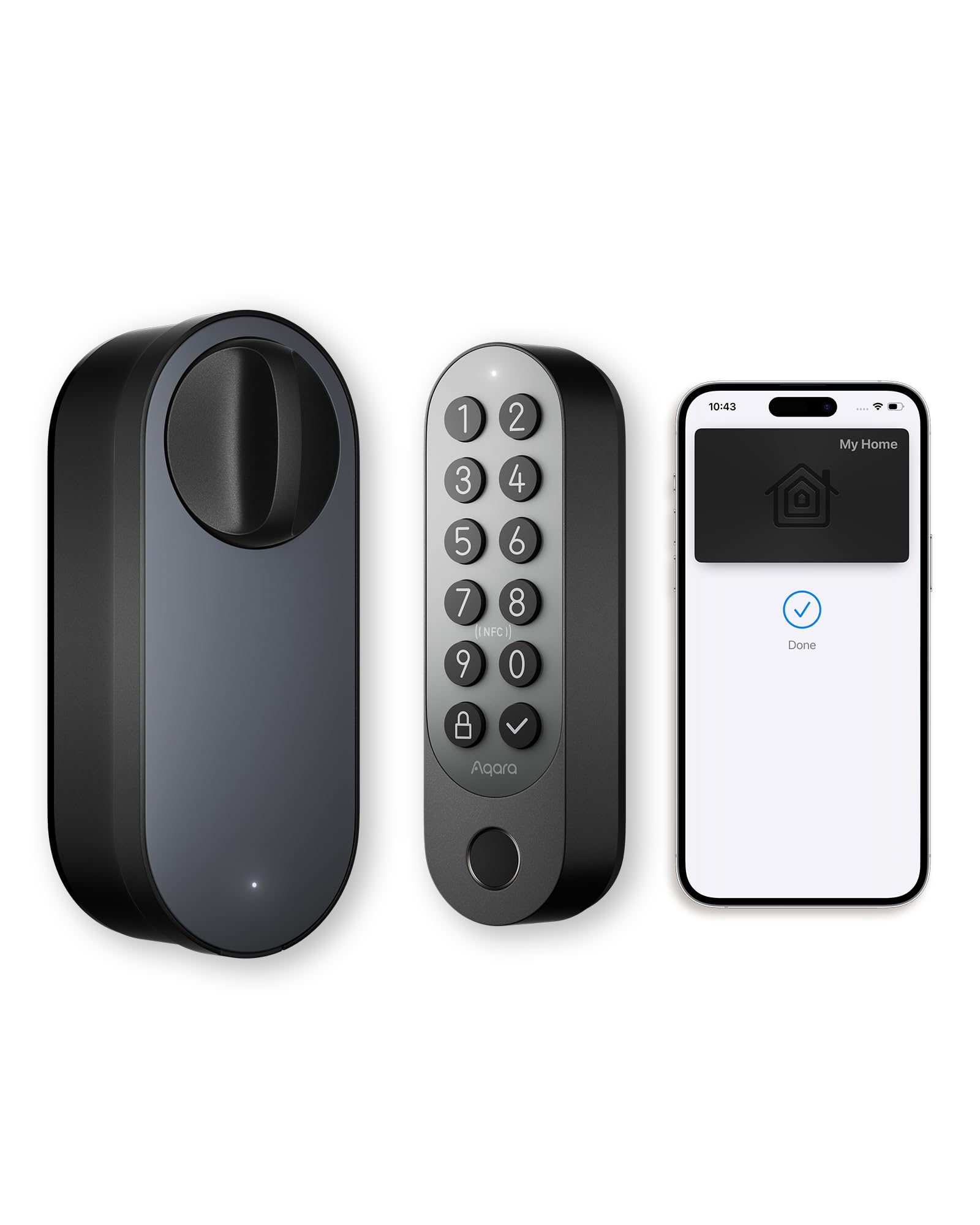
Home key lets you hold an iPhone or Apple Watch near the lock to open your door, with the key stored in Apple Wallet. You still need a lock that fits your door and gives everyone a backup way in.




Who Should Buy an Apple Home Key Lock?
iPhone Households That Share One Front Door
If everyone at home carries an iPhone or wears an Apple Watch, home key ends the hunt for house keys. Each person holds a key in Wallet, and the organizer can add or remove access in the Home app. This suits families with older kids who come home alone, since spare metal keys can be copied or lost without you knowing.
Homeowners Replacing a Worn Front Door Deadbolt
If your deadbolt sticks or its key has been handed out too often, a full replacement fixes the hardware and adds tap entry at once. Start with our guide to the best smart lock for front door use, then narrow the list to models that confirm home key support in writing. The smart features sit on top of the bolt, so bolt quality still matters.
Hosts and Household Managers Who Rotate Access
Hosts, rental managers, and people who employ a cleaner need entry that changes without a locksmith visit. If you run short stays, our overview of the best smart lock for airbnb hosting covers guest turnover in depth. Home key sharing suits trusted guests and longer stays, while a keypad code often suits one night visitors better.
Three Lock Styles Compared
Models come and go, but almost every listing falls into one of three styles, each with a different fit, backup entry, and install effort.
Complete Deadbolt Replacement Locks
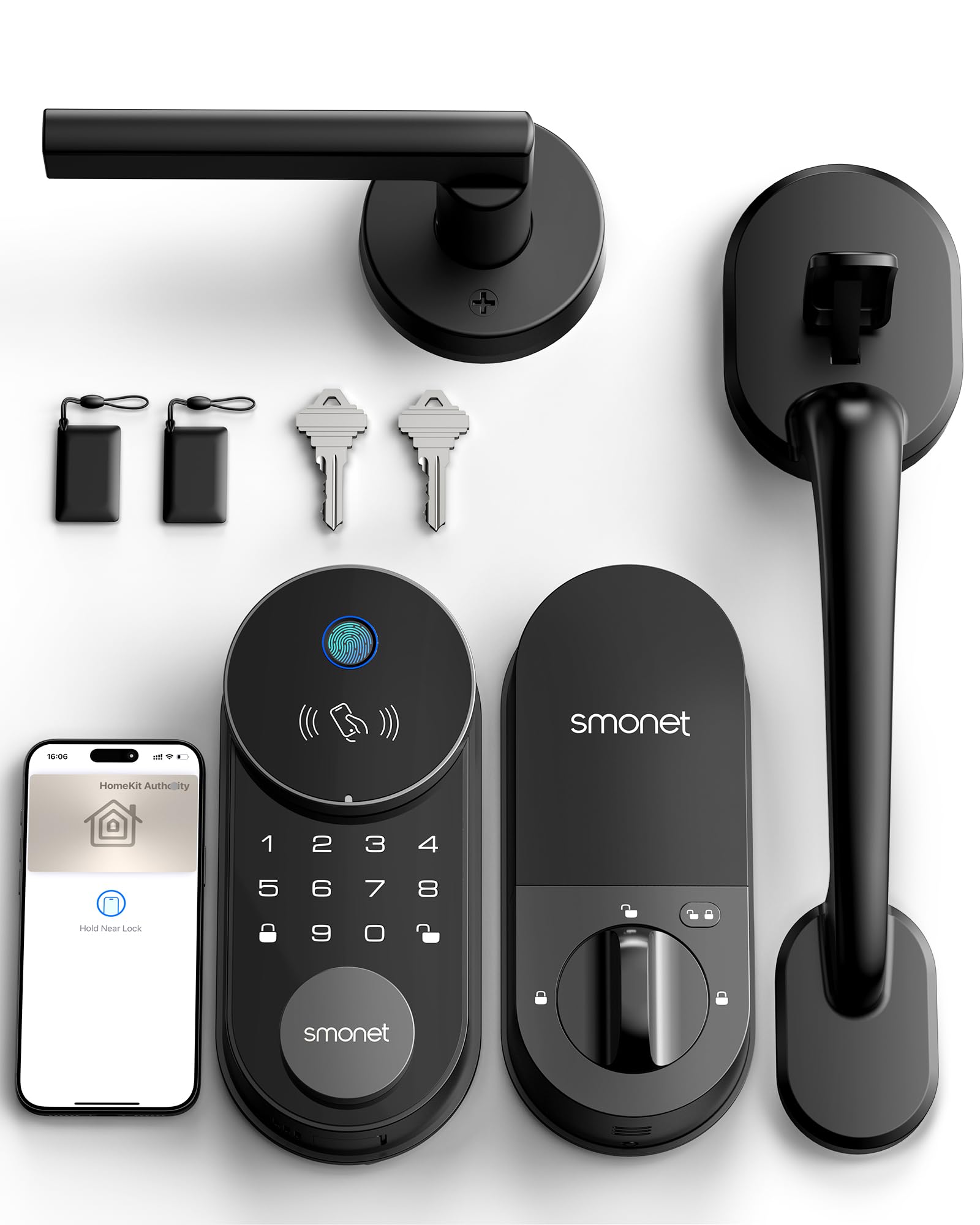
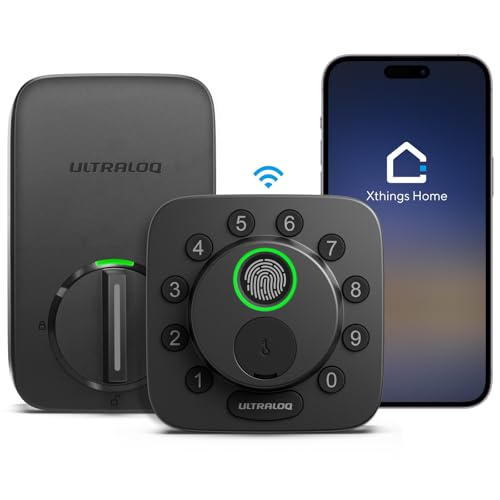
This style replaces your whole deadbolt with a new bolt, an exterior reader pad, and an interior motor unit. It is the most common route to home key, and every part is designed to work together. Most include a physical key cylinder as backup. Choose it when your old deadbolt is worn anyway. The trade off is the longest install time of the three styles.
Deadbolt Locks With a Keypad or Fingerprint Reader Added
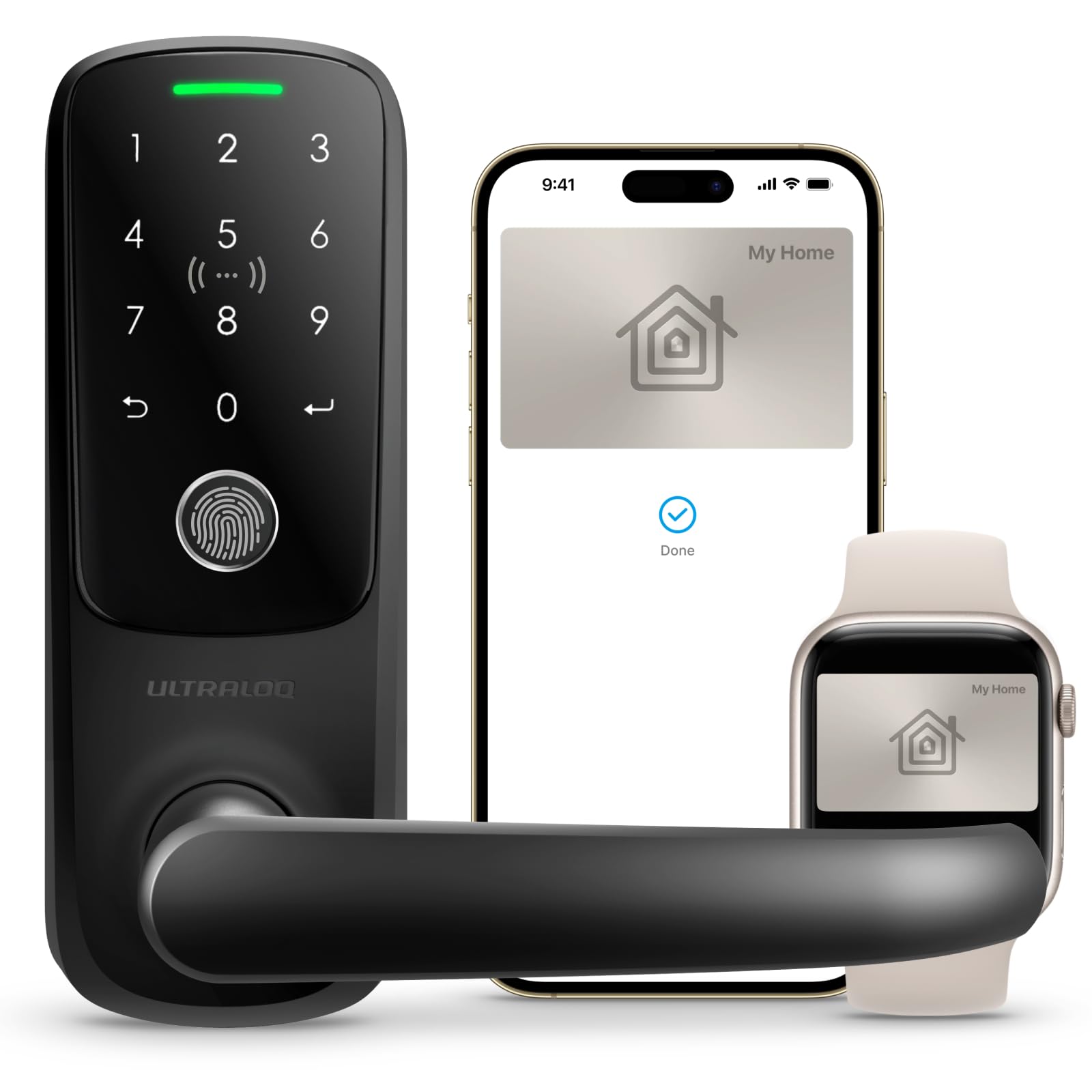
Some deadbolts add a number pad, a fingerprint reader, or both beside the home key reader. Extra methods matter where one person carries an Android phone, a child has no phone, or a regular visitor should never get a Wallet key. The trade off is a larger exterior unit and more codes to review and remove over time.
Integrated Lever and Handle Set Locks
A smaller group builds the reader into a lever or handle set instead of a deadbolt. These suit doors with no deadbolt hole, such as some apartment and side entry doors. Check the latch rating, because a latch alone resists force less well than a true deadbolt. Bolt focused options appear in our guide to the best deadbolt smart lock designs.
How We Chose the Points That Matter
This guide weighs five factors from maker specifications and verified buyer feedback: reader reliability, bolt state reporting, compatibility across Alexa, Google Home, HomeKit, and Matter, install effort, and subscription cost.
Key Features to Compare
Home Key Support and Reader Reliability
Confirm the exact words home key in the product details, because HomeKit support alone does not include it. The reader uses NFC, the short range radio behind tap payments, so your phone or watch must come within about an inch of the pad. Pick a reader on the outer face where a watch reaches it easily.
Entry Methods Beyond the Tap
Every household needs a backup method for a lost phone, a flat battery, or a guest with no Apple device. Options include a physical key, a number pad code, a fingerprint, and app control over Bluetooth or WiFi. Match the methods to who enters your home in a normal month. Four methods are not better by default, only when real people will use them.
Auto Lock and Door Position Sensing
Auto lock drives the bolt shut after a set delay once the door closes, which helps when you walk in with full arms and forget. Better systems add a door sensor that confirms the door is fully closed before the bolt extends. Without sensing, the bolt can throw against the frame while the door stands ajar, jamming the lock. A door position sensor is a genuine plus, not a gimmick.
Bolt Quality and Security Grades
The smart half gets the attention, but the bolt half does the resisting. Look for a steel bolt and an ANSI or BHMA grade, where Grade 1 is the strongest residential rating and Grade 3 the lightest. A reinforced strike plate with long screws that reach the wall stud adds real strength for little money. If a listing hides its grade, the bolt is likely the weak point.
How to Choose the Right Smart Lock
Start With Your Door and Your Existing Hardware
Measure your door before reading any feature list. Note its thickness, the distance from the door edge to the center of the bore hole, and whether a deadbolt hole exists. Most home key locks suit standard doors, but older homes and narrow stiles can rule models out. Five minutes with a tape measure prevents the most common return in this category.
Ecosystem Compatibility Beyond Apple
Home key lives in the Apple world, but the lock may also speak to other platforms. Matter support lets one lock join Alexa or Google Home routines, which matters where not everyone uses Apple gear. Thread radios sip power and respond fast through a HomePod or Apple TV, while WiFi drains batteries faster. Our broader guide to the best smart lock options explains how the ecosystems differ.
Battery Power and What Happens When It Runs Low
Almost every lock here runs on replaceable AA or lithium cells, and a few use a rechargeable pack. Expect several months per set, with WiFi heavy use at the short end. Keep the physical key reachable from outside, because a flat battery stops the tap and the motor until you swap the cells.
Subscriptions and Local Control
Basic locking, home key taps, and sharing through the Home app generally work without a monthly plan. Some brands place extras such as long access histories behind a subscription, so check the paywall before you buy. Also check what works if the brand servers go down. A lock that opens by tap, code, and key with no internet connection is the safer design.
How Much Should You Spend?
Expect about $100 to $150 for a basic home key deadbolt with app control and a key backup. About $150 to $250 adds stronger bolt grades, door sensing, fingerprint or keypad entry, and Matter over Thread radios. Above about $250 you mostly pay for premium finishes and handle set designs, not stronger security. Most owners install the lock themselves, so its price is usually the whole project cost.
Installing and Setting Up Your Lock
Most deadbolt swaps need a screwdriver and about 30 to 45 minutes. Seat the new bolt so it moves without rubbing, then mount the exterior reader and interior unit. Our walkthrough on how to install a smart lock covers stuck screws and misaligned strikes. Finish with the app calibration, since the motor must learn how far your bolt travels.
In the Home app you add the lock with its pairing code and invite household members, and Wallet keys then appear on each invited iPhone. Our guide on how to set up a smart lock explains invites and automations such as locking up when the last person leaves. Try every entry method from outside before a trip away.
Apple Home Key vs Other Entry Methods: Pros and Cons
Home key wins on speed and credential control. A tap takes about a second, there is no code for a stranger to watch you type, and a lost phone can have its key suspended instead of forcing a lock change. That is why many buyers pick a best apple home key smart lock candidate as the main lock and keep simpler hardware on side doors.
The limits are real. Home key excludes anyone without a recent iPhone or Apple Watch, so grandparents, younger kids, and Android carrying partners need a code, a fingerprint, or a metal key. The tap also needs power on both sides. A plain keypad lock costs less and serves every visitor the same way, so home key is a strong primary method and a poor only method.
Common Mistakes to Avoid
- Buying a HomeKit lock that never lists home key, then finding the Wallet tap missing after install.
- Skipping door measurements, so the new bolt binds against a misaligned strike.
- Throwing away the physical backup key, which leaves you locked out when the batteries run flat.
- Sharing a Wallet key with a short stay guest when a temporary code is easier to revoke.
- Ignoring the bolt grade and strike plate, so smart features sit on weak hardware.
- Setting auto lock without door sensing, so the bolt slams the frame when the door stands ajar.
How to Make Your Smart Lock Last Longer
Keep the bolt path clean and the strike aligned, because a straining motor wears its gears and drains batteries fast. Check bolt movement by hand a few times a year, replace all cells at once, and wipe the reader with a dry cloth. Install firmware updates when the app offers them, since makers use them to patch security issues.
FAQ
Can you share an Apple home key with family members and guests?
Yes. The organizer invites people in the Home app, and each invited person with a compatible iPhone gets the key in Wallet. You can remove a person at any time, and the key stops working with no hardware change. For guests you barely know, a keypad code with an expiry date is often the better tool.
What happens to a home key lock when your iPhone battery dies?
Many recent iPhones keep a power reserve that lets Wallet keys work for a few hours after shutdown, though it is not a feature to rely on daily. Your Apple Watch may still be awake and able to open the door. If both are flat, the physical key or a keypad code is your way in. Treat the reserve as a safety net, not a backup plan.
How do you clean an Apple home key smart lock?
Wipe the exterior with a soft cloth lightly dampened with water, and dry it right away. Dirt and sunscreen film on the reader pad can make taps less consistent, so wipe that spot gently each month. Skip solvent sprays and abrasive pads, which can damage the reader surface.
How long does an Apple home key smart lock last?
The mechanical bolt can serve for many years, while the electronics are the shorter lived half. Plan around app and radio support, since a lock whose app is abandoned loses its smart value even if the bolt still turns. Battery sets last months at a time, so budget for cells as a running cost and store a spare set near the door.
Are Apple home key smart locks worth it for a single person household?
They can be, because the main gain is routine, not sharing. You leave with just a phone or watch, the door locks behind you, and you can check its state from bed or work. Living alone also means no backup human with a key nearby, which makes the access log more useful. If you rarely forget keys, a plain deadbolt still does the core job for less money.
Final Thoughts
Start with your door measurements, confirm true home key support, and pick the style that matches how your household enters. The product table above pulls those trade offs together, so use it to shortlist before you order. For most Apple households, the best apple home key smart lock is the one with a strong graded bolt, a well placed reader, a backup method everyone can use, and no subscription between you and your front door.