
Best And Worst Printers of 2026: Complete Buying Guide
Disclosure: We may earn a commission when you buy through links on this page, at no extra cost to you. As an Amazon Associate I earn from qualifying purchases. Learn more

Use this guide to the best and worst printers to compare inkjet, laser, and tank models by cost per page, speed, paper handling, and ease of setup at home.
A printer that looks cheap on the shelf can drain your wallet on ink within a year, while a pricier model can print for cents per page. The real divide among the best and worst printers is rarely print quality, since most modern models print sharp text. It is running cost, reliability, and how painless setup and daily use feel in your home or small office.
This guide compares printer types, the costs that matter after purchase, and the features that fit different homes, including Mac households and homes with mixed devices. Use the comparison table below once you know your monthly page volume.


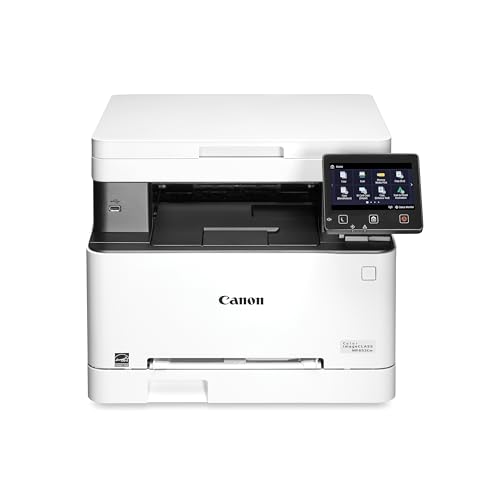

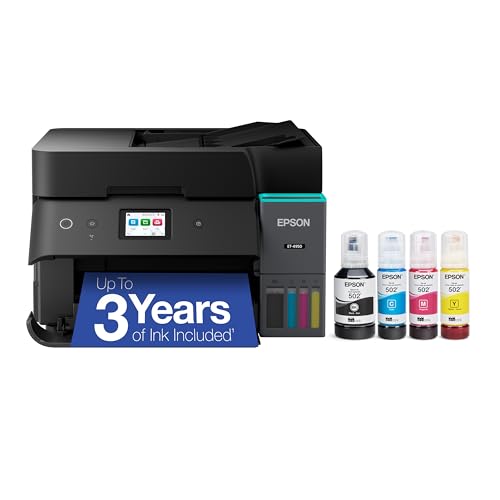
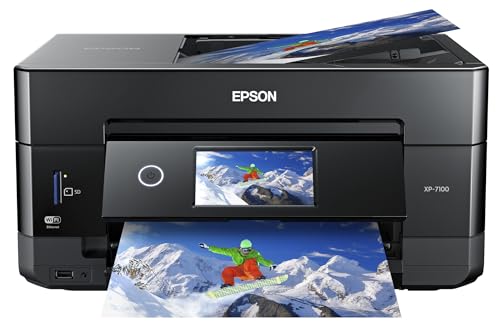

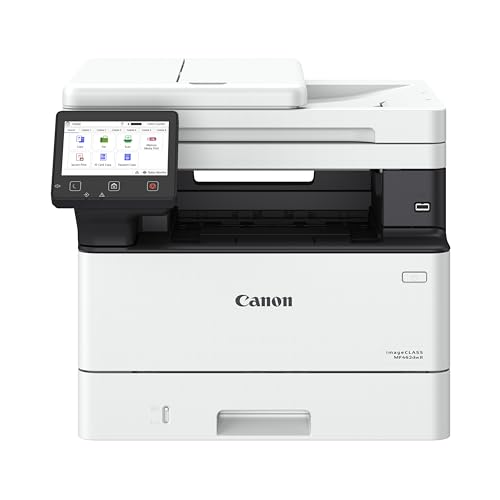
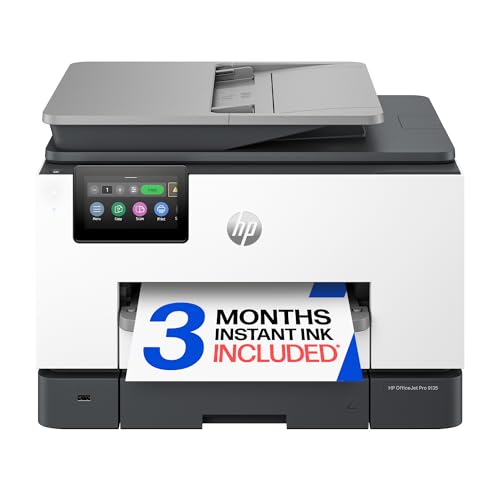
What Separates a Good Buy From a Costly One
Balanced Profile: Cost and Convenience
A strong all around choice prints text and color well, scans and copies without fuss, connects over WiFi reliably, and keeps cost per page low. For most homes that points to an ink tank model or a color laser, depending on photo needs. Expect to pay around $250 to $450 for this balance of speed, capacity, and low running cost. The profile to avoid is a very cheap cartridge model with tiny ink cartridges, because replacement ink can cost more than the printer itself within the first year.
Value Profile: Low Price Without the Ink Trap
Real value comes from cost per page, not the shelf price. A monochrome laser at around $120 to $200 prints thousands of crisp text pages on one toner cartridge and suits students and home offices that rarely need color. A basic tank model costs more upfront but includes a large ink supply in the box. Either profile beats a bargain inkjet if you print weekly. Check paper tray size too, because refilling a 60 sheet tray during a long document job gets old fast.
Premium Profile: Speed, Volume, and Extras
Premium home office models add fast two sided printing, large trays, an automatic document feeder for scanning stacks, and stronger security and app support. Prices around $400 to $700 make sense if you print hundreds of pages a month or run a small business from home. You also get better build quality and longer duty cycles. What premium money should not buy is glossy extras you will never use, such as fax hardware or huge photo features in an office that prints only invoices and school forms.
How to Choose the Best And Worst Printers: Buying Guide
Printer Type: Inkjet, Laser, and Tank
Inkjet printers handle photos and color graphics best and cost less upfront. Laser printers print fast, sharp text and sit ready for weeks without clogged nozzles, which suits text heavy homes. Tank printers are inkjets with refillable reservoirs that cut ink cost sharply for frequent color printing.
Footprint and Noise
Measure your shelf or desk before you buy, including space for the output tray and for opening the scanner lid fully. A compact model that blocks a cabinet door will annoy you daily. Laser printers need ventilation room around their vents. Noise matters in shared rooms, since a loud printer during a call or a sleeping baby nap is a real drawback. Look for a quiet mode, knowing it usually slows printing.
Reliability and Support
Reliable WiFi, clear error messages, and drivers that update cleanly matter more than a long feature list. Check how long the maker supports the model with firmware and driver updates, especially if you upgrade your computer system often. A printer abandoned by its maker can stop working after a system update. Community size helps too, because popular models have more troubleshooting guides and videos. Our overview of best quality printers shows how build and support separate durable models from fragile ones.
Ease of Setup and Calibration
Good setup means clear app guidance, a printer that finds your network on the first try, and test pages that align the heads without guesswork. Budget time for the first setup either way, and keep the packing materials until you confirm everything works. Place the printer near your router for the first connection, because a weak signal during setup causes many of the failures blamed on the printer.
Cost per Page and Ink or Filament Costs
Cost per page is the cartridge or tank cost divided by its page yield, and it decides your true cost over three years. Tank and laser models often print a text page for a few cents, while small cartridge inkjets can cost several times more. Ink subscriptions can suit steady low volume printing but punish you if your needs change.
Print Speed
Speed is rated in pages per minute, but makers measure with simple text pages after the first page is out. Real jobs with graphics, color, or two sided printing run slower. First page time matters most for short jobs, which are most home jobs. A difference between 10 and 20 pages per minute only saves real time on long documents.
Paper Handling and Duplex
Automatic two sided printing, called duplex, halves paper use and makes reports look professional. An automatic document feeder turns a stack of pages into a scan or copy without feeding sheets one by one. Check supported paper sizes and weights if you print labels, envelopes, or card stock. For readers comparing everyday home models, our guide to the best computer printers for home covers tray and feeder trade offs in more depth.
Types of Printers Explained
All in One Printers
An all in one combines printing, scanning, copying, and sometimes fax in one device. It suits most homes because one machine covers school forms, returns labels, and document copies. The risk is shared failure, since one broken unit removes several tools at once. Still, for most buyers the space and cost savings win, and this is the default type to consider first.
Inkjet Printers
Inkjet printers spray tiny droplets to build an image, which makes them strong at photos and smooth color. They cost less upfront and handle many paper types. Their weakness is ink drying in the nozzles when the printer sits unused, plus higher cost per page on cartridge models. Print a color page each week to keep heads clear. Households that print photos or color school projects regularly get the most from this type.
Choosing a Printer for Your Situation
Printers for Mac Homes
For Mac homes, AirPrint support is the first box to tick, because it lets Apple devices print without extra drivers. Confirm the maker provides current macOS drivers and a scanning app, since some brands update Windows software first. WiFi setup through the Apple ecosystem is smoother when the printer joins the network directly rather than through a computer. Also check that two sided printing and borderless photo options appear in the macOS print dialog for your model.
Printers for Homes With Mixed Devices
Many Mac homes also print from Windows laptops, Chromebooks, and phones. Choose a model with strong support across all of them, including cloud printing and a usable mobile app. Avoid printers that require a desktop app for basic scanning, because that friction adds up. Shared homes should also value a clear screen on the printer itself, so anyone can copy or check ink levels without opening an app or borrowing the main computer.
How to Make Your Printer Last Longer
- Print a page each week on inkjet models to keep nozzles from clogging during quiet periods.
- Use genuine ink or reputable refills, because poor ink can clog heads and leak inside the machine.
- Keep paper dry and fanned before loading, which prevents jams and pages sticking together.
- Update firmware when the maker releases fixes, but only from the official app or site.
FAQs
Are ink tank printers worth it?
Yes, if you print color regularly, because the low cost per page repays the higher purchase price within the included ink supply for many homes. Casual printers who print a few pages a month may never use the included ink before it ages. Tank models also reduce waste from plastic cartridges. One caution is that tank print heads still need regular use, so the weekly test page habit applies here too.
Inkjet or laser: which is cheaper long term?
Laser is usually cheaper for text heavy printing, because toner yields thousands of pages and never dries out. Inkjet wins on entry price and photo quality, and tank inkjets rival laser on running cost for color work. Count three years of supplies for your real page volume rather than comparing shelf prices. Also add paper and possible print head replacement on older inkjets, which can tip a close comparison toward laser.
What does cost per page mean?
Cost per page means the supply cost of printing one page, found by dividing a cartridge or bottle price by its rated page yield. Color pages cost more than text pages because they use several inks at once. Rated yields assume light coverage, so photo heavy printing costs more per page in practice. Use this number, not cartridge price alone, when comparing two printers, because a cheap cartridge with a tiny yield is the classic false saving.
Our Verdict
Decide by printer type and cost per page first, then check setup ease and Mac or mixed device support if that matches your home. Most households land on a tank all in one or a laser, and both beat a cheap cartridge model over three years. You can browse related comparisons on our best and worst hub, and when you judge the best and worst printers by running cost, the product table above makes the final shortlist easy to confirm.


