
Best Analog Keyboards 2026: A Buying Guide
Disclosure: We may earn a commission when you buy through links on this page, at no extra cost to you. As an Amazon Associate I earn from qualifying purchases. Learn more

The best analog keyboards read how far each key is pressed. Compare actuation control, layouts and build quality for games and typing.
The best analog keyboards read how far you press each key, not just whether you pressed it, so one key can act lightly or firmly depending on pressure. This guide explains Hall effect sensing, actuation, layouts and build quality in plain language for a first time buyer. The product table above brings together the main options so you can compare features side by side.
Analog keyboards suit gamers who want fine control over movement and speed, and typists who like to tune how a key feels. They are less useful if you only need a simple keyboard for email, because the extra tuning takes time to set up and learn.
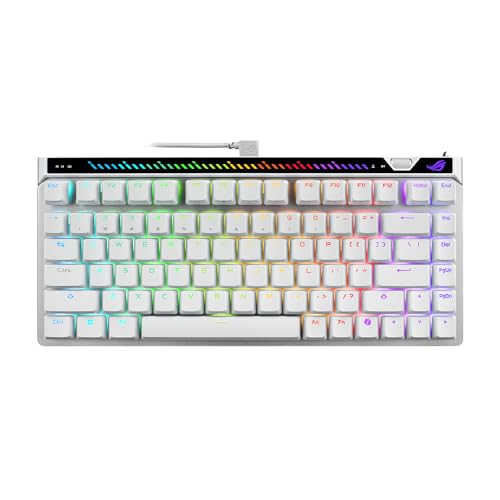


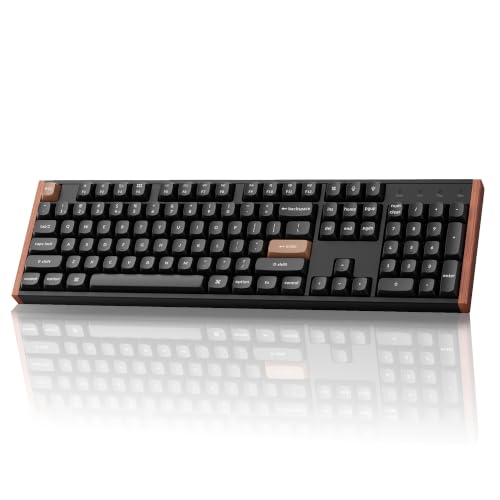
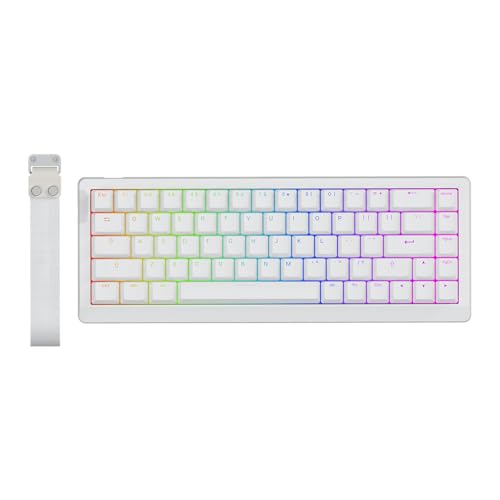
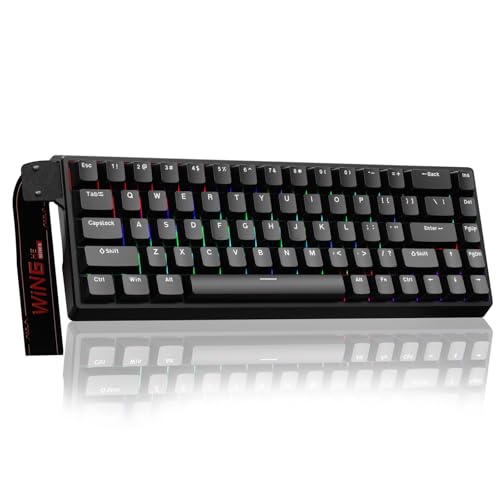

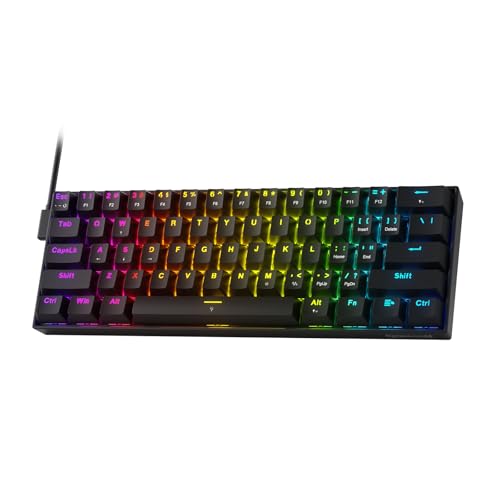
Who Should Buy Analog Keyboards and Who Should Skip Them
Gamers get the most from an analog board: movement in racing and action games can be smooth instead of on or off, and rapid trigger gives faster key resets in shooters. Typists and creators can also benefit by tuning each key to their touch or assigning two actions to one key.
If you mostly write email and documents, a standard keyboard is simpler and cheaper. Analog boards reward people who will spend a little time in the software.
Types to Compare
Hall effect keyboards
These use magnets and sensors to measure key travel, which avoids physical contact wear on the switch. Look for stable sensing across the whole key range and software that lets you set actuation points per key.
Rapid trigger models
Rapid trigger resets a key as soon as you lift it slightly, which helps fast repeated presses in games. Check whether the feature works in the games you play and whether you can turn it off for typing.
Compact layouts
A 75 percent or 65 percent layout saves desk space and keeps the mouse closer. Count the keys you actually use, because a missing function row or number pad can slow work that relies on shortcuts.
Full size models
A full size board keeps the number pad and function keys for spreadsheets and editing. It needs more desk width, so measure your space and check that your mouse still sits comfortably beside it.
Hot swappable models
Hot swap sockets let you change switches without soldering. This is useful if you want to try different switch feels, but check which switch types the board accepts before you buy spares.
Key Features Explained in Plain Language
Actuation point control
Actuation sets how far a key must travel before it registers. A shallow point feels fast but can cause accidental presses, while a deeper point feels safer for typing. Choose a board that lets you adjust points per key, not only for the whole board.
Switch feel and sound
Linear switches move smoothly, tactile switches give a small bump, and clicky switches add sound. Sound also depends on the case and keycaps, so a quiet switch can still sound loud in a hollow case.
Polling rate and latency
Polling rate says how often the keyboard reports to the computer. Higher rates can feel more responsive in fast games, but the gain is small for everyday typing. Focus first on stable sensing and comfortable actuation.
Keycaps and build
Double shot keycaps resist wear on the legends, and a solid case reduces flex and rattle. Check the stabilisers under long keys such as space, because rattly stabilisers spoil an otherwise good board.
Software and profiles
Good software stores profiles on the board so your settings travel with it. Check whether the software needs an account, whether it works on your operating system, and whether you can export your profiles.
Mistakes to Avoid
- Setting the shallowest actuation everywhere and then fighting accidental key presses while typing.
- Buying a compact layout without checking whether you miss a number pad or function row.
- Ignoring stabiliser quality, which affects the sound and feel of long keys more than switch choice.
- Choosing a board whose software only works on one operating system you do not use.
Setting Up and Getting the Most From Your Choice
After setup, spend a week tuning one profile for games and one for typing rather than changing settings every day. Keep drinks away from the board, clean dust from between keys with compressed air, and update firmware only from the maker software when you have time to test afterwards.
Related Guides Worth Reading
If you are still comparing options, these related guides cover nearby choices that readers often consider alongside best analog keyboards: best gaming keyboard, best sounding keyboards, best pc keyboards and best wireless keyboards. Each guide focuses on a different use or audience, so you can narrow your shortlist without starting your research again.
A Final Check Before You Order
Confirm the layout and the key count you need, then check that the software runs on your operating system and does not demand an account for basic settings. Look at the cable (detachable is better), the warranty length and the return window.
If you are torn between two boards, choose the one with per-key actuation, better stabilisers and clearer software. Those three traits matter every day, while extras such as lighting matter far less.
Frequently Asked Questions
What is an analog keyboard?
An analog keyboard measures how far each key is pressed, instead of treating a press as simply on or off. This lets one key produce a light action with a shallow press and a stronger action with a deeper press. Gamers use this for smooth movement and speed control, while other buyers may use it for layered shortcuts on a single key.
Are analog keyboards good for typing?
They can be good for typing if you set a deeper actuation point and turn off rapid trigger for text work. A very shallow setting will cause extra letters, so keep a separate typing profile with safer settings. If you type far more than you play games, a standard mechanical board may be simpler and cheaper.
Do analog keyboards last longer?
Hall effect sensing avoids the metal contact wear found in many standard switches, which can help long term reliability. The board can still fail through cable damage, worn keycaps, or software problems, so build quality and warranty still matter. Look for a solid case, a detachable cable, and clear warranty terms.
Can I change the switches?
Only some analog boards allow switch changes, and even then you must use switches made for that sensing system. Standard mechanical switches will not work in a Hall effect board, so check compatibility before buying spares. If switch swapping matters to you, confirm hot swap support and the exact switch range in the product details.
Is rapid trigger allowed in games?
Rapid trigger is a keyboard feature, but some games and tournaments restrict features that change how inputs work. Check the rules for any competitive game you play before relying on it, and keep a standard profile ready. For casual play it is usually fine, but tournament rules change, so verify them rather than assuming.
Final Thoughts
The right choice among the best analog keyboards is the one that fits your main use, your desk and your budget, not the one with the longest feature list. Compare the product table above and give yourself time to tune the board in real use.
If you are still unsure, shortlist two boards that meet your core needs and compare them on actuation control, layout and software. A careful choice now will serve you better than a rushed order.


