
Best Analog Mixers 2026 Buying Guide for Live Sound
Disclosure: We may earn a commission when you buy through links on this page, at no extra cost to you. As an Amazon Associate I earn from qualifying purchases. Learn more

The best analog mixers fit your inputs and monitor needs. Compare channels, preamps, EQ and aux sends for gigs and small studios.
Analog mixers remain popular for live sound because they are immediate: every control sits under your hand, with no menus standing between you and the mix. The best analog mixers for you depend on how many inputs you run, whether you need monitor mixes, and where you will use the mixer most. The comparison table below shows the range, and this guide explains the controls that matter.
A mixer is the centre of a live setup, so buying too small creates frustration every gig, while buying too large wastes money and transport space. Count your inputs honestly, including future additions, then choose a mixer with a little headroom rather than one already full on day one.

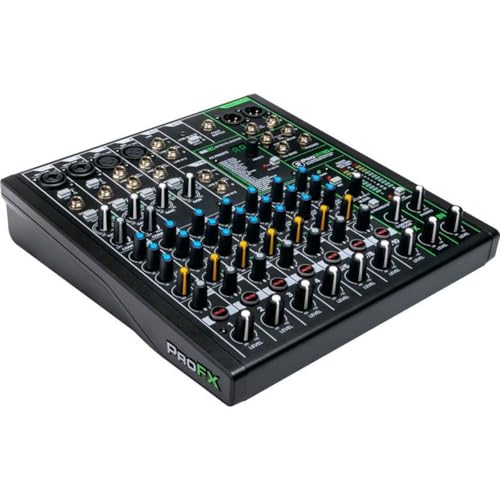
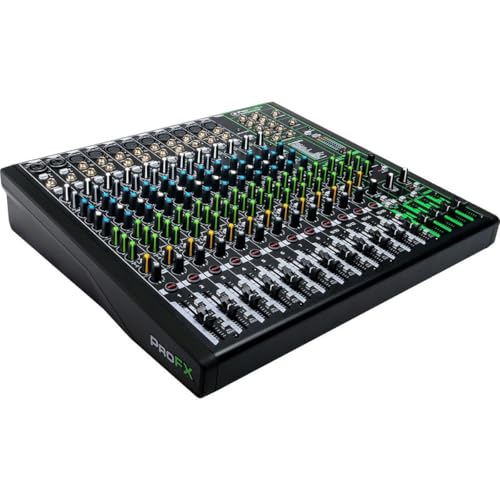

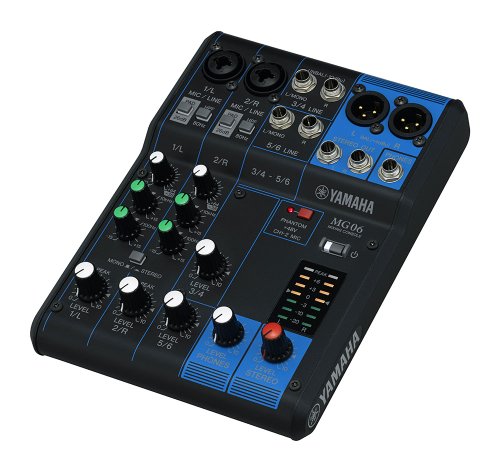


Who Should Buy Analog Mixers
For Small Bands and Acoustic Acts
Small bands and acoustic acts need enough channels for vocals, guitars, and perhaps keys or a drum mic, plus a monitor send for the stage. A compact analog mixer with good preamps and simple EQ covers most pub and community hall gigs well. Portability matters here, since the mixer travels to every show.
For Houses of Worship and Venues
Venues and houses of worship need reliable mixers that volunteers can learn quickly and that handle speech, music, and playback consistently. Clear labelling, robust faders, and a logical layout matter more than exotic features. A mixer that a new volunteer can operate confidently after brief training serves the venue better than a complex one.
For Home Studios With Live Instruments
Home studios tracking live instruments benefit from analog mixers for hands on monitoring and simple summing, even alongside digital recording. A mixer with direct outputs or inserts integrates with an audio interface for flexible routing. Consider whether you need the mixer for recording, monitoring, or both, since each use favours different features.
Key Features to Compare
Channel Count and Preamps
Channel count decides how many microphones and instruments you can connect at once, so count every input including stereo sources, which occupy two channels. Microphone preamp quality affects clarity and noise, especially for quiet acoustic sources. Look for preamps with enough clean gain for your microphones, and for phantom power if you use condenser microphones.
EQ, Aux Sends, and Monitoring
Channel EQ shapes each source, with sweepable mid controls offering far more flexibility than fixed mid knobs. Aux sends feed monitors and effects: one or two sends suit simple setups, while more sends support separate monitor mixes for several musicians. Check whether aux sends are pre or post fader, since monitor mixes usually need pre fader sends that stay constant when the main mix changes.
Effects, Groups, and Outputs
Built in effects add reverb and delay without extra gear, which helps small gigs, though dedicated effects units offer more control. Subgroups let you control several channels together, such as all drums or all vocals, which speeds up live mixing. Confirm the main outputs match your speakers and recording gear, including balanced outputs for longer cable runs.
Build, Size, and Power
Live mixers take knocks, dust, and transport, so a sturdy chassis and protected knobs matter. A rack mountable or well protected mixer survives gigging better than a fragile desktop unit. Check power requirements too, since some mixers use external supplies that are easy to lose, while internal supplies add weight but simplify setup.
Mistakes to Avoid
Buying Exactly Enough Channels
A mixer with exactly enough channels leaves no room for a guest vocalist, an extra instrument, or a playback device. Buy two to four channels beyond your current needs where budget allows, since growing into a mixer is cheaper than replacing one. Spare channels also provide a backup if one channel develops a fault mid show.
Ignoring Monitor Needs
Many buyers focus on the main mix and forget that musicians need to hear themselves on stage. Without enough aux sends, monitor mixes become compromises that frustrate performers. Map your monitor needs before buying: how many separate mixes, whether musicians use wedges or in ears, and how much control each musician needs.
A Final Check Before You Order
Map Your Whole Setup
List every input, every monitor mix, and every output, then check the mixer against that list with room to spare. Test the layout if possible, since fader spacing and knob placement affect live mixing under pressure. The product table above helps you compare, but a mixer that matches your full setup map is the one worth buying.
Making the Most of Your Choice
Cable Care and Setup Habits
Good cables and tidy setup prevent most live sound problems, including hum, crackles, and sudden dropouts. Label cables, coil them properly after gigs, and test them before important shows rather than during soundcheck. Carry spare cables, a spare power supply where possible, and a small torch for dark stages, since preparation beats troubleshooting under pressure.
Soundcheck Routine
A consistent soundcheck routine saves time and stress: set gains carefully without clipping, balance vocals first, then add instruments, and finally set monitor mixes. Check each monitor mix from the musician position, not just from the mixer, since stage sound differs greatly. Leave a few minutes for the room to fill, since an audience changes acoustics noticeably.
Growing Your Setup
As gigs grow, you may add monitor mixes, effects, or recording outputs, and a mixer with spare channels and aux sends accommodates that growth. Plan upgrades around real needs from recent gigs, such as a recurring shortage of channels, rather than features that look impressive. A mixer that grows with your act avoids repeated replacement costs.
Before You Buy: A Quick Recap
Recording With an Analog Mixer
Analog mixers integrate with recording through direct outputs, inserts, or a subgroup feed into an audio interface. Plan the signal path before a session, label channels clearly, and test levels with the loudest expected performance, not with gentle playing. A short test recording reveals gain and noise problems before they ruin a take.
Live Sound Troubleshooting
When something sounds wrong live, check the simplest causes first: muted channels, loose cables, wrong aux sends, and gain staging. Work through the signal path methodically from source to speaker, and keep a spare cable and microphone ready. Calm, systematic troubleshooting fixes most live problems faster than adjusting every knob at once.
For a related option, our guide to best analog mixers for live sound looks at how that choice compares for everyday use and value.
Frequently Asked Questions
What is the difference between analog and digital mixers?
Analog mixers route audio through physical circuits with dedicated knobs and faders for each control. Digital mixers process audio in software, offering scenes, built in effects, and remote control, but with menu layers between you and some controls. Analog suits users who value immediacy and simplicity, while digital suits complex shows needing recall and deep processing.
How many channels do I need?
Count every microphone, instrument, stereo source, and playback device you connect at once, remembering that stereo sources use two channels. Add two to four spare channels for guests, growth, and faults. A mixer that is full on day one will frustrate you quickly, while modest headroom keeps gigs flexible.
What are aux sends used for?
Aux sends create separate mixes from the main mix, most commonly for stage monitors and effects. Pre fader aux sends stay constant when main faders move, which suits monitors, while post fader sends follow the main mix, which suits effects. The number and type of aux sends decide how many independent monitor mixes your mixer can support.
Do I need built in effects?
Built in effects add convenience for small gigs, providing reverb and delay without extra units and cables. Dedicated effects processors offer more control and quality for demanding users. If you mostly need a touch of reverb on vocals, built in effects suffice; if effects are central to your sound, budget for external units.
Are analog mixers still worth buying?
Yes, analog mixers remain excellent for small to medium live sound, venues, and studios that value hands on control and reliability. They avoid software updates, boot times, and menu diving, and many users mix faster on them. For very complex shows with scene recall and remote control, digital mixers offer advantages analog cannot match.
Final Thoughts
The best analog mixers are the ones with enough channels, clean preamps, and monitor flexibility for your actual setup, in a build that survives real gigs. Use the product table above to compare options, then map your inputs and monitor needs before deciding. A mixer chosen against a full setup map will serve you reliably for years of performances.
A good purchase feels right after weeks of use, not just on the day it arrives, so weigh everyday comfort and practicality above headline features. Revisit the product table above, confirm the fit for your situation, and let real world use be the final judge.


